Ning is a social media network platform where you or your organization can create custom social networks. They’ve helped thousands of users across the globe to develop their social networks and stay connected with the world.
If you have a website with Ning and want to embed your form on a page, that is possible with just a few steps.
Getting the Embed Code
Follow these steps to copy the embed code for your Ning website:
- In Form Builder, click on Publish.
- Next, click on Platforms.
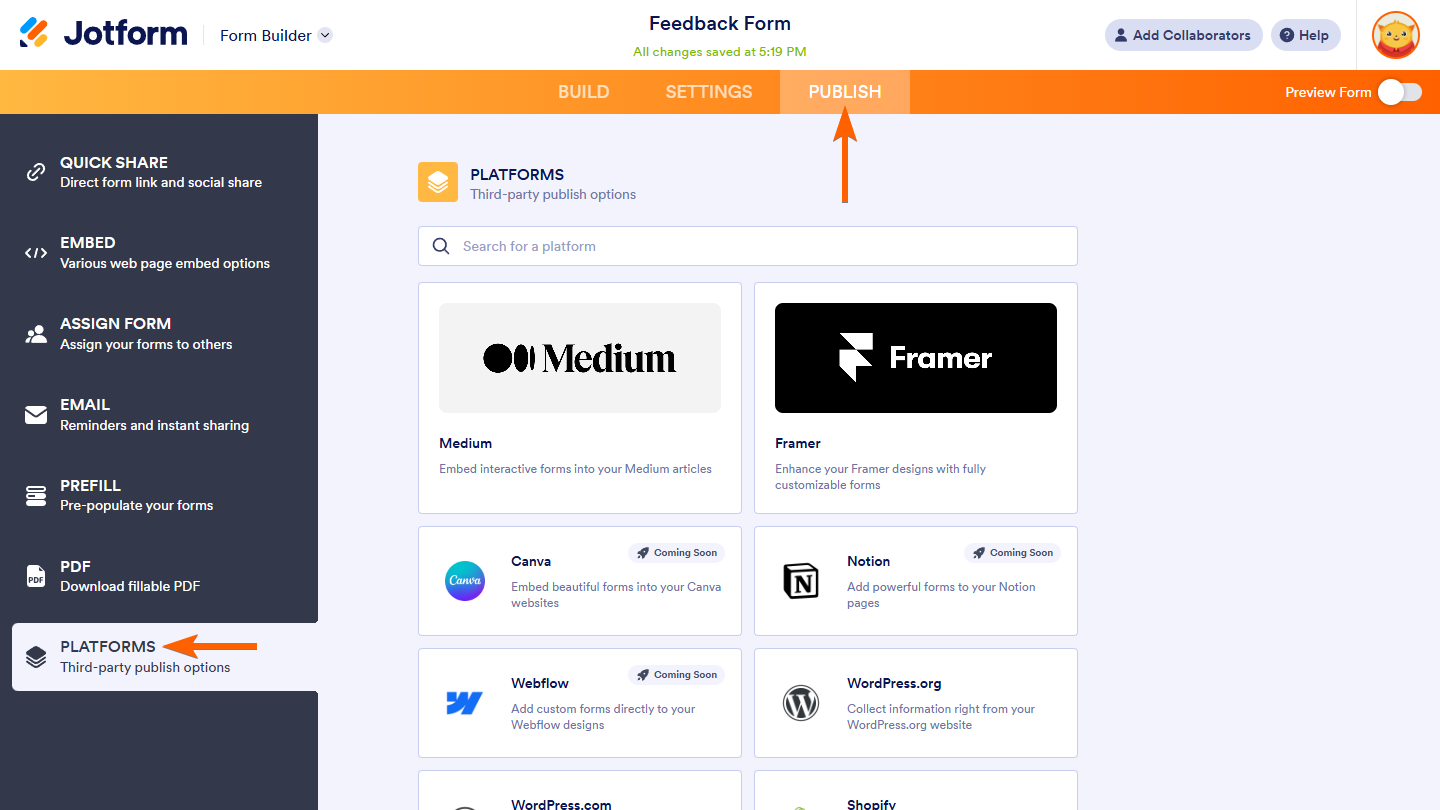
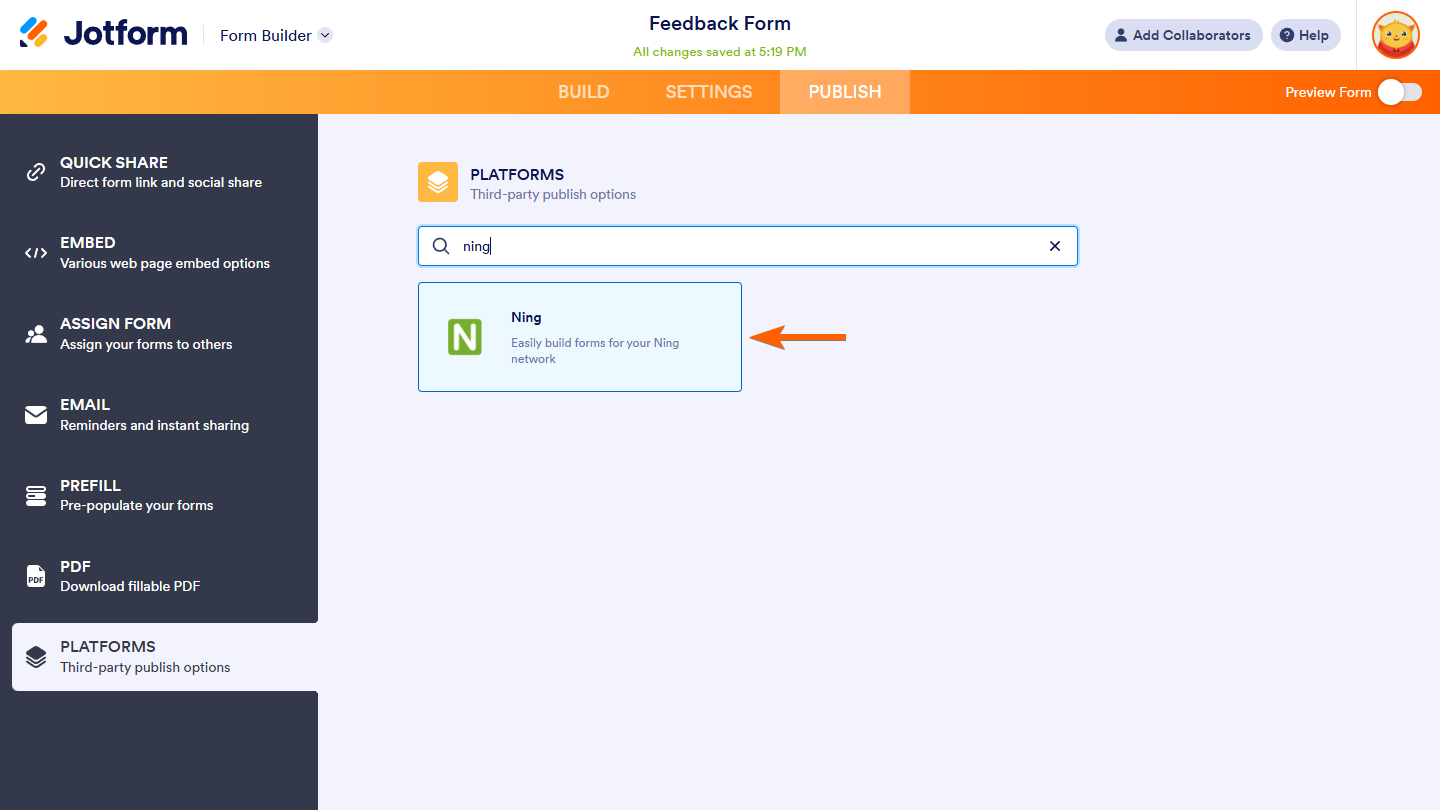
- Then, select Ning. You can use the search bar to find it easily.
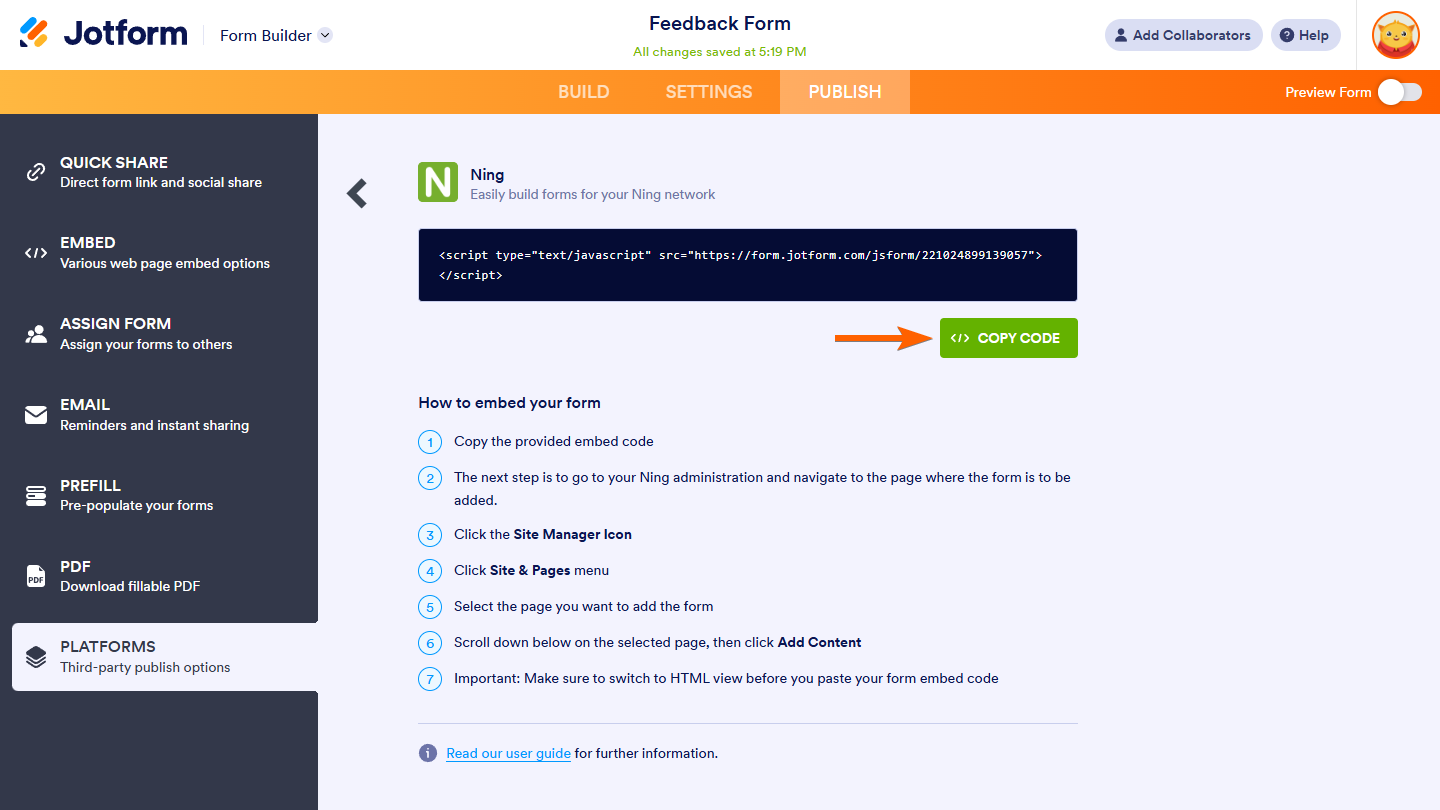
- Click the Copy Code button.
Embedding the Form
Follow these steps to embed your form on your Ning website:
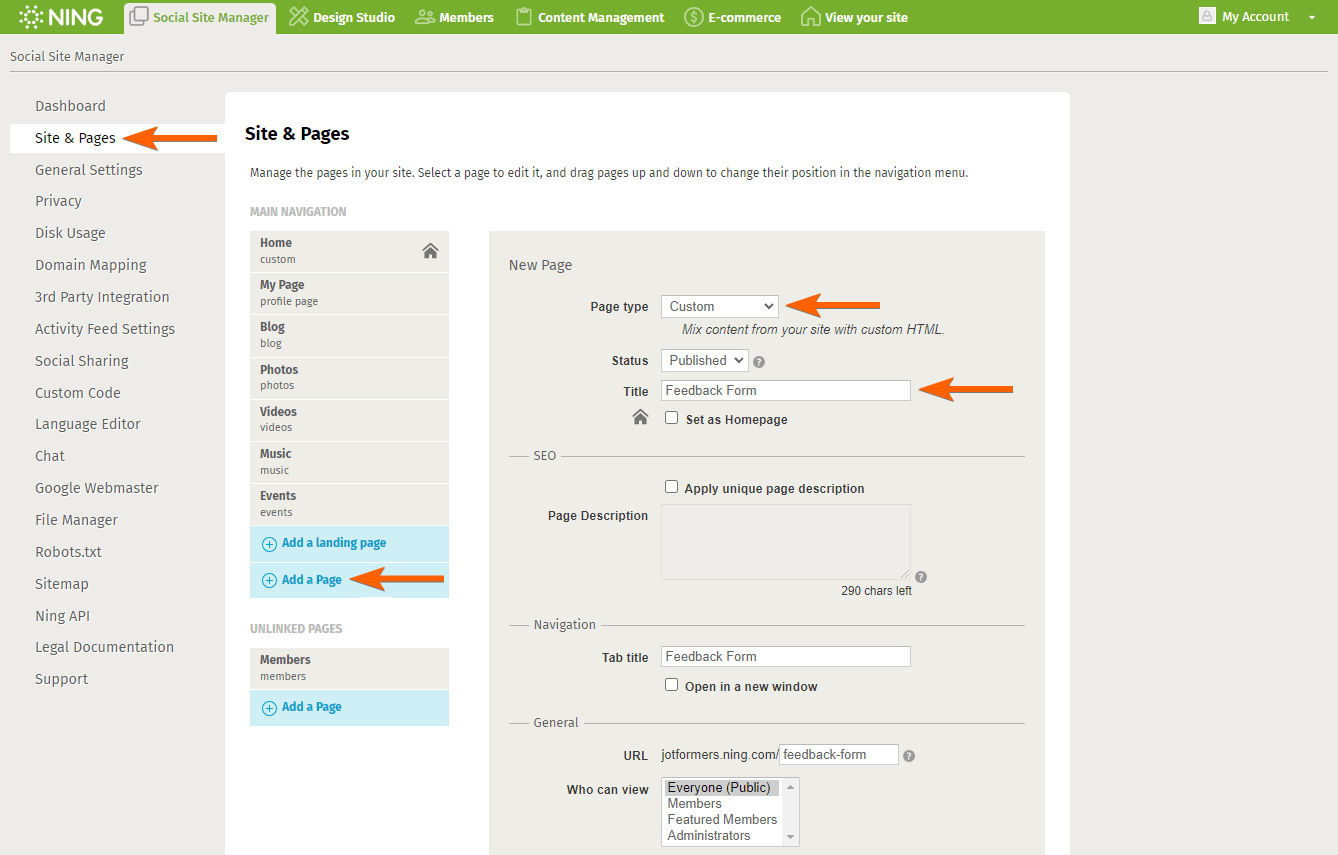
- From the Ning Social Site Manager Dashboard, click on the Site & Pages tab on the left side of the page.
- On the Site & Pages section, click on the Add a Page button under the Main Navigation if you want to add your form to a main page on your website. Otherwise, click the one under the Unlinked Pages.
- In the New Page section, select the Custom option in the Page Type dropdown.
- Then, type your Page Title. The Tab Title setting under Navigation and the URL setting under General are automatically filled for you based on the page title you entered. You can update those settings, but we recommend keeping them as they are.
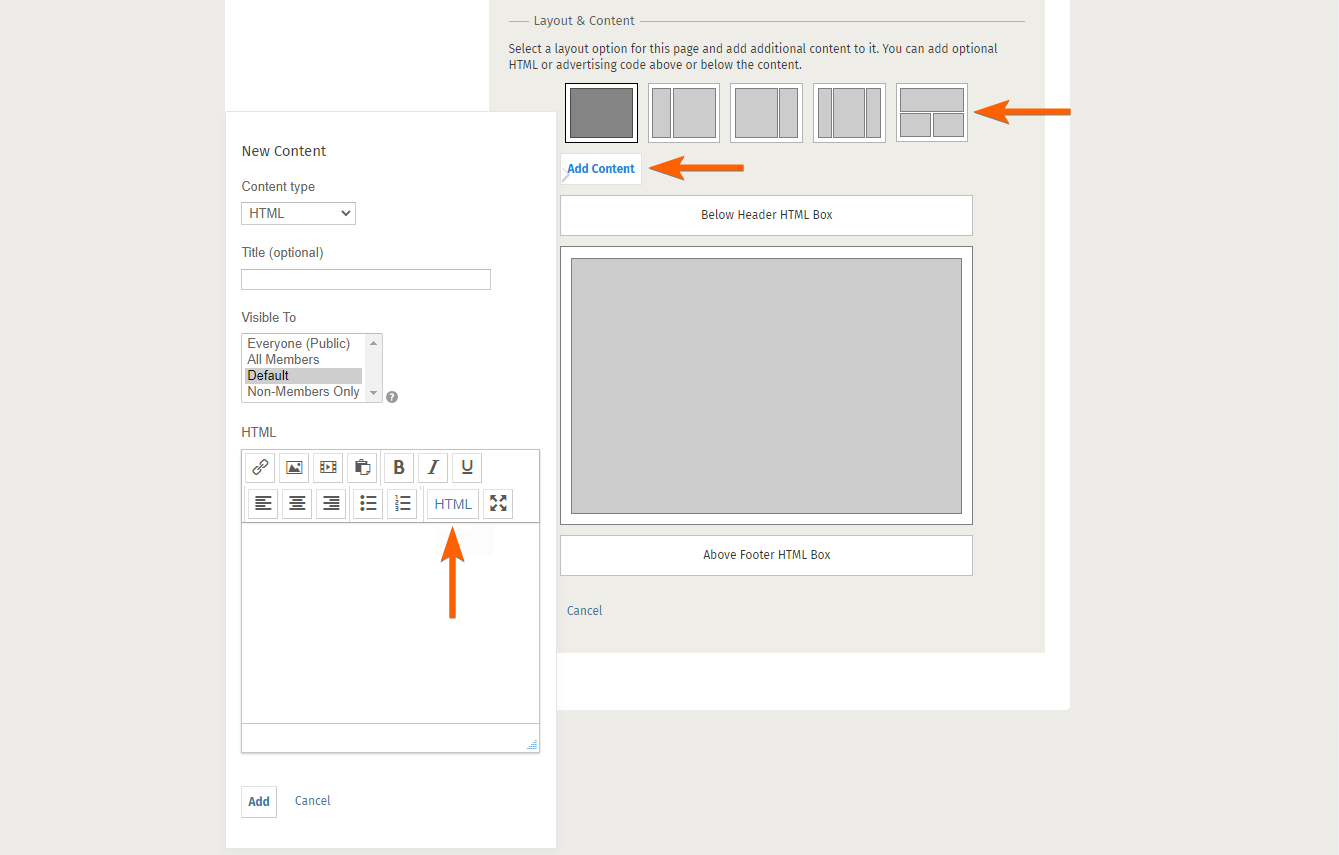
- Under Layout & Content, select your page layout.
- Next, click on the Add Content button to open the New Content modal.
- Select the HTML option in the Content type dropdown and click on the HTML button on the text editor toolbar.
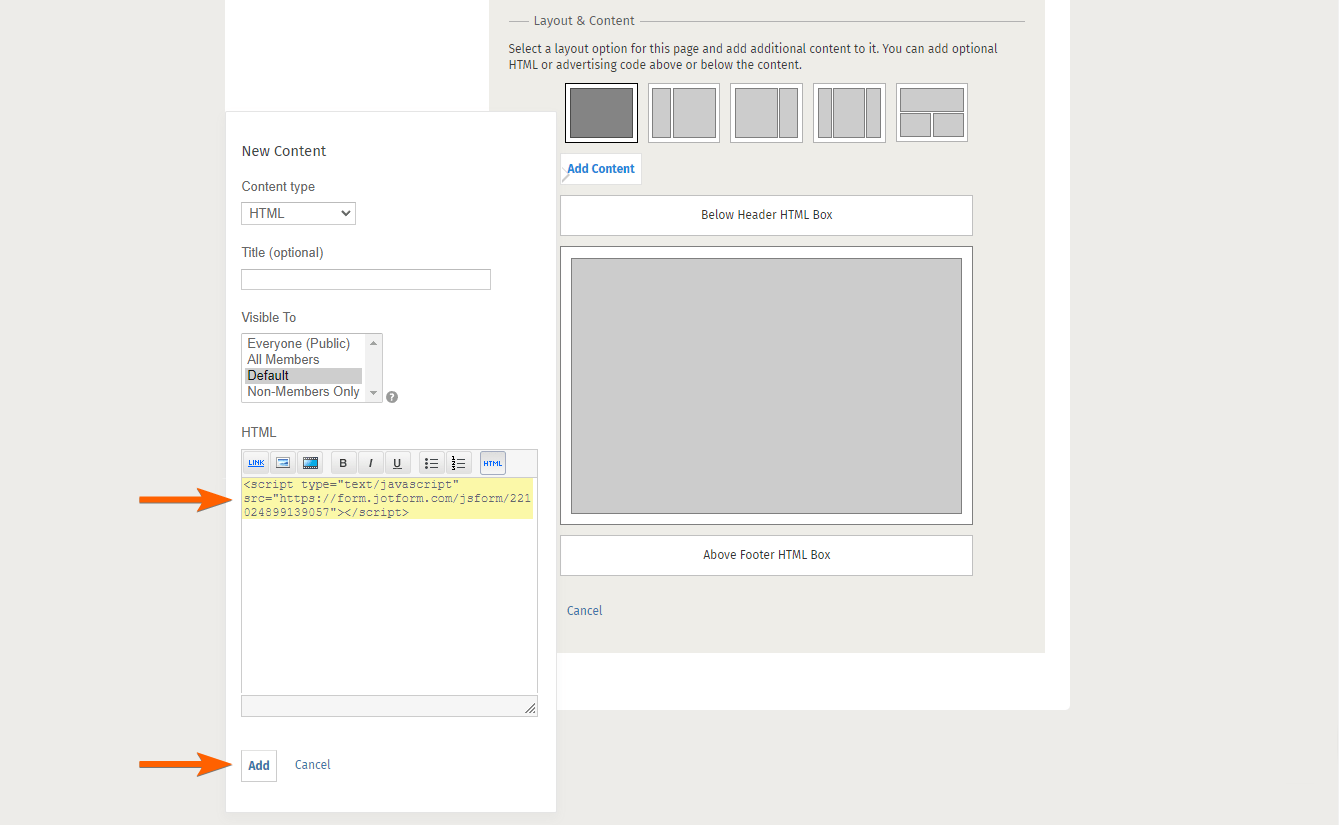
- Paste your form’s embed code in the code editor.
- Then, click on the Add button.
- At the bottom of the New Page section, click on the Save button.

Send Comment:
5 Comments:
April 16, 2015
Form is a necessity these days for sites... IP 8 Updates
April 14, 2015
We also love using JotForm. It easily integrates with our third party software and the user interface is a better than competitors. Keep up the good work Jotform!
April 14, 2015
Jotform has definitely helped us quantify our social media leads and when I speak at workshops & conferences I recommend them to use Jotform all the time!
April 13, 2015
Whether you're a marketer, or just marketing, or just collecting info, you need a form!
January 21, 2014
are these instructions current? I have worked on this for 1 hour and can't figure it out!
thanks!!!