Cloning a form from a URL is useful when you want to reuse its format or design without starting from scratch. You can clone a form from your other account, your team, or other users. This saves time and helps maintain consistency in formatting, design, and structure across different accounts.
You can clone a form from another account in just a few steps. Here’s how to do it:
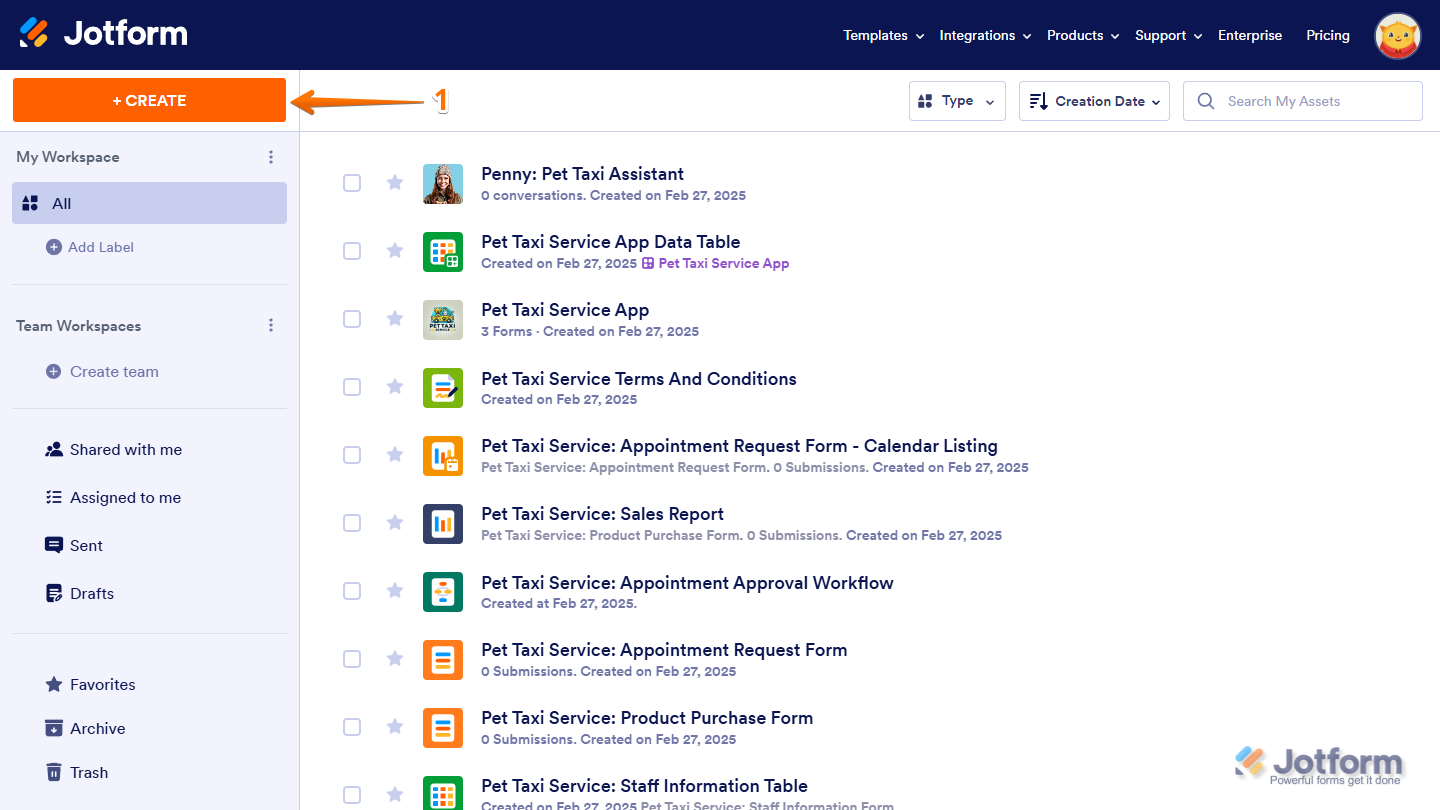
- On your Workspace page, click on Create on the top-left side of the screen.
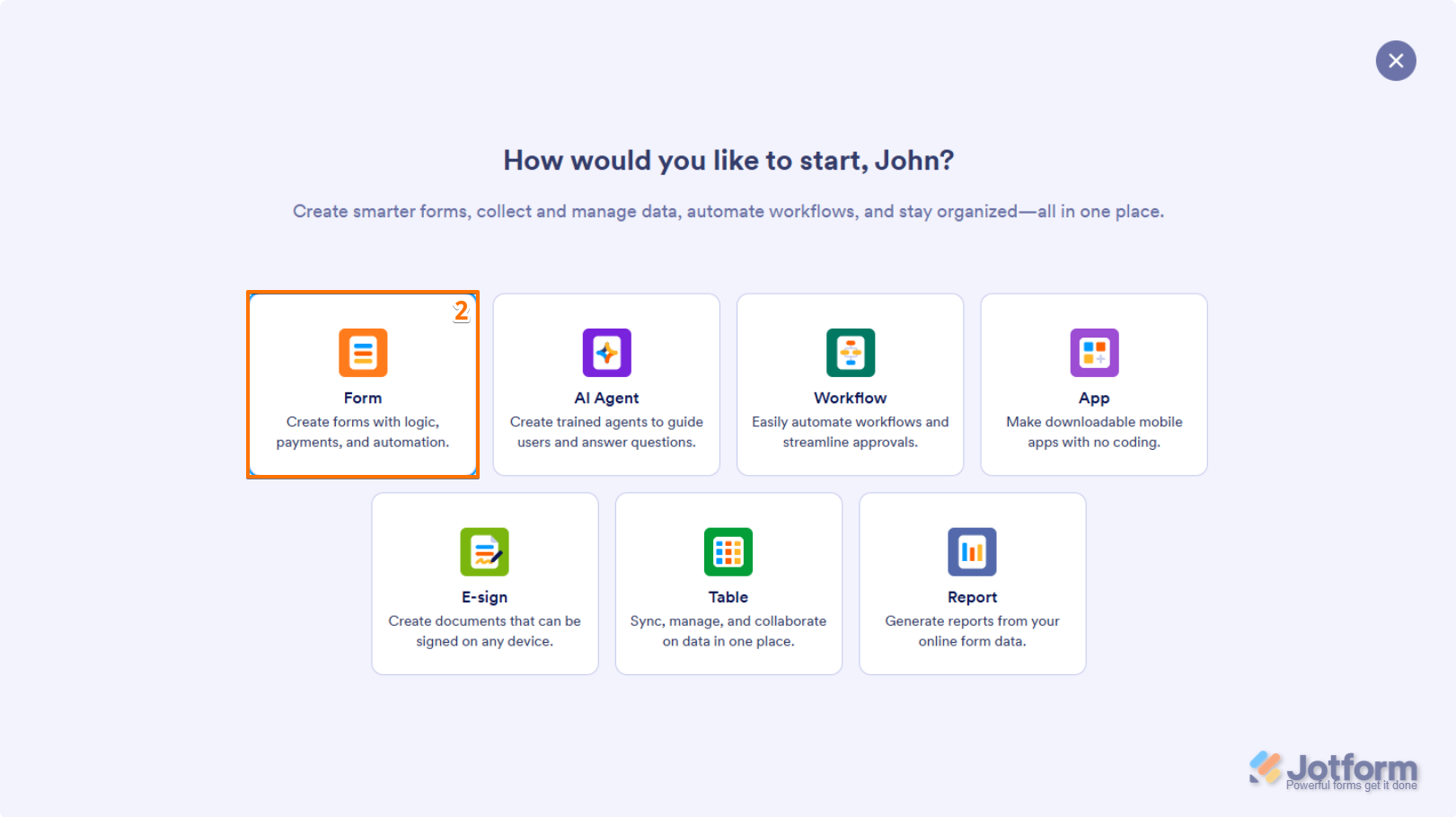
- In the window that opens up, click on Form.
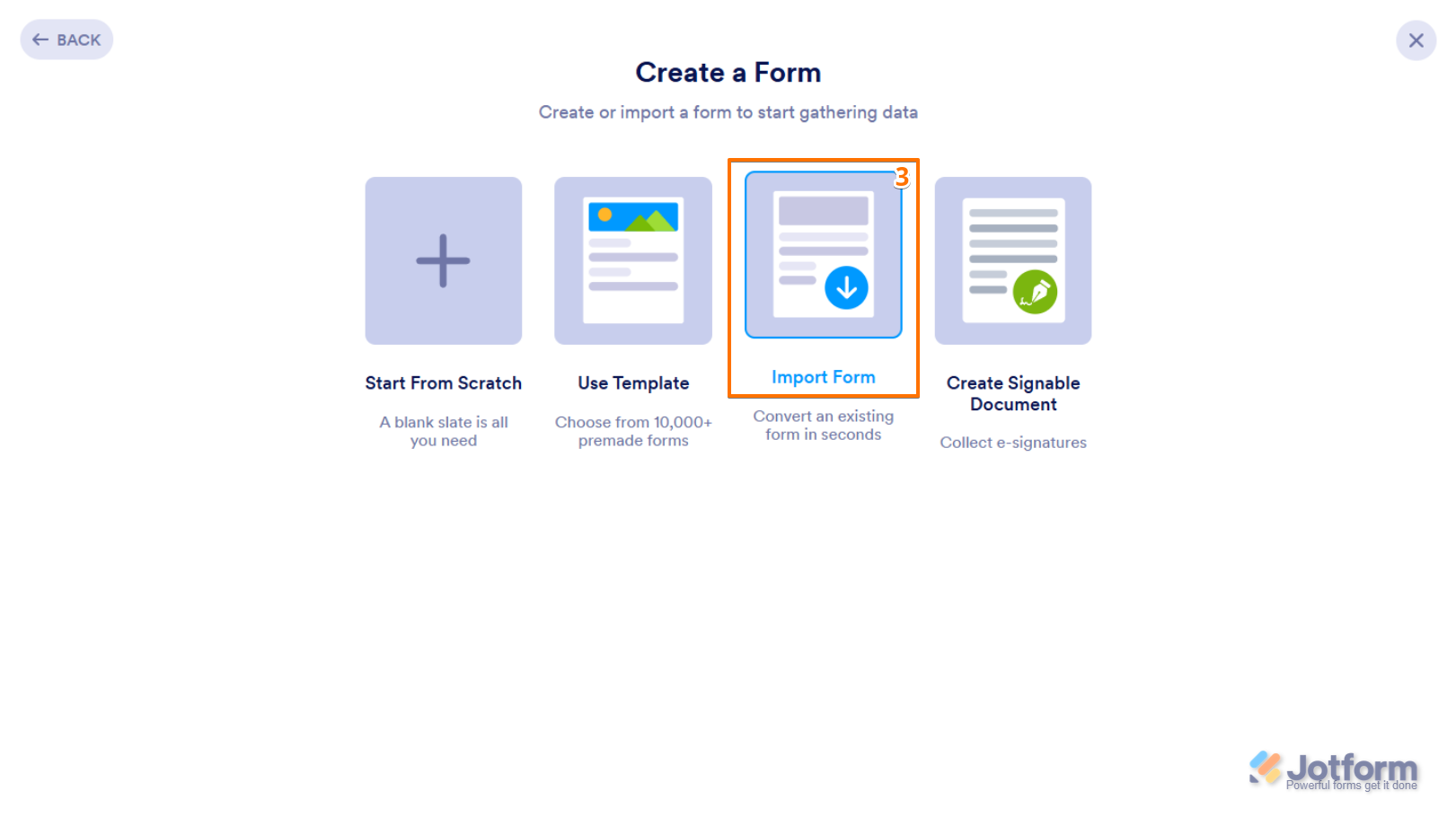
- Now, click on Import Form.
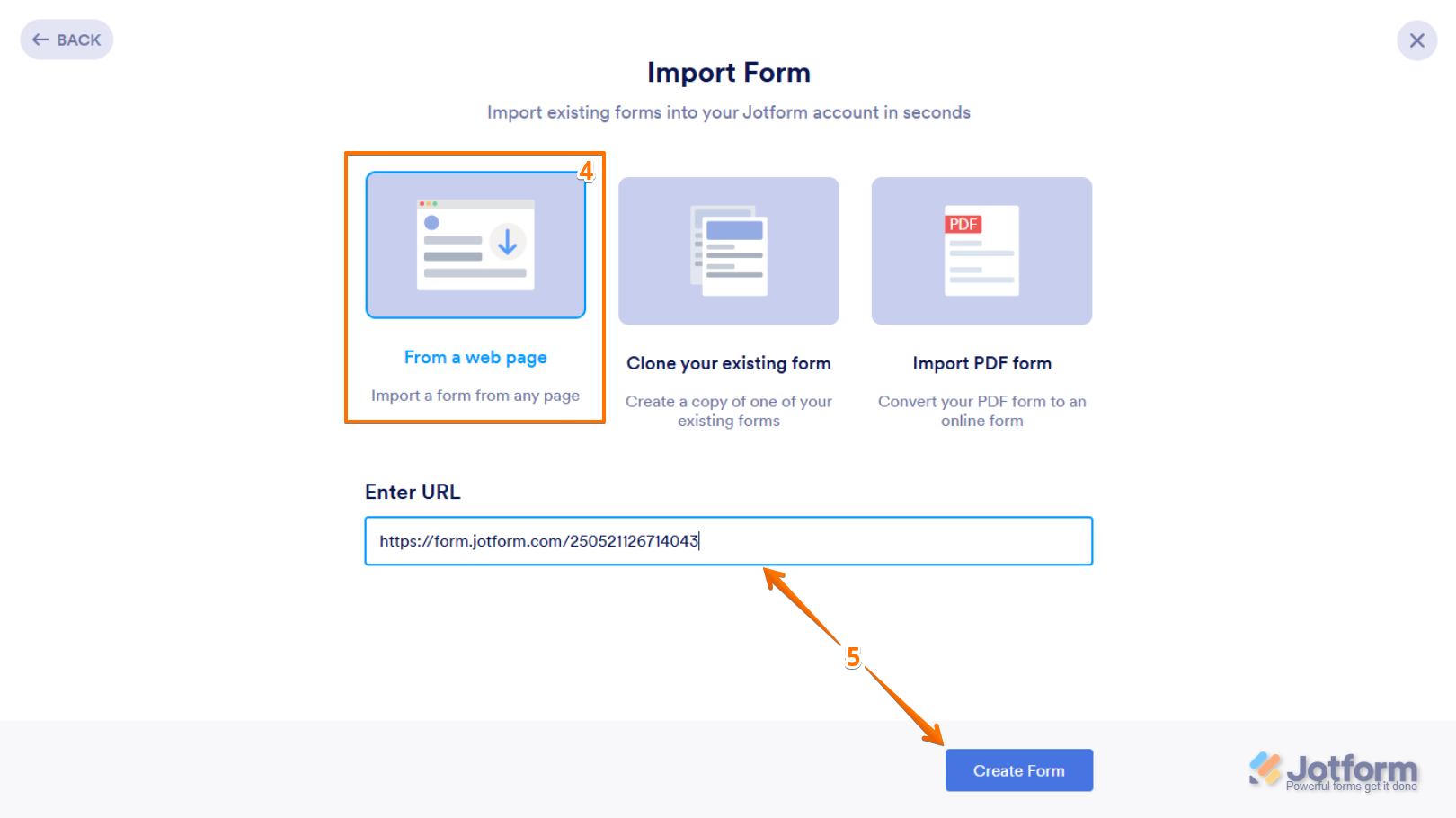
- Then, click on From a Web Page.
- Next, paste the URL of the form you want to clone into the Enter URL field below it, and then click on Create Form at the bottom.
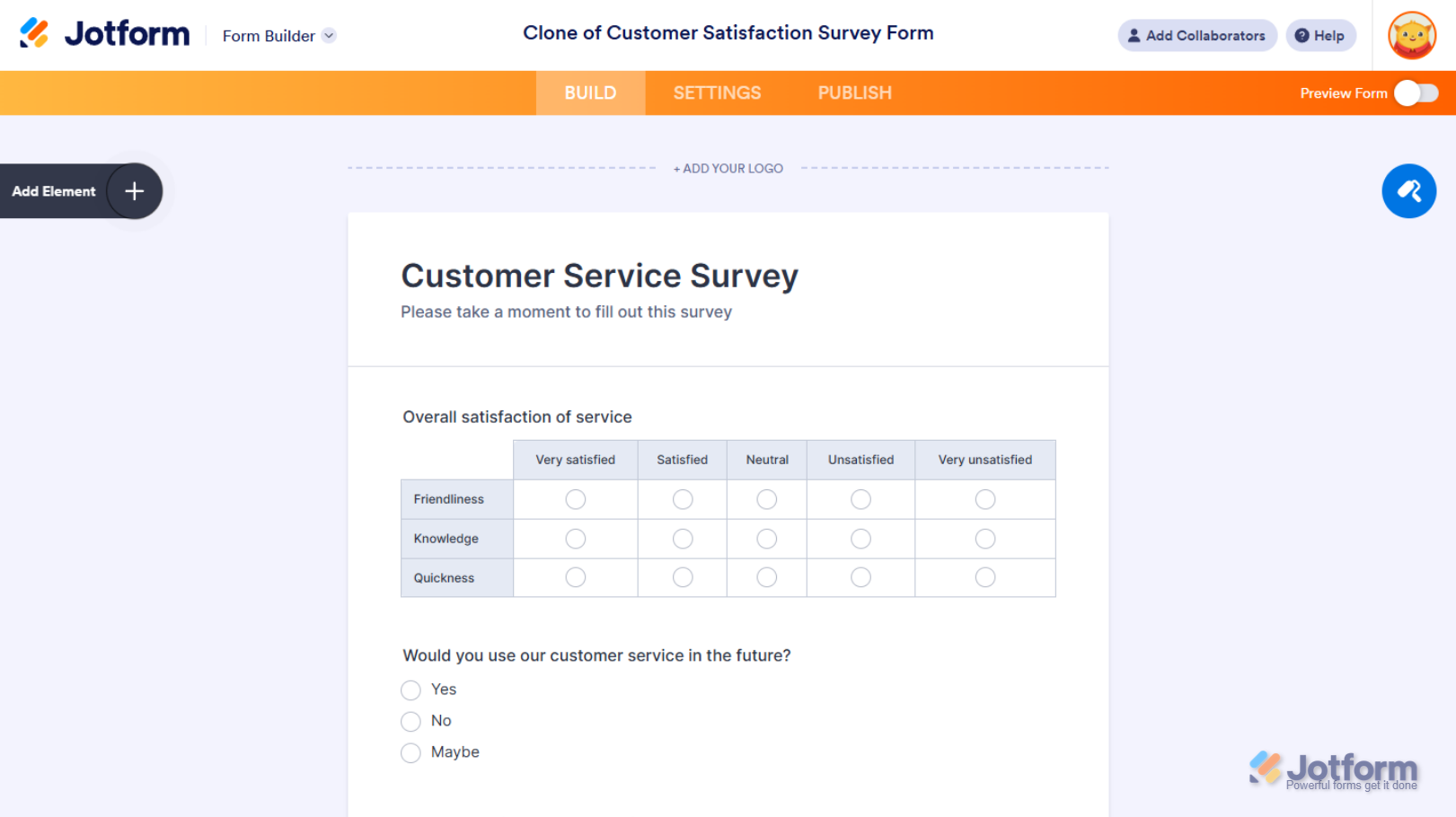
This creates a new form in your account and redirects you to Form Builder, where you can Customize the Style, Set up the Fields, and Configure the Settings.
Notes
- Cloning a form creates a new one, which counts toward your account’s Form Count Limit. The cloned form is an exact copy of the original but works independently, so any changes you make won’t affect the original.
- When you clone a form from another account, everything related to the form itself is copied, including the logo, basic fields, payment fields, widgets, pages, sections, color, style, theme, and layout.
- Most form settings are also copied, such as the Conditionally Enabled Form Status, Form Warnings, Form Languages, Auto-Delete Submissions, Save and Continue Later, Unique Submission, Unique Field, Form Accessibility, Page Title, Clear Hidden Field Values, Highlight Effect, Form Layout, Show Error Navigation, and Allow Browser Autocomplete. Encryption is automatically disabled.
- Notification and Autoresponder Emails are copied, but their subject, content, recipients, and other settings are reset to default. Conditions, Thank-You Page settings, and Jotform Sign Automation setup are also copied.
- Third-party accounts connected to widgets and payment gateways integrated with payment processing fields are disconnected. Integrations, workflows, prefills, PDF Documents, Fillable PDFs, and reports are also not copied.
- Form submission data aren’t copied when you clone a form. To copy submissions to the cloned form, export them from the original form and import them into the new one. For details, check out our guides on How to Export Your Form Data to Excel and Import Data: Easily Import Your Excel or CSV Data Into Jotform.
- The cloned form keeps the same name as the original but is prefixed with “Clone of.” If you need to rename it, check out our guide on How to Rename Your Form.
- Password-protected and private forms can’t be cloned. For more details, check our guides on How to Password Protect Your Form and How to Change the Access Settings of a Form.
- Form owners can prevent others from cloning a form by enabling the Prevent Cloning form setting in Form Builder. To block cloning for all forms, they can enable the Do Not Allow My Forms to Be Cloned by Other Users option in their account’s Privacy Settings. Users who try to clone restricted forms will see an “Unauthorized Request” message.

Send Comment:
126 Comments:
April 8, 2025
Hi
I found a petition form here: . I'd like to copy it and use it. It will be my first form.
I didn't want to affect the original creator's acct, form, etc. If I copy the URL to create it, will I be OK?
Anything else I should know, this being my first form and all..
Thanks
January 2, 2025
I am not able to import from a webpage.
Error: Unauthorized request. You do not have access to this form
September 20, 2024
Thank you so much!!!! This has been so helpful!!
February 13, 2024
Hi!
If I clone a form, will the newly cloned form have its own link/URL, or will it share the link/URL of the original form.
Also, weird, but that profile pic is not me. It might be the person who was before me and whose email address I inherited. Can you please delete it?
Thanks!
May 11, 2023
Lucas was a great help and pointed us to this article to help our need! Thank you!!!
January 19, 2023
Is there a way to have an "Add Image" button at the bottom of the form instead of requiring users to input a specific number at the start of the form?
December 13, 2022
Can I please schedule a call on cloning a Form?
I have cloned two ways - one from the URL and also from the Form options. However. in each case it brings up the existing PDF - which I want to change. Is this possible?
December 1, 2022
I've tried to do this today and the other user is getting a message 'Unauthorised request. You do not have access to this form'. In my account the form is enabled, published and set to allow cloning?
I have also tried adding the form as a template to the Jotform community but it does not appear there after I have shared it. It is in My templates but not found via a search in the templates via the account I am trying to share the form with so they can amend it to build their own survey from this one - the idea is to avoid them starting from scratch but this is proving very difficult!
July 22, 2022
Why doesn’t the clone button under more work? You solution did not work.
December 19, 2021
When attempting to clone a solution sent via Jotform I am stopped cloning it at the copy URL
After I enter it with..... 'Unauthorized request. You do not have access to this form'
What can I do
jeff
October 14, 2021
My form will not import from a website so I can make a clone. I have done this before so I’m not sure why it’s not working. I’m copying and pasting the direct link of the jot form I want to import them clone. Thanks!
October 4, 2021
i am not able to import from a webpage. I can only do a pdf
September 26, 2021
Excellent.
Thank you.
June 26, 2021
More videos on YouTube · 3. Select Import Form from the options. · 4. Select From a web page. 5. Enter the URL of the form that should be cloned. Maccas Feedback
April 12, 2021
Hello, I'm trying to clone an existing form, forma a colleage account to my account, but when I put the form URL, an error appears on the bottom of the page:
"Unauthorized request. You do not have access to this form"
What can I do to have access?
April 5, 2021
Hi, would I be able to schedule a phone call with someone to discuss making some forms?
March 18, 2021
yo deseo clonar un formulario que un amigo me lo permite
March 15, 2021
Thank you!
March 11, 2021
I keep getting this error message when I am trying to clone an existing form from one of my Jotform account to the other. Help!
"Unauthorized request. You do not have access to this form" ==> I am not sure what I should click to give myself access from the other account.
February 1, 2021
Thank you but I meant only clone some of the form---not all of it. We have some complex forms with over a hundred question elements....when I only want a few....do I have to clone and delete what I don't need or can I copy just what I need?
January 14, 2021
Thank you
December 5, 2020
I was able to get this to work, but the other user doesn't have access to the PDF's associated with the form. When they go to PDF editor, there's nothing there :(
October 20, 2020
I am trying to import a form from one of my other Jotform accounts. I have said "yes" to allow cloning. When I copy the url and try to use it, I get an error message that tells me that the request is unauthorized and I don't have access to the form ?????
September 28, 2020
Hi - Does this work if it is not my original form?
Am I able to talk to someone live via phone? I have several other question on setting up my form. Thank you.
August 25, 2020
hello there,
I've been off the air for a couple of weeks, getting back into all this fun stuff now :)
I can't tell you all how much your assistance is ALWAYS appreciated, I hope you all get LOTS of sincere THANK YOU's.
GENERAL QUESTION : Often, the responses I receive include a video showing what to do.
Is there any way to slow down the playback speed ?
I hope so . . .
My HUGE thanks, as always.
PeterH