Jotform provides a comprehensive range of form elements designed to meet the diverse needs of any form you create. Whether you’re building a simple contact form, a detailed survey, or a complex order form, you’ll find the right tools here. Below, you’ll find a complete list of form fields, along with a brief description of each, to help you understand their functionality and how they can enhance your forms.


Quick Elements
Place at the top for convenience, Quick Elements list the most commonly used form elements.
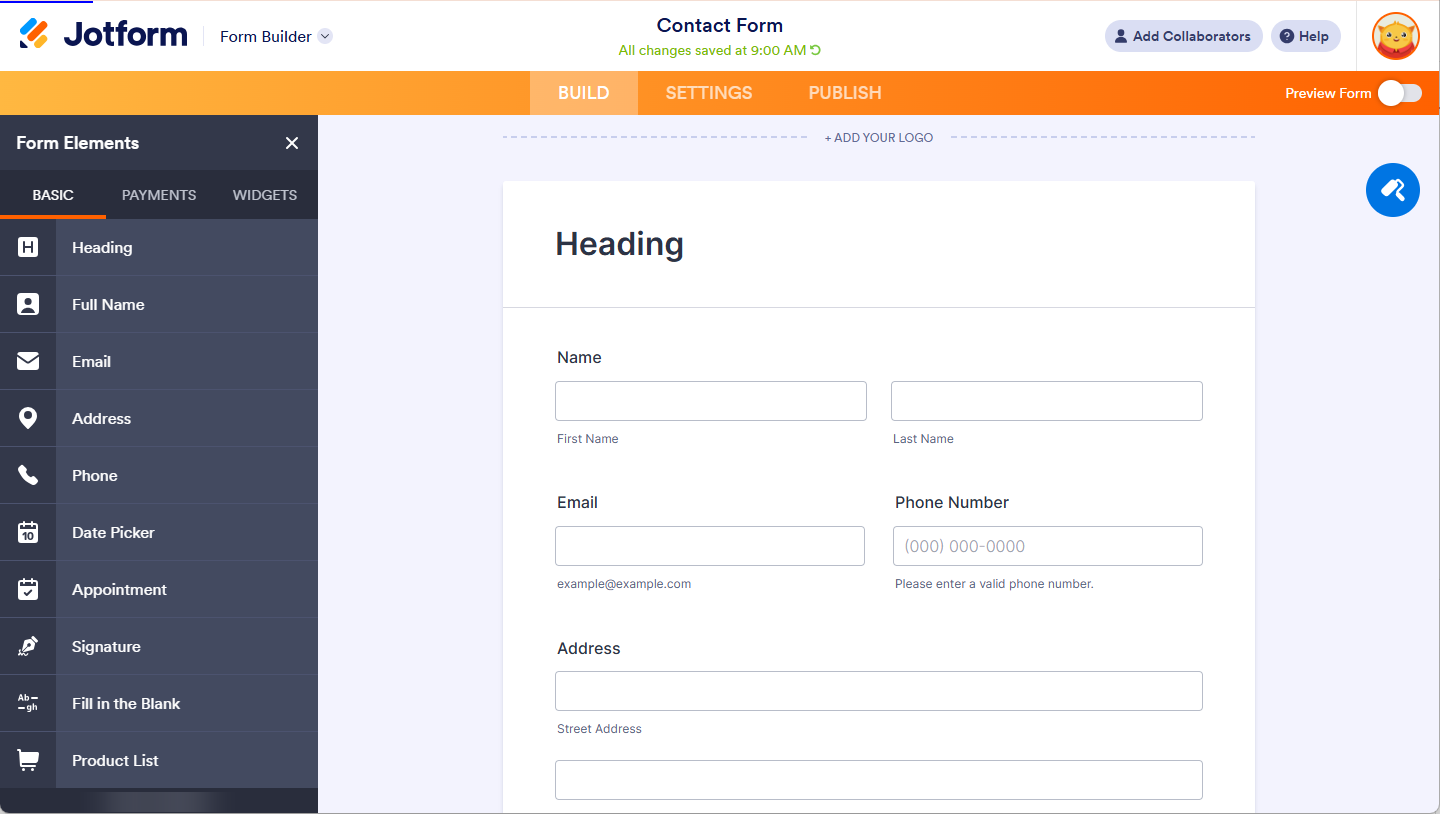
- Header — A header briefly explains the purpose of your form. Use the subheader if you want to add more details.
- Full Name — A predefined field with options for first and last name. Use this instead of adding two separate text boxes for convenience.
- Email — The email field includes built-in validation to ensure the proper email format.
- Address — Users can enter their complete address using predefined fields.
- Phone — A predefined field to capture phone numbers.
- Date Picker — A tool for collecting dates, with an optional time field for more detailed input.
- Appointment – Allows you to set up appointments on your form, with a limited number of bookings per slot.
- Signature — Collect electronic signatures that are legally binding.
- Fill In The Blank — Display and collect answers in a sentence or paragraph-like format.
- Product List — A base payment element for displaying product items.
Basic Elements
The Basic Elements section contains the essentials for creating forms.
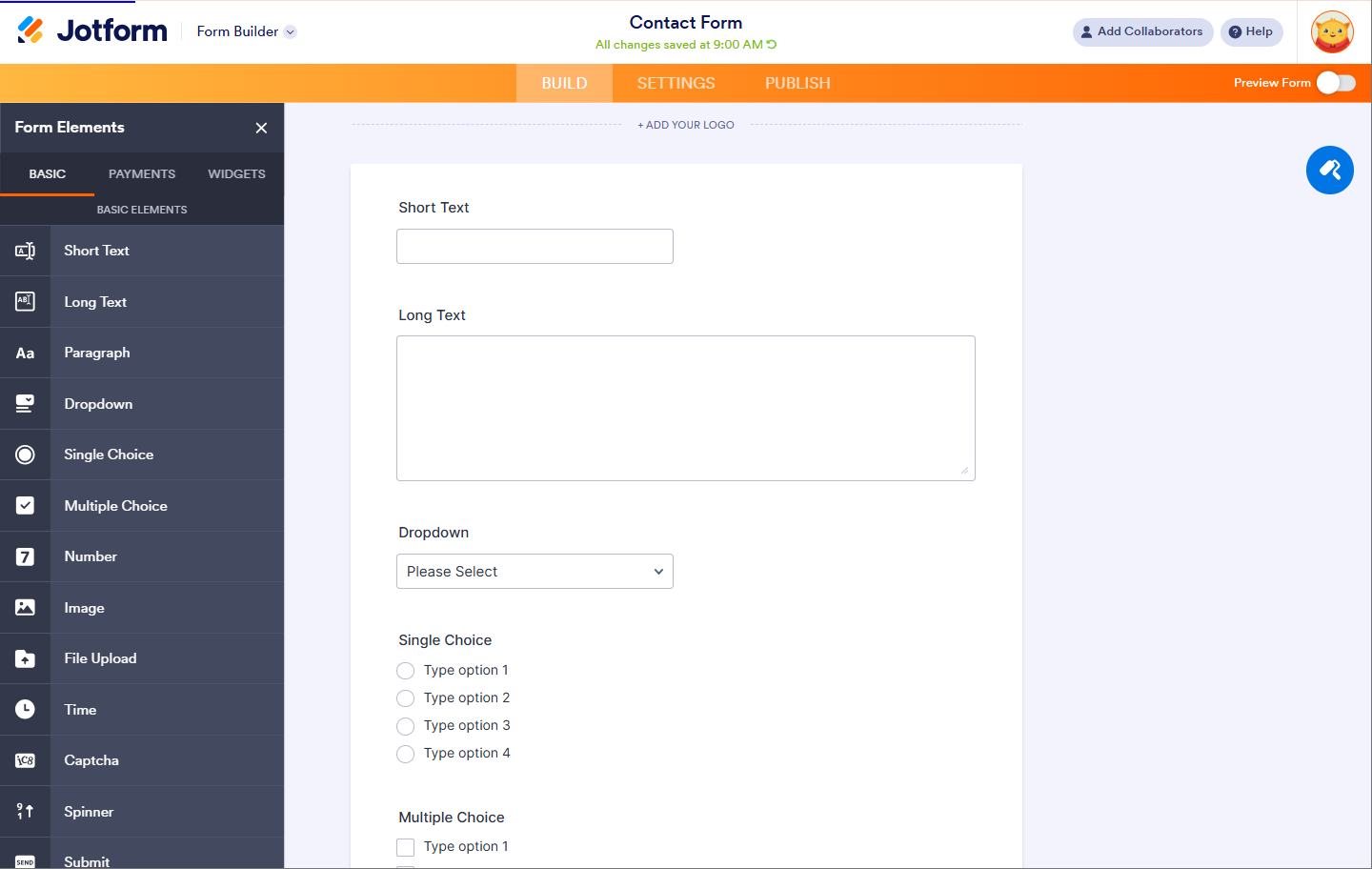
- Short Text — Known as a text field or textbox, this is used for collecting single-line responses from users.
- Long Text — Also referred to as a textarea, this field is suitable for longer responses, such as comments or notes, that require multiple lines of input.
- Paragraph — A rich-text editor that allows basic text formatting and the inclusion of images within your form.
- Dropdown — Dropdown menus are typically used for category-related questions, offering users a list of options to select from.
- Single Choice — Commonly known as a radio button, this field allows users to select one option from a list of choices.
- Multiple Choice — Known as checkboxes, this field allows users to select multiple options.
- Number — A field designed for entering numerical data.
- Image — This field lets you display an image, such as your company logo, to customize your form.
- File Upload — Users can upload files directly to your form with this field.
- Time — Use this field when you need users to provide time in hours and minutes.
- Captcha — Captcha helps prevent spam by verifying that submissions are made by humans. You can also enable Google’s advanced ReCaptcha for added protection.
- Spinner — A tool that simplifies entering numbers, allowing users to increment or decrement values easily.
- Submit — This button is required for submitting the form; without it, users cannot send their responses.
Survey Elements
Easily build your questionnaire and survey forms with Survey Elements.
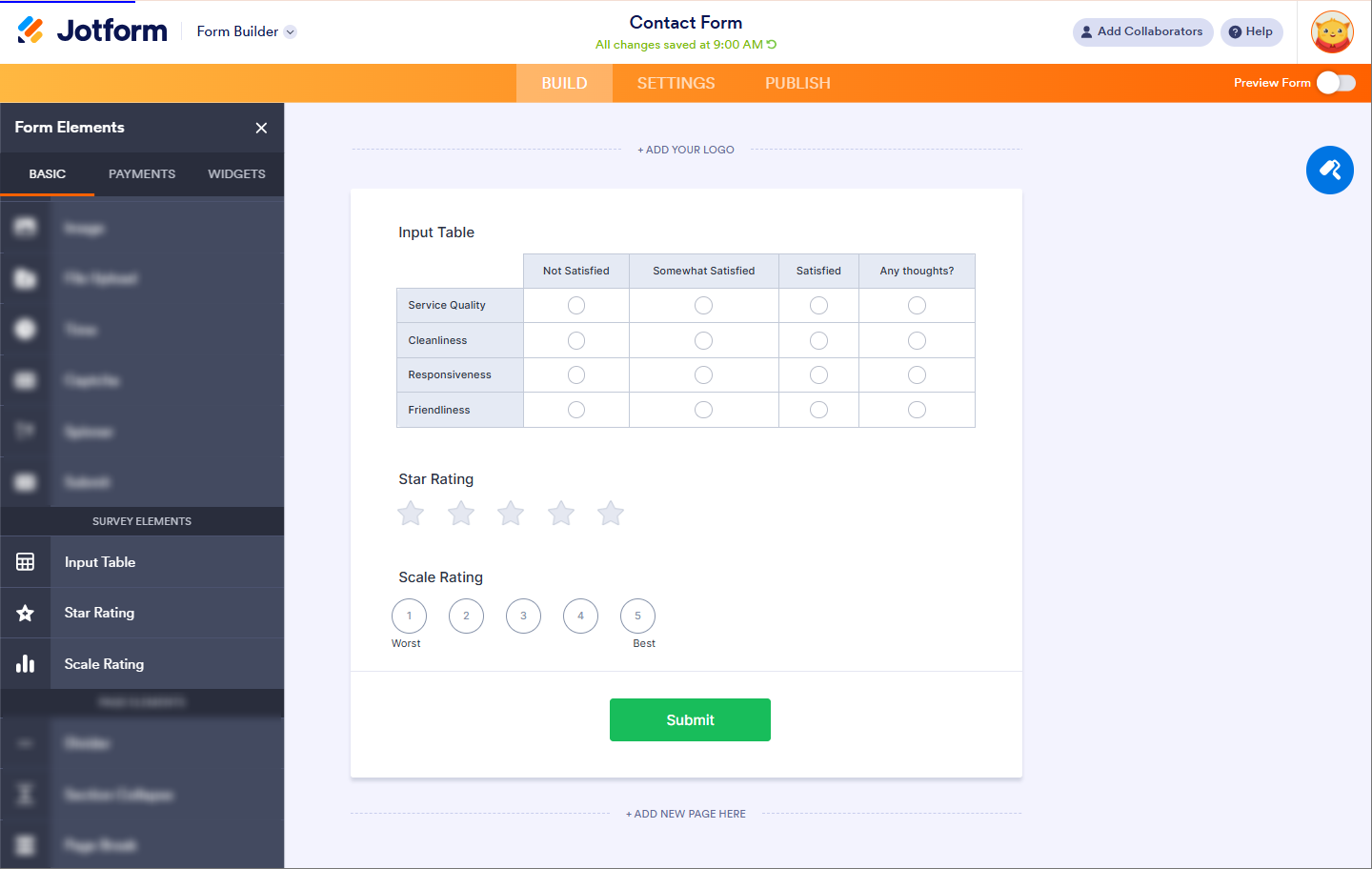
- Input Table — This field lets you display input fields in a table format, making it easier to organize and collect data.
- Star Rating — This option allows users to rate using different shapes, such as stars or light bulbs.
- Scale Rating — This is useful for collecting ratings based on a scale, giving users a range of options to choose from.
Page Elements
Create different sections on your form with Page Elements.
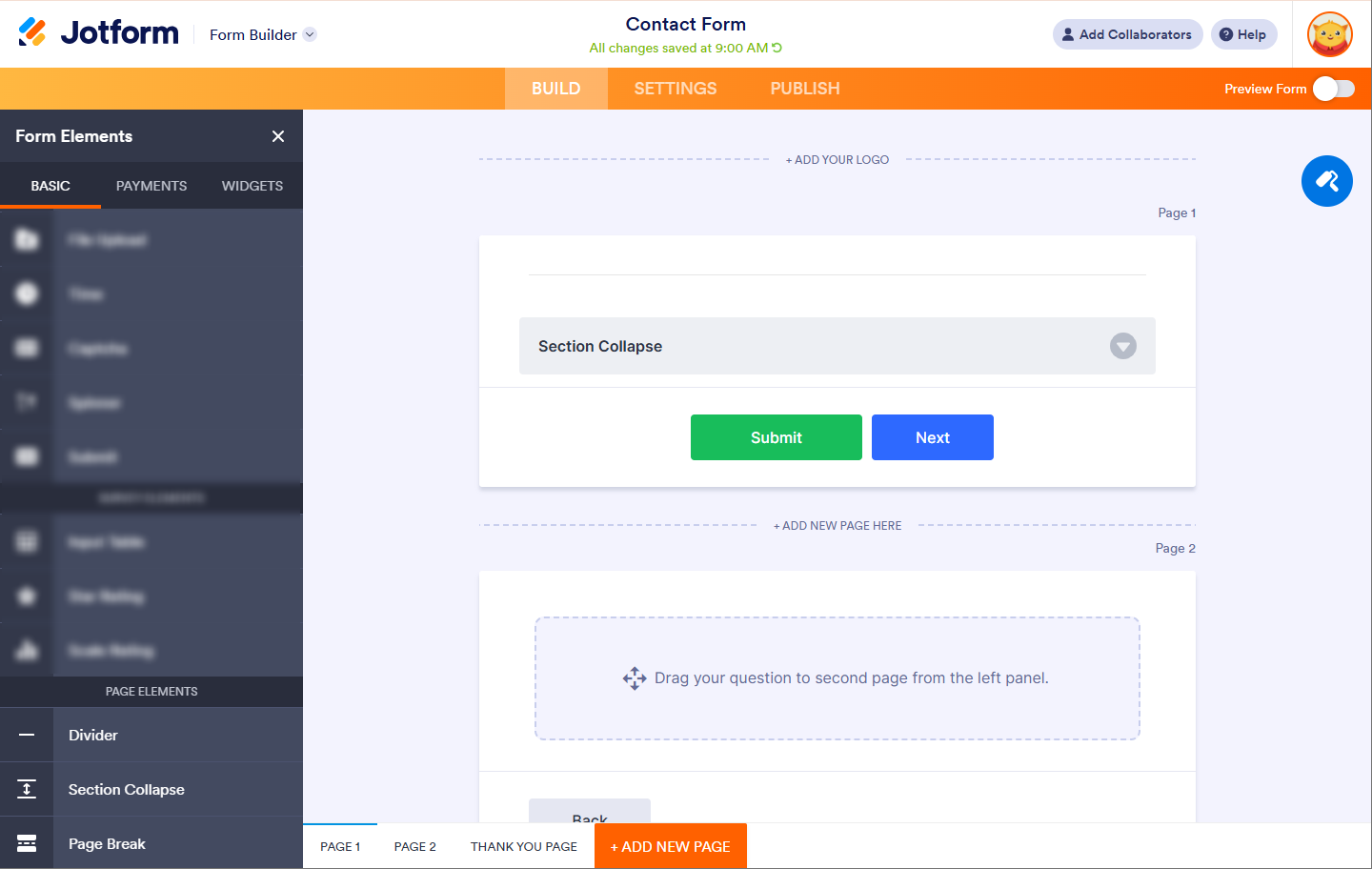
- Divider — Add a line to create different sections on your form.
- Section Collapse — This is used to show or hide sections on your form. Section Collapse is most useful for splitting your form into expandable parts.
- Page Break — Splits your form into multiple pages. It works best with a heading to indicate each page.
Payments
The Payments tab holds the list of gateways that allows you to collect payments through various international payment processors.
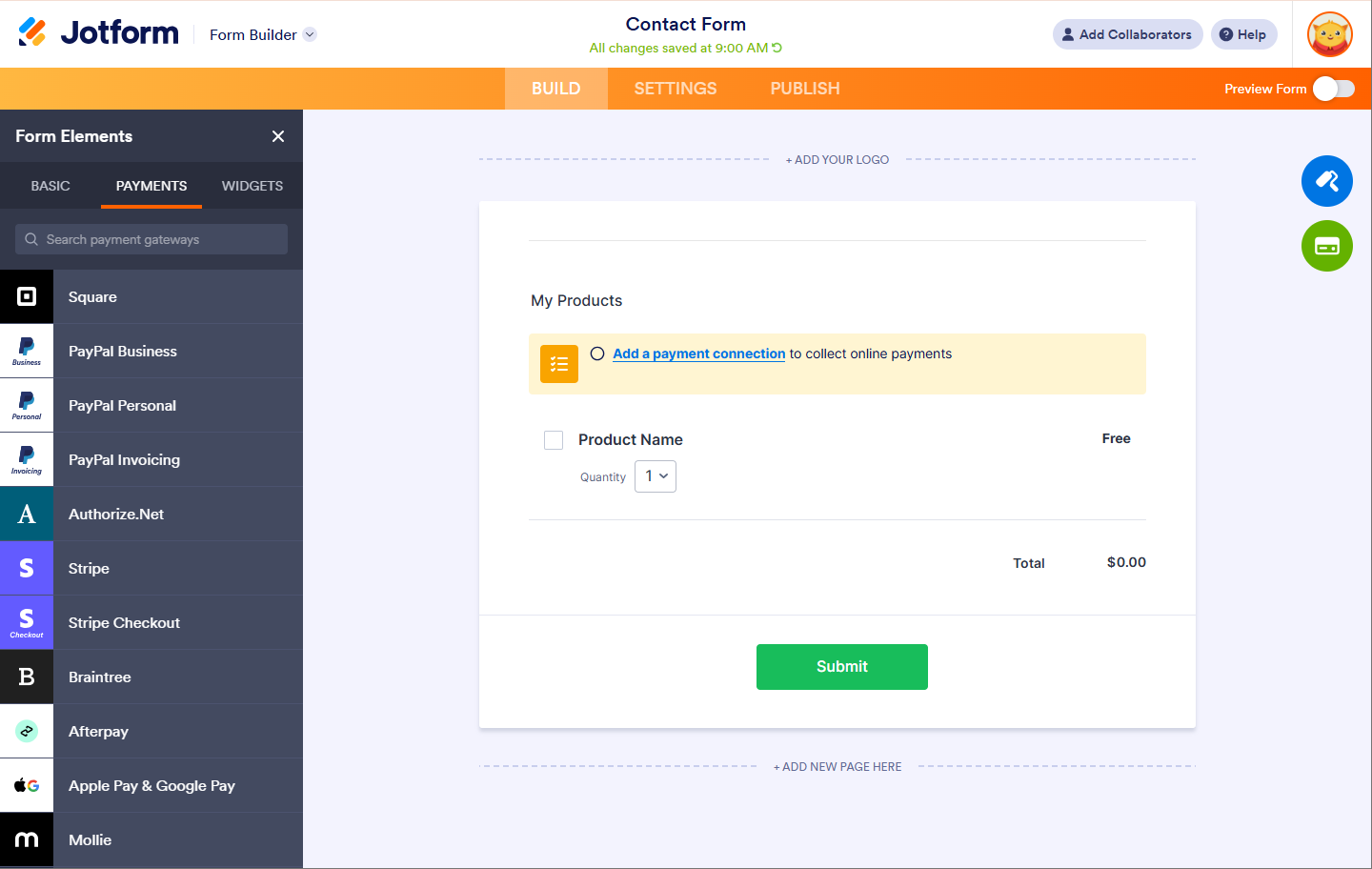
If you’re having trouble deciding which one is best for you, check out this guide on Which Payment Processor Is the Best for Your Business.
Widgets
You can find useful plugins or widgets that you can add directly to your form in the Widgets tab.
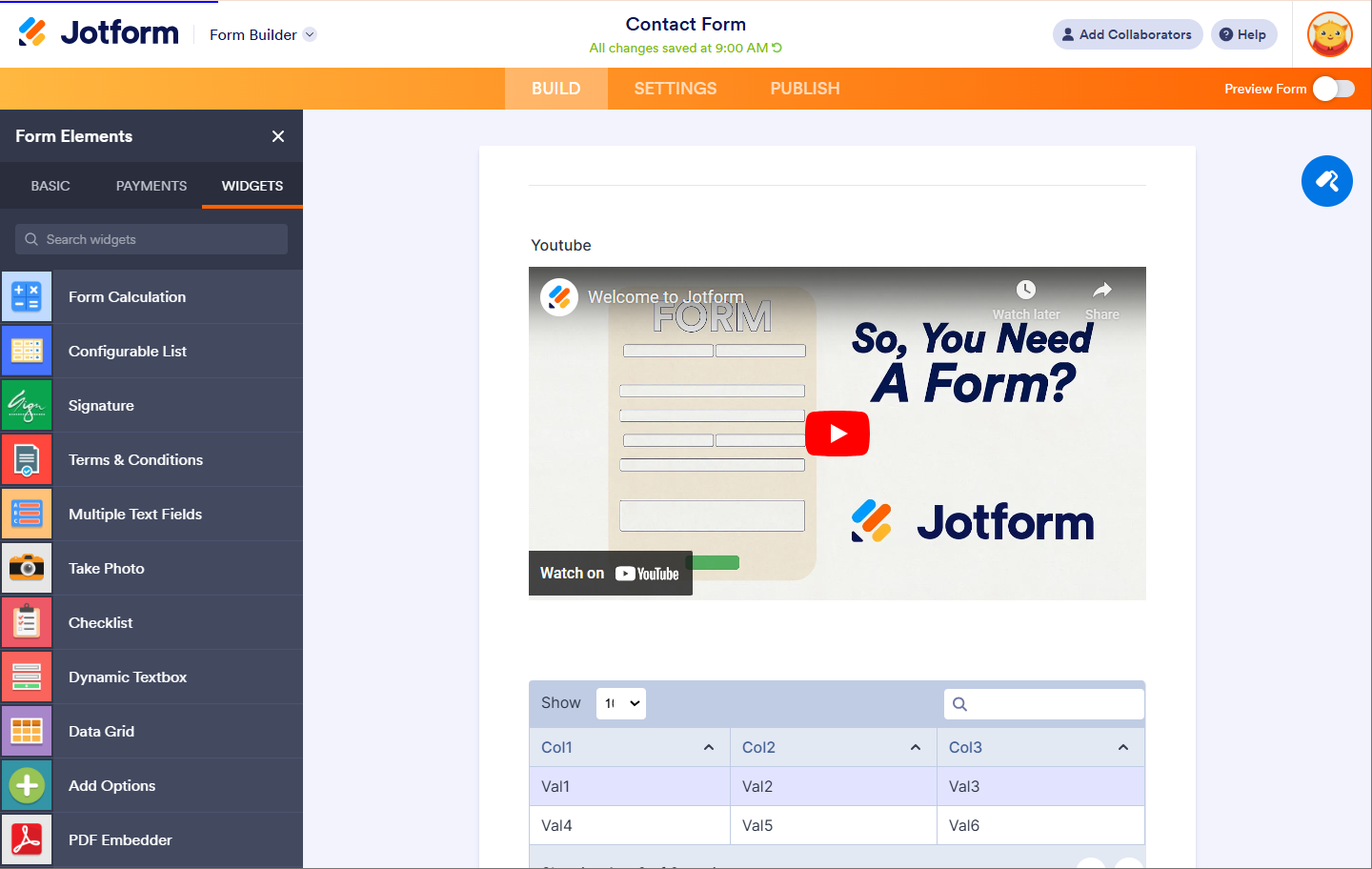
These widgets provide advanced features and options that you won’t find on regular form elements. To learn more about widgets, check out our guide on How to Add a Widget to Your Form.
Jotform also provides integrations to 3rd party services for a variety of added features and functionality.



Send Comment:
127 Comments:
March 12, 2025
I'm creating a registration form and it allows one person to register multiple individuals. I need for the payment due amount to flucuate based on that number.
December 17, 2024
I am trying to create a form that has a bulleted list of rules, information, & dress code. How do I do that?
August 24, 2024
Hi im creating a joltform and im trying to fill out the form but but the field font color is color less and i dont know how to chang it.
please i need urgent assistance
thank you
May 20, 2024
Hi, is there a way to have more than 100 elements in one form?
April 26, 2024
Hallo, i have questions for basic elements number
how can I enter a number without dots in form?
April 17, 2024
Good morning from Ghana, is it possible to pick area polygons on Jotform?
am into agriculture.
September 1, 2023
What does field limit for free account mean? does it mean we can only add 100 questions to our forms?
August 14, 2023
We would like to be able to have statistics on the number of employees within the tourism sector by age and gender in our destination. How can we have our tourism businesses input this information into a jot form? We can then report this information in chart form.
July 8, 2022
hi there.
1) For a yes/no question, I want to add a message that appears conditionally when someone clicks "no". (I want to advise them not to submit the form, and why.) I do not see any option to add a line of text to my form. Is the only way to do this to add a Heading form element?
2) I'm using the enterprise version and a bit surprised that I can't access help from there, so I went to the main Jotform site. It would be REALLY nice if you could make help easily accessible from enterprise view! (or if it is, please tell me how)
thank you.
Kaspar
July 5, 2022
I'm testing some new forms 'live' on my website. I'm receiving this error and can't find how to enable multuple submissions. "
Sorry! Only one entry is allowed.
Multiple submissions are disabled for this form"
Could you show me the path to enable? Thank you
April 9, 2021
What is the new form element "appointment"? Is there a link on how to use it?
January 9, 2021
I added Collapsible sections. How do I get a section to hide based on an earlier selection in the form? I was thinking this would be the conditional logic function but I can't seem to find out how to implement conditions for each collapsible section. Thank you!
December 1, 2020
Can form elements be copied from one form to another?
December 1, 2020
Can a form element be changed to another element? Eg, made a question and list as a dropdown menu... can it then be switched to radio buttons or something else, without having to start a new form element from scratch to replace it? Same with sliders / scales. Thanks!
September 7, 2020
Comment hello my freands am need feld a form thank you
September 3, 2020
Are there tutorial videos anywhere? Youtube channel is a bit confusing.
May 12, 2020
I have created a form, when I preview it, at the bottom of the form are 2 areas for : upload image, Name, Address, e-mail, and phone number that are not visible in the form builder and I have no idea how to get rid of them
March 30, 2020
Why am I getting a message "this field is required" for a checkbox that is already checked?
February 10, 2020
amazing in all aspects!
I wish the address field can also enable a list of cities as a dropdown where the user can set the options for it.
December 9, 2019
Phone number field - is there a way to combine the area code and phone number field into one 10 digit field? On iOS it automatically wants to fill in ones full phone number.
I tried creative a “numbers” field, limiting it to 10 digits, etc. Jot wouldn’t accept iOS trying to auto populate the phone number even though it “guessed” the form was looking for a phone number.
I’m pushing the form data to a Google spreadsheet. I believe it includes it as one column.
November 28, 2019
are there any compatablility issues with using Widgets?
November 22, 2019
This is an amazing set of fields to drag and drop. I'm at a loss to think of anything else to add to the set of widgets and form fields.
November 13, 2019
I would like to make the radio buttons "unselectable" after they have been selected for non required fields. Is this possible?
Thanks,
August 15, 2019
Hi - I am interested in using Jotform but have a few questions:
1 - is it possible to connect a widget or app to open street map so that you can collect spatial information (lat, long) in your form?
2 - how can data collected be downloaded? Is there any connectivity to MS Access or SQL Server?
3 - Can you upload a pre-definied list for your dropdown options?
4 - is it possible to view what others have already inputted?
July 29, 2019
How do you remove or disable the "Previous" button from Form Elements?