











Tumblr is the easiest way to blog and share stuff on the web. Jotform is the easiest way to create, design, and share web forms. Two services with the same mission: to make things easier. Let’s get them to work together.
Tumblr allows you to create a custom page for your blog. On the page, you can embed the form. You can also embed a form in your posts, but displaying the form requires a little trick. Read on to learn how to embed a form into Tumblr.
Getting the Embed Code for Tumblr
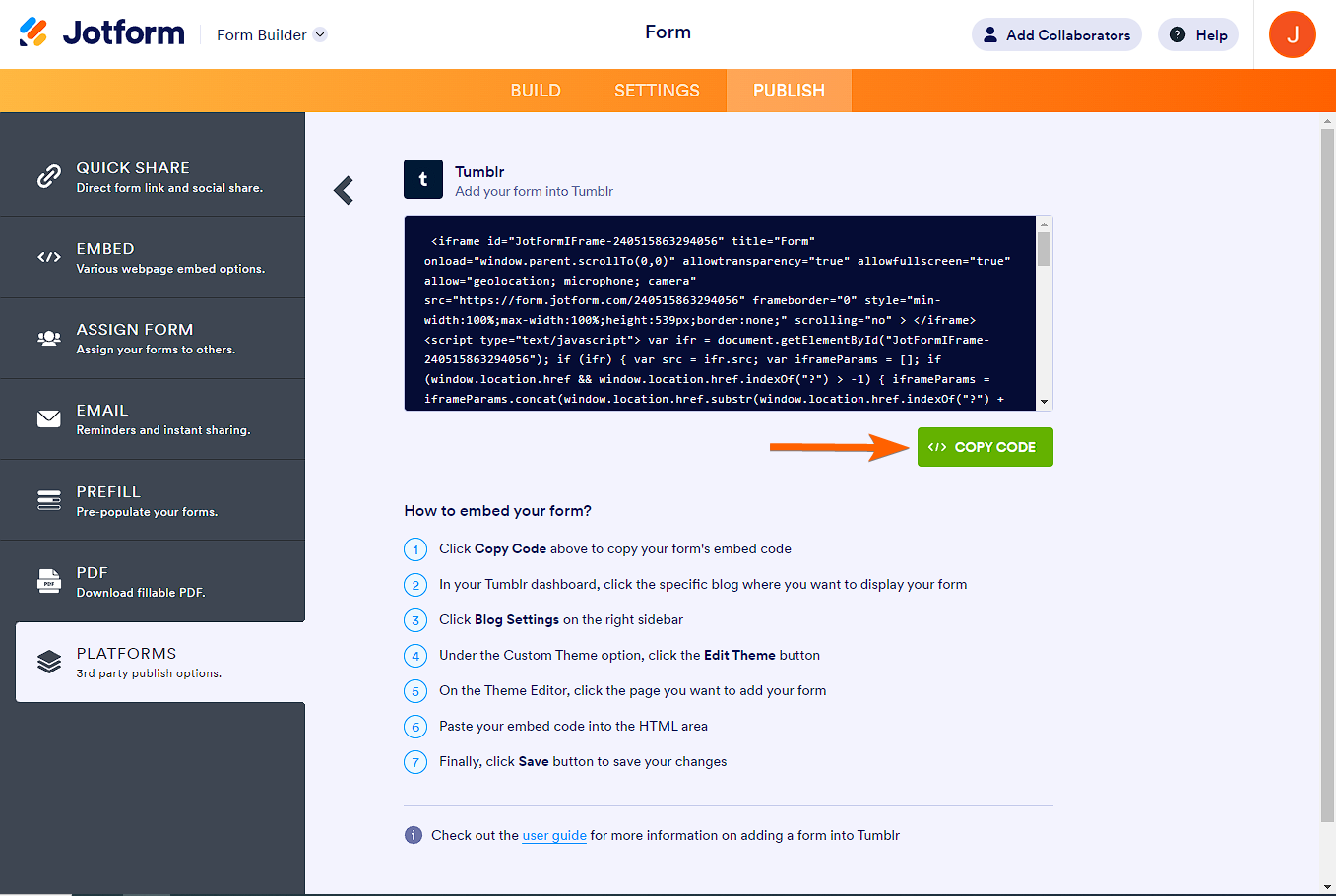
Tumblr uses the Iframe method. Here’s how to copy the embed code:
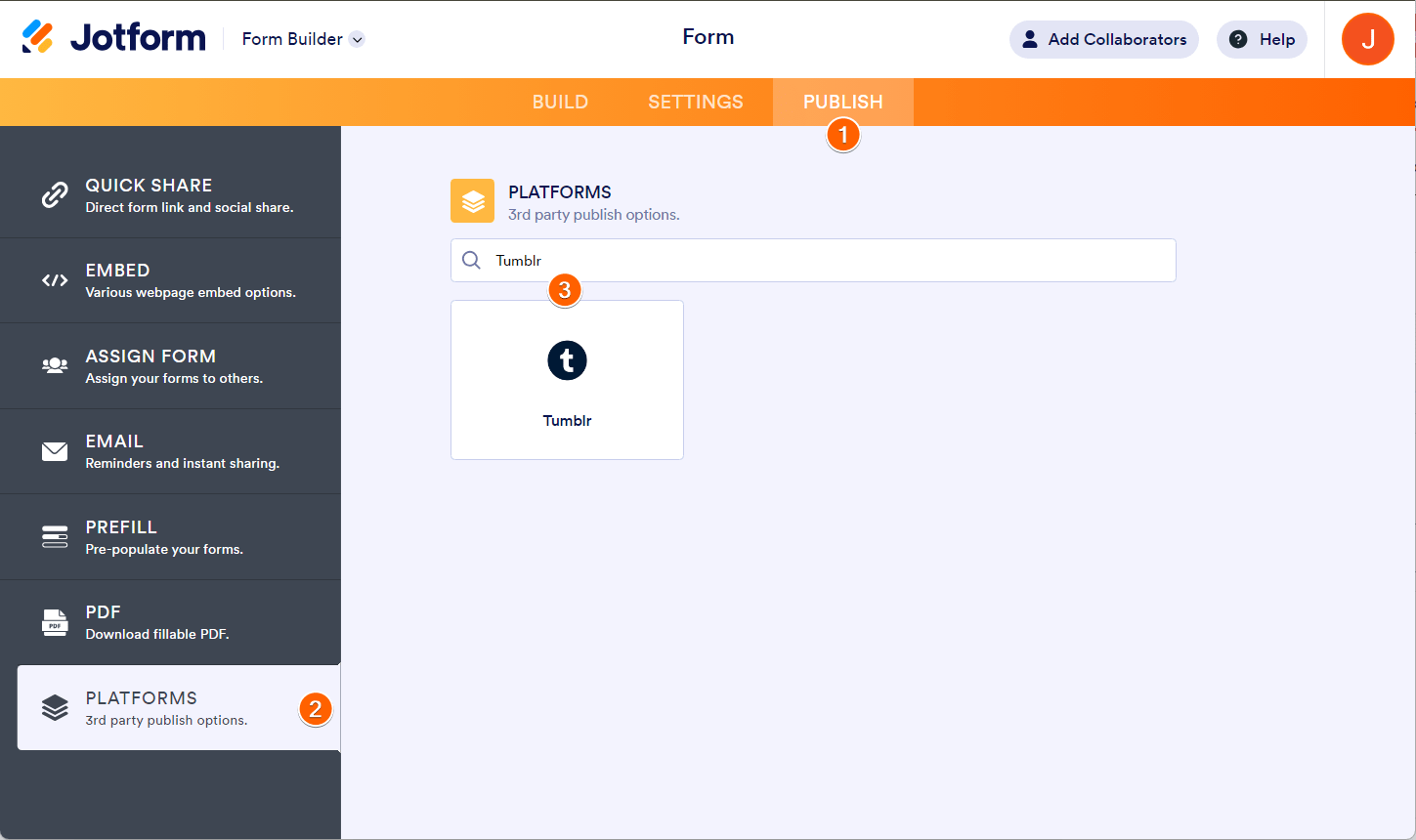
- In the Form Builder, go to the Publish tab.
- Go to the Platforms section.
- Search for Tumblr and click it.
- Click the Copy Code button, and proceed to the next part below.
Adding a Form to Tumblr’s Custom Page
Tumblr supports HTML embedding to custom blog pages. You can embed your Jotform form to a new or existing page using this method. To begin:
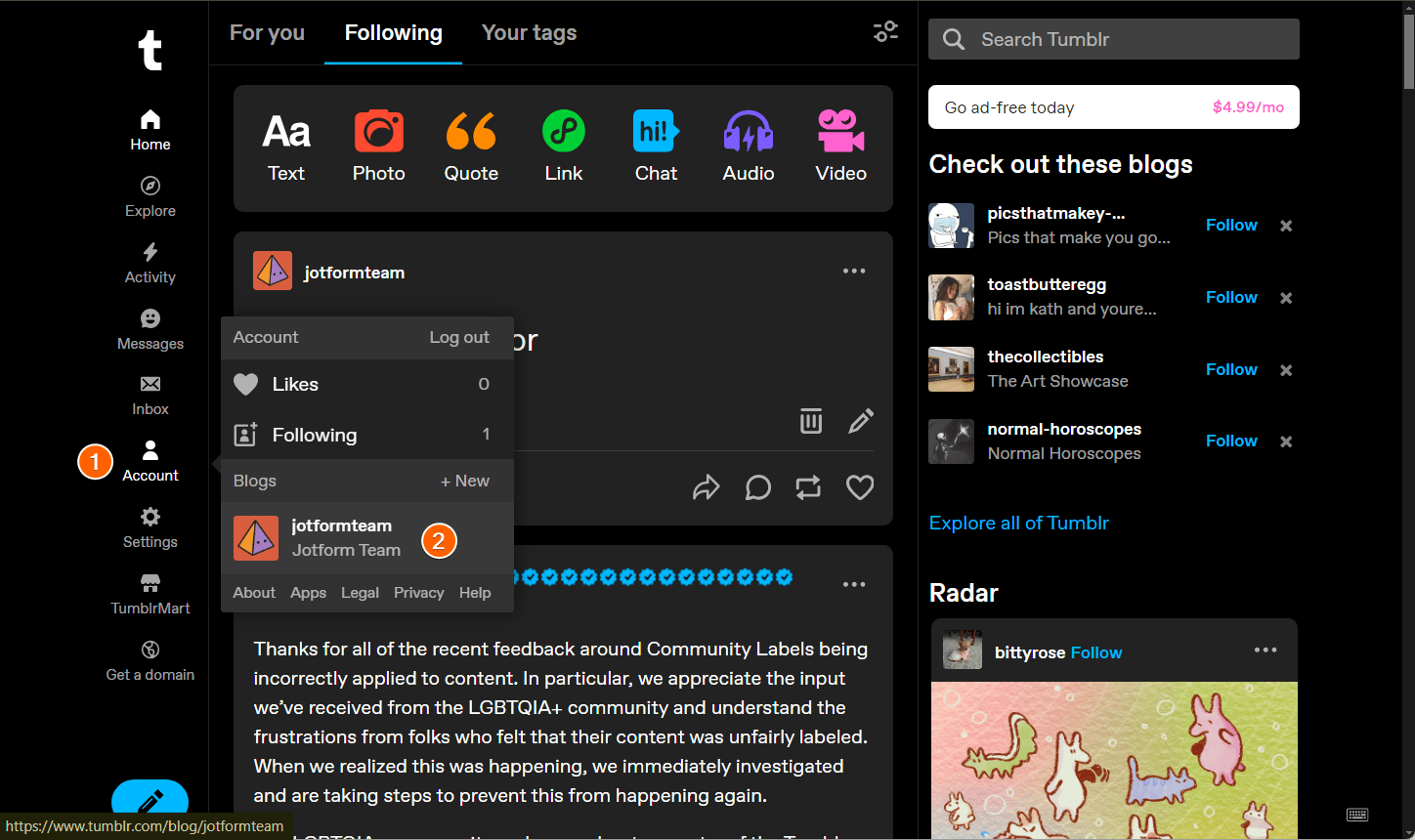
- In your Tumblr dashboard, click the Account menu on the left panel.
- Click the specific blog where you want to display the form.
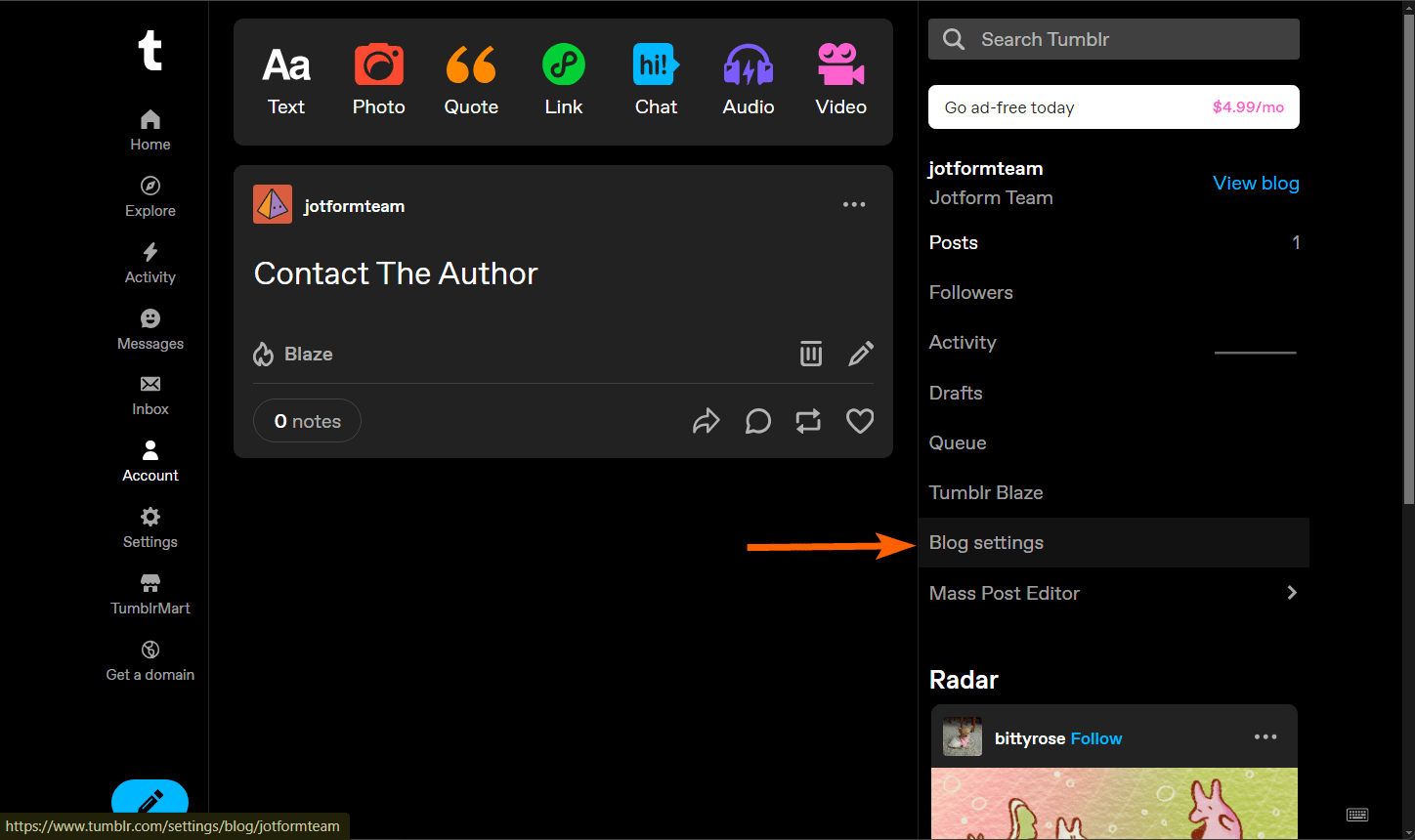
- Click Blog Settings on the right sidebar.
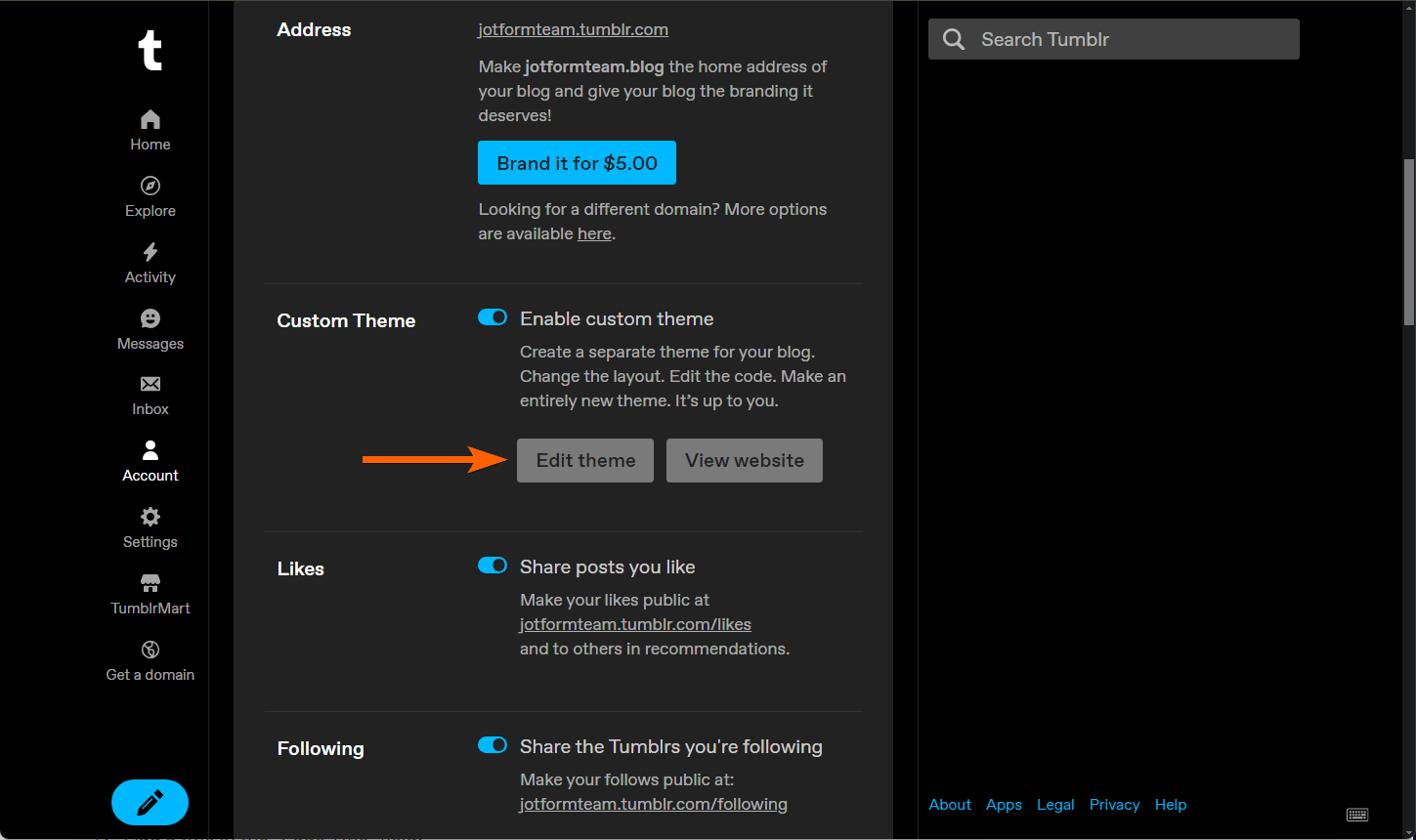
- Under the Custom Theme option, click the Edit Theme button.
- On the Theme Editor, navigate to the pages section. Click the existing page to add the form or the Add a Page button to create a new page for the form alone.
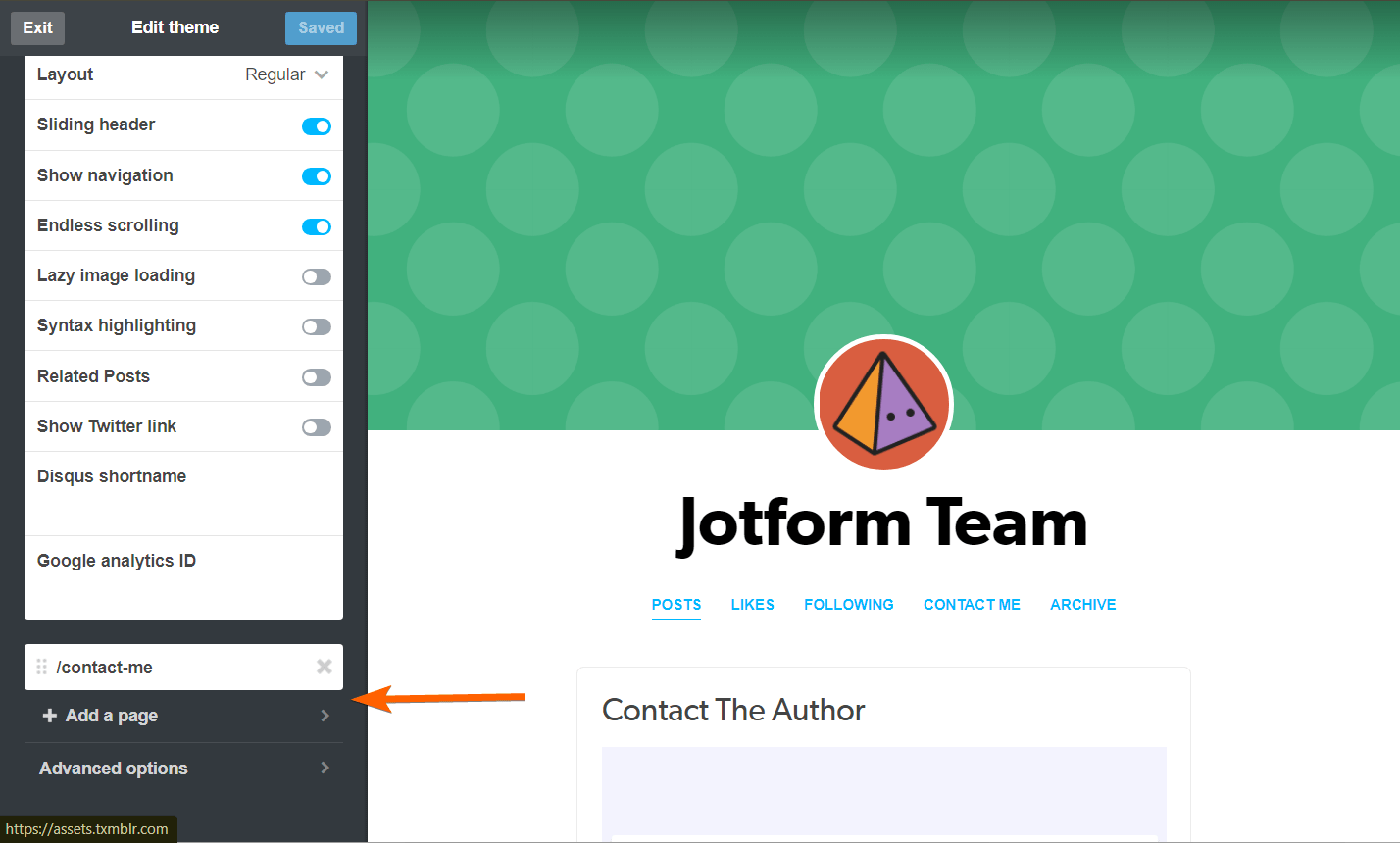
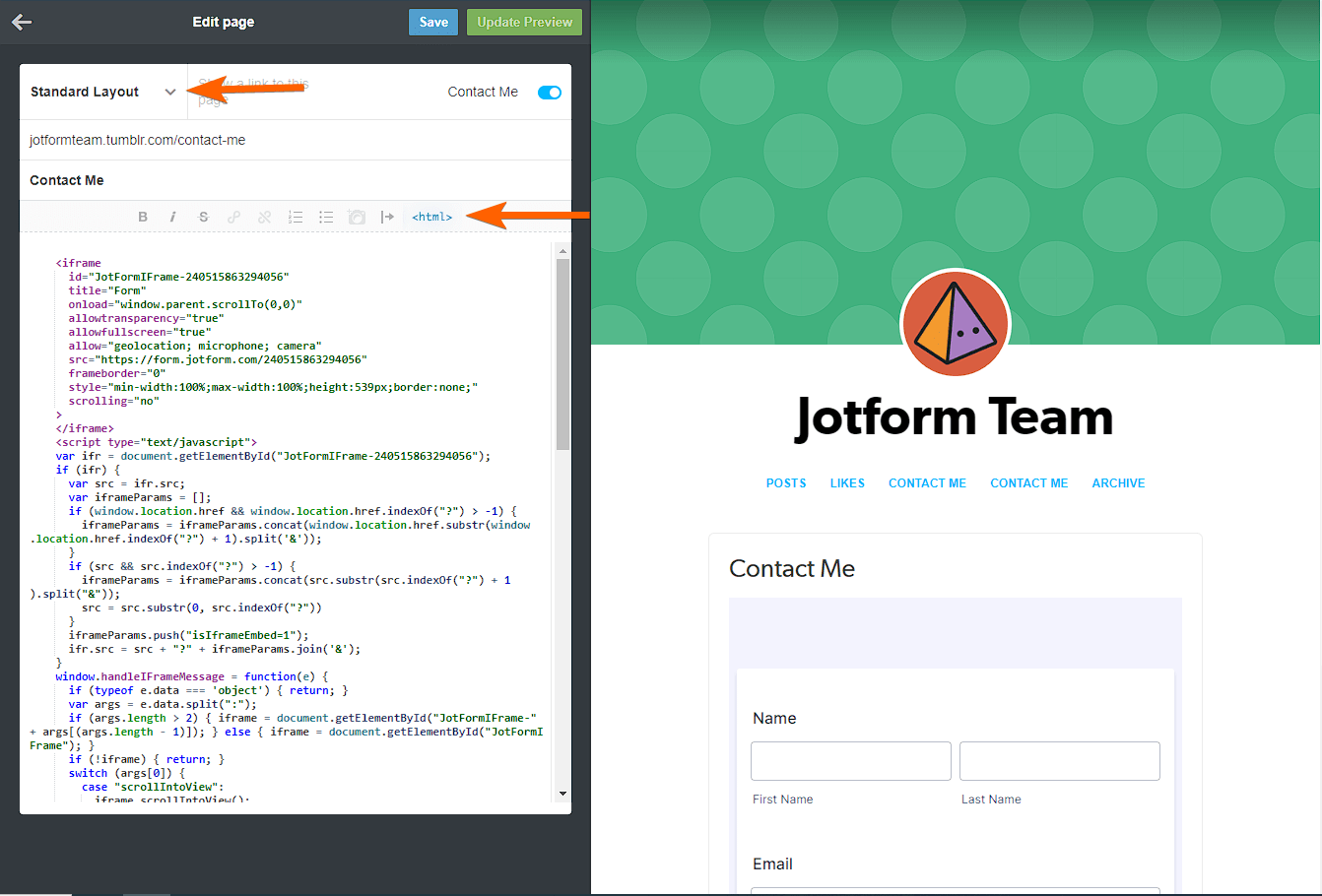
- You can add the form either by Standard Layout or Custom Layout. The Standard Layout is the default. If you choose this, click the <HTML> icon and paste your form’s embed code.
If you choose the Custom Layout, you will be presented with the HTML editor. Paste the embed codes.
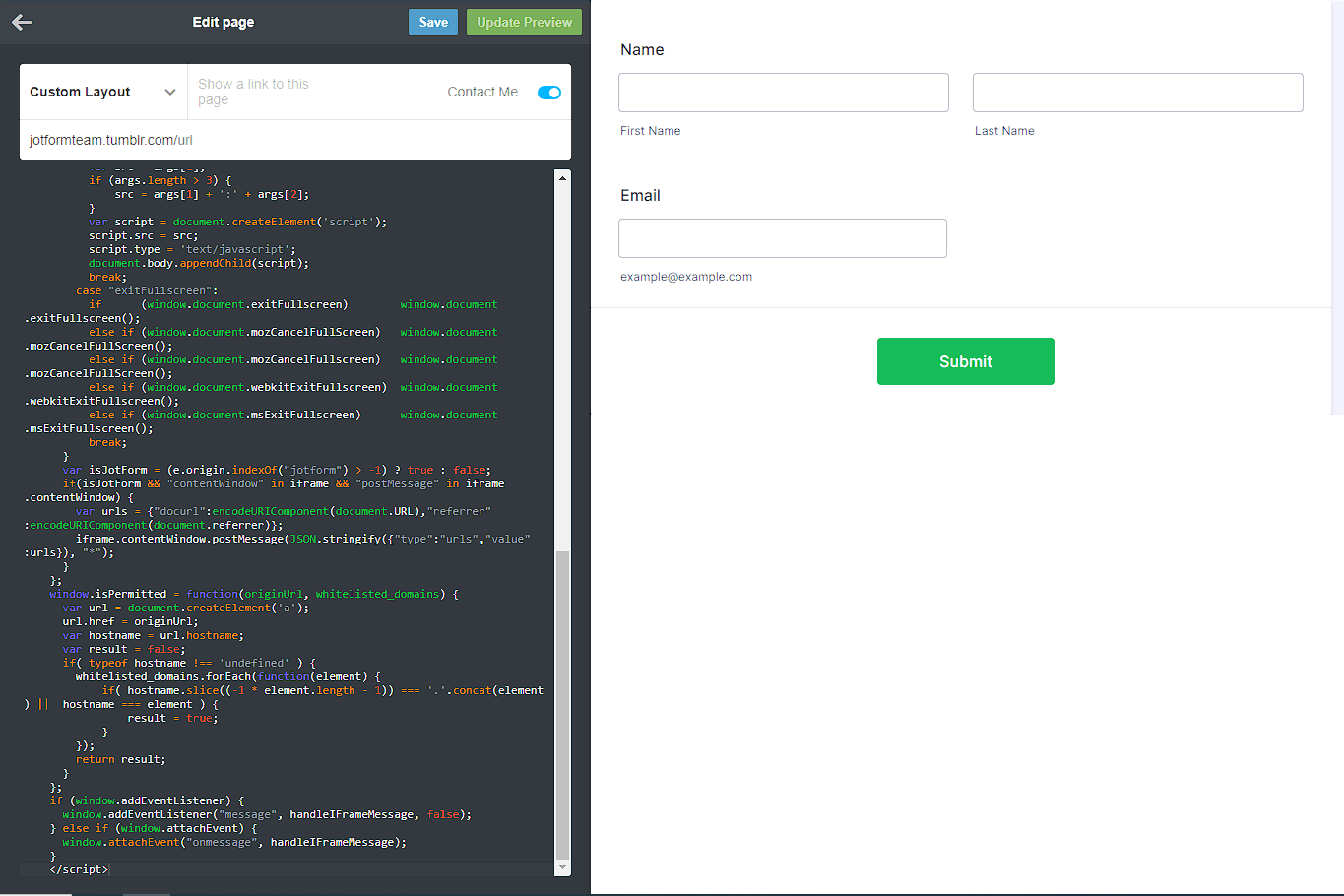
- Finally, click the Save button to save the changes. You can also click the Update Preview button to display the changes, including the form on the right side.
Note
The Iframe embed method works with Tumblr without any issue while we update this article, but if you get any error when saving, we highly suggest contacting Tumblr’s support to enable Javascript/HTML for your blog.
You can view a demo Tumblr page with a form here.
Adding a Form to Tumblr Post (New Editor Method)
Tumblr no longer allows custom HTML in its new editor, so embedding is no longer possible. You can read more about this update here. At this rate, you can only post the form as a link. If Legacy Editor still works for your Tumblr account, scroll below for the steps to embed a form.
Now let’s start adding your form’s link to a Tumblr post:
- In your Tumblr dashboard, click the Text or Link option.
- Paste your form. You will automatically see the preview of the form in the post.
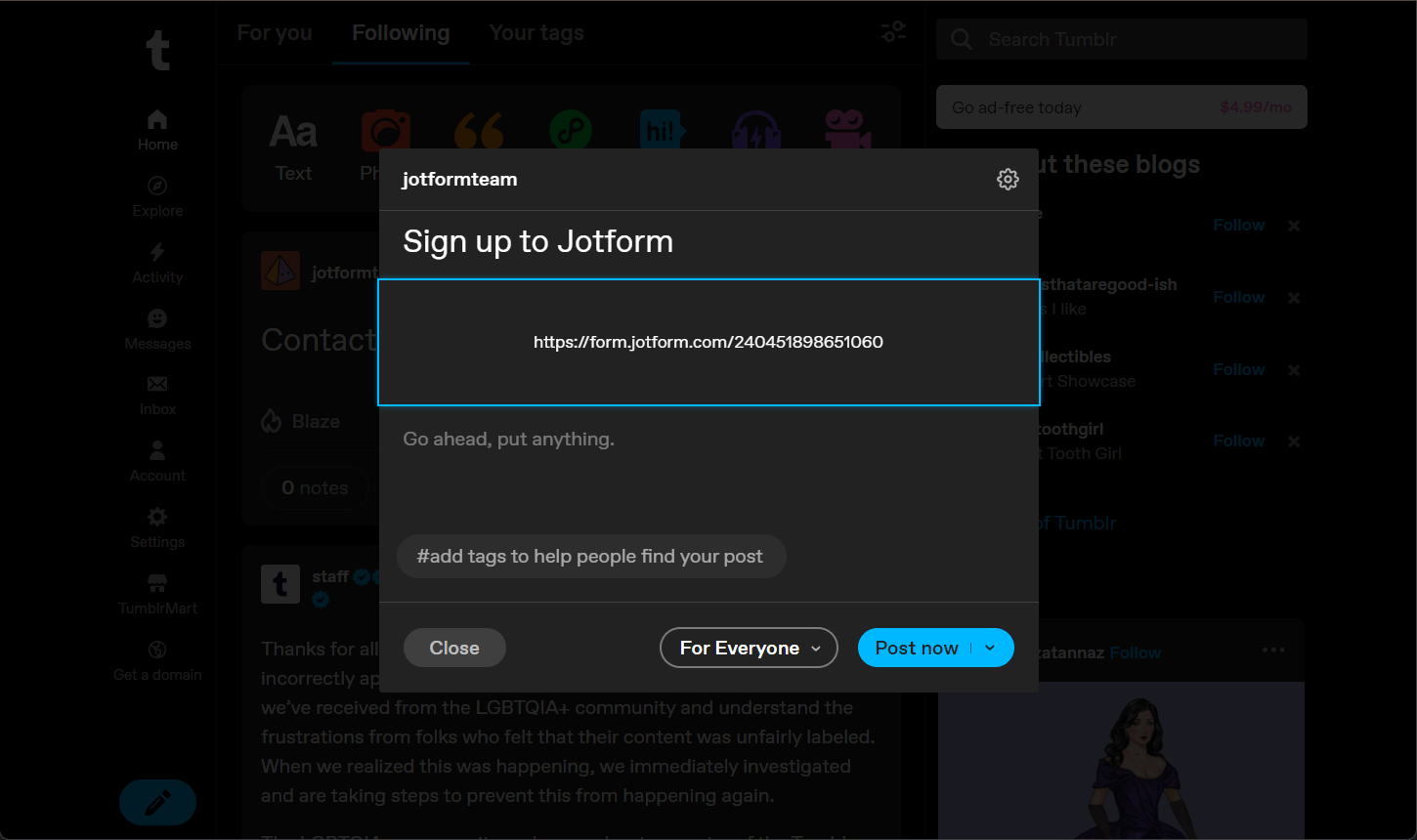
- Click the Post Now button to post your form.
Adding a Form to Tumblr Post (Legacy Editor Method)
In its Legacy Editor, Tumblr allows you to use an HTML editor when creating a post. With a little tweak in the iframe codes, you can embed and display your form in a post. Here’s how:
- Get the iframe embed codes of the form you wish to embed to a post.
- Remove the script part of the iframe so the remaining codes should look like the following:
<iframe id="JotFormIFrame-220705623938054" title="Contact Form" onload="window.parent.scrollTo(0,0)" allowtransparency="true" allowfullscreen="true" allow="geolocation; microphone; camera" src="https://form.jotform.com/220705623938054" frameborder="0" style=" min-width: 100%; height:539px; border:none;" scrolling="no" > </iframe>- Change the height value to the actual height of the form (see highlighted text below). The final iframe code should be the following:
<iframe id="JotFormIFrame-220705623938054" title="Contact Form" onload="window.parent.scrollTo(0,0)" allowtransparency="true" allowfullscreen="true" allow="geolocation; microphone; camera" src="https://form.jotform.com/220705623938054" frameborder="0" style=" min-width: 100%; height:850px; border:none;" scrolling="no" > </iframe>If you’re embedding a lengthy form, we suggest setting the scrolling parameter to “yes“.
- Go to your Tumblr dashboard and click the Pencil icon to create a new post.
- Choose Text from the list of options.

- Click the Settings (gear icon) on the post modal.
- Choose HTML from the Text Editor options.
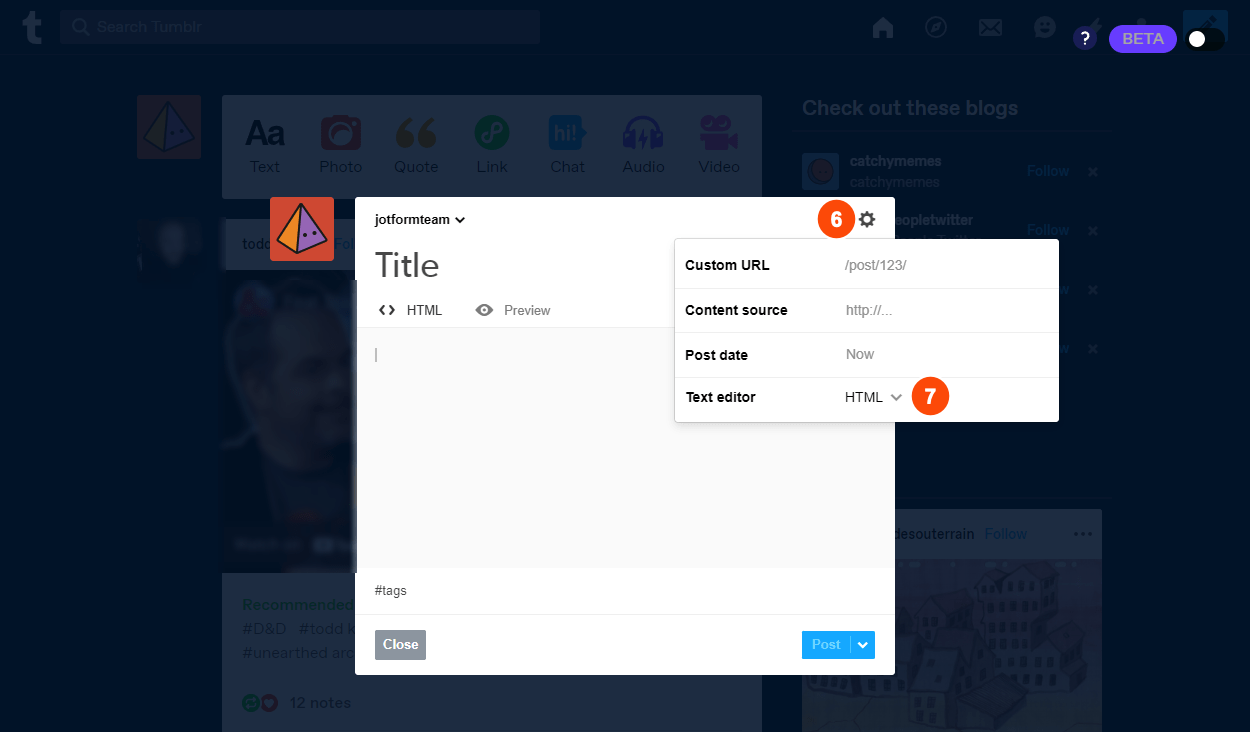
- Paste the modified iframe codes.
- Click the Post button, and that’s it.
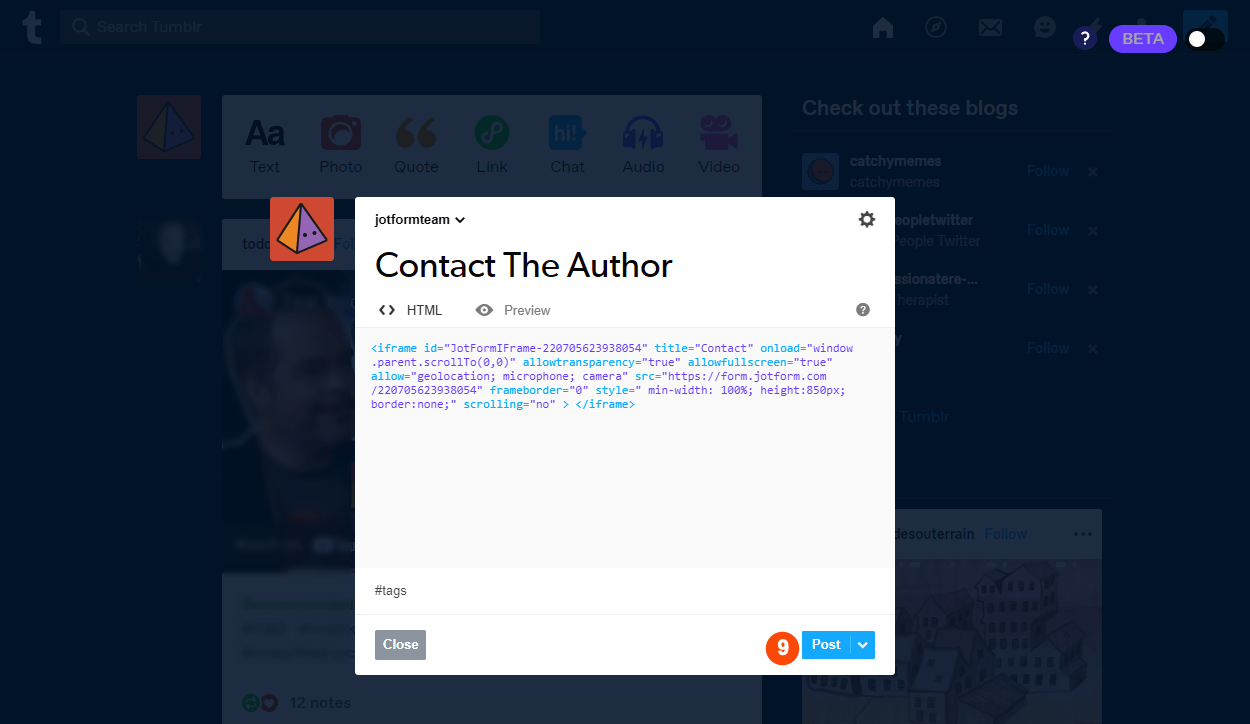
You can view a demo Tumblr post with a form here.
Send Comment:
32 Comments:
360 days ago
Creating a custom page on Tumblr for your blog is a great way to showcase your content and engage with your readers. Embedding a form into that page allows you to gather feedback, survey responses, or even create a contact form for your readers to reach out to you. And for those who want to embed a form into a post, the trick you mentioned is a great workaround.
Overall, the integration between tumbler and Jotform makes it easier than ever to create and share web forms with your audience. I look forward to seeing the creative ways bloggers use this integration to engage with their readers.
More than a year ago
Well, its 2018 and I cant figure out how to get a simple sign up to my friggin newsletter form.
I went with Tumblr cause I thought it was easy. Easy? Bawhahahahahaha.
More than a year ago
We were able to successfully get the lead form working however when the lead comes into Salesforce, the owner is the account that we registered on Jotform. Is there a way to have the lead sent into Salesforce but be sent to our Unassigned Queue instead?
More than a year ago
In the authentication page,
Match your field there is a drop down but nothing to select.
I cannot continue to completing integration.
More than a year ago
Hello, how do I get the authentication token?
Thank you.
More than a year ago
i am unable to add my form also. it shows up in the preview on tumblr once i add it and looks fine but after its saved and i go to the page and click the link i get an error message
here is my form
please help thanks
More than a year ago
I get the square everyone else is reporting in the dash, but the post itself wont even go on the public side.
Is anyone from Jot even monitoring this?
More than a year ago
Hi,
I'd like to know if this is a real-time integration or you do batch updates every certain time.
I've created several records in the Jotform without any error message but nothing arrived to salesforce.
Any help?
Thank you
More than a year ago
Can a form be preloaded with certain information pulling from an opportunity in Salesforce?
More than a year ago
I just get a small grey box. I have tried all of the suggestions including the iframe suggestion.
More than a year ago
Is it possible to transfer the geocoded data from the plugins? We are really wanting to map our contacts within salesforce. Has anyone done this?
More than a year ago
Put my email address into one of your forms this morning and now my fucking inbox is flooded with SPAM MAIL. Secure? BULLSHIT. NEVER use this form on your site unless you want your users to suffer for it.
More than a year ago
Hey guys,
I'm trying to embed the form and have tried all I can think of.
, as well as all codes provided by Jotform (the Tumblr one, the iFrame...everything. All I get is the tip top of the contact form.
I've tried to force a height px, also doesn't work.
I'm sure it's a silly thing that I'm overlooking, so I'd love a help here.
Here's the page:
More than a year ago
Hi, I've tried the integration multiple times and although it gives me a success message on the Jotform side nothing gets imported into SalesForce. Please help!
More than a year ago
Does it work with Group addition?
More than a year ago
Is this documented more fully somewhere?
Or in any event... if someone fills out a form with an email address that is already in Salesforce, what happens? Can I have it still create a new lead?
More than a year ago
where & how do i get the security token ?
More than a year ago
where can i find this "Setup and Embed" tab on the toolbar??? i don't know.help me
More than a year ago
It doesn´t work for me. I´ve tried every method many times. The tumblr code never works.
What can I do? I need further information.
Thanks in advance
More than a year ago
I'm having the same problem as above - I tried it as an iframe, as a text and as a link... all just gave me a little box
More than a year ago
When I enter the credentials, it says "API is not enabled for this Organization or Partner". Is that because we are only using the Professional Edition? Or do I need to tell SF to trust Jotform (Although I though the token takes care of that)?
More than a year ago
When I embed the code in my Tumblr, it creates a small clickable box graphic that takes me to a form page. Why is the form not showing up on the page I embedded it on? I've tried using the make for Tumblr code, and the regular code.
More than a year ago
Do you have a timeline on when integration with Salesforce custom object and custom fields will be available?
More than a year ago
Are there any plans to integrate with objects other than a contact or a lead?
More than a year ago
I was really excited to see the integration with Salesforce as I was just about to stop using Jotform and use something else.
I have just tried to convert my first form to integrate with Salesforce but I noticed I cannot Map my Form Fields with Custom Fields in Salesforce - "Lead Custom Fields & Relationships". I noticed another question along this line. Is this something that is going to be included very soon or will it be some time away?
This is a really important feature as I have many custom fields when capturing leads. Thanks for your help.
More than a year ago
Again,
you guys are doing amazing amazing things improving this product over time, the last few changes and this one, again, amazing. A free form marketplace. Other form builders can't touch that. Just don't forget what you guys said to one of my comments about a year ago when you get bought out for what I'm estimating to be approximately $50 mil ;)
More than a year ago
Couldn't be more excited! Now we just need an integration with Vertical Response and Jotform will have thought of everything for us!
More than a year ago
So beautiful I could cry, but I need it to map custom fields which aren't showing up in the Jotform drop down list. How can I add them? Or is that in the future?
More than a year ago
Just wondering if this would ever work with accounts. We converted all our leads. Everything is an account now.
More than a year ago
Wow! this could be amazing for us... question about DropBox... can we upload multiple photos (like 8) at a time??
More than a year ago
This is great and extremely timely news. Thanks!
More than a year ago
Comment is mine