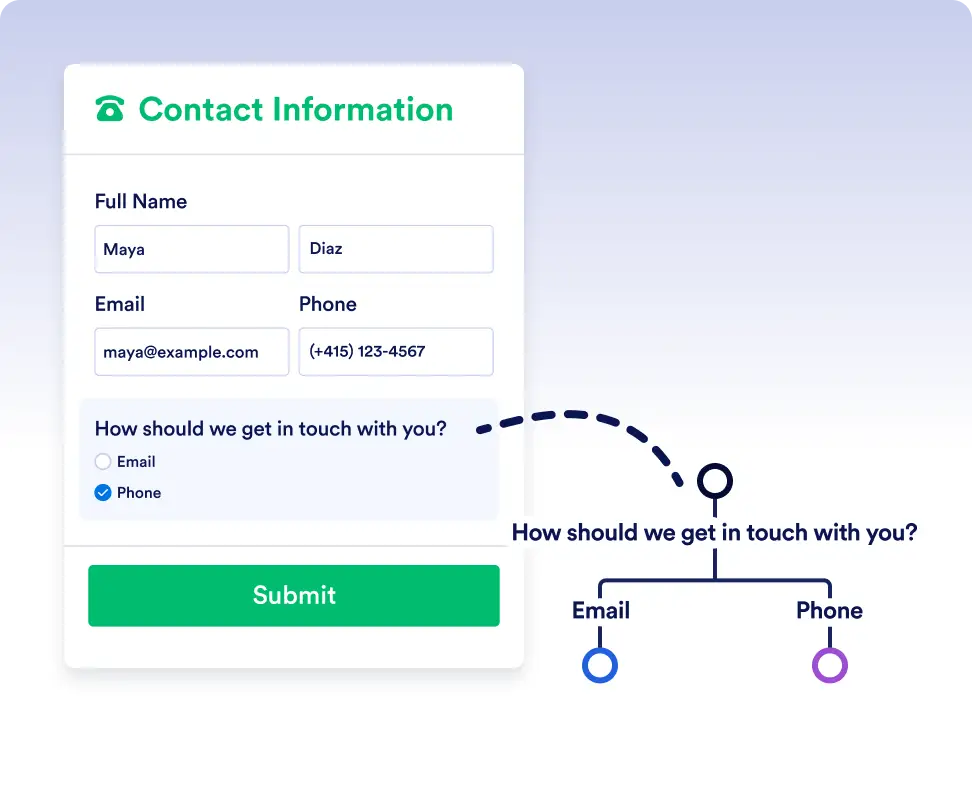
Inoltra automaticamente compiti, richieste e approvazioni lungo percorsi diversi basati sulle risposte in tempo reale ai moduli e sui dati del flusso di lavoro, così il lavoro arriva sempre nelle mani giuste.
Logica semplice vero/falso per flussi di lavoro più intelligenti
Le condizioni If/Else eliminano le supposizioni e l'instradamento manuale controllando automaticamente se ogni passaggio soddisfa i criteri da te definiti. Questo assicura che attività, moduli e approvazioni procedano sempre nella direzione corretta, aiutandoti a creare flussi di lavoro precisi, efficienti e completamente automatizzati.
Instradamento dinamico per ogni scenario
Aggiungere una condizione If/Else è semplice come selezionare i campi dati e impostare la condizione. Lascia che Jotform Workflows gestisca la ramificazione, così puoi concentrarti sull’avanzamento del tuo lavoro.
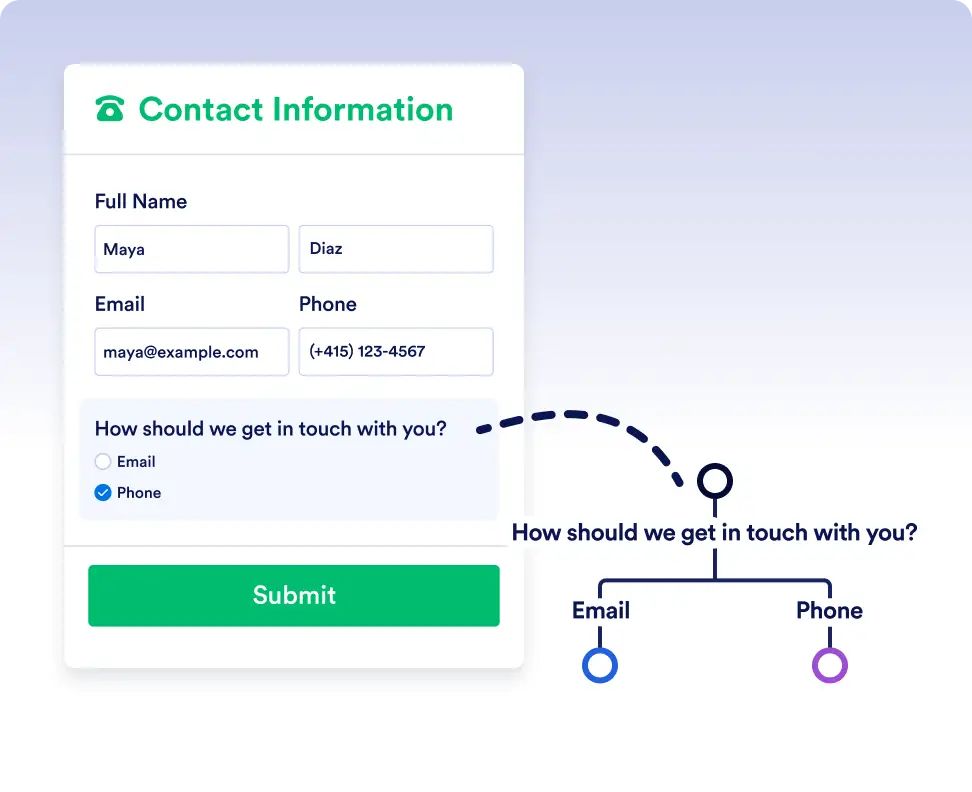
Smart routing with form data
Automatically send submissions down different paths depending on how users respond to a form. For example, route high-priority requests for immediate approval while sending standard requests through a regular review process.
Handle complex flows with conditional logic
Use If/Else conditions to adapt workflows to real-world scenarios. Trigger different actions, assign tasks to different teams, or skip unnecessary steps based on workflow data or previous outcomes.
Domande frequenti
Hai domande su questa funzionalità? Consulta le FAQ qui sotto per risposte rapide o contatta il nostro team di assistenza per maggiori dettagli.
You can use data from form responses, approval steps, assigned tasks, and other workflow elements used in the flow to define your If/Else conditions.
If no conditions are met, the workflow follows the default Else path, ensuring the process always continues.
Yes. You can add multiple rules to a single If/Else condition and choose whether all rules must be met or if any one of them is enough to trigger a path.