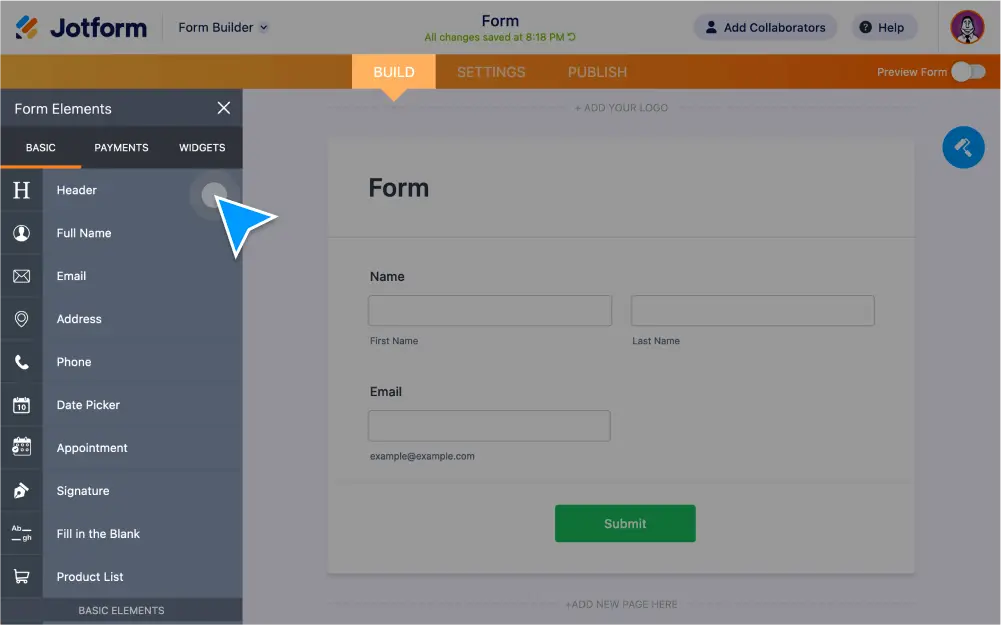
Build a form in seconds with Jotform’s powerful form elements. Add predefined text fields, e-signature forms, appointment calendars, product lists, and more with .
Powerful Form Elements
Jotform features over a dozen built-in form elements. Whether you need a form for submissions, registrations, or payments — our intuitive Form Builder gives you the tools you need to build a custom form in seconds without any coding.
Heading
Make your titles stand out with our heading element. You can change the text size and alignment, add a subheading, or upload an image in place of text.
Full Name & Email
Create predefined fields for users to input their first and last name, as well as their email address.
Short & Long Text Entries
The short text element is for single-line text entries, while the long text element is best suited for paragraph-length text, such as comments, suggestions, and feedback.
Phone
Collect a user’s phone number with this predefined field. You can also add an optional country code field.
Address
Allow users to enter their complete address with customizable predefined fields.
Paragraph
Add text to your form with a full-featured WYSIWYG text editor. This element also allows you to include HTML and inline CSS.
Single & Multiple Choice Field Elements
Create radio buttons for single-choice answers and checkboxes to allow for two or more answers.
File Upload
Users can drag and drop to upload and attach files from any device to your form.
Date Picker
Users can input a date either by typing it in or by clicking on an interactive calendar. You can also change the date format and add an optional time field.
Dropdown
Create dropdown menus for category-related questions.
Signature
Capture a user’s digital signature. By toggling the required option, you can prevent submissions if the form isn’t signed.
Image
Drag and drop to add an image or logo to your form. You can set image size and alignment, add hover text on mouseover, make your image a clickable link, and more.
Fill in the Blank
Great for contracts. Create predefined fields for users to fill out such as name, date, email, address, phone number, and more.