Let Your AI Agent Manage Bookings Based on Your Availability
Save time and streamline scheduling by allowing your AI Agent to book appointments automatically. With Jotform’s Schedule Appointments feature, your agent can manage bookings based on your availability, set scheduling limits, and customize advanced settings to match your preferences. Whether for client meetings, consultations, or service appointments, you stay in control while your AI Agent handles the scheduling process effortlessly.

Streamline your booking process with Jotform’s appointment scheduling feature, allowing clients to book on any device anytime.
AI-Managed Appointment Booking
Allow your AI Agent to schedule appointments based on your real-time availability, reducing scheduling conflicts and improving efficiency. Users can book time slots instantly, making it easier to manage meetings without manual coordination.
Smart Availability Management
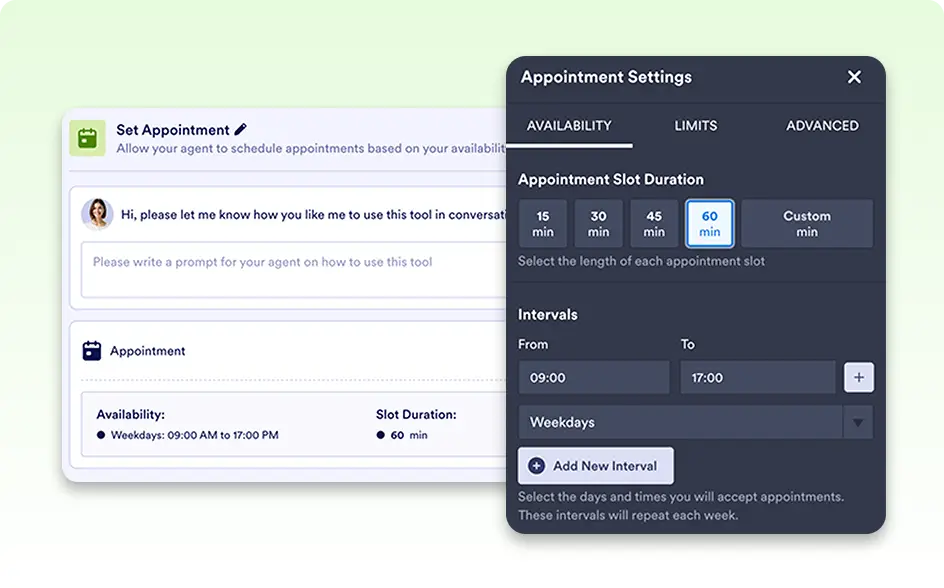
Customize your available slots, intervals, and break times to ensure appointments fit within your preferred schedule.
Set Scheduling Limits & Rules
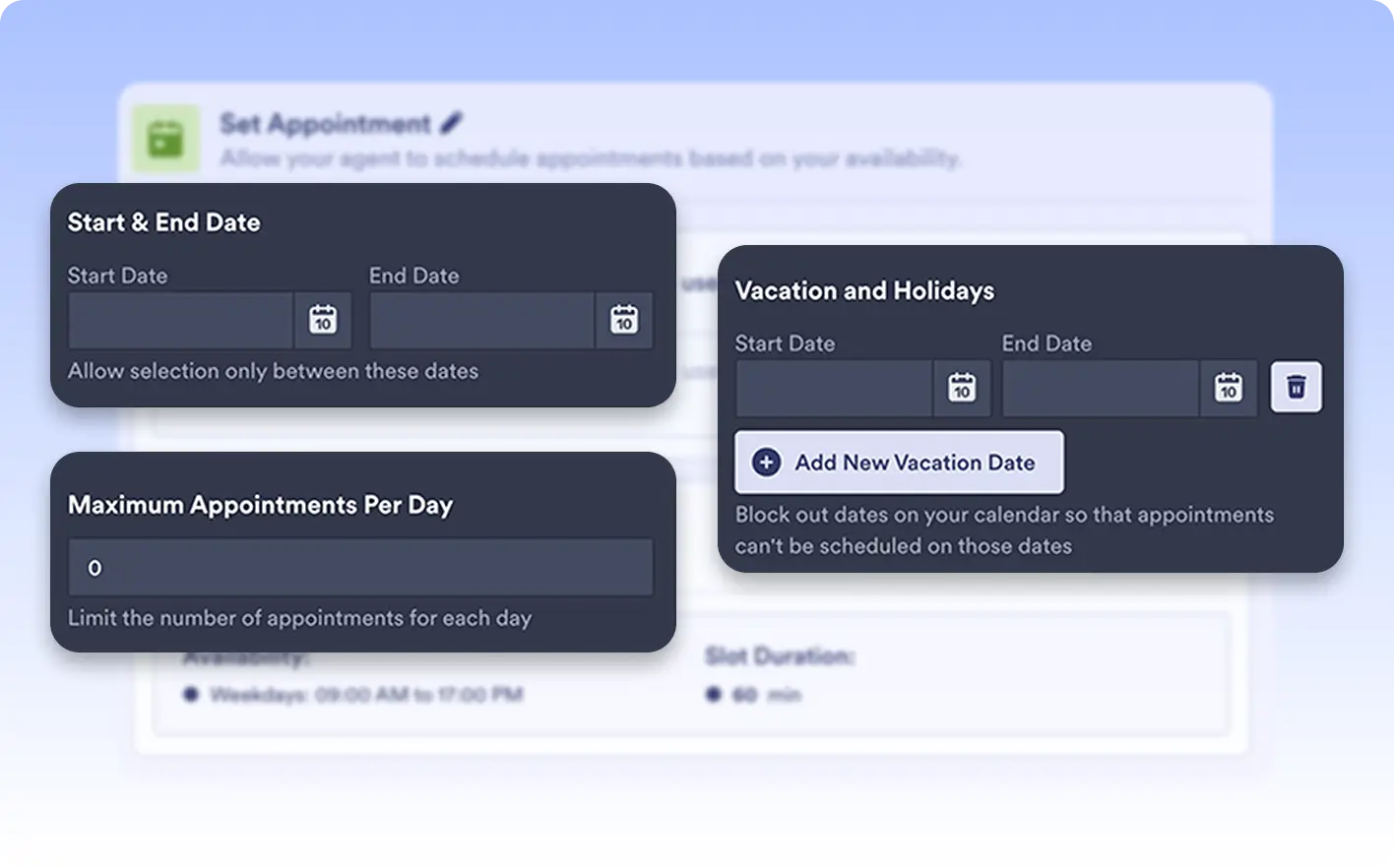
Control how and when appointments can be booked with start and end dates, daily limits, holiday exclusions, and more.
Appointment Settings for AI Scheduling
Customize how your AI Agent manages appointments with flexible scheduling settings. From defining availability to setting booking limits and advanced preferences, you have full control over how and when appointments are scheduled.
Availability Settings
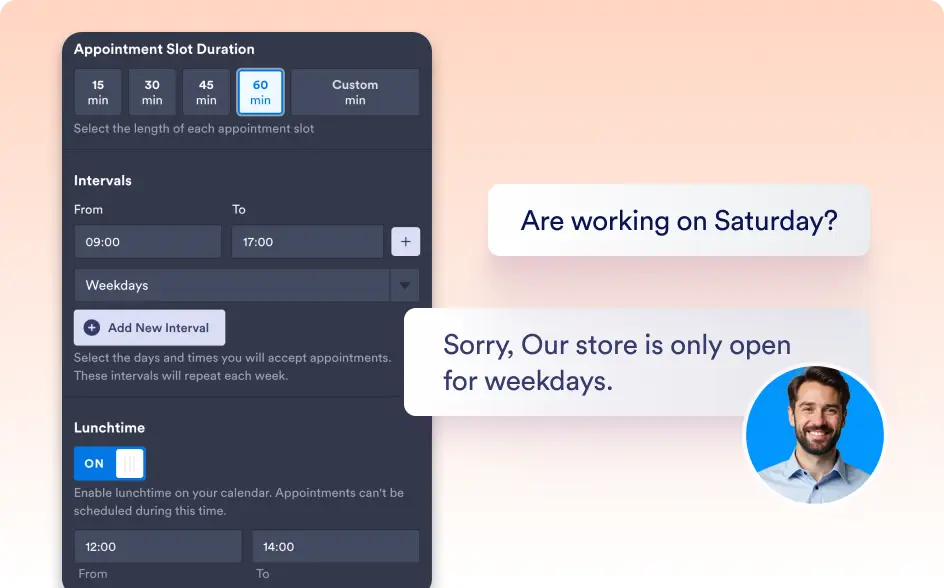
Define when and how long appointments can be booked, ensuring a structured schedule.
- Appointment Slot Duration – Set how long each meeting lasts to keep scheduling structured and predictable.
- Intervals – Control buffer times between appointments to allow preparation and avoid back-to-back bookings.
- Lunchtime – Block out midday breaks to ensure personal or team downtime.
Limits Settings
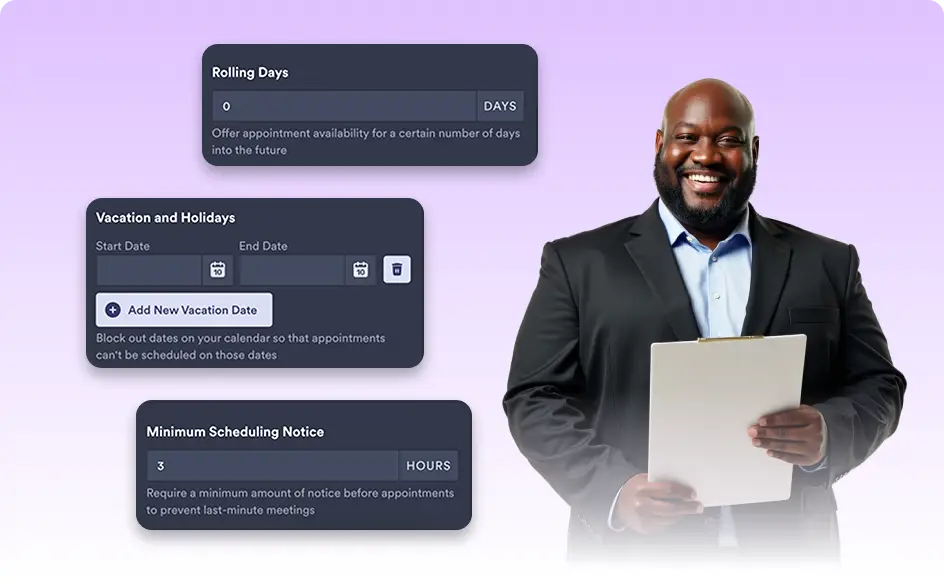
Restrict scheduling based on specific criteria to avoid overbooking and manage your workload effectively.
- Start & End Date – Define a booking period to control when appointments can be scheduled.
- Rolling Days – Allow users to book a certain number of days in advance for better scheduling control.
- Enter Holidays – Block off public holidays or non-working days automatically.
- Max Appointments Per Day – Limit the number of bookings per day to prevent overload.
Advanced Settings
Further customize the scheduling experience to match your needs.
- Location – Specify if the meeting is in-person, virtual, or includes a custom location.
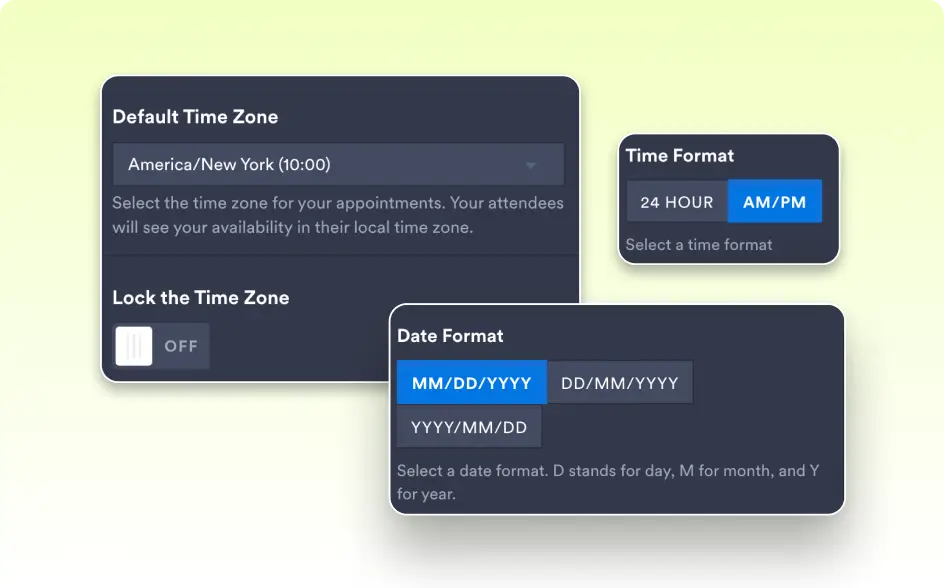
- Time Zone – Ensure accurate scheduling by setting a preferred time zone.
- Start Week On – Set which day your calendar week begins.
Advanced AI Automation & Integration
Take your AI Agent’s functionality to the next level with seamless integrations and multi-step automation. Whether syncing appointments with Google Calendar or setting up complex action triggers, you have full control over how your AI interacts and automates tasks.
Stay Organized with Real-Time Calendar Sync
Automatically sync all scheduled appointments to Google Calendar, ensuring your availability is always up to date. This seamless integration eliminates the risk of double bookings and allows you to manage your schedule effortlessly across all your devices.
Enhance AI Logic with Multi-Step Actions
Create intelligent, automated workflows by setting up multiple conditions and triggers for your AI Agent. With the ability to define whether ANY or ALL conditions must be met, your AI can execute multiple actions simultaneously, providing precise, efficient, and dynamic responses based on user interactions.