
As your workflows grow, keeping things tidy on the canvas can become a challenge. With Jotform Workflows’ one-click Auto Layout, you can automatically arrange your entire workflow horizontally or vertically
One-Click Auto Layout
Transform cluttered workflows into clean, structured diagrams with a single click. Automatically align elements without manual dragging, so your workspace stays organized, readable, and easy to manage as your processes grow.
Auto Layout
Click the Auto Layout button and instantly organize your entire workflow on the canvas. All elements align neatly, respecting your branches and conditions.
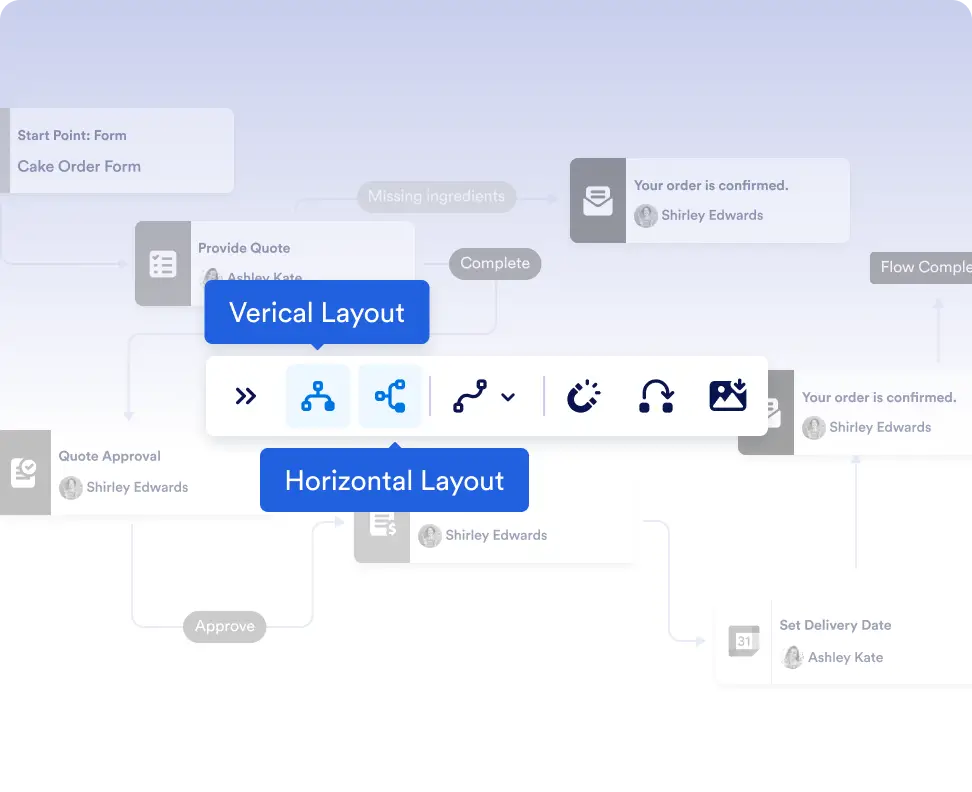
Horizontal or Vertical Options
Choose to lay out your flow from top to bottom or left to right. Perfect for accommodating different working styles or screen sizes.

Organize complex workflows as they grow
As you add more steps, conditions, and branches, Auto Layout keeps your workflow easy to read. Instantly reorganize the canvas so your team can understand and manage even large workflows without confusion.
Keep workflows easy to read and maintain
As you add more steps, conditions, and branches, Auto Layout keeps your workflow easy to read. Instantly reorganize the canvas so your team can understand and manage even large workflows without confusion.
Frequently Asked Questions
Have questions about this feature? Explore the FAQs below for quick answers, or reach out to our support team for more details.
Auto Layout automatically arranges all workflow elements on the canvas with one click, keeping your workflow clean, organized, and easy to follow.
No. Auto Layout only affects the visual arrangement of elements on the canvas. Your workflow’s logic, conditions, and connections remain exactly the same.
Yes. You can choose between horizontal or vertical layouts depending on your preference, workflow complexity, or screen size.