
Keep your workflows moving by automatically assigning forms to stakeholders. Whether collecting additional information, feedback, or approvals, the Send Form element ensures tasks are completed on time and by the right person.
Automated Form Assignments
Insert the Send Form element at any point in your workflow to automatically assign forms the moment a step is reached. This helps you streamline handoffs, ensure timely data collection, and keep every part of your process moving forward without manual intervention.
Trigger Form Requests at Any Step
Use the drag-and-drop builder to place Send Form elements wherever they’re needed in your flow perfect for mid-process data collection or follow-up tasks.
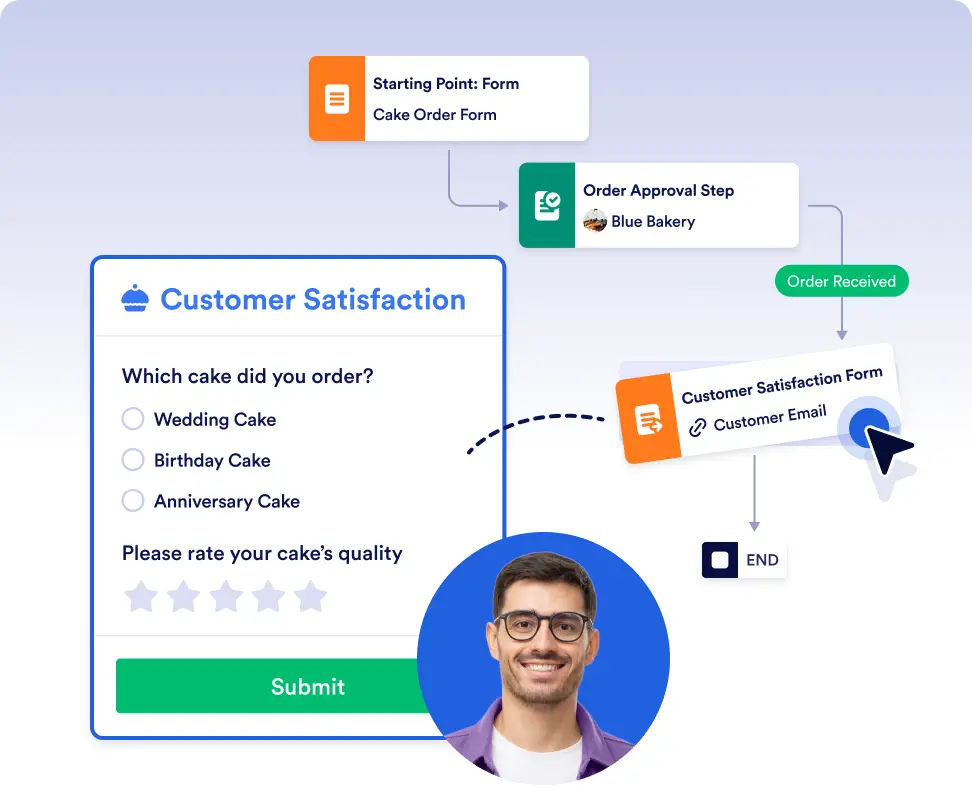
Trigger follow-up forms automatically
Automatically assign forms when additional details are needed to continue a workflow. Trigger follow-up forms at the exact step where more input is required, without sending manual reminders.
Smart form routing by workflow logic
Send forms to specific team members, clients, or external partners based on workflow logic. This ensures the right person completes the right task at the right time, keeping processes on track.
Frequently Asked Questions
Have questions about this feature? Explore the FAQs below for quick answers, or reach out to our support team for more details.
Forms are automatically sent when the workflow reaches the 'Form' step you’ve placed in the flow.
You can assign forms to anyone with an email address, including internal team members, customers, or external collaborators.
Yes. You can add Send Form elements at multiple points in a workflow to collect information at different stages of your process.