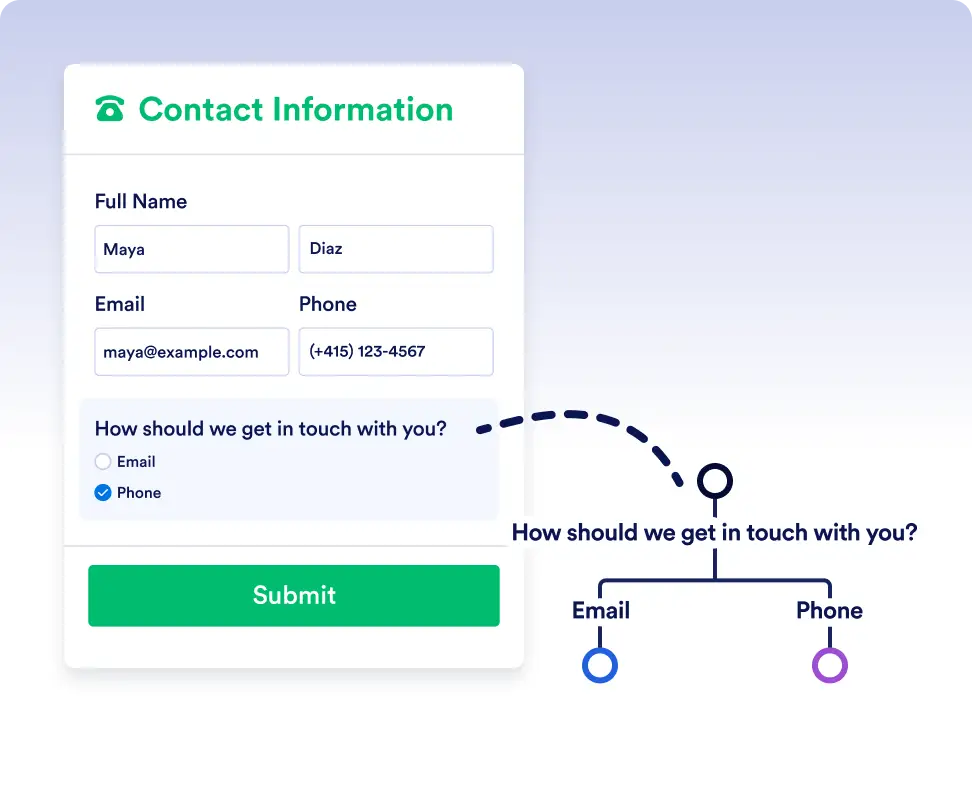
Automatically route tasks, requests, and approvals down different paths based on real-time form responses and workflow data so work always ends up in the right hands.
Simple True/False Logic for Smarter Workflows
If/Else conditions remove guesswork and manual routing by automatically checking whether each step meets the criteria you define. This ensures tasks, forms, and approvals move in the right direction every time, helping you build workflows that stay accurate, efficient, and fully automated.
Dynamic Routing for Any Scenario
Adding an If/Else condition is as simple as selecting your data fields and setting your condition. Let Jotform Workflows handle the branching, so you can focus on moving your work forward.
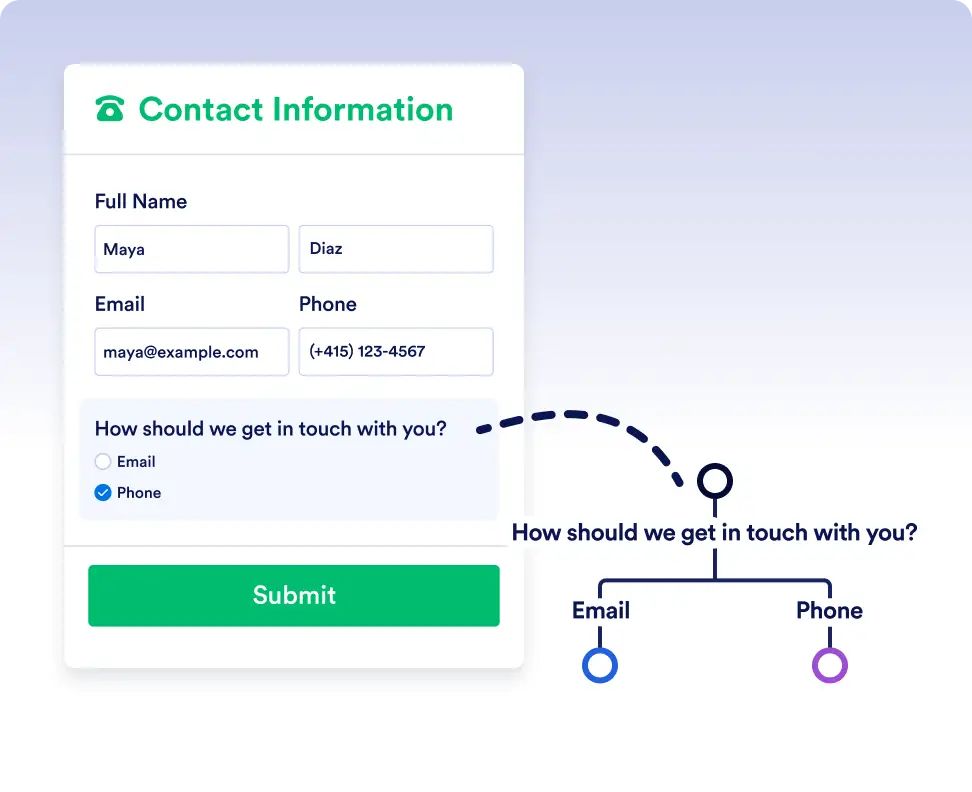
Smart routing with form data
Automatically send submissions down different paths depending on how users respond to a form. For example, route high-priority requests for immediate approval while sending standard requests through a regular review process.
Handle complex flows with conditional logic
Use If/Else conditions to adapt workflows to real-world scenarios. Trigger different actions, assign tasks to different teams, or skip unnecessary steps based on workflow data or previous outcomes.
Frequently Asked Questions
Have questions about this feature? Explore the FAQs below for quick answers, or reach out to our support team for more details.
You can use data from form responses, approval steps, assigned tasks, and other workflow elements used in the flow to define your If/Else conditions.
If no conditions are met, the workflow follows the default Else path, ensuring the process always continues.
Yes. You can add multiple rules to a single If/Else condition and choose whether all rules must be met or if any one of them is enough to trigger a path.