Navigate Complex Flows with Ease
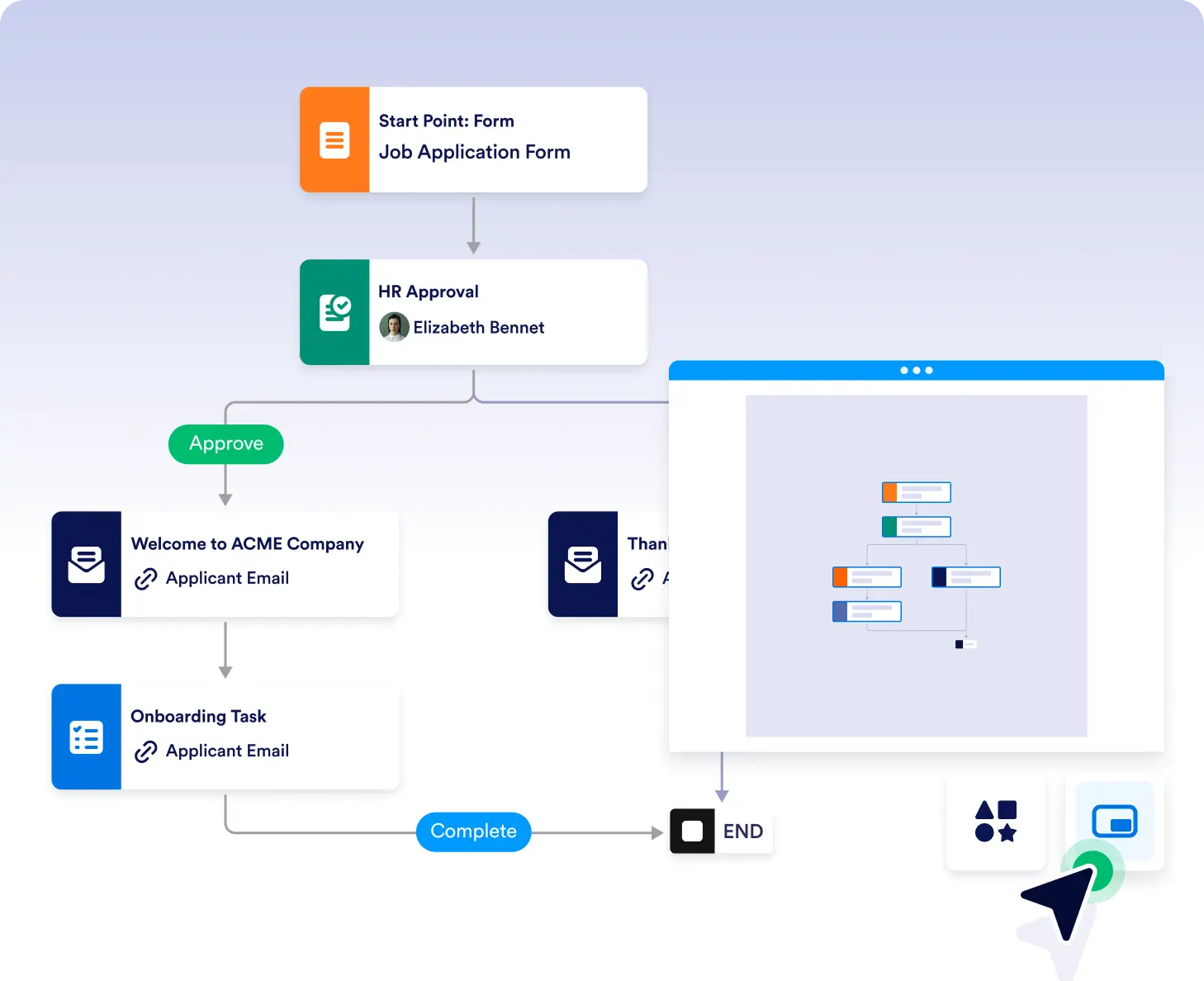
Building powerful workflows with AI Agents is simple using our intuitive drag-and-drop builder but what about when your flows grow in size? That’s where the minimap comes in. Jotform’s minimap feature gives you a compact, visual overview of your entire workflow so you can stay oriented, spot issues quickly, and move effortlessly through even the most complex flows.

With the built-in minimap, you can easily locate your position within the flow and jump to different areas in seconds. No more getting lost in sprawling workflows.
Visual Overview of the Entire Flow
The minimap acts as a zoomed-out view of your full workflow canvas, helping you grasp the structure and flow connections at a glance.
Quick Navigation for Large Workflows
Click or drag within the minimap to instantly move to any part of the flow. Ideal for managing flows with many branches or complex automation paths.
Navigate large, multi-branch workflows faster
When workflows grow with multiple paths and conditions, the minimap helps you quickly jump between sections without endless scrolling. Stay oriented and move exactly where you need to work.
Review workflow logic faster
Use the visual overview to spot disconnected steps, unexpected branches, or layout issues at a glance. This makes it easier to review logic and keep complex flows organized.
Frequently Asked Questions
Have questions about this feature? Explore the FAQs below for quick answers, or reach out to our support team for more details.
The minimap provides a compact, zoomed-out view of your entire workflow so you can understand its structure and navigate it more easily.
Yes. You can click or drag within the minimap to instantly jump to any area of your workflow canvas.