Auto-fill Task Fields from Submissions
Ensure every task is complete from the start by mapping your form fields to task fields in Jotform Boards. When a submission is received, details like name, deadline, priority, and more are instantly transferred to the matching fields in your task—no manual entry needed.
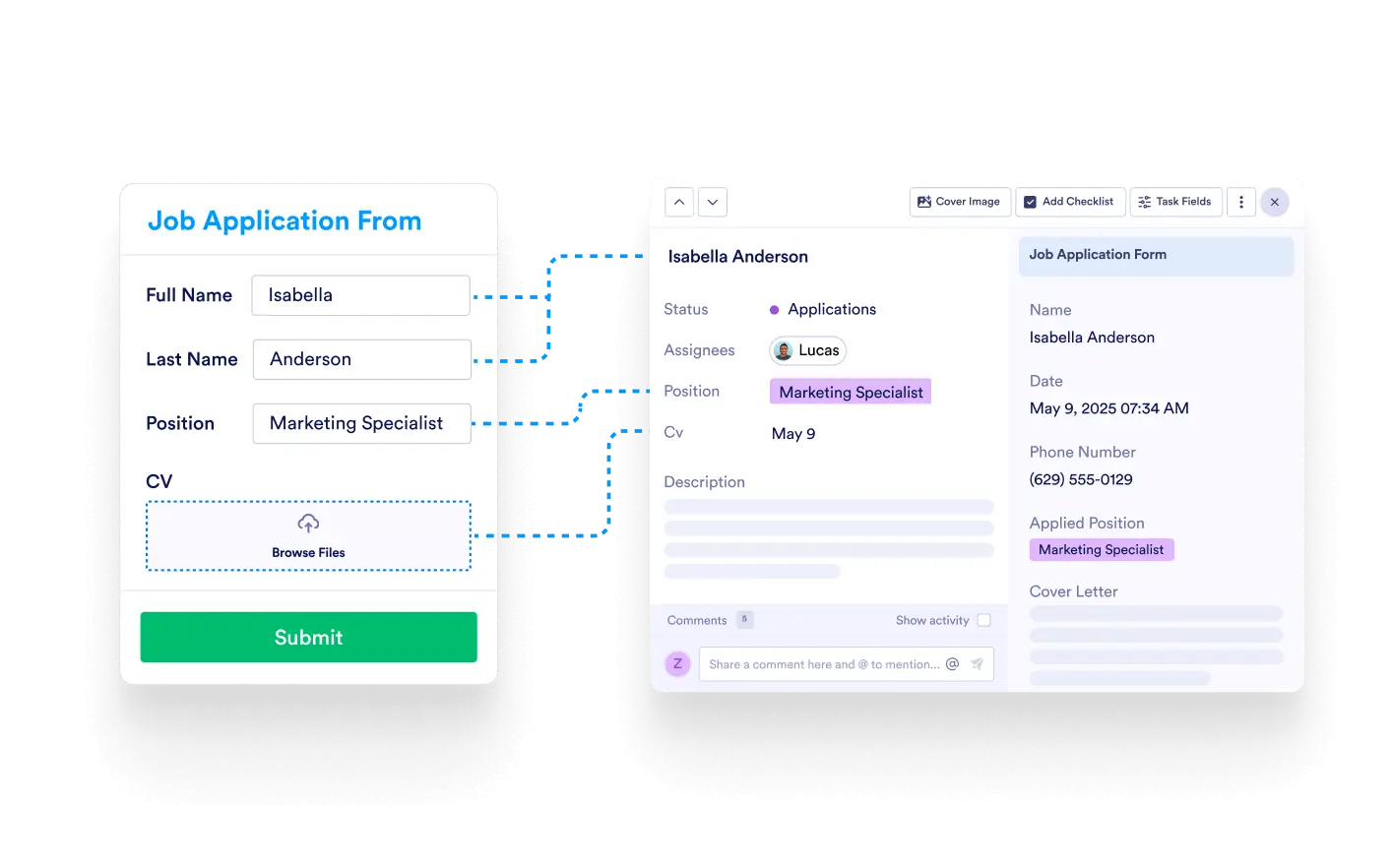
Save time and eliminate errors by automatically populating task details from form submissions. Field mapping ensures all necessary information is captured and organized, right where you need it.
Seamless Task Creation
Link specific form fields—like email addresses, dates, or dropdown selections—to corresponding task fields in your board. Each new submission results in a fully populated task, ready to process.
Connect Fields in Seconds
During board setup, select the task field you want to populate and choose the matching form field. That’s it—every submission from that point fills the right columns automatically.
Supports Various Field Types
Text, dropdowns, dates, numbers, and more—Jotform’s flexible field types map cleanly to your board’s structure, giving you complete control over the data pipeline.
Consistent Task Format
Field mapping ensures every task follows the same format. This consistency improves filtering, tracking, and reporting across your board.