Categorize Tasks with Single Choice Fields
Add single choice custom fields to your tasks to bring consistency, clarity, and quick categorization. Whether you're tagging priority levels, task types, departments, or statuses, a single choice field helps standardize how your team labels and filters tasks.
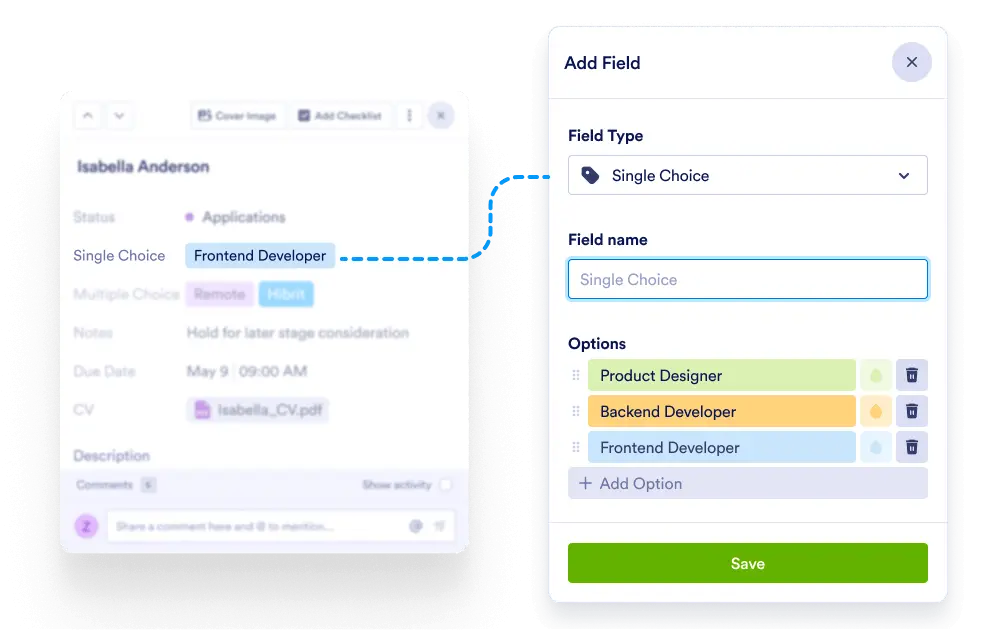
Ensure quick decisions and organized task views by using predefined categories. Single choice fields guide your team to select the right value every time — no confusion, no clutter.
Simplified Task Categorization
Add a single choice custom field with predefined options like “Bug,” “Feature,” “Review,” or “To Do.” Team members simply choose one — keeping data clean and meaningful.
Predefine Category Options
Create a dropdown menu of predefined choices relevant to your project — such as status, location, or task type — and let users pick one.
Flexible and Fully Customizable
Name the field anything you want and define the choices that suit your exact workflow. Add or edit options anytime.
Better Board Views and Filtering
Use the selected choice to group or sort tasks within your boards. Get clear overviews of workload by department, priority, or workflow stage.