Add Text Fields to Any Task
Enhance your tasks with flexible text custom fields. With Jotform Boards, you can add freeform text inputs to your tasks for names, IDs, notes, or any alphanumeric detail your workflow requires. Customize it, label it, and start capturing the information that matters most.
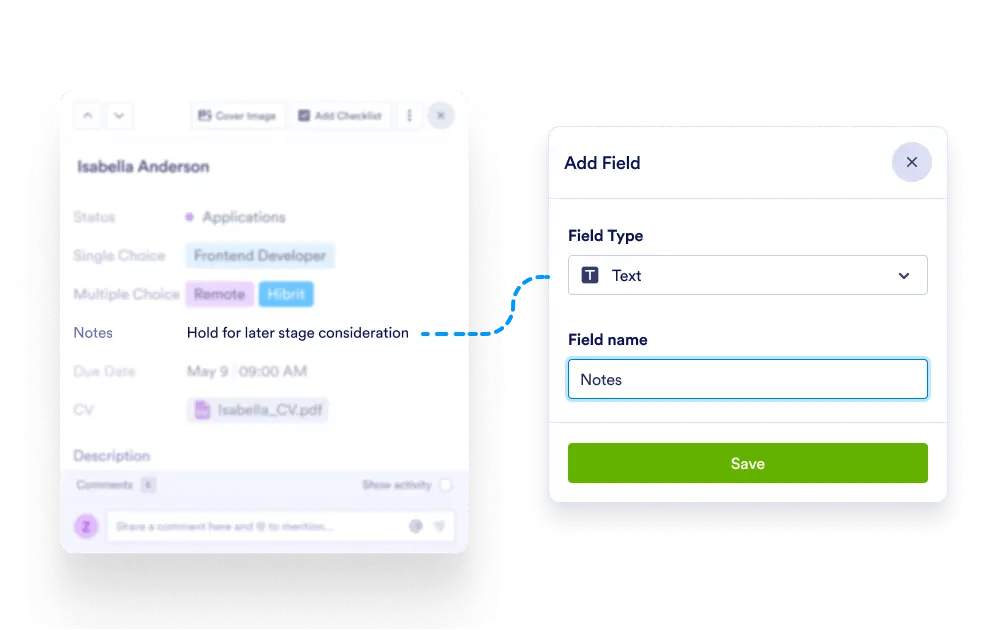
Capture key task information with customizable text fields. Whether it’s a serial number, contact name, or internal note, your team can input any alphanumeric data to fit your workflow.
Flexible Text Entry
Text custom fields allow users to enter any combination of letters, numbers, or symbols. Perfect for unique identifiers, project codes, or descriptions that don’t fit into dropdowns.
Use for Notes, Codes & References
Include short descriptions, internal codes, external system IDs, or any other essential text-based data that adds clarity to the task.
Easy to Create and Reuse
Add text fields in seconds, give them meaningful labels, and use them across your boards. Fields remain editable so your setup evolves with your workflow.
Improve Task Context
Text fields help teams quickly understand task details at a glance, without needing to open attachments or hunt for info.