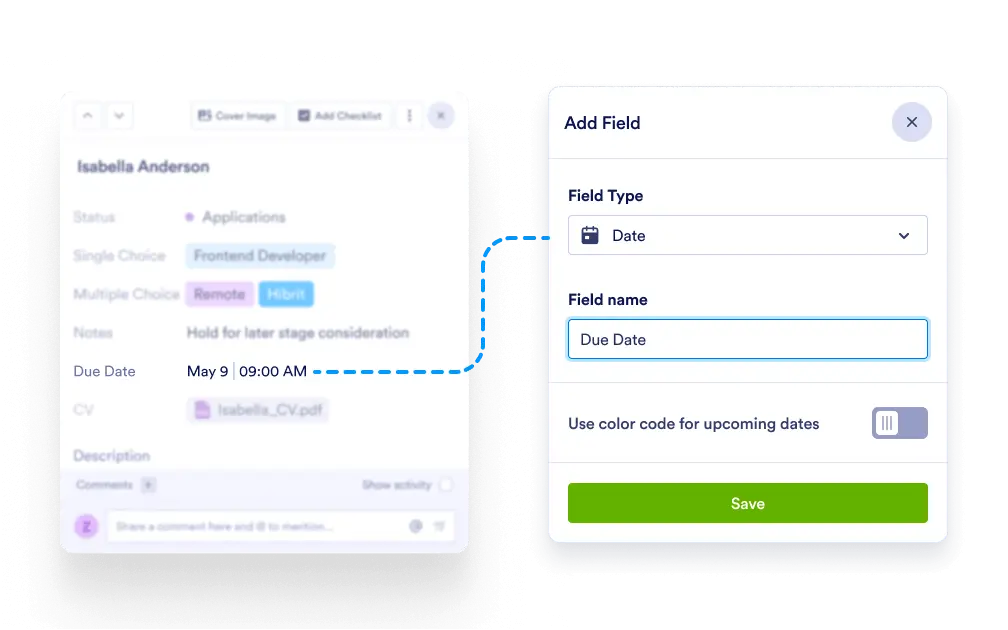
Keep your projects organized with dedicated date fields for each task. Whether you’re setting deadlines or tracking key events, custom date fields help you plan, prioritize, and deliver on time.
Flexible Date Entry
Add one or multiple custom date fields per task and label them according to your needs—like “Deadline”, “Launch Date”, or “Contract Expiry”.
Customize for Any Use Case
Use date fields for a variety of scenarios, including task due dates, review periods, shipping schedules, event timelines, or billing cycles.
Easy-to-Use Date Picker
Select dates quickly with an intuitive date picker. No manual typing or formatting required—just click and choose.
Fully Editable and Reusable
Need to rename or repurpose a date field? Easily adjust it at any time to match changes in your workflow or project scope.