Attach and Organize Files with Custom Attachment Fields
Easily add custom attachment fields to your tasks to collect and organize relevant documents, images, or other file types. With Jotform Boards, you can define exactly what type of files each task should include—helping your team stay organized and aligned with every detail in place.
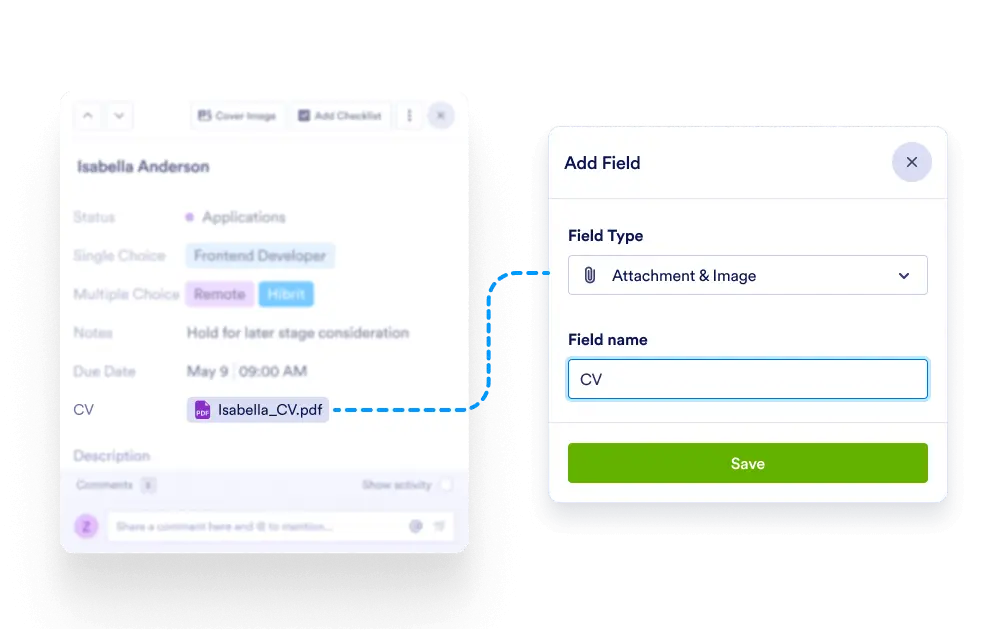
Enhance your task structure by adding specific attachment fields for files, images, or documents. Ensure nothing gets lost in the shuffle—clearly label and categorize all supporting materials for each task.
Tailored File Collection
Create and label custom fields like “Contract Document”, “Design Mockup”, or “Invoice Copy” so team members know exactly where to upload and find relevant files.
Attach Any File Type
Upload PDFs, spreadsheets, images, ZIP files, and more. Each custom attachment field can be uniquely defined to suit your workflow.
Keep Everything in One Place
Avoid dependency on external file-sharing tools. Jotform Boards becomes your single source of truth with all related files right where the work happens.
Organize with Field Labels
Add multiple attachment fields per task and give each a clear label, so you can separate different types of documents with ease.