Find What Matters Fast with Quick Filters
Stay focused and save time by using Jotform Boards’ Quick Filters. With just one click, instantly narrow your view to see tasks that are assigned to you, urgent, due today, this week, next week, or overdue. No setup required — simply select a filter and take action.
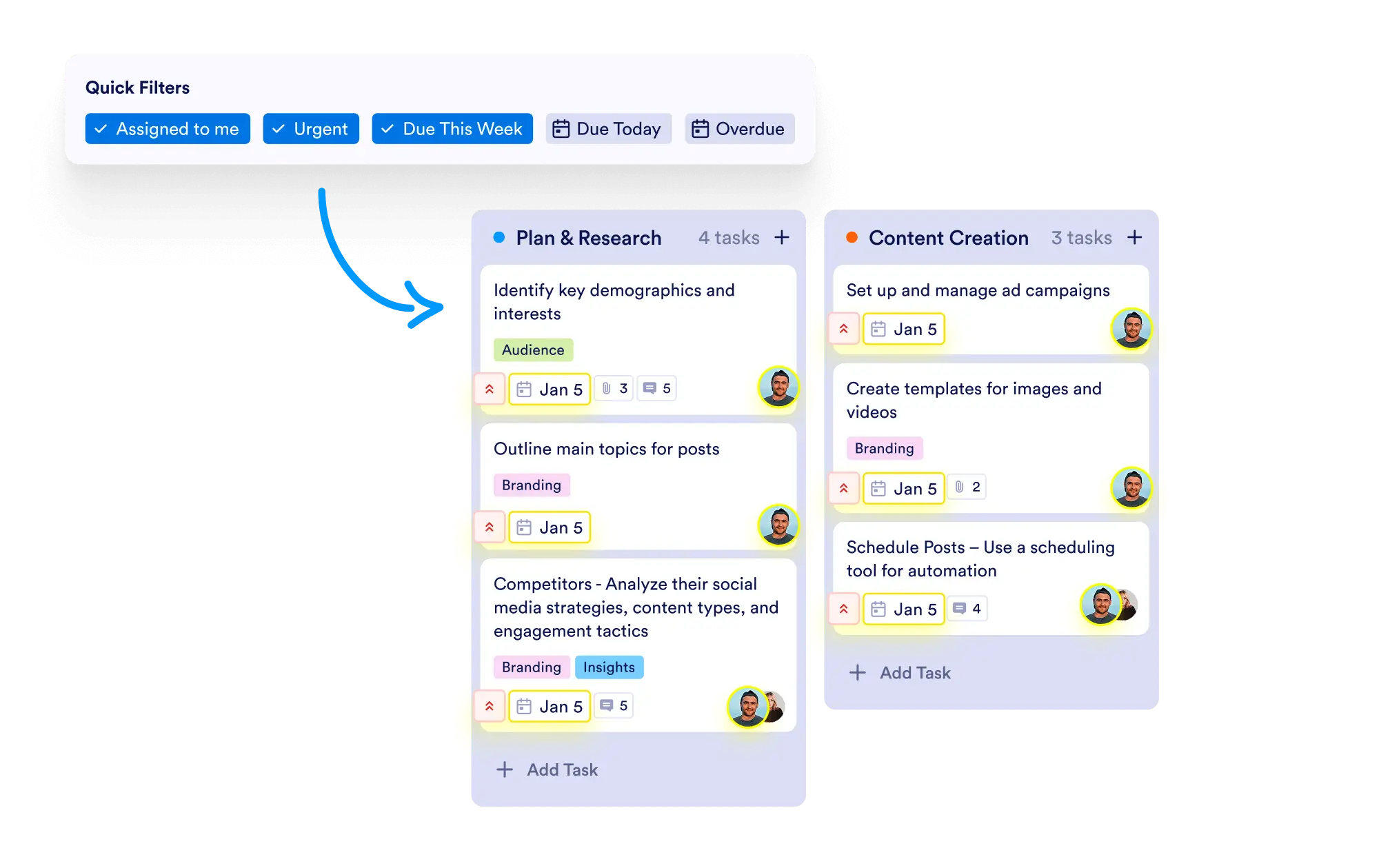
Instantly filter your tasks by priority, deadlines, or personal assignments to streamline your workflow and stay on top of what matters most.
One-Click Task Filtering
Quickly access predefined task views such as "Assigned to Me," "Urgent," "Due Today," "Due This Week," "Due Next Week," and "Overdue" with a single click — no complex configurations required.
Assigned to Me
Filter your board to instantly see all tasks where you’re the assignee. Perfect for managing personal workload efficiently.
Urgent Tasks
Quickly display all tasks marked as “Urgent” so you can prioritize and address the most critical items first.
Focus on Deadlines and Priorities
Easily keep track of upcoming or overdue tasks by using time-sensitive filters. Make sure nothing slips through the cracks.