Create Tasks Based on Conditions with Workflow Integration
Automate smarter with Jotform Boards by setting conditions for when tasks should be created. Using the Workflow Builder, you can define if/else rules based on form responses—ensuring that tasks appear on your board only when submissions meet your chosen criteria. This keeps your boards focused and prevents unnecessary task clutter.
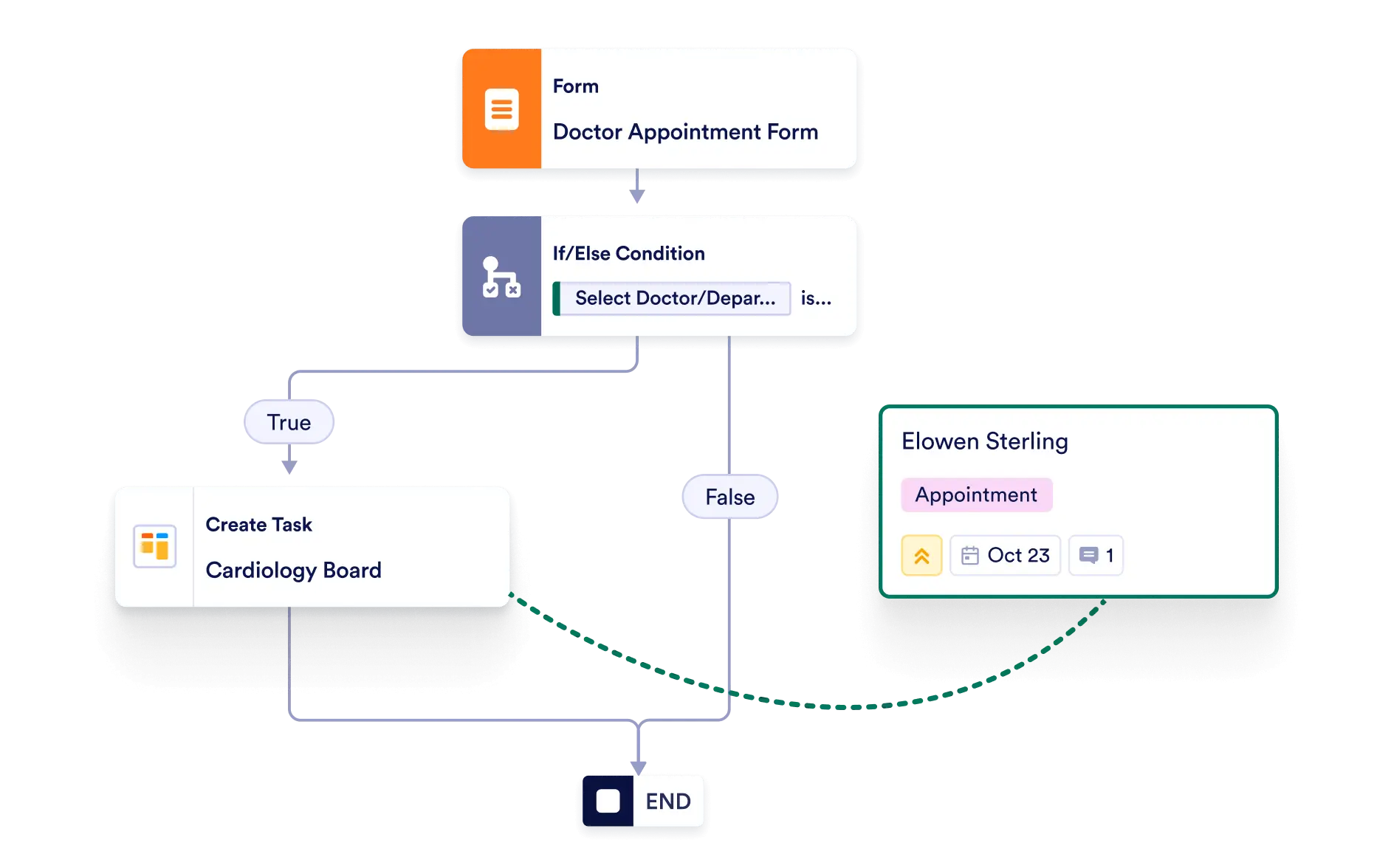
Streamline your workflows by automatically generating tasks only when conditions are met. From filtering form submissions to managing approval processes, you stay in control of how and when new tasks are created.
Keep Boards Organized
Avoid task overload by filtering out unnecessary submissions. Conditional logic ensures that only relevant and actionable items appear in your board, keeping it streamlined and easy to manage.
Rule-Based Task Creation
Use if/else conditions in the Workflow Builder to define exactly when a new task should be added to your board. For example, only create tasks for submissions where a field matches a specific value.
Automate Approval-Based Tasks
Create tasks only when a form response is approved or meets certain standards—perfect for HR, project management, or client onboarding.
Save Time and Reduce Manual Sorting
With conditions set, you won’t need to manually delete or reassign irrelevant tasks. Automation keeps your boards clean and accurate.
Improve Task Relevance
Ensure every task on your board has context and value by filtering out submissions that don’t meet your criteria.