One-Click Conditional Integrations
Jumpstart your workflow creation with the Automate Integrations quick start option. With one click, Jotform Workflows opens a ready-to-edit flow featuring an If/Else condition and the Integrations tab so you can set up when and how each integration runs based on your specific form responses.
Save time by setting up your workflows with built-in logic for integrations. Whether you want an integration to run only when certain fields are filled or under specific conditions, Jotform Workflows helps you automate smarter right from the start.
Automate Integrations with Smart Conditions
The Automate Integrations quick start option helps you instantly create conditional workflows. Start with a pre-built If/Else condition and configure your integrations to run only when your chosen rules are met giving you precise control over your automations.
Start with One Click
Begin automating in seconds. Click Automate Integrations, and your flow opens preconfigured with an If/Else condition and the Integrations panel ready for setup.

Run Integrations Smarter
Control exactly when and how integrations execute, ensuring your connected apps only run under the right circumstances.
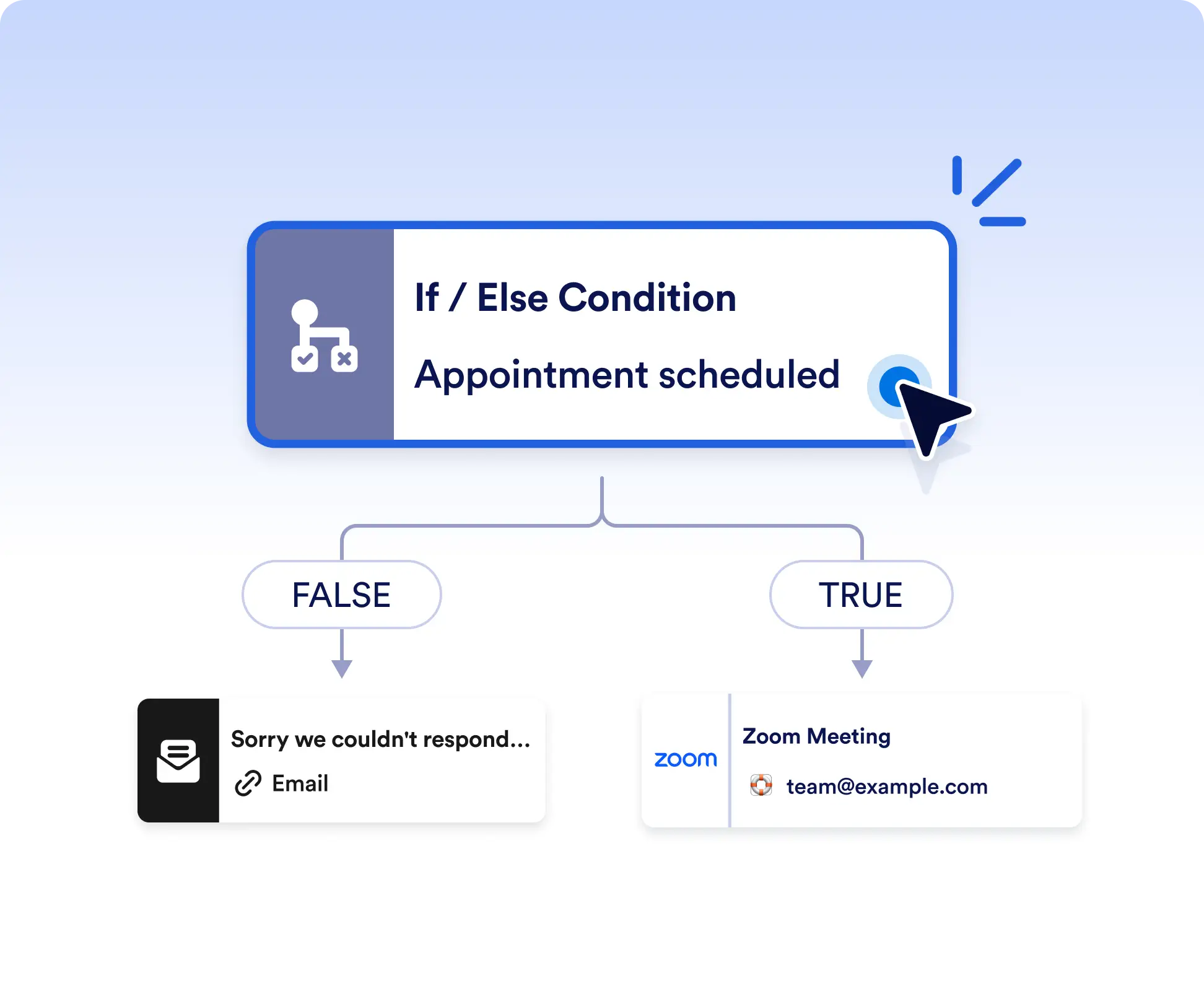
Send data to different apps based on form responses
Automatically route submissions to the right tools using conditional logic. For example, send sales inquiries to your CRM, support requests to a help desk, or internal requests to a project management app all from a single form.
Trigger integrations only when required fields are met
Avoid unnecessary automation by running integrations only when specific conditions are true. For instance, send data to accounting software only when a payment is included or trigger notifications only when a request is marked urgent.
Frequently Asked Questions
Have questions about this feature? Explore the FAQs below for quick answers, or reach out to our support team for more details.
It’s a one-click way to create a workflow that includes a pre-built If/Else condition and the Integrations tab. This lets you quickly control when and how integrations run based on form responses.
No. The workflow starts with an If/Else condition already in place. You simply define your rules and connect the integrations you want to run under each condition.
Yes. You can expand your workflow at any time by adding more conditions, actions, or integrations to match more complex automation needs.