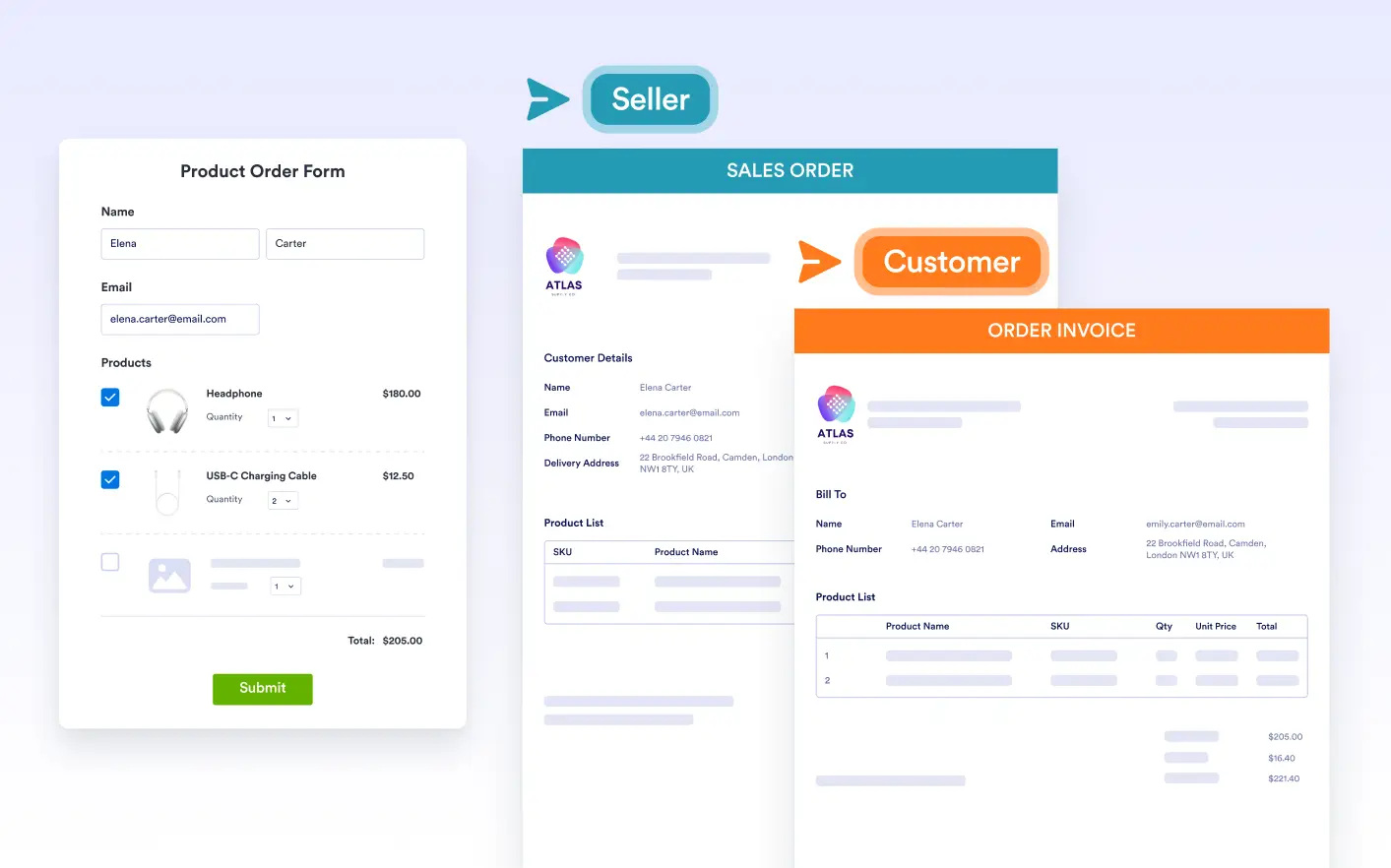
Create multiple documents from a single form one for you, one for the respondent, and others in different languages; each with its own delivery and automation rules.
Different Documents for Different Use Cases
A single form submission can trigger the creation of multiple unique documents, each designed for a different purpose, audience, or language.
Deliver Language-Specific PDFs
Produce separate documents for each language your form supports. Submissions automatically receive the correct PDF, ensuring clarity, consistency, and a localized experience for global audiences.
Conditional Document Delivery
Assign specific documents to emails, approvals, and integrations. Each workflow step can deliver the right PDF; internal or external; based on audience, context, or submission logic.
Frequently Asked Questions
Check out our FAQs for answers to common questions, or contact our support team for further information.
Multiple Documents lets you create different PDF layouts from the same form submission data. Each document can be designed for a specific purpose; such as a customer copy, an internal report, or a signed agreement; while pulling information from the same form.
Yes. Each document is fully independent and customizable; you can choose how it’s created, adjust its layout and design, and set unique file names or security settings. This allows you to generate different PDFs for different workflows without duplicating your form.
You can create unlimited PDF documents for each form. There are no restrictions on the number of documents, allowing you to design different versions; such as invoices, contracts, reports, or receipts; all connected to the same submission data.