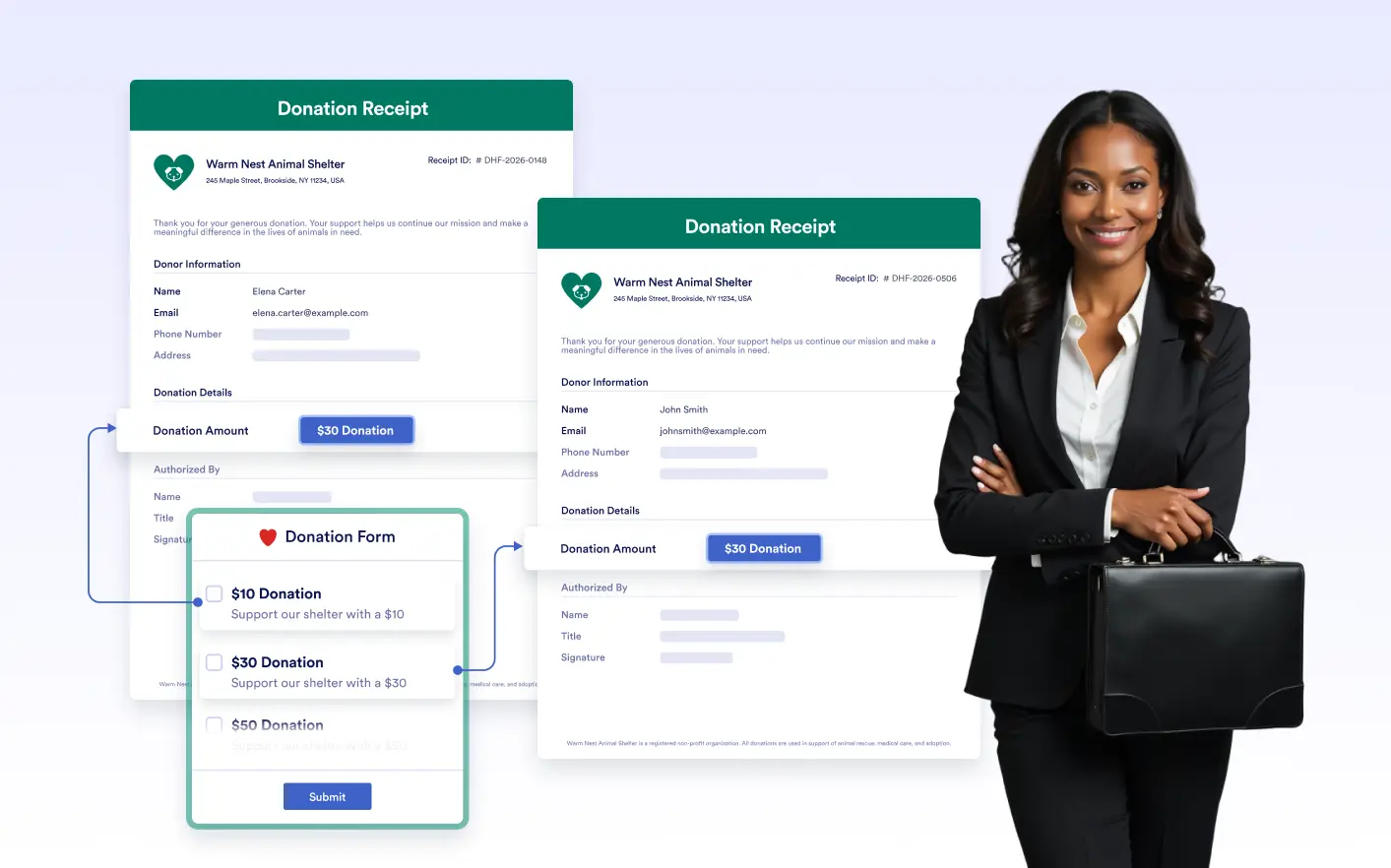
and instantly see how your document updates with real data. Test layout behavior, spacing, and to make sure your document looks right in every case.
Preview Documents with Submission Data
Navigate through different submissions to see how your document appears with real submission data. Preview multiple data variations to ensure your document works perfectly for every possible scenario.
Switch Between Submissions Instantly
Move between different submissions directly inside the editor to see how your document adapts to varied inputs. Test long answers, optional fields, or missing values without changing the layout.
Design with Confidence Across Scenarios
By reviewing multiple submission types, you can fine-tune structure and formatting to ensure every generated PDF stays clean, readable, and consistent; no matter how the data changes.
Frequently Asked Questions
Check out our FAQs for answers to common questions, or contact our support team for further information.
Submission-Based View allows you to see your PDF document populated with real submission data. Instead of editing an empty template, you can preview how the PDF looks for a specific form response.
It lets you navigate between different submissions and instantly see how your document adapts to real data. This makes it easier to check formatting, spacing, conditional fields, and overall layout accuracy.
Yes. You can move between submissions directly within PDF Editor to preview different responses. This helps ensure your document design works correctly for all variations of your form data.