
Modify fields, build conditional logic, and adjust design settings like colors, fonts, and layout without navigating complex menus.
Modify Fields, Logic, and Layout With AI
Autopilot helps you update existing forms quickly. Add new questions, remove fields, change labels, apply conditional logic, and refine your form structure simply by describing the changes you want.
Add, Remove, and Edit Form Fields Instantly
Tell Autopilot what changes you need and it updates your form automatically. Add new fields, remove unnecessary questions, or edit labels and options without manually configuring each element.

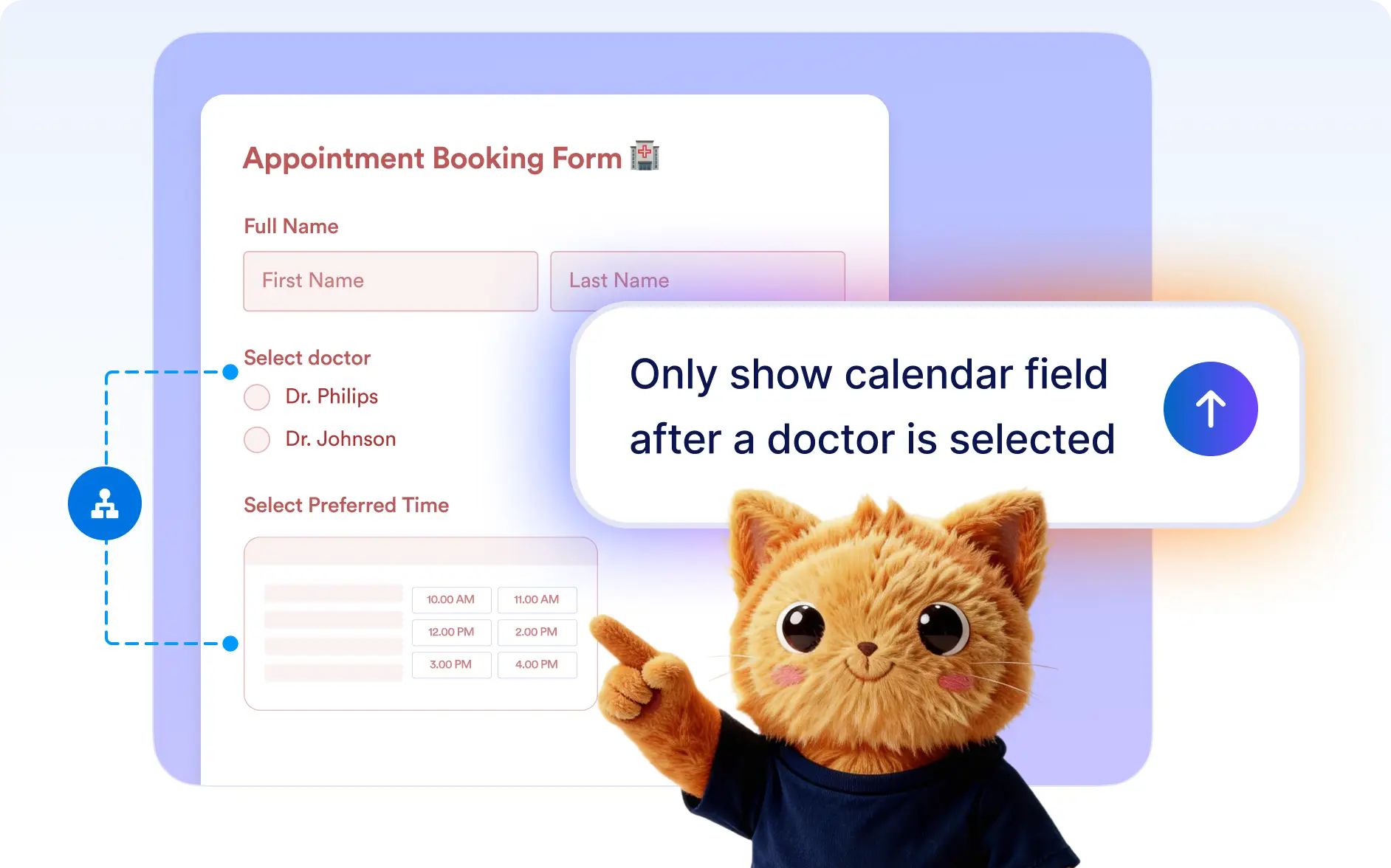
Add Conditional Logic
Describe the behavior you want in your form and Autopilot will create the conditional logic automatically. Show or hide fields, control form logic, and build smarter forms without manually configuring rules.
Customize Form Design
Update your form’s design instantly with Autopilot. Adjust colors, fonts, backgrounds, logos, and layout so your form matches your brand while maintaining a clean and professional appearance.

Frequently Asked Questions
Yes. You can ask Autopilot to update any part of your form including questions, fields, logic, and design. Simply describe the changes and the AI will apply them automatically.
Yes. You can tell Autopilot to add new questions, remove fields, or modify existing ones. It updates the form structure instantly without requiring manual configuration.
Yes. Autopilot can add conditional logic rules such as showing or hiding fields based on user responses. This allows you to create smarter and more dynamic forms.
Yes. You can ask Autopilot to change colors, fonts, backgrounds, logos, and layout settings so your form matches your branding and design preferences.
Yes. After Autopilot makes changes, you can continue refining the form through conversation or manually edit it using Jotform’s form builder.