Create custom forms with our advanced Form Designer. Without coding, you can change colors, fonts, , button styles, and error messages; add logos and images; use CSS codes; and preview your form on any device.
Advanced Form Designer
Build custom online forms that match your website and your needs perfectly. Our drag-and-drop Form Designer offers advanced customization options that require no coding.
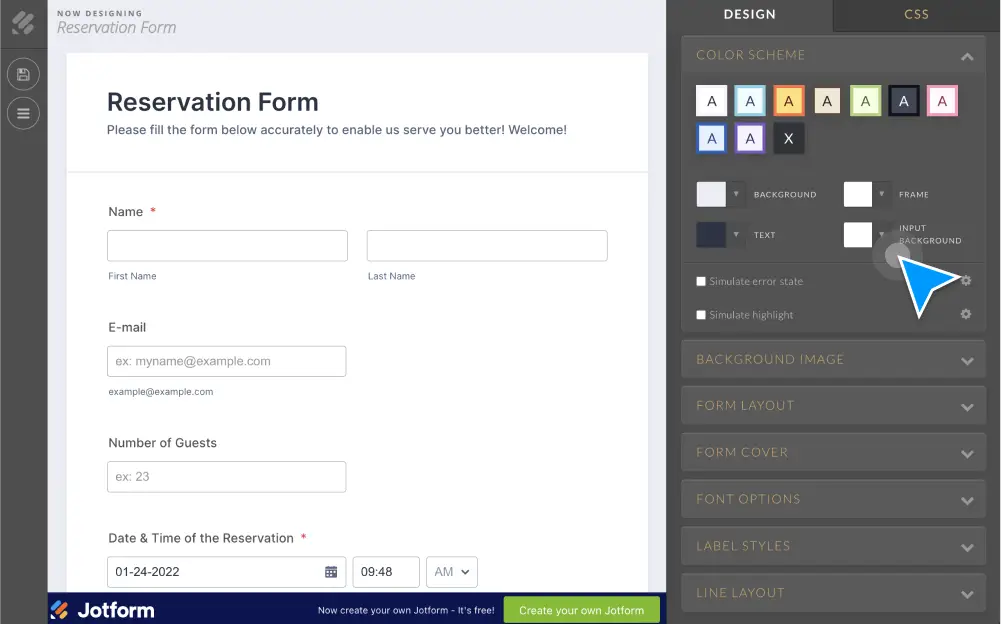
Change colors
Choose from ready made color schemes or select a specific color with the color picker to customize your form’s background, text, and shading.
Change fonts
Select from Jotform’s list of Google and system fonts, and change each form section’s font size in a couple of clicks.
Add spacing between fields
Tweak your form design by indicating the amount of space to put between form fields. Personalize vertical padding, horizontal padding, and label spacing.
Jotform CSS Inspector
Quickly discover each form field’s element class and element ID to help you write your CSS code. You can also add styles to the active element class or ID in a few clicks.
Jotform CSS Editor
Customize every aspect of your form with Jotform’s CSS Editor. Write your code from scratch or add styles with our helpful builder.
Add cover image
Include your logo and a unique cover image at the top of your form to give it a professional look.
Update button design
Increase your response rate with eye-catching submit buttons. Choose from Jotform’s premade button styles, make a custom button in a few clicks, or build one using CSS codes.
Preview for mobile devices
See what your form looks like on tablets and smartphones, so you can ensure your form looks its very best no matter the device.
Edit error styles
Customize error messages on your forms. You can change the styling, colors, and text with ease.
Upload a background image
Change your form’s background by choosing an image from our gallery or uploading one from your files.
Customize your forms with Embedded Form Designer
Jotform 4.0 includes a brand new Advanced Form Designer embedded directly in your form builder view. Changes are instantly applied to your form for easier previewing. Choose from a predesigned theme to change the look, or used the advanced settings to customize the CSS.