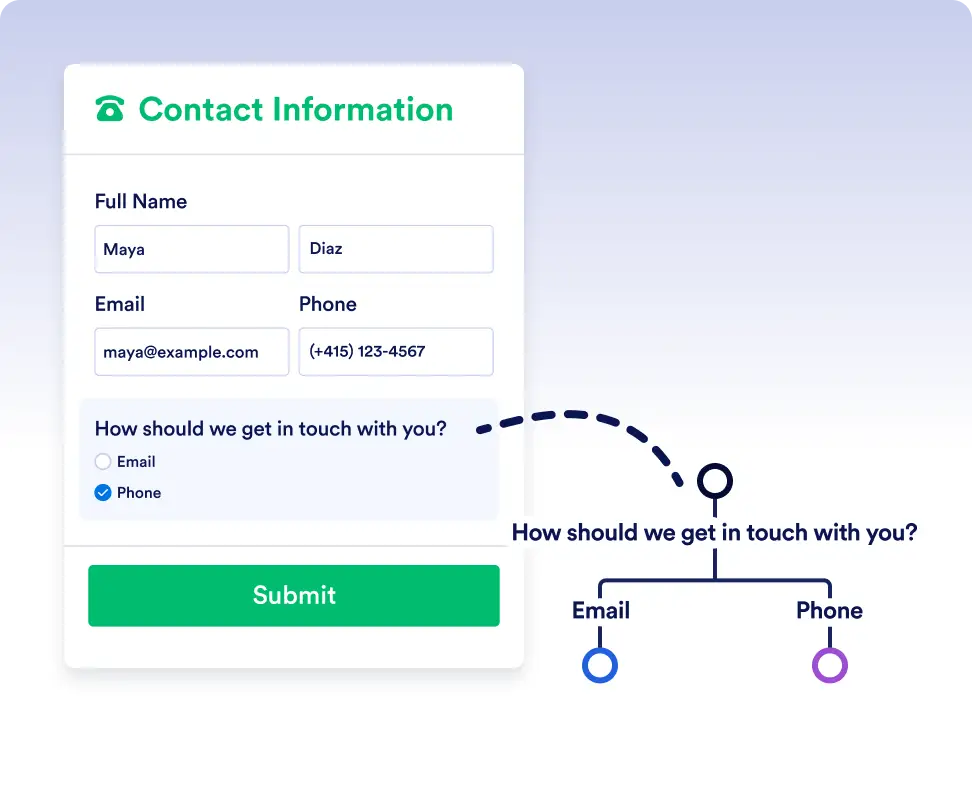
Leid automatisch taken, verzoeken en goedkeuringen naar verschillende paden op basis van realtime formulierreacties en workflowgegevens, zodat werk altijd bij de juiste personen terechtkomt.
Eenvoudige waar/onwaar-logica voor slimmere workflows
If/Else-voorwaarden voorkomen giswerk en handmatige routering door automatisch te controleren of elke stap voldoet aan de criteria die je hebt ingesteld. Dit zorgt ervoor dat taken, formulieren en goedkeuringen altijd de juiste richting opgaan, zodat je workflows kunt bouwen die accuraat, efficiënt en volledig geautomatiseerd blijven.
Dynamische routering voor elk scenario
Het toevoegen van een If/Else-voorwaarde is net zo eenvoudig als het selecteren van je gegevensvelden en het instellen van je voorwaarde. Laat Jotform Workflows de vertakking afhandelen, zodat jij je kunt concentreren op het vooruit helpen van je werk.
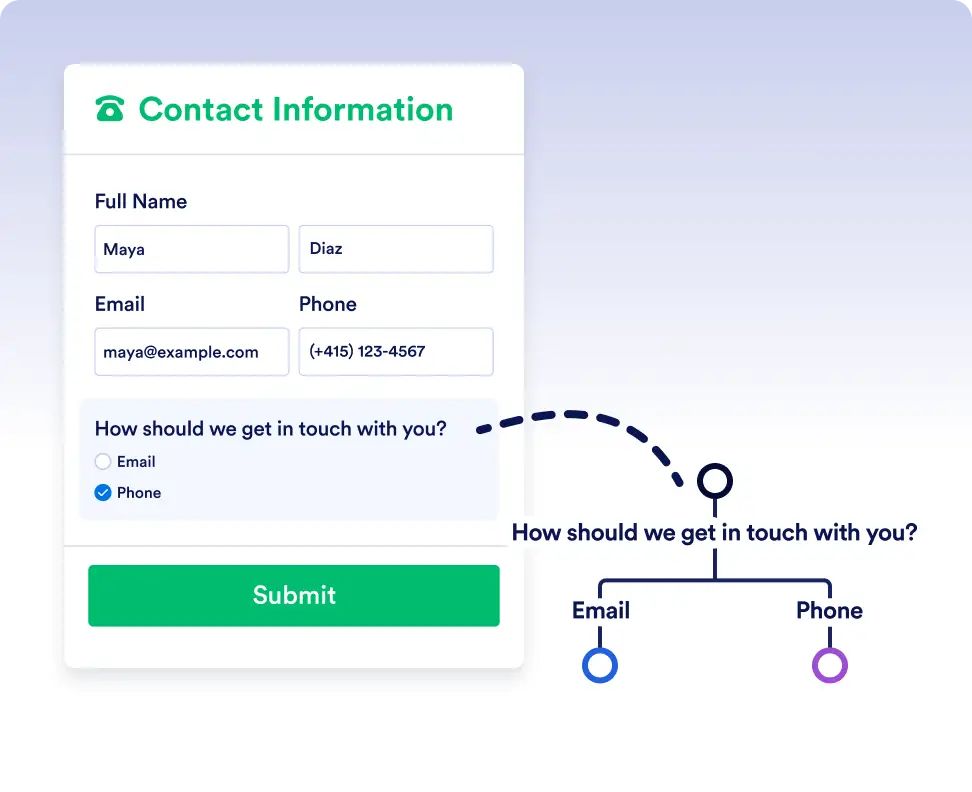
Smart routing with form data
Automatically send submissions down different paths depending on how users respond to a form. For example, route high-priority requests for immediate approval while sending standard requests through a regular review process.
Handle complex flows with conditional logic
Use If/Else conditions to adapt workflows to real-world scenarios. Trigger different actions, assign tasks to different teams, or skip unnecessary steps based on workflow data or previous outcomes.
Veelgestelde vragen
Heb je vragen over deze functie? Bekijk de veelgestelde vragen hieronder voor snelle antwoorden of neem contact op met ons ondersteuningsteam voor meer informatie.
You can use data from form responses, approval steps, assigned tasks, and other workflow elements used in the flow to define your If/Else conditions.
If no conditions are met, the workflow follows the default Else path, ensuring the process always continues.
Yes. You can add multiple rules to a single If/Else condition and choose whether all rules must be met or if any one of them is enough to trigger a path.