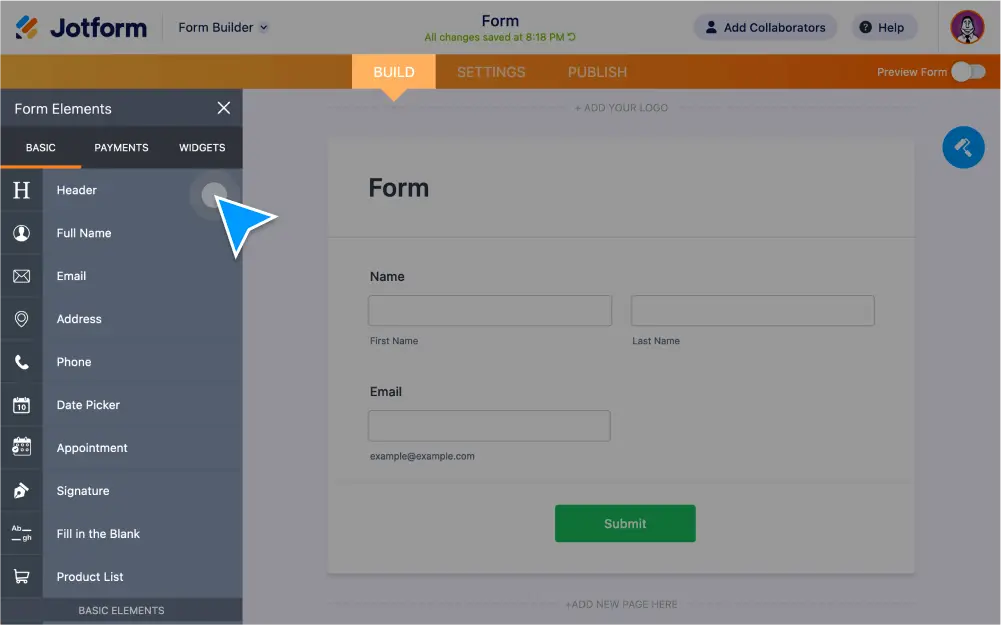
Stwórz formularz w kilka minut z zaawansowanymi elementami Jotform. Dodaj pola tekstowe, e-podpisy, kalendarze z terminami, listy produktów i nie tylko - .
Zaawansowane elementy formularza
Jotform oferuje dziesiątki gotowych elementów formularza. Niezależnie od tego, jakie dane chcesz zbierać, nasz intuicyjny Kreator Formularzy dostarczy Ci narzędzi, potrzebnych do stworzenia spersonalizowanego formularza w kilka minut i bez pisania kodu.
Nagłówek
Make your titles stand out with our heading element. You can change the text size and alignment, add a subheading, or upload an image in place of text.
Full Name & Email
Create predefined fields for users to input their first and last name, as well as their email address.
Short & Long Text Entries
The short text element is for single-line text entries, while the long text element is best suited for paragraph-length text, such as comments, suggestions, and feedback.
Telefon
Collect a user’s phone number with this predefined field. You can also add an optional country code field.
Adres
Allow users to enter their complete address with customizable predefined fields.
Paragraf
Add text to your form with a full-featured WYSIWYG text editor. This element also allows you to include HTML and inline CSS.
Single & Multiple Choice Field Elements
Create radio buttons for single-choice answers and checkboxes to allow for two or more answers.
Przesyłanie pliku
Users can drag and drop to upload and attach files from any device to your form.
Wybór daty
Users can input a date either by typing it in or by clicking on an interactive calendar. You can also change the date format and add an optional time field.
Menu rozwijane
Create dropdown menus for category-related questions.
Podpis
Zbieraj e-podpisy użytkowników. Dodaj atrybut Wymagany do pola, by uniemożliwić przesłanie formularza, gdy jest ono puste.
Obrazek
Przeciągnij i upuść, by dodać do formularza obrazek lub logo. Ustaw rozmiar i położenie obrazka, dodaj tekst wyświetlany po najechaniu myszą i nie tylko.
Wypełnij luki
Świetny dodatek do umów. Twórz predefiniowane pola do wypełnienia przez użytkowników - imię i nazwisko, data, adres e-mail, numer telefonu i nie tylko.