-
 contatoisabelladacasMobile Offline
1
Message
Não estou conseguindo encobtrar meus formularios
Platform
iOS
Appversion
2.12.29
Deviceinfo
User Device: Apple - iPhone - Handset - 26.1
Source
Report
App
Jotform
-
 Adrian Besilla Jotform Support
Hi Isabella,
Thanks for reaching out to Jotform Support. Our Portuguese Support agents are busy helping other Jotform users right now, so I'll try to help you in English using Google Translate, but you can reply in whichever language you feel comfortable using. Or, if you'd rather have support in Portuguese, let us know and we can have them do that. But, it might take a while until they're available again.
Now, coming back to your question, I checked the account linked to this email address, contato.isabelladacas@gmail.com, and currently there are two active forms associated with it: QUESTIONÁRIO VISAGISMO BELLA DA CÁS and FORMULÁRIO IMAGEM E ESTILO. Are you referring to a different form? Can you make sure you are logged into the correct account where the form you're looking for is created? Also, do you have the form URL that you can share with us? This will greatly help us locate the missing form.
For now, you can try to check your Trash folder. If it's there, it is easy to restore your deleted forms in Jotform Mobile App. Let me show you how:
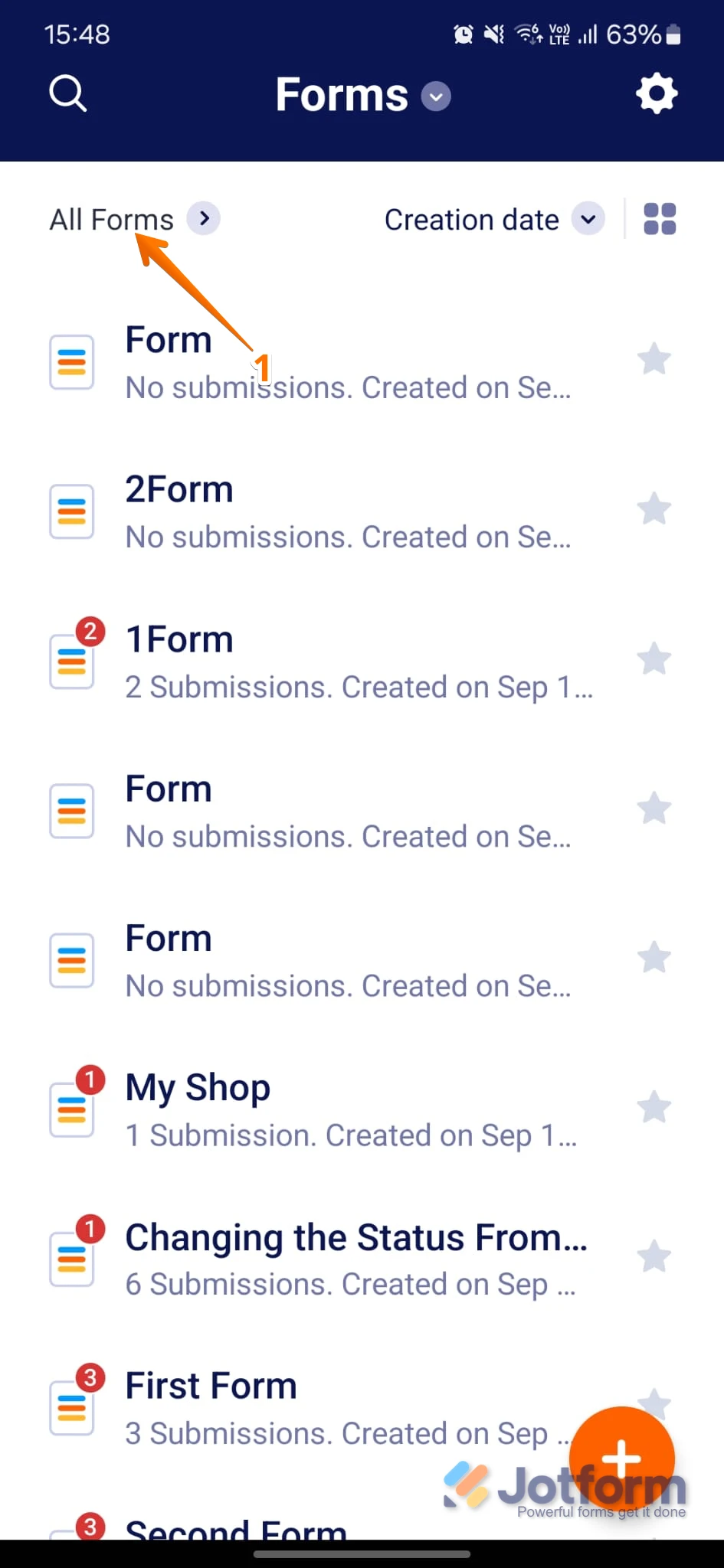
1. In the Jotform Mobile App, tap on All Forms on the top left side of the screen.

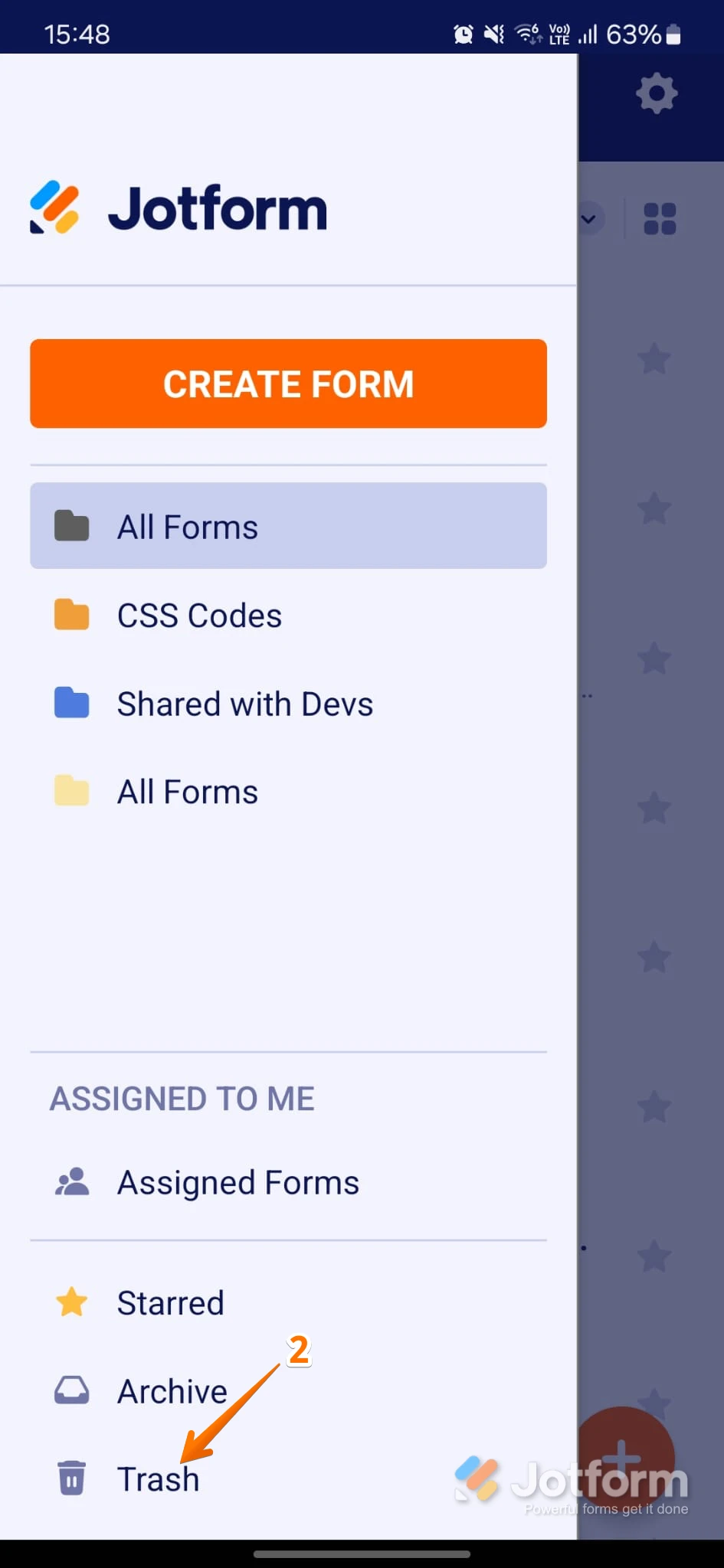
2. At the bottom of the screen in the menu, tap on Trash to see deleted forms.
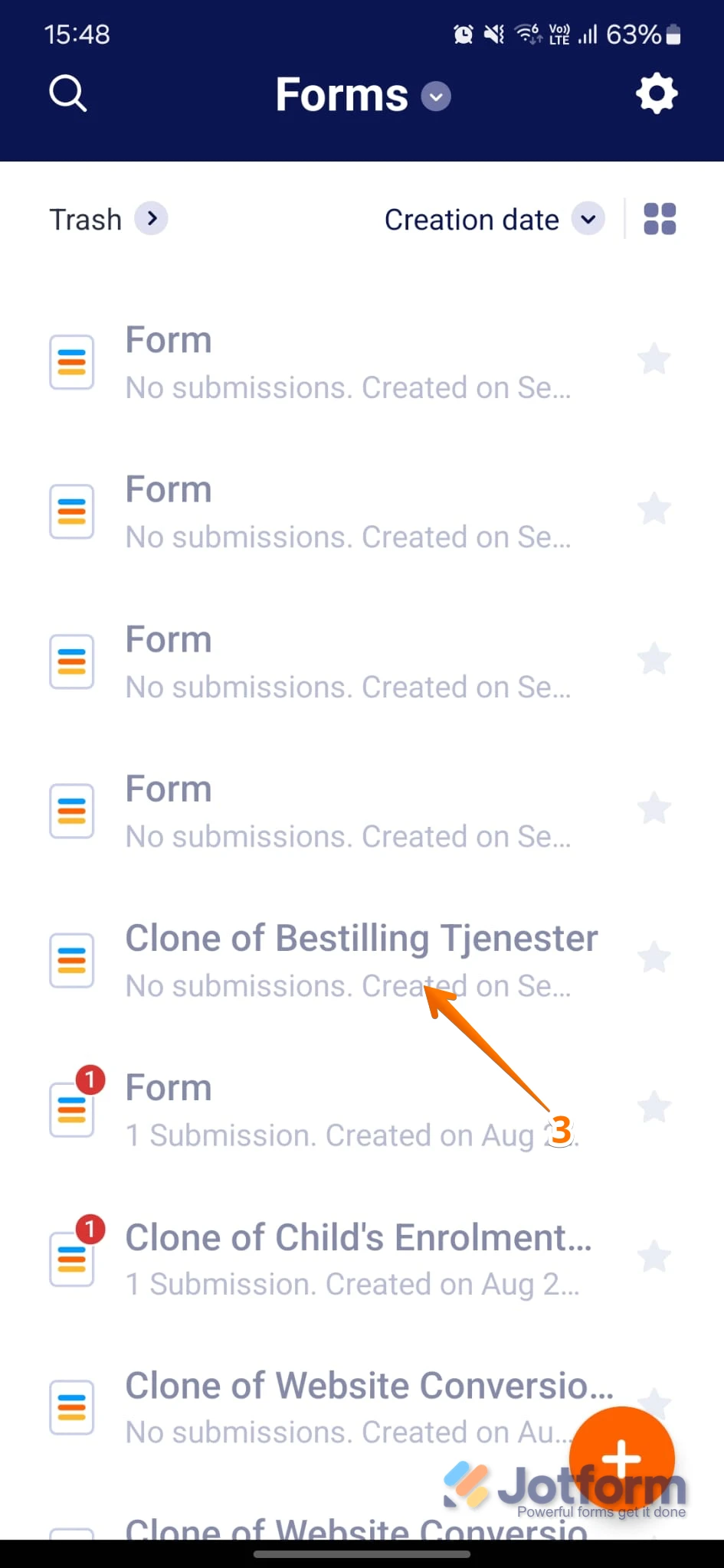
3. Then, tap on the form you want to restore.
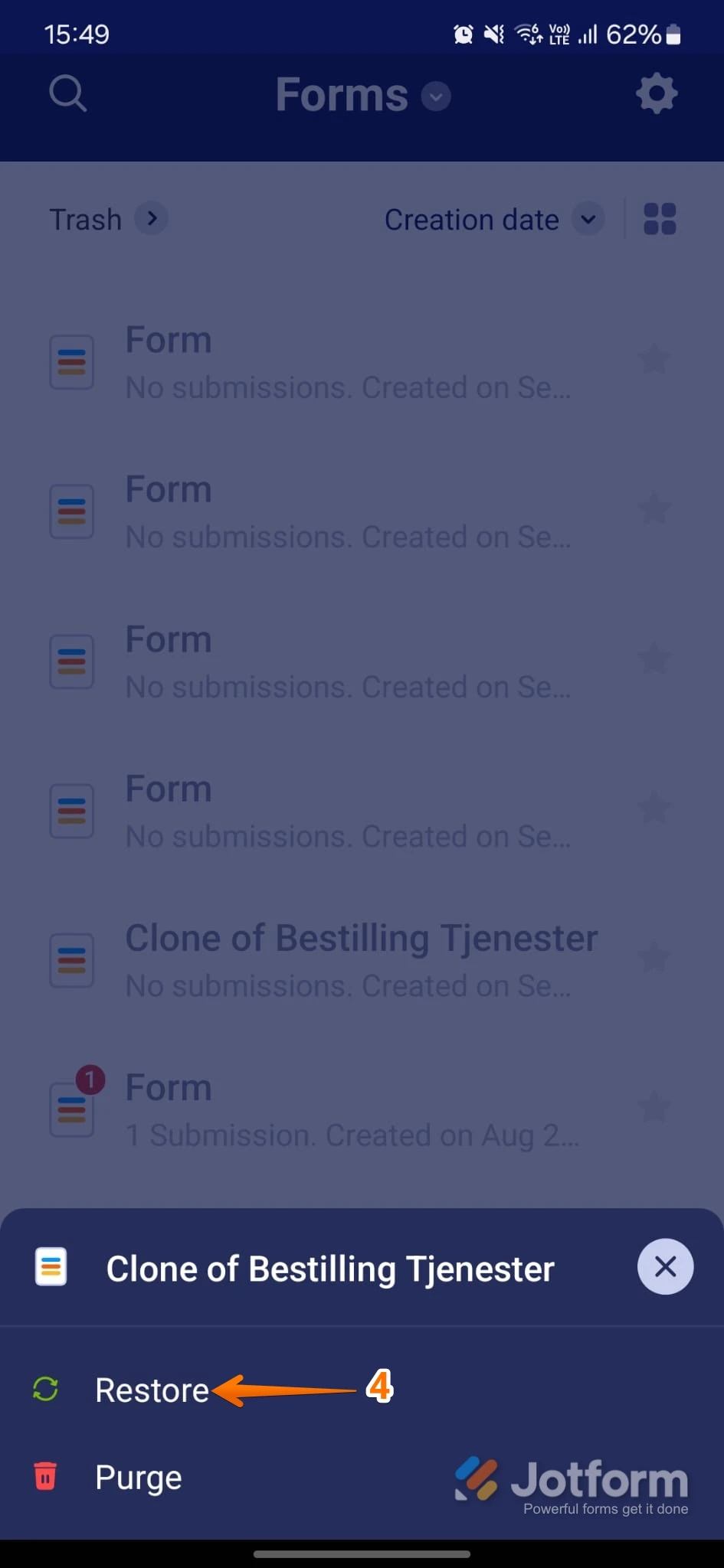
4. In the list that comes up at the bottom of the screen, tap on Restore, and that's it.
To see the same menu and options in the mobile app, make sure you're using the latest version of the Jotform Mobile App. If the form still doesn’t show up, share the form title or any details you recall about it so we can help investigate further.
Give it a try and let us know how it goes.
Your Reply
Something Went Wrong
An error occurred while generating the AI response. Please try again!