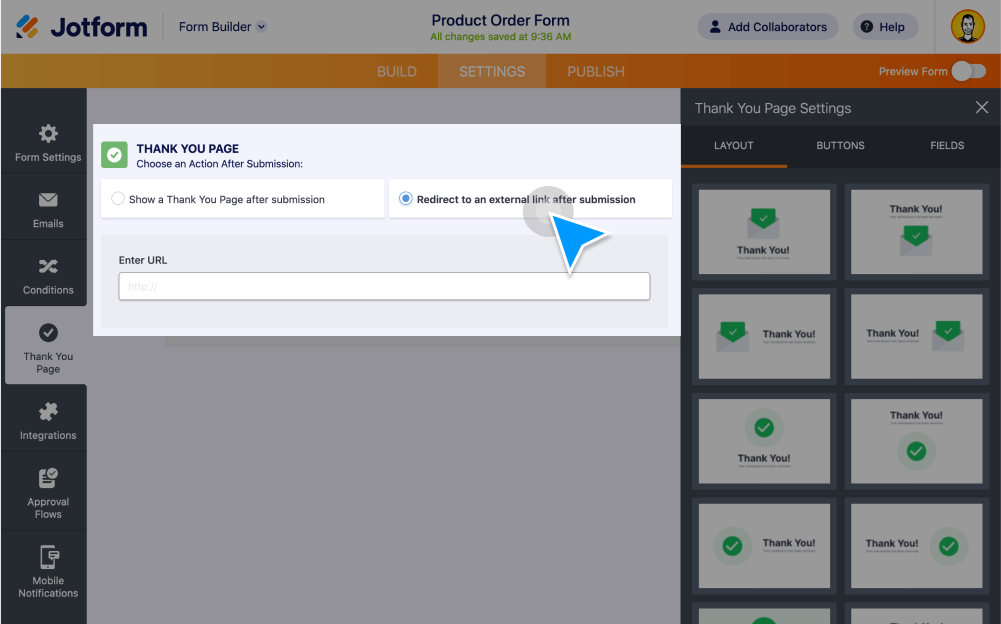
Redirect form fillers to an external page instead of our default “Thank You” page for your classic and card forms. Without coding, you can copy and your redirect link, set a countdown timer, and even change the URL based on conditions!
Create a Redirect URL for Your Form
Don’t want to use the built-in “Thank You” page on your form? Send form fillers to your website or any other URL with our advanced page redirect options.
Redirect Users to an External Page
Automatically send form fillers to any URL after they’ve completed their submission. It’s a great way to redirect users to your homepage and increase website traffic!
Redirect Users via Jotform Cards
Opt out of the “Thank You” page in your interactive card form and send form fillers to an external link instead. Simply copy and paste the URL into the field provided.
Add a Countdown Timer
Send users to an external page with a timer that counts down to link or form redirection. Simply upload the code from our help guide into your server to get started.
Change URL Based on Conditions
Conditionally change the “Thank You” page link based on how users fill out your form. When setting up conditional logic, simply enter the URL you’d like to redirect users to after submission.
How to redirect people to another page after form submission?
Want to increase site traffic and engagement with your online forms? In this quick Jotform tutorial, we’ll show you how easy it is to redirect form fillers to an external link instead of a “Thank You” page and edit your submit button accordingly.