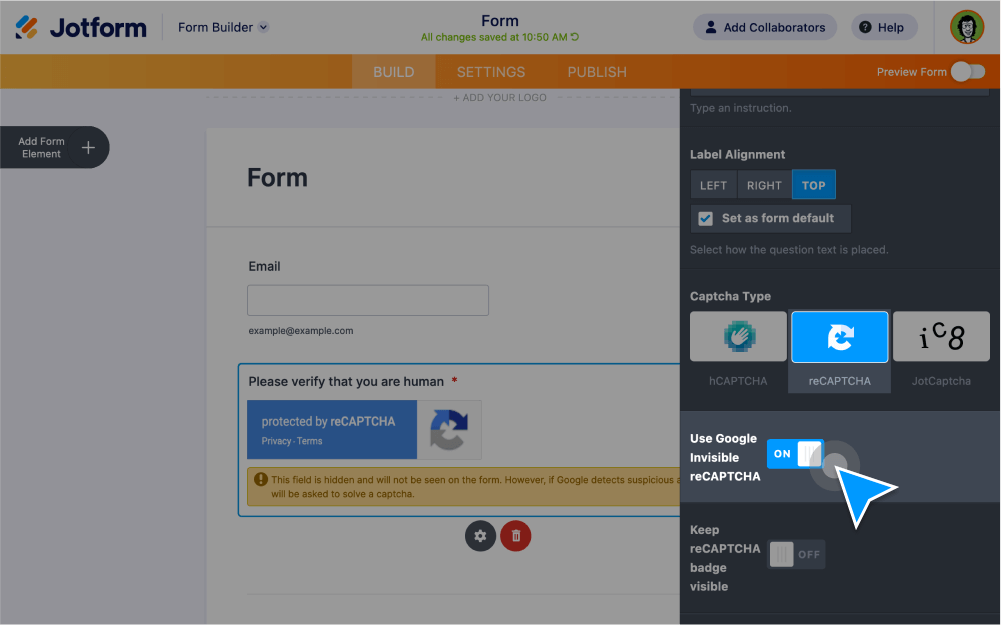
Learn how to enable Google reCAPTCHA and other CAPTCHA widgets to prevent submissions from spammers and bots.
Block spammers and bots with reCAPTCHA
Ensure that you’re receiving form submissions from real people with Jotform’s CAPTCHA and reCAPTCHA form fields.
Add a CAPTCHA field
Protect your forms against unwanted submissions using Jotform’s CAPTCHA widgets. You can add a math CAPTCHA that requires form users to complete a simple math problem, add a drawing CAPTCHA, or use Google’s invisible reCAPTCHA field.
Add an invisible reCAPTCHA
Enable Google reCAPTCHA on your Jotform forms so form users can verify that they’re not a robot in a single click. Just drag and drop to add the reCAPTCHA form element to your form using the Jotform Form Builder.
Adding a Captcha to your Form
Learn how to add a CAPTCHA field to your custom online form in just a few clicks with this one-minute video tutorial.