Teaminstellingen
De teaminstellingen bieden je volledige controle over de lay-out, functies en werking van je werkruimte. In dit overzichtelijke paneel kun je alle belangrijke instellingen wijzigen, van visuele aanpassingen tot het beheer van rollen en inzicht in activiteiten.
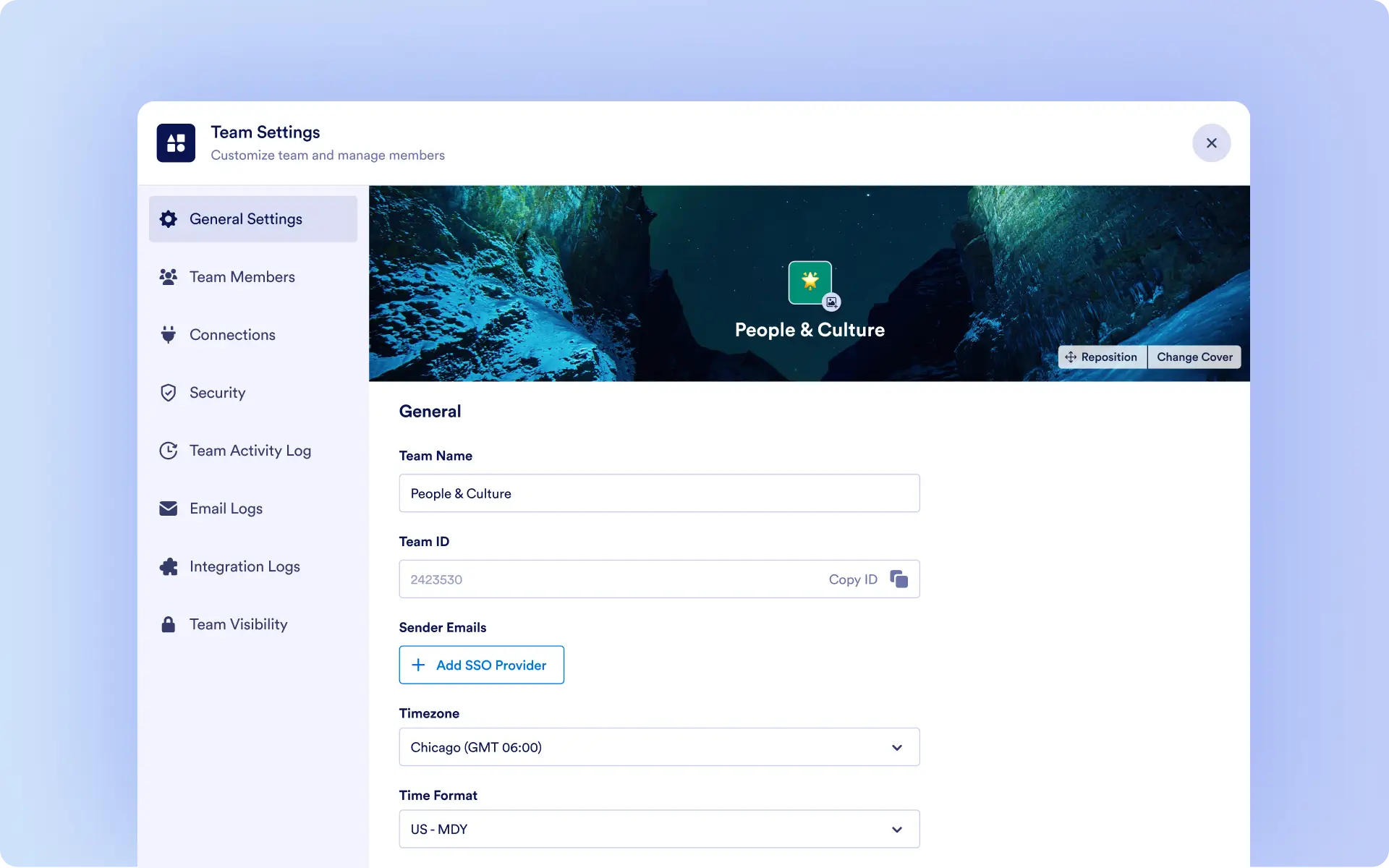
Keep your Team Workspace organized and on-brand with centralized settings for appearance, membership roles, and activity logs.
Customize the Team Workspace Appearance
Every team can reflect its own identity. In Team Settings, you can:
- Update the team workspace name
- Upload a custom logo
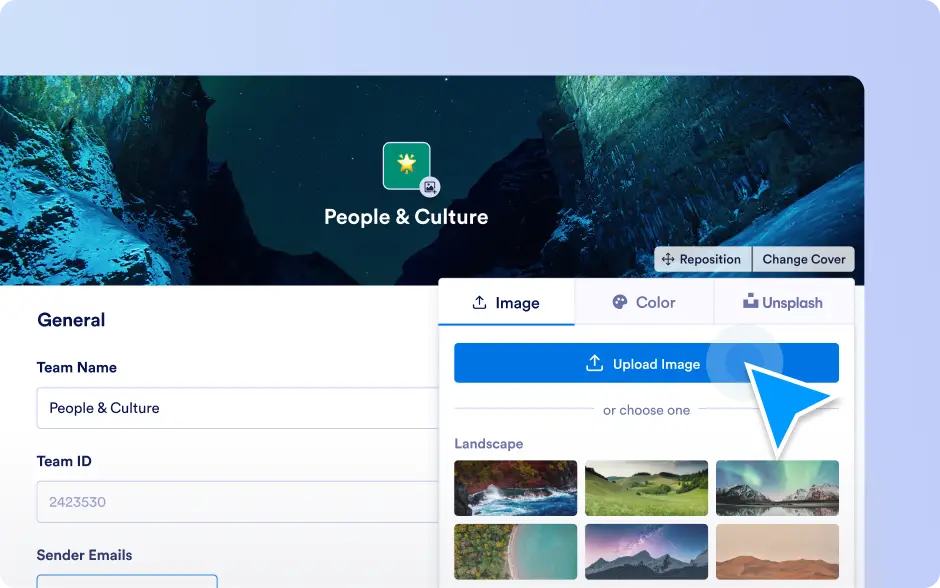
- Change the cover image
This ensures each workspace is instantly recognizable and visually aligned with your organization’s branding.
Control Team Membership & Roles
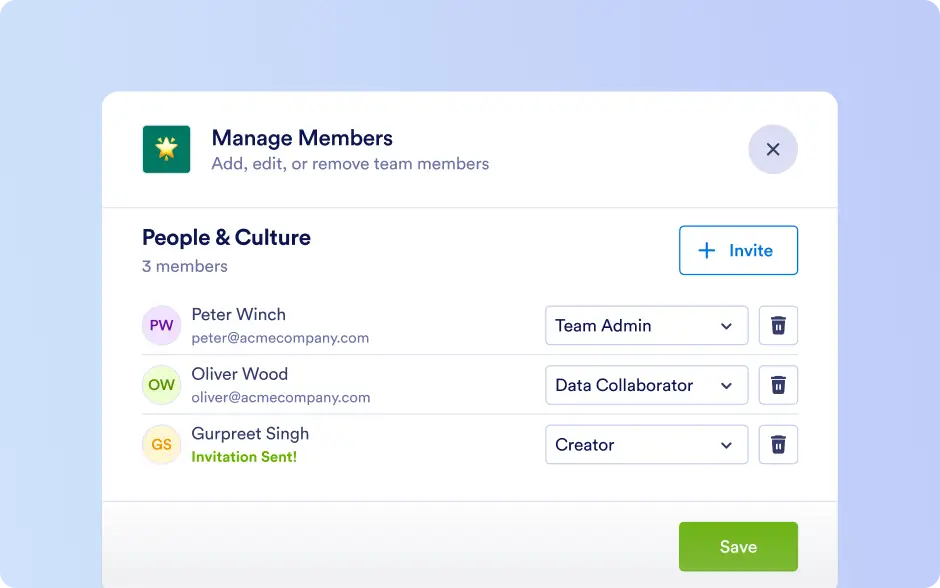
Add members, assign roles, and define responsibilities. From this panel, Team Admins can:
- Add or remove team members
- Update role assignments
- Define the default member role for new joiners
The default member role makes onboarding effortless by automatically giving new members the correct permissions.
Stay on Track with Team Activity Logs
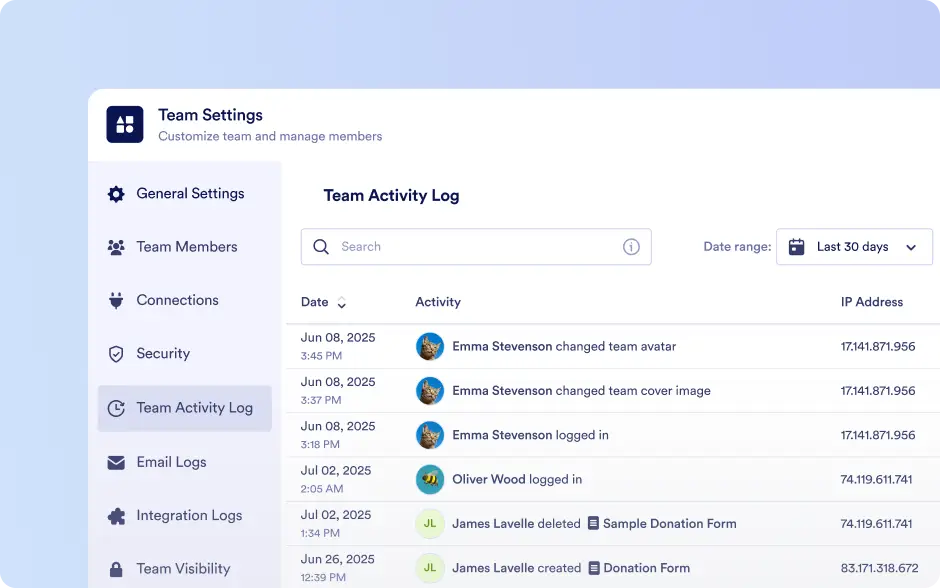
Stay informed about what’s happening inside the workspace. Activity Logs provide a clear view of:
- Recent actions performed by team members
- Structural updates
- Data changes
- Access and permission modifications
You can view quick updates directly from the workspace or open a detailed, filterable log in Team Settings for deeper insight.