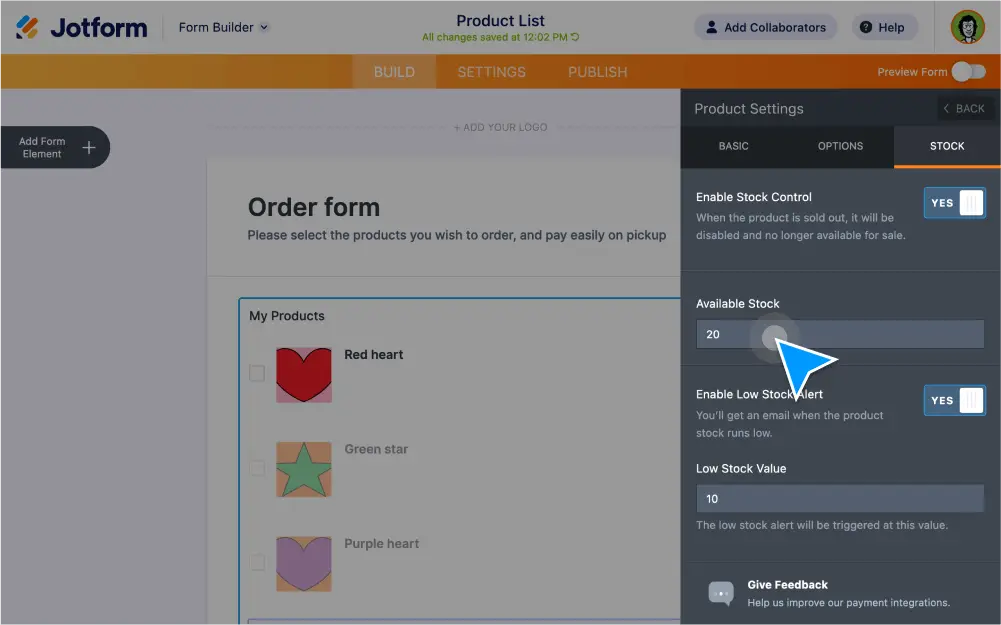
Track sold items, reduce inventory costs, and limit purchases with . Jotform offers advanced form fields and widgets that prevent overselling, display the number of available items, and calculate total order costs automatically.
Create forms with quantity limits
Prevent overselling and lower inventory costs with product quantity limits. Build your online order form with the Jotform Form Builder and easily set a quantity limit based on how many items you have in stock.
Set up low stock alerts
Stay on top of your inventory — and keep customers updated too. With the Product List field, you can add products, set the available quantity, and set up automated alerts when an item is low on stock or sold out.
Add a gift registry
Display a list of limited items that form users can select on a first-come, first-served basis. When certain items have run out of stock, the Quantity Gift Registry widget will automatically list them as unavailable.
Limit bulk purchases
Avoid overselling or overbooking with the Inventory widget. Enter the number of items you have in stock and instantly block users from selecting the option once stock has run out.
Limit single purchases
Display how many products are available for purchase on your order form. Simply add the total number of items available — the Ticket Purchases widget will automatically keep track of the items or tickets until they sell out.
Calculate total costs
Make your order form smarter with automated calculations. The Form Calculation widget will automatically calculate the order total and pass the amount to the payment field.