Manage Files with Uploads View
Display uploaded files in a visual, card-based layout with large thumbnails. Easily browse images, PDFs, and documents, preview files, and organize attachments for faster review.
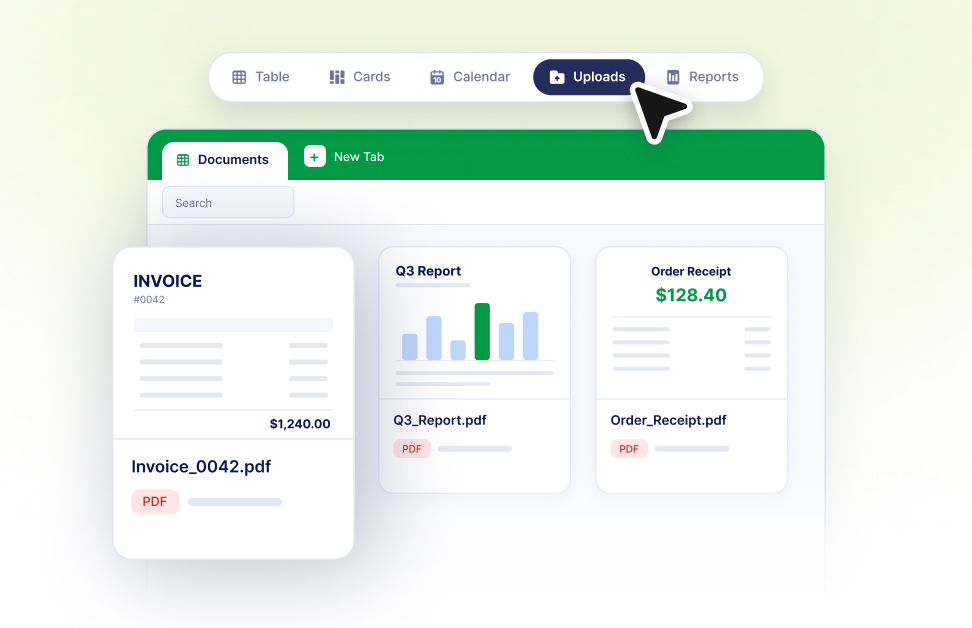

Make file submissions easier to browse and review. Uploads View organizes attachments into visual cards, letting you preview files without downloading them or opening external apps.
Review File Uploads with Card Previews
Turn uploaded files into organized cards with large thumbnails and customizable titles. Quickly scan attachments, preview file contents, and manage submissions in one place.
Organize Uploaded Files with Visual Cards
Display files from your form's File Upload field as cards with large thumbnails. Choose a form field, such as name or project, as the card title to easily identify each submission.
Preview Uploaded Files Without Downloading
Open images, PDFs, and other supported files in full-screen preview directly from Uploads View. Review attachments quickly without downloading files or using external apps.
FAQ
Switch to Uploads View to display files submitted through your form's File Upload field as visual cards. Each card includes a large thumbnail, making it easy to browse and review attachments.
Yes. Uploads View lets you preview images, PDFs, and other supported file types directly in Jotform Tables. Simply open a file to view it in full screen without downloading it.
Yes. You can choose which form field appears as the card title, such as a name, project, or category. This helps you organize uploaded files and identify submissions more easily.


