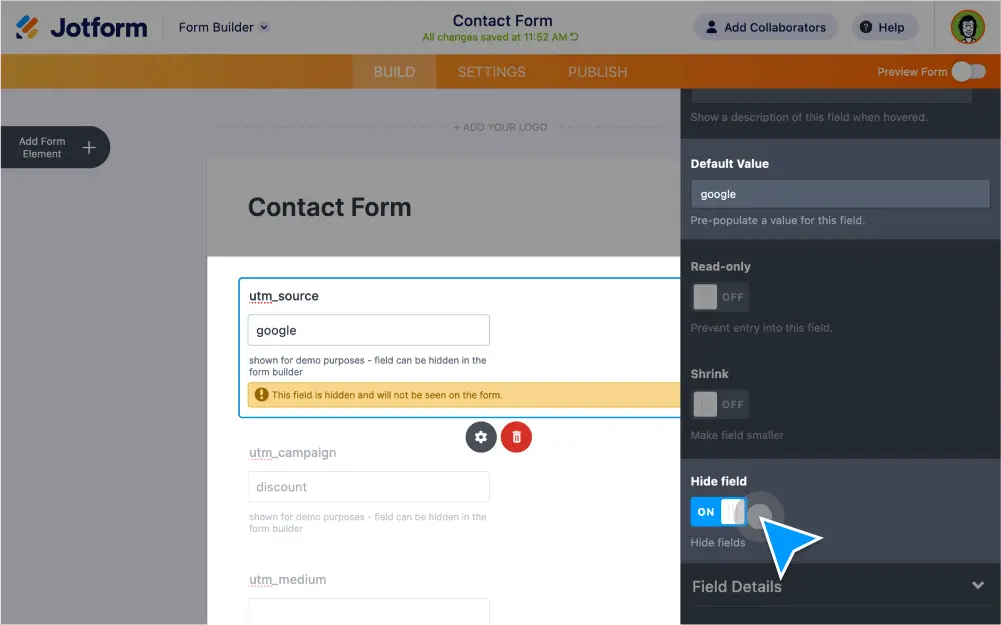
Uncover important insights by adding UTM tracking to your forms. With Jotform’s secure online forms, you can use conditional logic to hide UTM form fields, view form traffic data in Jotform Tables, add filters to sort through information, or connect your form with Google Analytics.
Gather important data with campaign tracking
Track and analyze form traffic data to optimize your campaigns.
How can I add UTM parameters to a form?
Drag and drop two text box fields onto your form and label them as “utm_campaign” and “utm_source”.
Hide UTM form fields
With Jotform’s conditional logic feature, you can hide your UTM tracking fields to make them invisible to your form users.
View tracking data in Jotform Tables
Access, manage, and analyze your UTM tracking data in Jotform Tables. Build a spreadsheet from scratch or get started with a ready-made marketing plan template.
Filter data to reveal new insights
Set up filters to find out which specific activities lead to spikes or drops in form conversions.
Connect with Google Analytics
Analyze your form data in Google Analytics with Jotform’s free widget. Just drag and drop to add the widget to your form and connect your two accounts to complete the setup.
Keep data protected
Jotform keeps form data safe with a 256-bit SSL connection, PCI compliance, GDPR compliance, and the option to encrypt your forms.