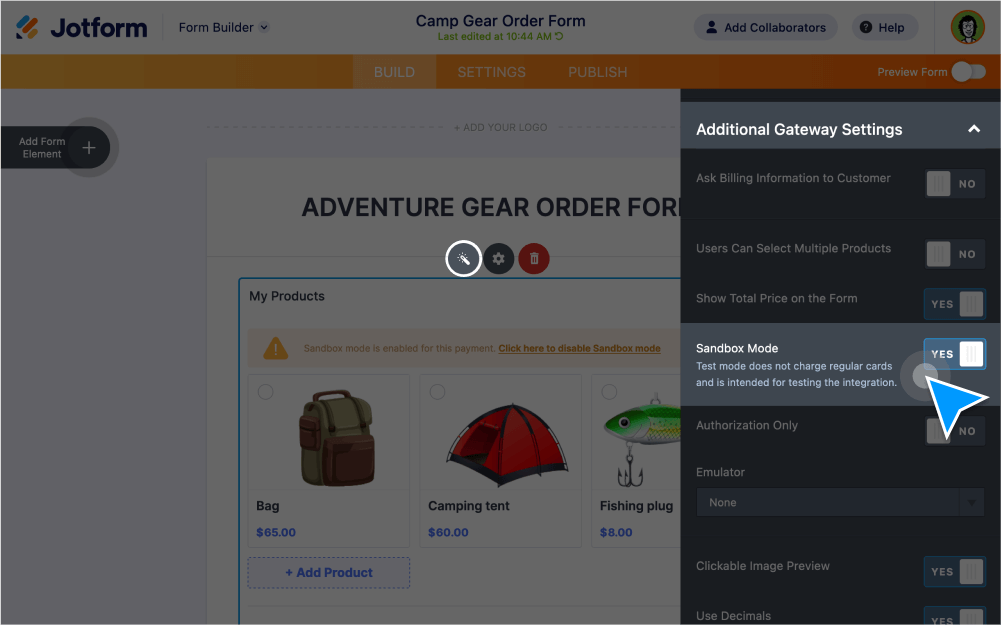
Create a secure environment to simulate the purchase experience, connect payment integrations, and safely test — all with the click of a button.
Protect Your Customers
Sandbox Mode helps verify that a payment integration is successfully connected to your form, allowing you to safely collect and process payments from your customers.
Test Payment Integrations
Enable Sandbox Mode in your form’s settings so you can securely test your payment processor integration without actually sending money.
See Error Messages
When Sandbox Mode is enabled, you’ll be able to see how your form processes payments and which error messages pop up if there are any issues.
Compatible with 40+ Payment Integrations
Sandbox Mode is fully compatible with nearly all of Jotform’s 40+ payment processor including Stripe, Paypal, Authorize.Net integrations.
Go Live and Get Paid
Once you’ve successfully tested a payment integration, simply disable Sandbox Mode and start getting paid right away.
Add Collaborators
Adding collaborators to your forms allows them to help you test payment integrations while Sandbox Mode is enabled.
Secure Payments
All Jotform forms are protected by robust security features like 256-bit SSL — so you can process payments with peace of mind.