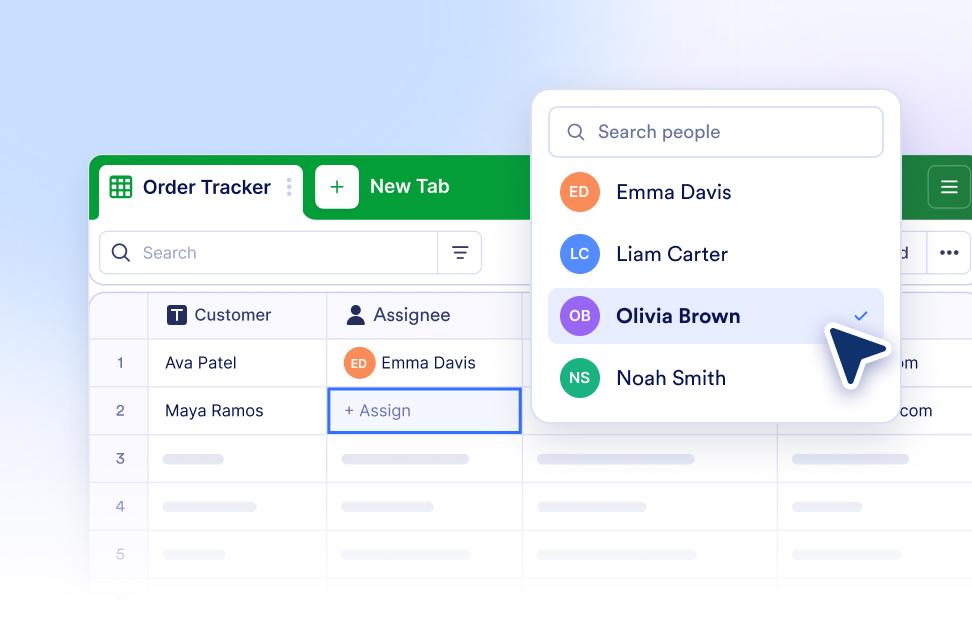

Assign Entries to Team Members
Delegate tasks and responsibilities with Assignee columns in Jotform Tables. Assign entries to collaborators and automatically notify them by email to keep everyone informed.
Make teamwork easier by assigning entries to specific collaborators. Clarify responsibilities, track ownership, and keep your team informed with automatic email notifications.
Manage Responsibilities with Assignee Columns
Assign table entries to users who have access to your table. Keep tasks, requests, and follow-ups organized while ensuring collaborators know what they're responsible for.
Assign Entries to Table Collaborators
Define custom choices for tags, skills, departments, or categories and assign colors to each option. Make multiple selections easier to identify and review at a glance.
Notify Assignees Automatically by Email
Send automatic email notifications when collaborators are assigned to entries. Keep team members informed about new responsibilities so they can review and act on assigned tasks.
FAQ
An Assignee column lets you assign individual table entries to collaborators. It's useful for delegating tasks, managing requests, and keeping track of responsibilities within shared tables.
You can assign entries to users who already have access to your table. This helps ensure responsibilities are assigned to the appropriate collaborators.
Yes. When you assign an entry to a collaborator, Jotform Tables automatically sends them an email notification so they know about their new responsibility.


