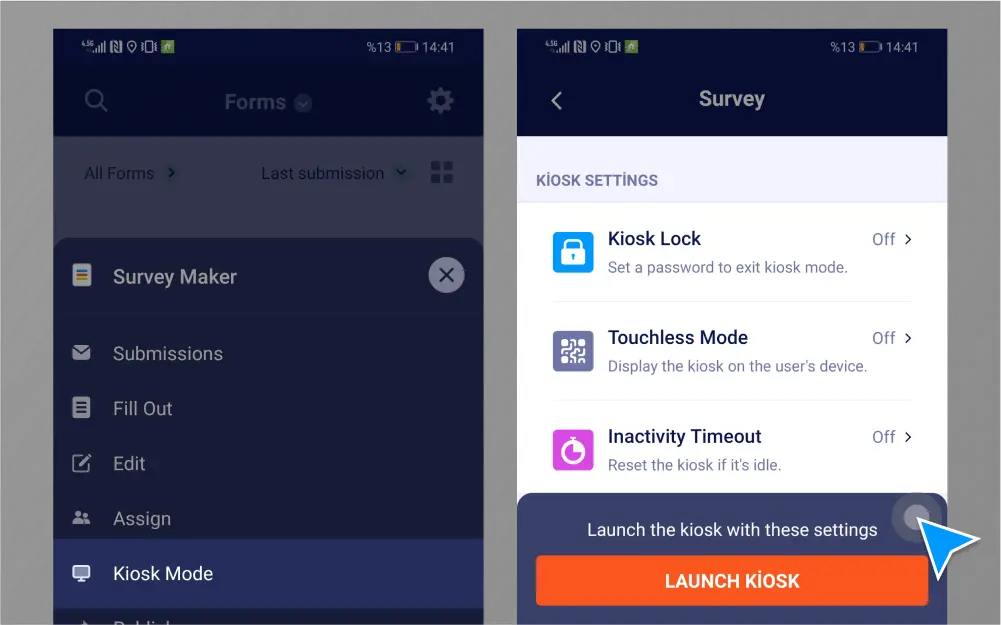
Kerää useita lomakevastauksia kioskitilan avulla. Lomakkeesi päivittyy automaattisesti jokaisen vastauksen jälkeen, jolloin voit kerätä onlinelomakkeita tai PDF-lomakkeita turvallisesti tai kontaktittoman kioskitilan avulla.
Käytä kioskitilaa Jotform mobiililomakkeilla
Lataa Jotformin ilmainen mobiilisovellus iOS:lle tai Androidille ja määritä kioskitila laitteellesi.
Vastaanota useita lomakevastauksia helposti
Kerää useita lomakevastauksia potilailta tai asiakkailta paikan päällä mobiililaitteellasi.
Ota käyttöön näytön lukitus
Suojaa laitteesi ottamalla käyttöön näytön lukituksen, joka estää käyttäjiä poistumasta Jotform Mobiililomakkeet -sovelluksesta.
Päivitä lomake automaattisesti
Kioskitila päivittää lomakkeesi jokaisen vastauksen jälkeen, joten se on heti valmis seuraavan täytettäväksi.
Kerää PDF-lomakkeita offline-tilassa
Muunna PDF-lomakkeesi onlinelomakkeiksi kerätäksesi useita lomakevastauksia mobiililaitteellasi — jopa ilman internetyhteyttä.
Siirry kontaktittomaksi
Ota käyttöön kontaktiton kioski QR-koodilla. Ihmiset voivat skannata QR-koodin ja täyttää lomakkeesi turvallisesti omalla laitteellaan.
Collect data securely
Jotform suojaa lomaketietoja 256-bittisellä SSL-yhteydellä, GDPR- ja CCPA-yhteensopivuudella sekä mahdollisuudella salata lomakkeesi tai päivittää HIPAA-yhteensopivaksi.
Jotform - Form, Sign & Survey

 or
or