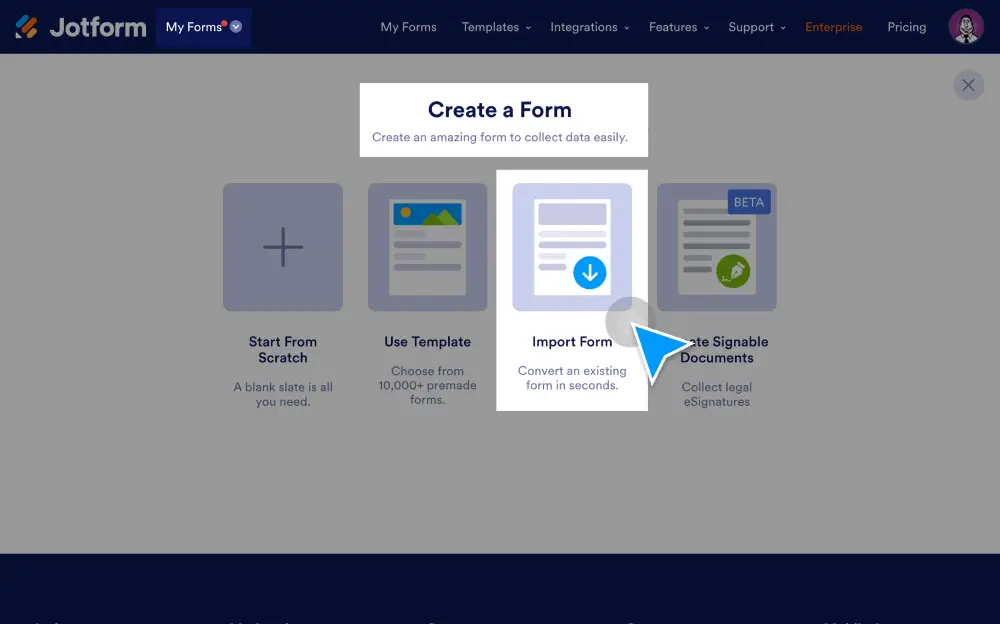
Import forms from an external web page or PDF, or clone existing Jotform forms to as you wish. You can also use our import tool to migrate form data from other platforms like Google Forms, Typeform, Formstack, Cognito Forms, Gravity Forms, and Wufoo.
Tuo lomakkeesi sekunneissa
Manuaalista tietojen syöttöä ei tarvita — siirrät olemassa olevat lomakkeet automaattisesti suoraan Jotform-tilillesi.
Tuo lomakkeita verkkosivustolta
Jos löydät mieleisesi lomakkeen toiselta verkkosivustolta, tuo se Jotformiin verkkosivuston URL-osoitteella.
Kloonaa olemassa oleva lomake Jotformissa
Monista olemassa oleva lomake vain muutamalla napsautuksella Jotform-lomakerakentajassa.
Tuo PDF-lomakkeita
Muunna PDF-lomakkeesi onlinelomakkeiksi, jotka toimivat erinomaisesti millä tahansa laitteella. Lomakevastaukset voidaan muuntaa takaisin alkuperäiseen PDF-muotoon automaattisesti.
Muokkaa tuotuja lomakkeita
Jotformin vedä ja pudota -lomaketyökalulla voit päivittää lomakkeen suunnittelun vastaamaan täydellisesti tarpeitasi ja brändiäsi — ilman koodausta
Tuo lomakkeet Jotformiin
Tuo olemassa olevat lomakkeesi ja lomaketietosi Jotformiin muutamalla helpolla klikkauksella.
Tuo Google Formsista
Siirrä Google Forms -tietosi Jotformiin, niin pääset perusominaisuuksia pidemmälle ja saat käyttöösi tehokkaita lomakeominaisuuksia.
Tuo Typeformista
Tuo Typeform-lomakkeesi Jotformiin. Jos haluat edelleen esittää lomakkeen käyttäjille yhden kysymyksen kerrallaan, se onnistuu Jotform korteilla.
Tuo Formstackista
Muunna nykyiset Formstack-lomakkeesi ja -tietosi Jotform-lomakkeiksi siirtotyökalumme avulla.
Tuo Cognito Formsista
Siirrä Cognito Forms -tietosi Jotformiin sekunneissa nopealla tuontityökalullamme.
Tuo Gravity Formsista
Siirry Gravity Formsista Jotformiin ilman, että joudut luomaan ja julkaisemaan lomakkeitasi uudelleen.
Tuo Wufoosta
Tuo lomakkeesi ja lomaketietosi Wufoo-tililtäsi turvalliselle Jotform-tilille.