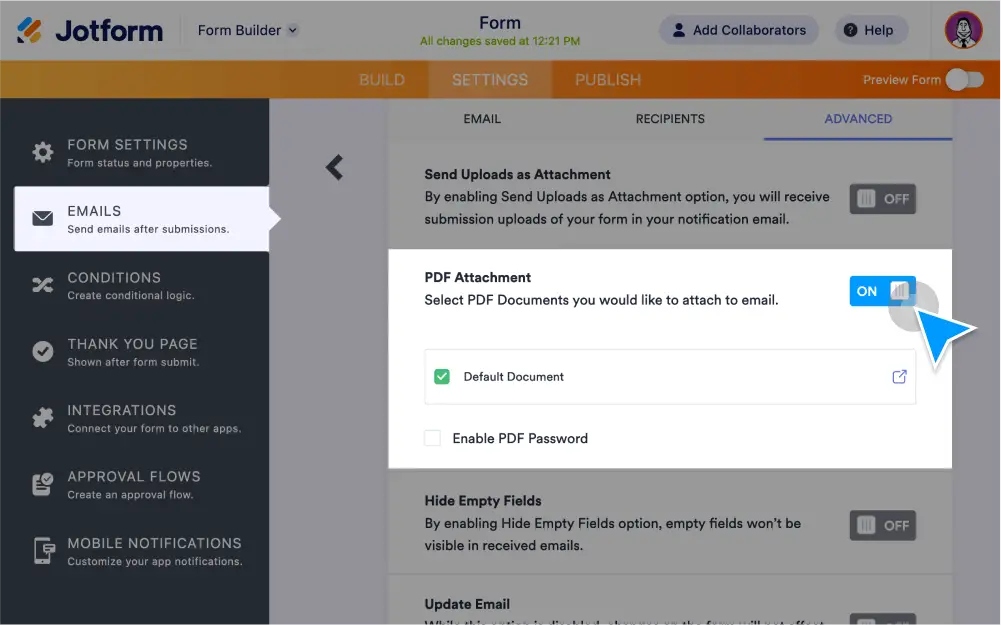
Receive form submissions as PDF attachments in your email notifications and autoresponders. You can , set up password protection, include download links, and attach other files.
Get submissions as PDF attachments
Receive form responses as PDF attachments and easily keep track of submissions right from your inbox.
Enable PDF attachments
Turn form entries into downloadable PDF attachments in your email notifications.
Password protect PDFs
Enable password protection to limit access to your PDFs and keep data secure. HIPAA accounts are required to password protect PDF attachments to protect sensitive info.
Download PDFs from emails
Send files that exceed the file attachment limit by simply including a download link in the content of your email notification or autoresponder.
Attach Other Files
Email more files along with PDF submissions. Simply upload the file you’d like to attach when setting up your autoresponder.
Add files to autoresponder emails
Upload supplemental documents or images to send with your autoresponder emails.