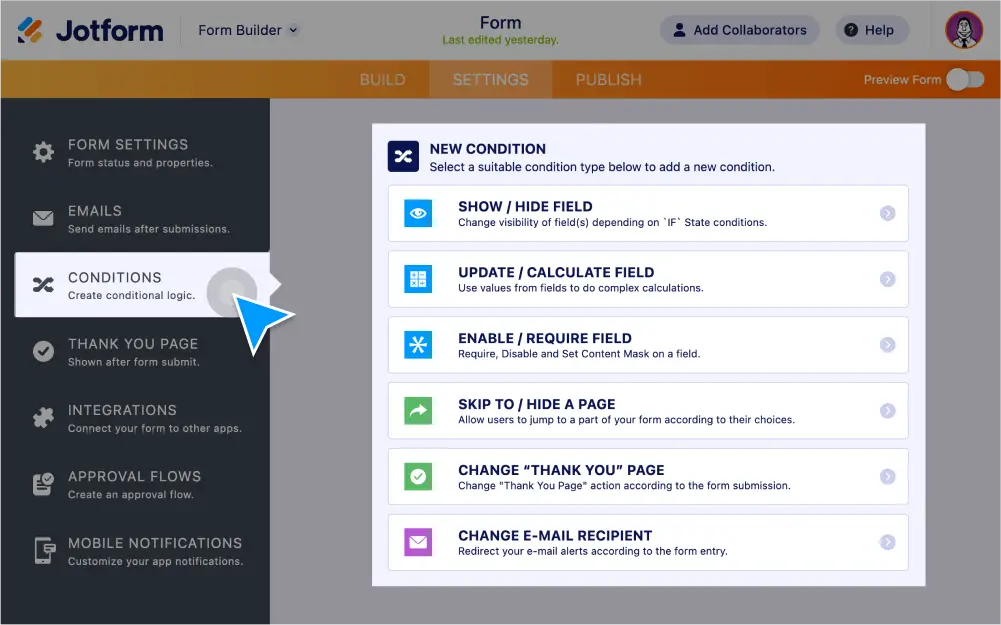
Route your form data by passing it to another form, passing input fields to a paragraph, creating approval flows, and . You can also send emails and show or hide form fields automatically!
Forward your form data
Route your data to another location automatically using conditional logic.
Прикажи или сакриј поља обрасца
Based on a user’s previous answers, show or hide form fields to speed up the form-filling process and improve the user experience.
Send emails
Automatically send a personalized email based on how each user answers the questions on your form.
Redirect users after submission
After your form is submitted, instantly redirect users to your website or another web page.
Pass data to another form
Send form data to another form automatically to speed up the process for users who need to fill out multiple forms.
Pass input fields to a paragraph
Create an easy-to-read summary of each user’s previous answers by passing filled form fields to a paragraph field.
Create automated approval flows
Make an approval flow to quickly forward submissions, allow teammates to approve or deny them, send emails based on responses, and more.