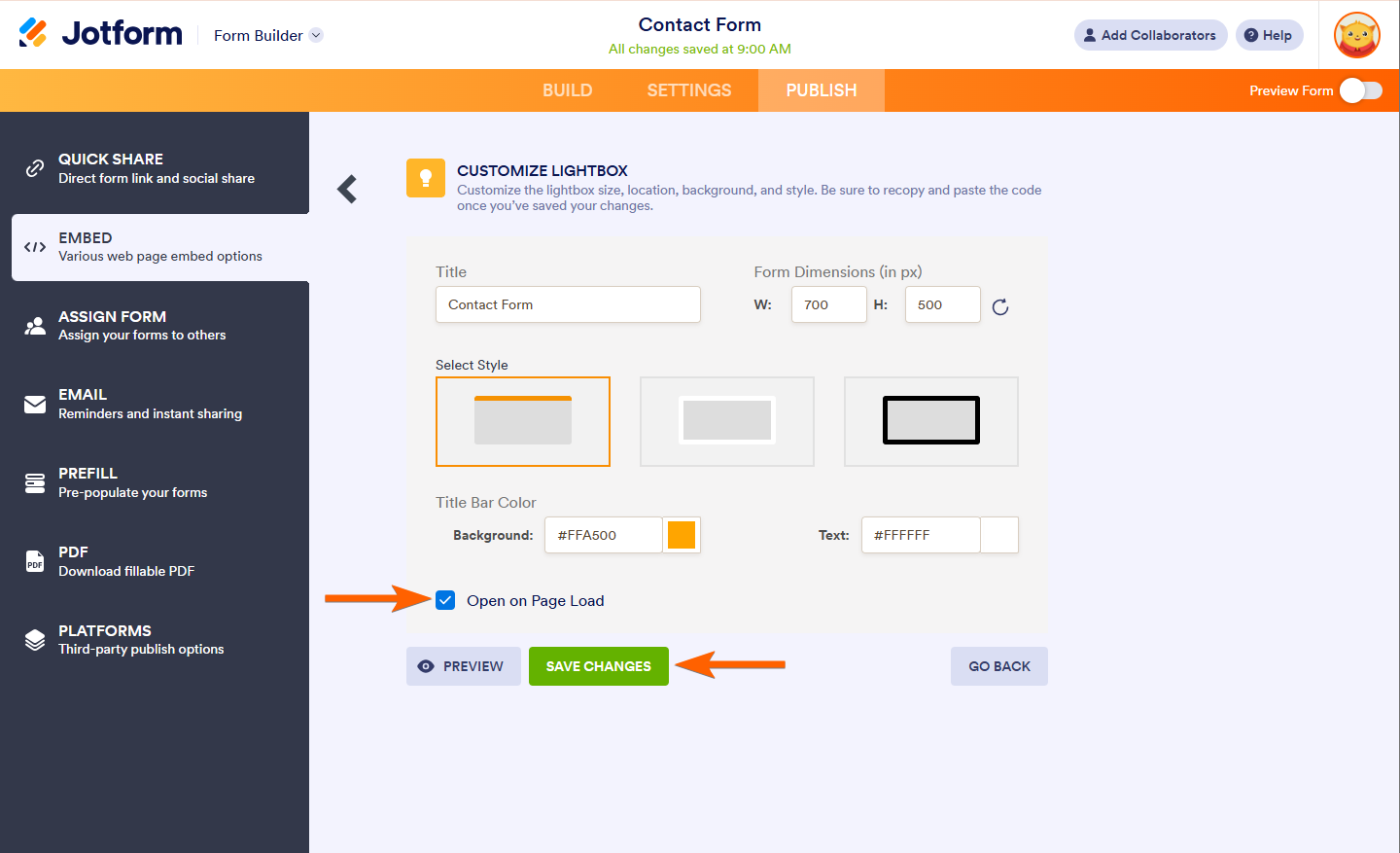
In the Lightbox embed method, you can check the On Page Load event of the form. This tiny function opens the form as soon as someone visits the page where it is embedded. If you want to change this behavior, such as opening the form on the site’s first visit only, you could use the Session Cookie method.
The session stores a cookie in the user’s browser, determining if the user already visited the form. The only requirement of this method is to ensure you have access to a PHP-enabled web server.
Getting the Lightbox Embed Codes
First, you must get the embed codes for Lightbox. Here are the steps:
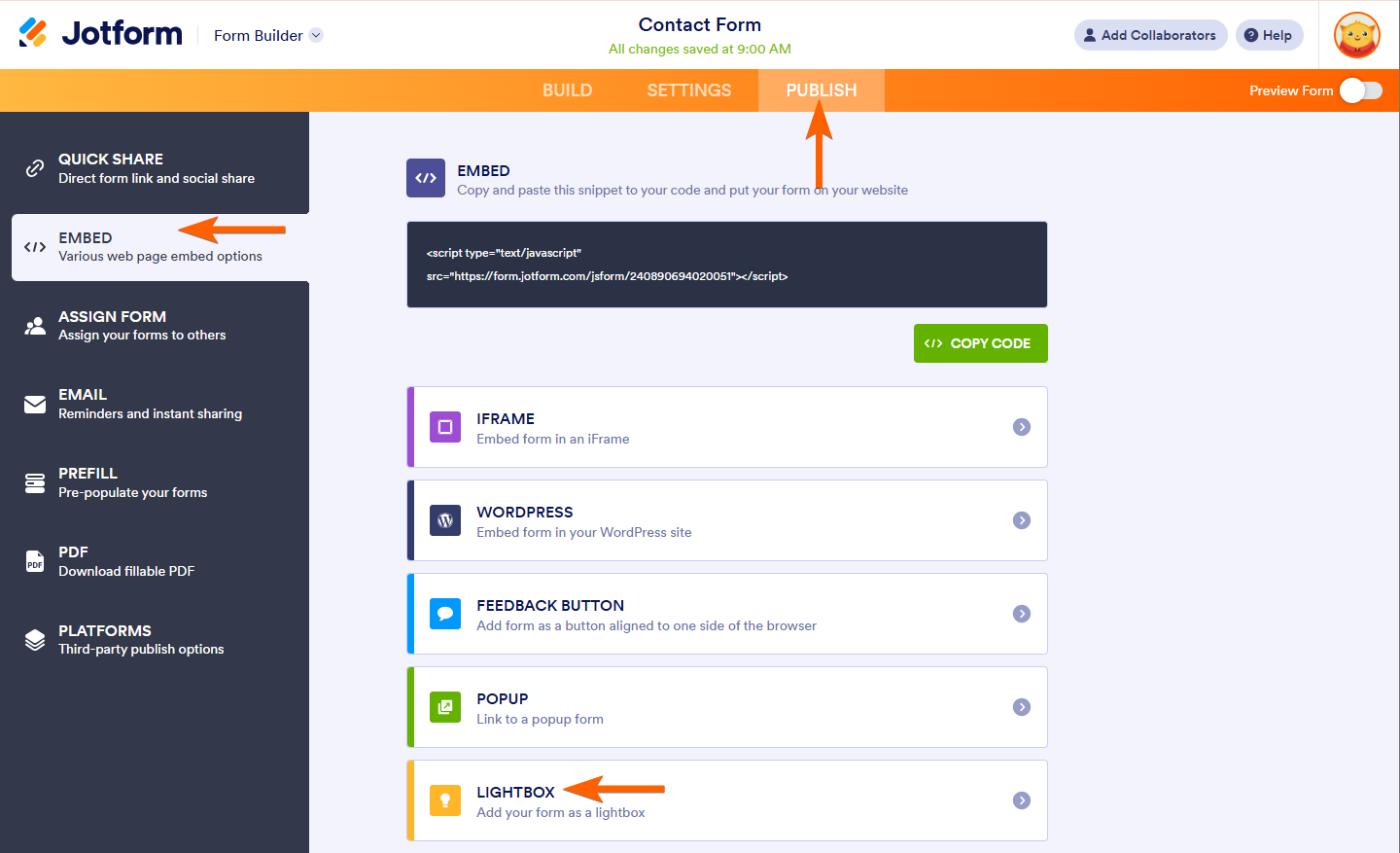
- In the Form Builder, navigate to the Publish tab at the top the page.
- Select Embed on the left panel.
- Choose, and click the Lightbox option.
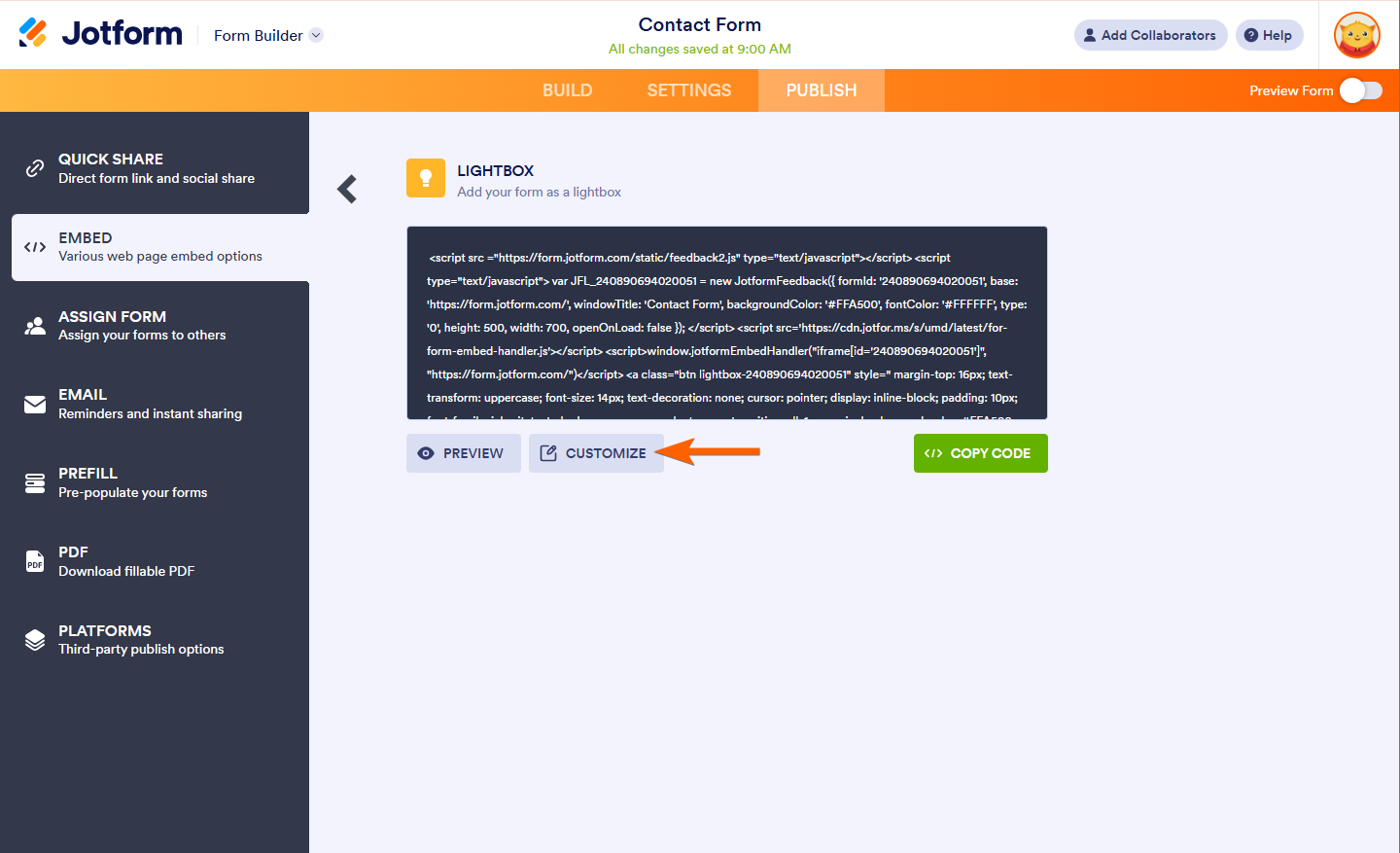
- Then, click on Customize button.
- In the opened window, enable the Open on Page Load checkbox and click on the Save Changes button.
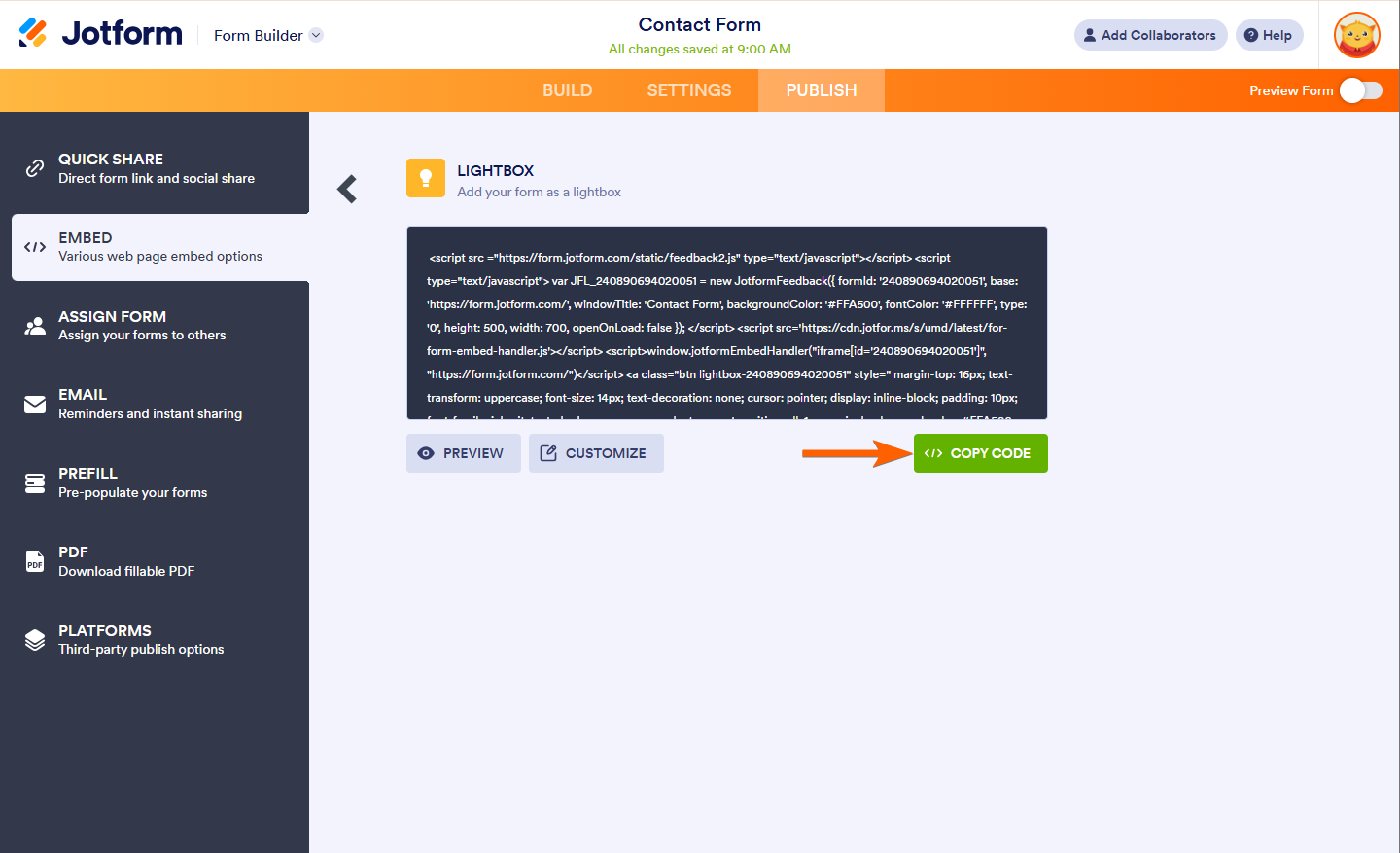
- Finally, click the Copy Code and start embedding it in your webpage.
Here’s the sample preview of the Lightbox Form:

Setting up the Session Cookie for Lightbox
Let’s assume you will embed the form on a single PHP file, so create the file on your web server first. In the PHP file, you should have the following set of codes.
At the top of the PHP file:]
<?php
$showlightbox=false;
if (!isset($_COOKIE[‘beenhere’])) {
    // FIRST VISIT TO WEBPAGE THIS SESSION
    setcookie(“beenhere”, true);
    $showlightbox=true;
}
?>
This code checks if your form’s cookie is present on the browser and adds it if it’s not.
To wrap your Lightbox Codes:
<?php
if($showlightbox){ ?>
    <strong><!–Your Lightbox code here… –></strong>
    <?php
}
?>
This code will open the form if it detects a cookie and stop it from opening if it’s already present. Ensure to place your lightbox embed codes in the code above as shown/outlined.
This is a very basic example of a web page showing these pieces of the code in place:
<?php
$showlightbox=false;
if (!isset($_COOKIE[‘beenhere’])) {
    // FIRST VISIT TO WEBPAGE THIS SESSION
    setcookie(“beenhere”, true);
    $showlightbox=true;
}
?>
<!DOCTYPE html>
<html>
<body>
<h1>Lorem ipsum dolor sit amet</h1>
<p>Consectetur adipiscing elit. Sed lectus turpis, aliquet a consectetur mollis</p>
<?php
if($showlightbox){ ?>
    <script src =”https://form.jotform.com/static/feedback2.js” type=”text/javascript”></script>
    <script type=”text/javascript”>
        var JFL_203618479576065 = new JotformFeedback({
            formId: ‘203618479576065’,
            base: ‘https://form.jotform.com/’,
            windowTitle: ‘Form’,
            background: ‘#FFA500’,
            fontColor: ‘#FFFFFF’,
            type: ‘false’,
            height: 500,
            width: 700,
            openOnLoad: true
        });
    </script>
    <?php
}
?>
</body>
</html>
Important
If you’re looking to create this effect on your own web page with your own form, you need to change the lightbox embed code to that of your own.

Send Comment:
10 Comments:
July 18, 2019
Added the code above but my page still shows the lightbox everytime it loads.
Here's my site:
June 2, 2016
Hi can you help with my popup form. I have loaded it to a test page it all looks fine with a delay to open, but every refresh of the page it still loads the form.
April 3, 2015
Hi , I tried the code as per instructions, however still appears each time page is refreshed within same browser session. can you my page to see if correct?
thanks
April 13, 2014
Is it possible to do this with my website, which was created using Weebly? If so, could you please provide instructions as to how to do it?
Thank you in advance for taking the time to answer.
March 24, 2014
Could you advise on how to get it to work within magento, the pop up part works fine having trouble with sessioncookie.php part. Thanks
February 19, 2014
Kindly let me know how can i use this to open a particular page of my site. I need same code to open my signup page once a day.
Thanks in advance.
Anil
November 12, 2013
What if you dont want the cookie to be destroyed in the code above... What do I need to change? and the lightbulb code works fine in Chrome but not in Internet explorer what could possibly be the problem?
October 12, 2013
Is there a solution for this that does not use php?
July 1, 2012
every thing fine working but its coming on every page,once we click home page also its coming
January 16, 2012
nice guide thanks. what if the page we'll put the code is an asp page?