Blogger is an online blogging platform that allows you to create and manage blogs with time-stamped posts. If you want to make your blog more interactive, adding a feedback button is a great way to give visitors an easy way to share their thoughts, suggestions, or questions directly from your site.
With Jotform, you can quickly create a customizable feedback form and embed it into your Blogger website without needing any coding skills. This helps you improve communication with your audience while creating a more engaging experience for your readers.
Getting the Feedback Button Embed Code
If you already have your Feedback Form created, you can now get its feedback button embed code and add it directly to your website. You can do it in a few simple steps:
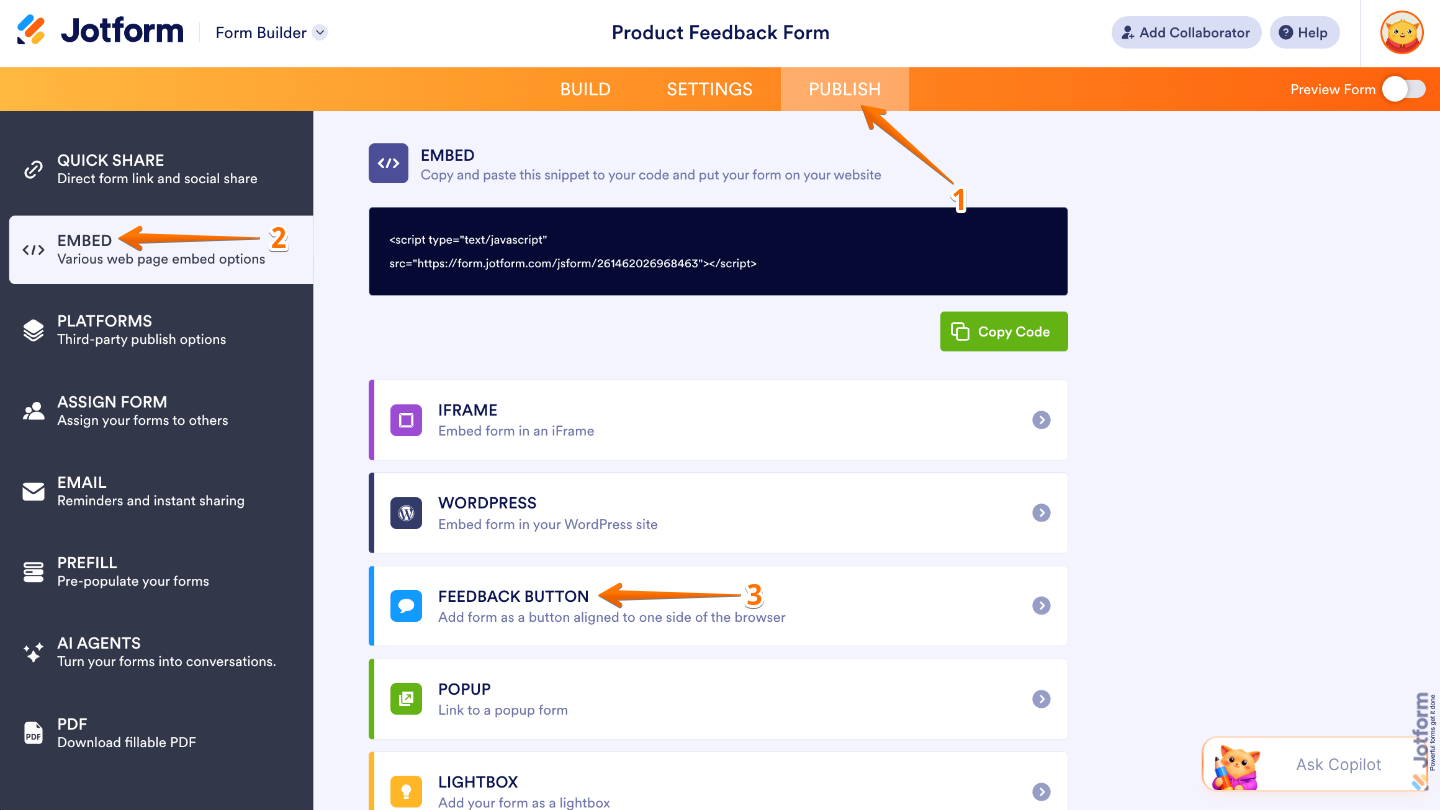
- In Form Builder, in the orange navigation bar at the top of the page, click on Publish.
- Then, click on Embed in the menu on the left.
- Next, in the Embed options, select Feedback Button.
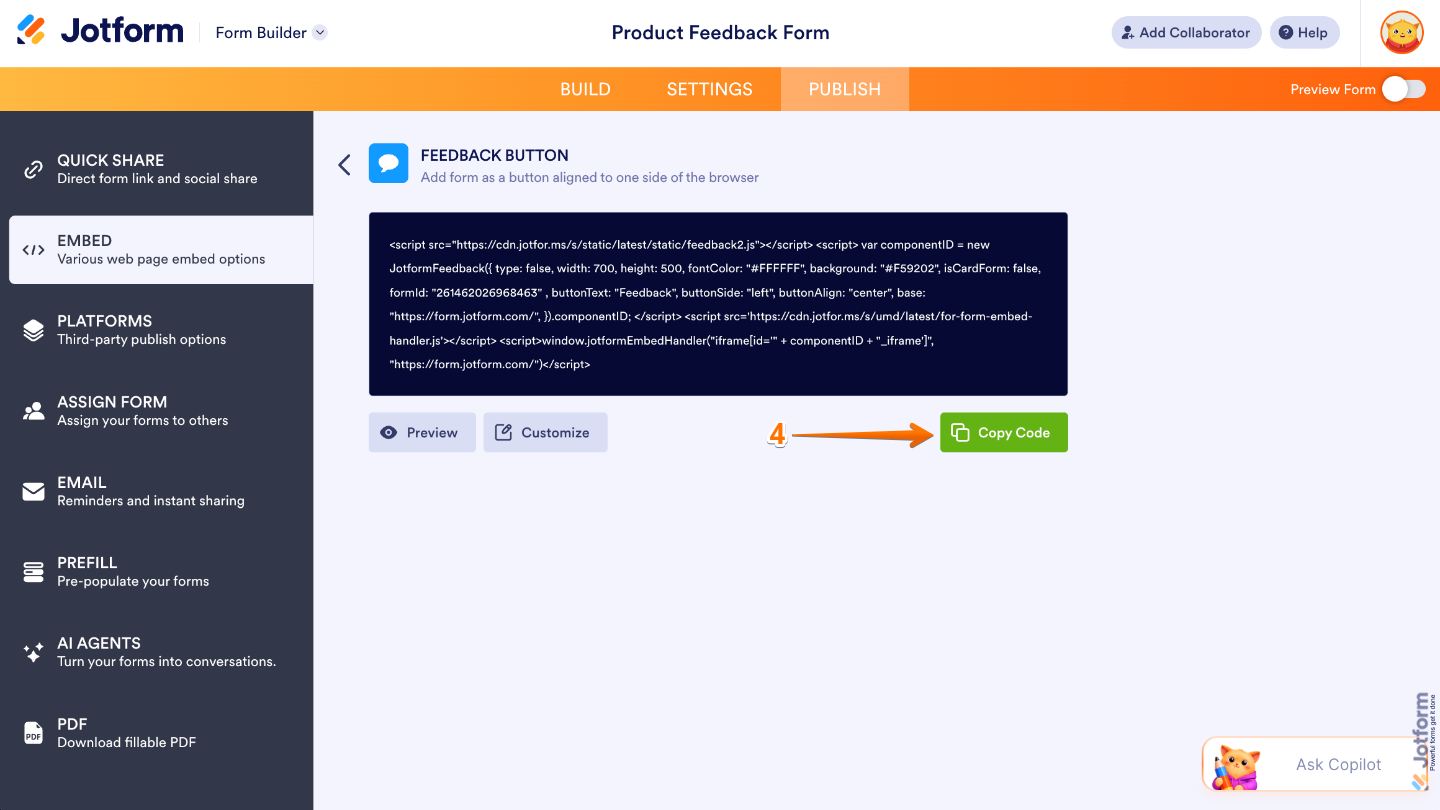
- Now, click on Copy Code.
Adding the Feedback Button to Your Blogger Page
After getting your Feedback Button embed code, you can add it to your Blogger page so visitors can easily share their thoughts, feedback, or questions while browsing your site. Here’s what to do next:
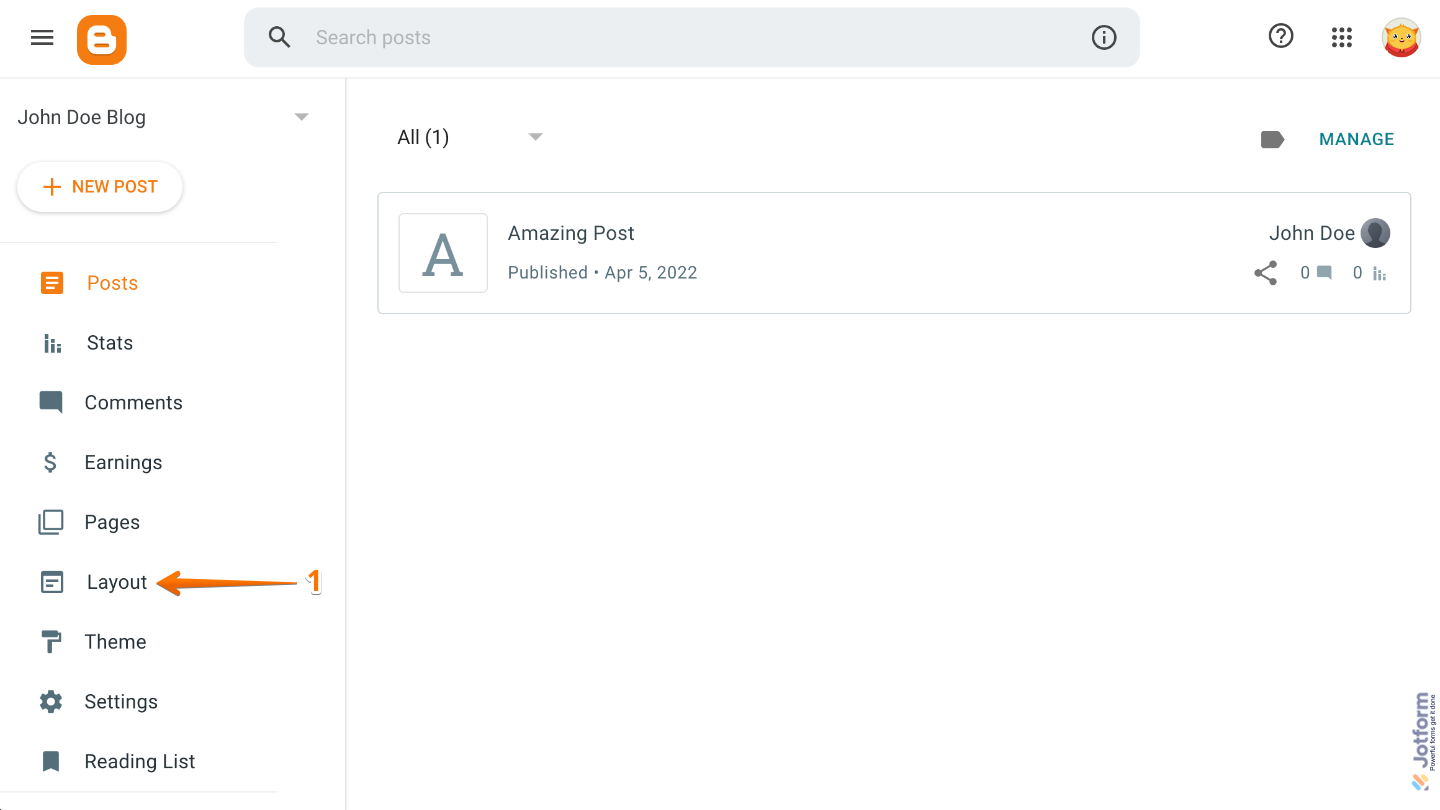
- Go to your Blogger dashboard and then click on Layout in the menu on the left.
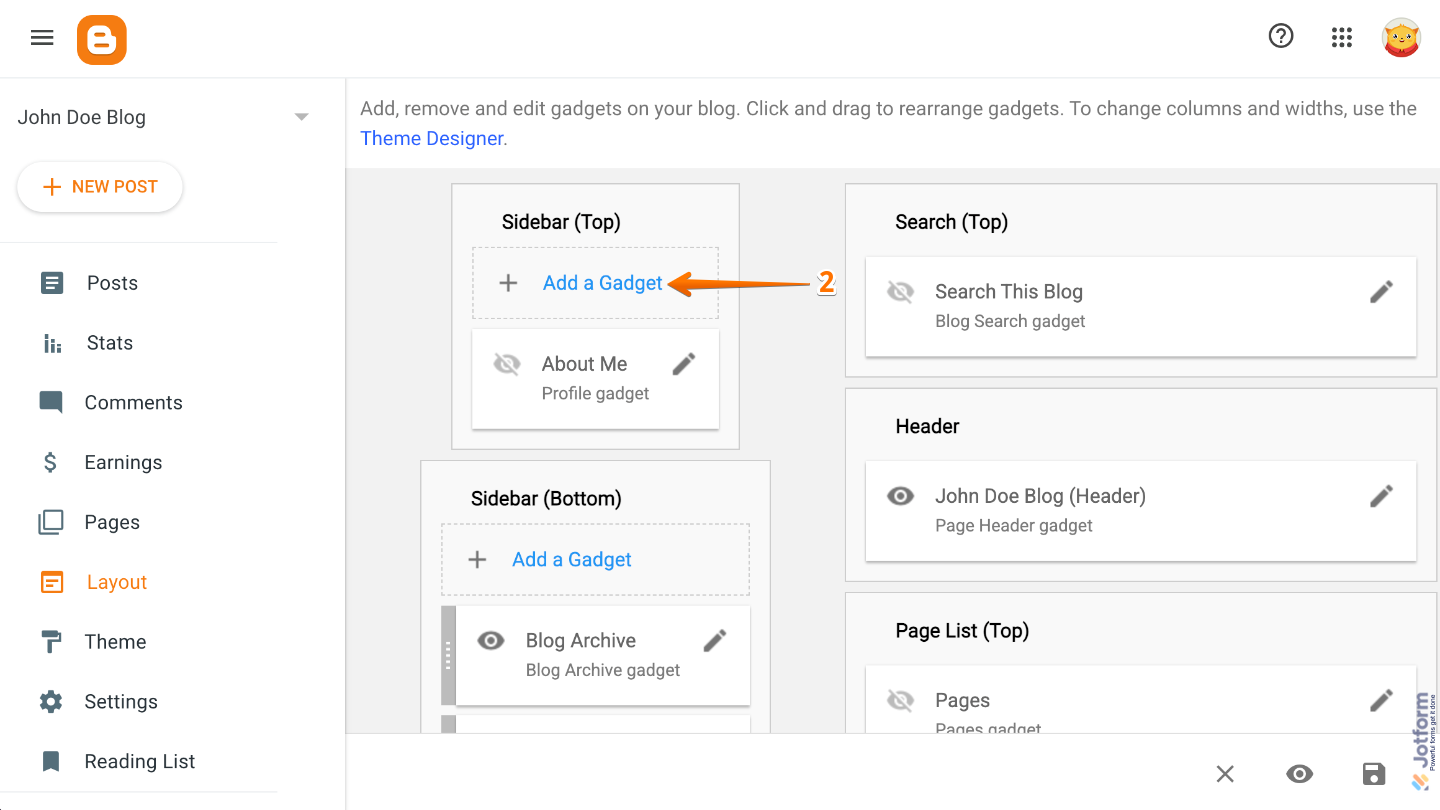
- Then, choose the sidebar you want and then click on Add a Gadget.
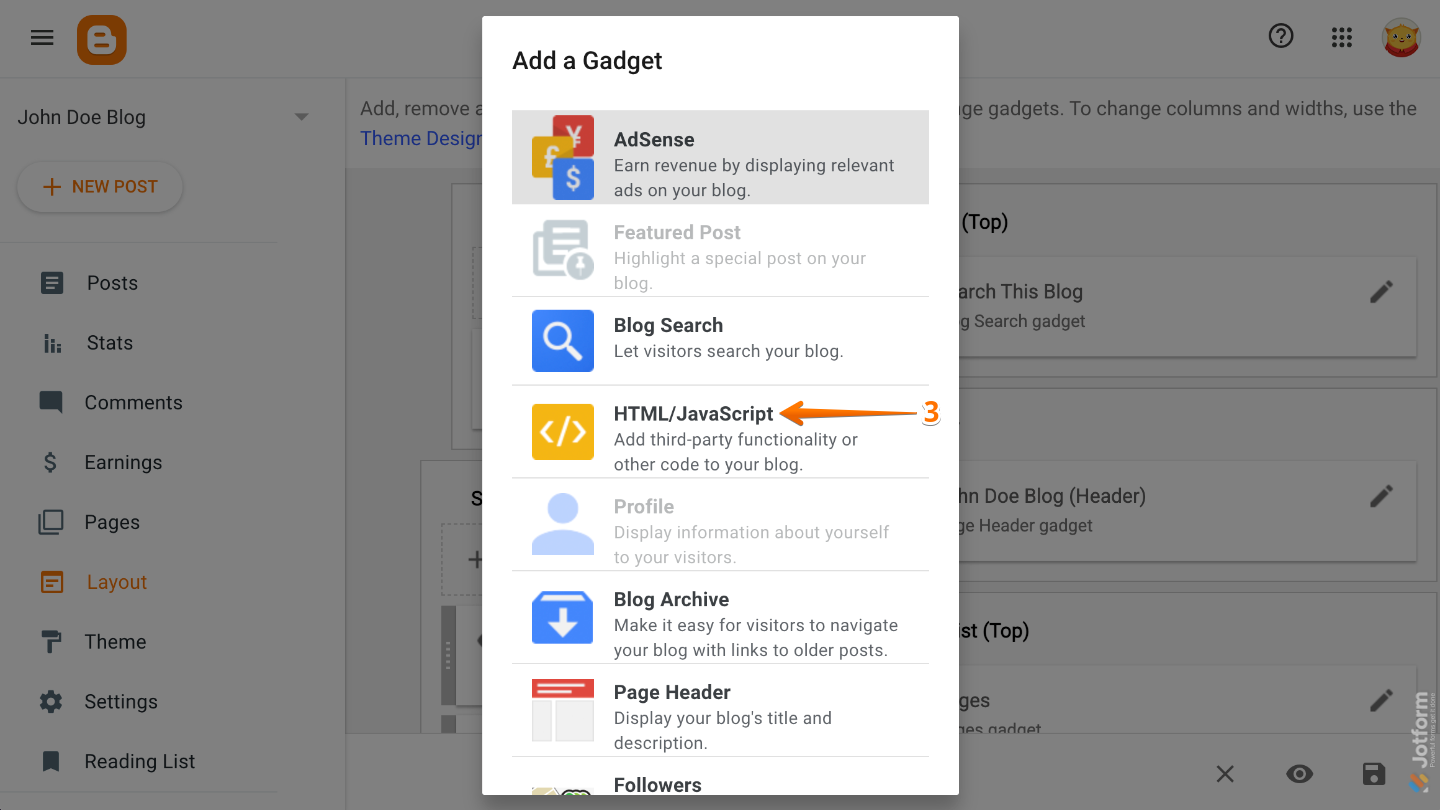
- Next, in the Add a Gadget window that opens, select HTML/JavaScript.
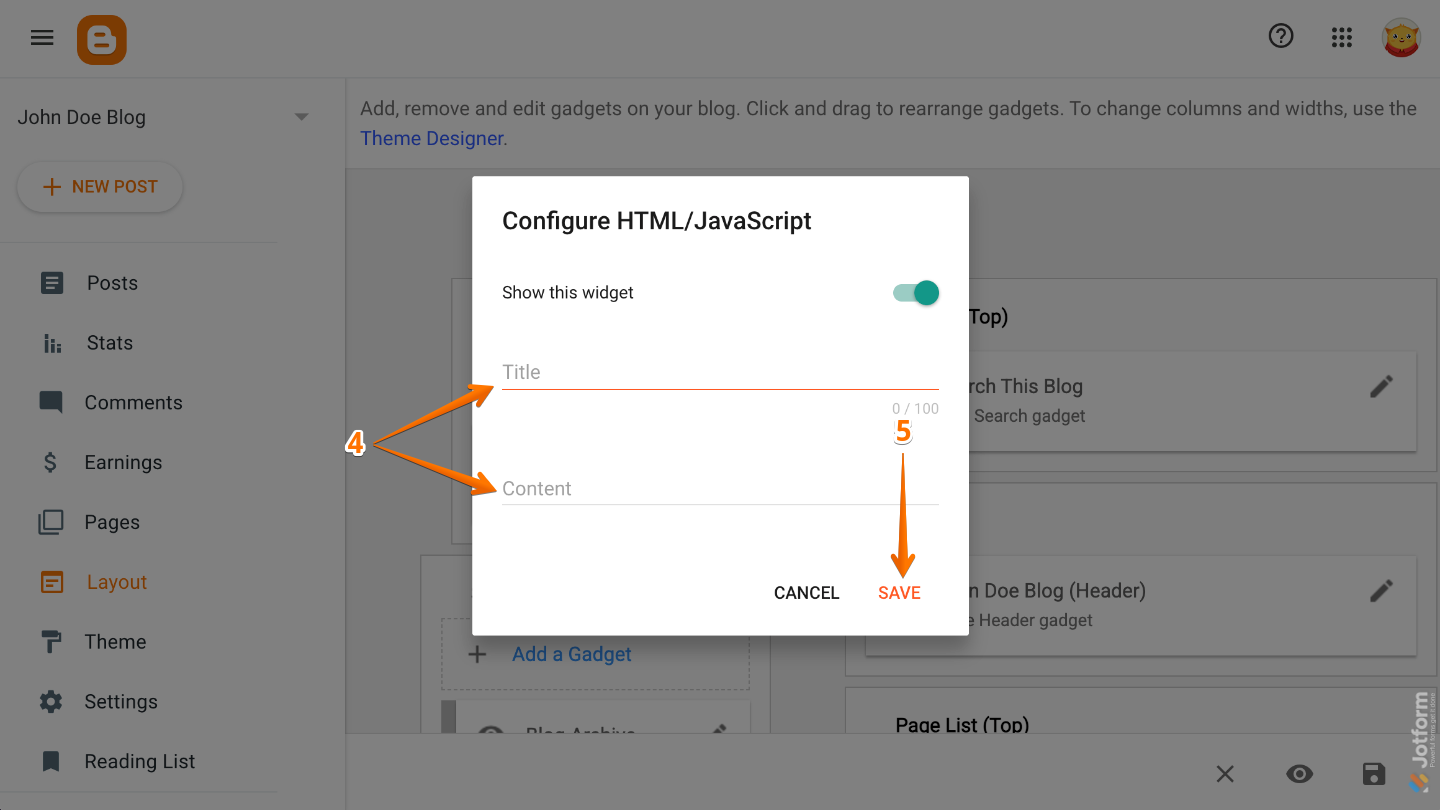
- Now, in the Configure HTML/JavaScript window, enter your preferred title, and then paste the code into the Content field.
- Once you’re done, click on Save.
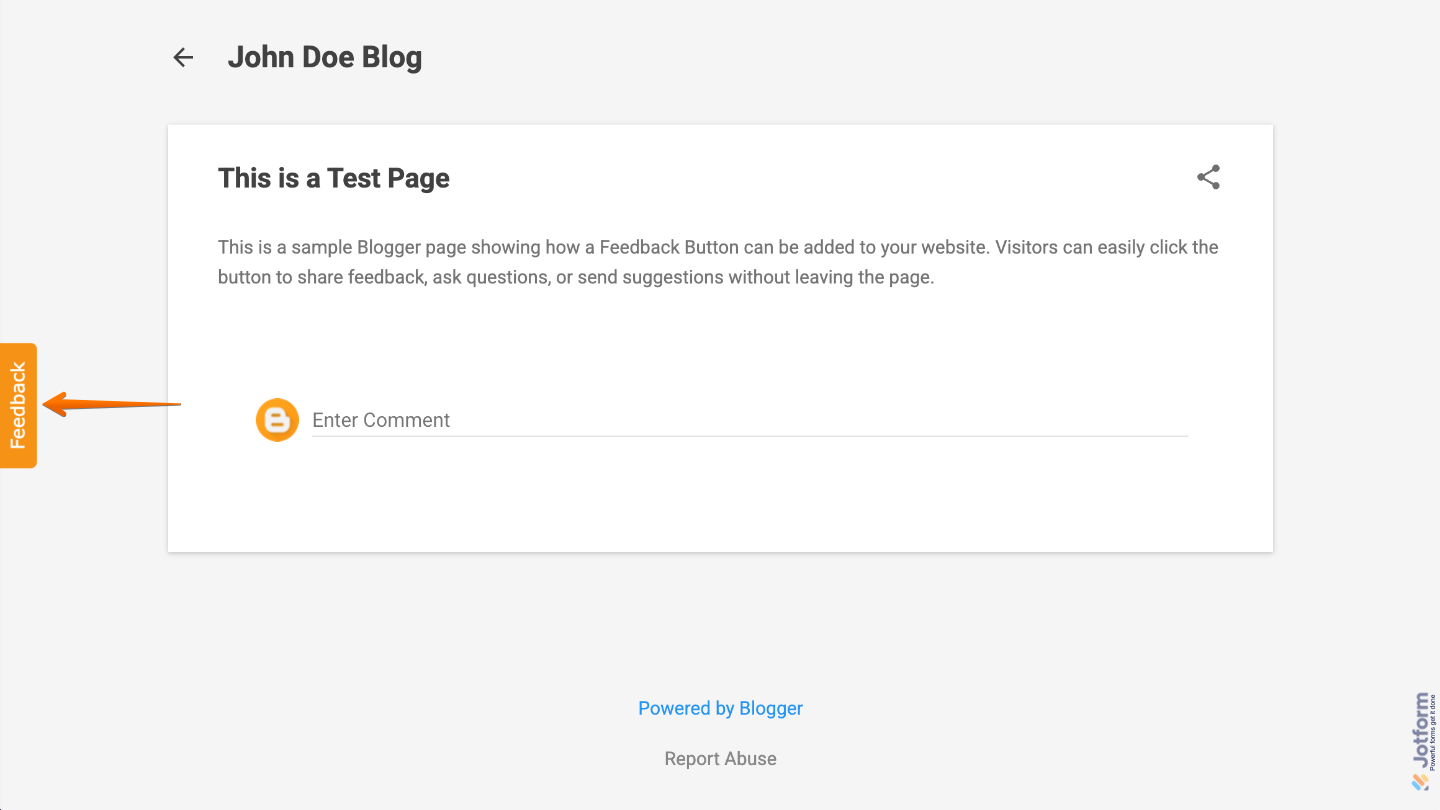
That’s it. You’ve successfully added a Feedback Button to your Blogger page, making it easier for visitors to reach out, share suggestions, and send feedback directly from your website. This is a simple way to improve communication and create a more interactive experience for your audience.

Send Comment:
64 Comments:
December 31, 2023
J'ai une chaîne sur YouTube et des sites Web,est-ce que je peux avoir un lien d´affiliation.
Merci pour tout information,email moi.
July 6, 2023
I would like to express my gratitude to the Jotform team. The feedback form and feedback button are functioning wonderfully on my blogger site. Taking the feedback into consideration, I plan to proceed with an upgrade. Once the upgrade is complete, I have a quick question: Can I replace the "free Jotform branding & button" with my own custom branding?
June 30, 2021
C’est un platform qui sont très interessant !
October 3, 2020
¡Excelente!
May 18, 2020
i cant receive mail on my blogger mail when i embed this contect us form
please guide me
March 27, 2020
Very amazing one
September 4, 2019
helpful guid thanks for sharing
August 23, 2018
Very best artical for blogger . Good describe for add feedback link in blogger ... ????????????????????
Great keep it up and also Update more..
May 9, 2018
Este deu certinho mas não ta dando eu colocar o formulario em minha pagina
April 1, 2018
Nice guide really helpful, thanks. Button looks just as similar to BugRem
March 9, 2018
plz tell me the directly
March 3, 2018
Thanks a lot for this, very useful!
January 13, 2018
Thanks for the help! :)
November 27, 2016
very usefull thanks for sharing this info really good for biggners like me
quotes
October 10, 2016
Useful piece , I learned a lot from the analysis , Does someone know where my company could acquire a fillable Saco River Education Registration Form form to edit ?
May 3, 2016
Helpful suggestions - I learned a lot from the information - Does anyone know if my company would be able to acquire a fillable IRS W-9 document to use ?
November 21, 2015
What if I had reached a maximum submition in a month? can I reset this? Thanks
May 25, 2015
thank you love u
April 9, 2015
Thank you nice Love you Jotform
June 21, 2014
I copied the code but the button doesn't show on my blog. I only see the title.
June 10, 2014
thats great after 5 months i will buy a account of jotform .
March 22, 2014
MUY BUENO !
Gracias
February 22, 2014
Como hago para k las imagenes k publique me salga pequeñas?
lo k pasa es k se publican muy grandes
February 11, 2014
после заполнения формы,переход на другую страницу. это понятно. но форма исчезает...Она потом для другого пользователя появляется ??
January 7, 2014
i do not receive the messages to my email address although i found them in your submission form why?