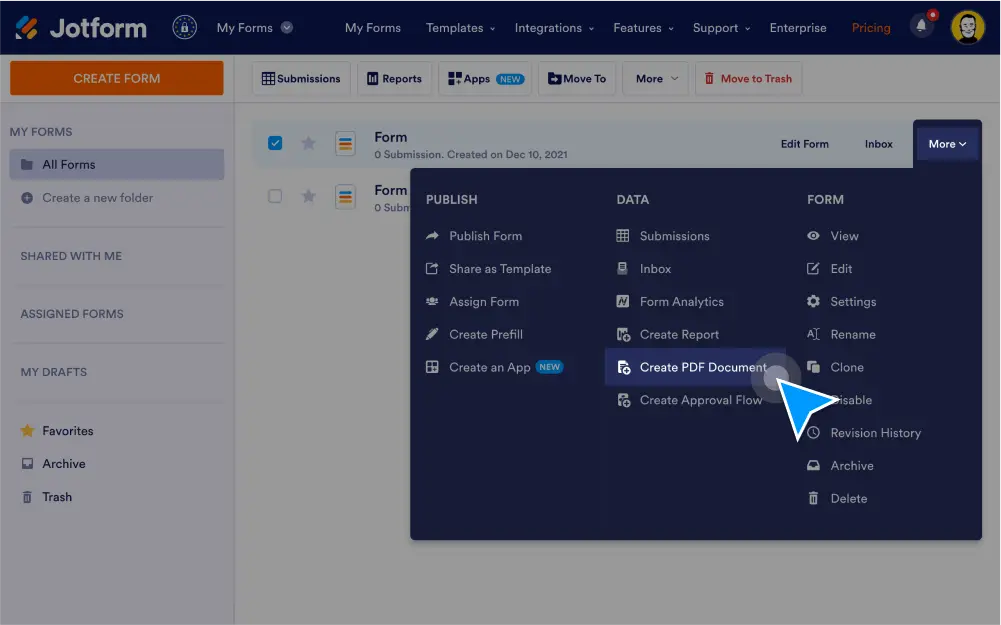
Buat PDF untuk tanggapan formulir tunggal atau ganda. Sesuaikan dokumen Anda dengan memperbarui kolom formulir yang ada, menambahkan yang baru, dan menyertakan — lalu bagikan PDF Anda dengan tautan atau sebagai lampiran email agar orang lain dapat mengunduh secara instan.
Turn form data into PDFs
Convert your form submission data into PDF documents that you can customize, download, and share with others.
Create PDFs for one or multiple submissions
Turn each new form submission into a PDF document automatically — or generate PDFs for multiple submissions at the same time.
Customize form fields
Drag and drop to update form fields, rearrange the layout, and switch between landscape and portrait mode in a few easy clicks.
Add new form fields
Gather and display more information by adding form fields to your PDF documents.
Share PDFs with a link
Send PDFs to others by copying and pasting each PDF’s unique link.
Share PDFs as email attachments
When someone fills out your form, automatically send them their submission as a PDF attachment with Jotform’s email autoresponder feature.
Download submissions
Instantly download submissions as PDF documents or other common file types like Excel or CSV files.
Password protect PDFs
Add a layer of security to your PDFs by requiring a password to view them.