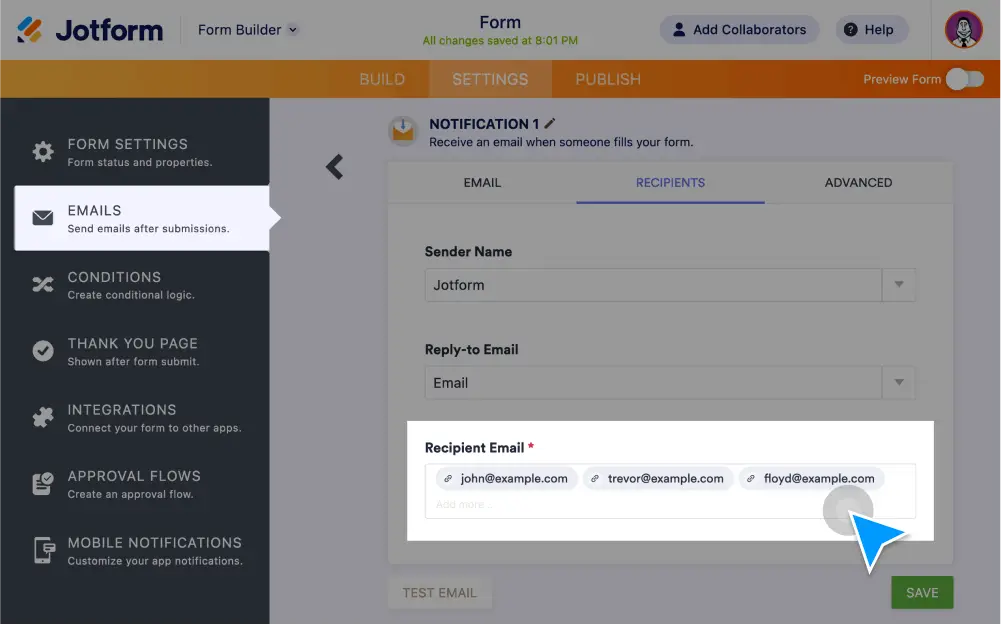
Forward your form data via email to one or multiple recipients — or share submissions with coworkers in or Jotform Inbox.
Easily Forward Submissions
Share your form submissions with others instantly online.
Шаљи имејл обавештења
Set up an autoresponder to forward form submissions to others — or use it to send a copy of the completed form to each form user upon submission.
Notify multiple recipients
Send email notifications to multiple recipients to keep your entire team in the loop.
Share your submissions page
Update the permission settings of your submissions page to share a complete list of form submissions with your teammates.
Forward submissions via Jotform Tables
Send submissions to teammates via Jotform Tables so they can view them in a spreadsheet, calendar, or cards.
Forward submissions via Jotform Inbox
Send submissions from Jotform Inbox to coworkers or colleagues in a few quick clicks.