Secure or SSL Forms are for secure communications between the client (e.g., the end-user of your form) and Jotform’s servers. These communications are encrypted to prevent snooping by a third party making the communication between the server and client secure.
Did you know?
Direct and embedded Jotform forms are secured by default. To learn more, see this blog post.
If you don’t have a secure web server or your website’s address doesn’t start with HTTPS and you embed a secure form into the webpage, the end user’s web browser will report the connection as not being entirely secure. In these cases, providing a link to the form may be better using its Jotform URL.
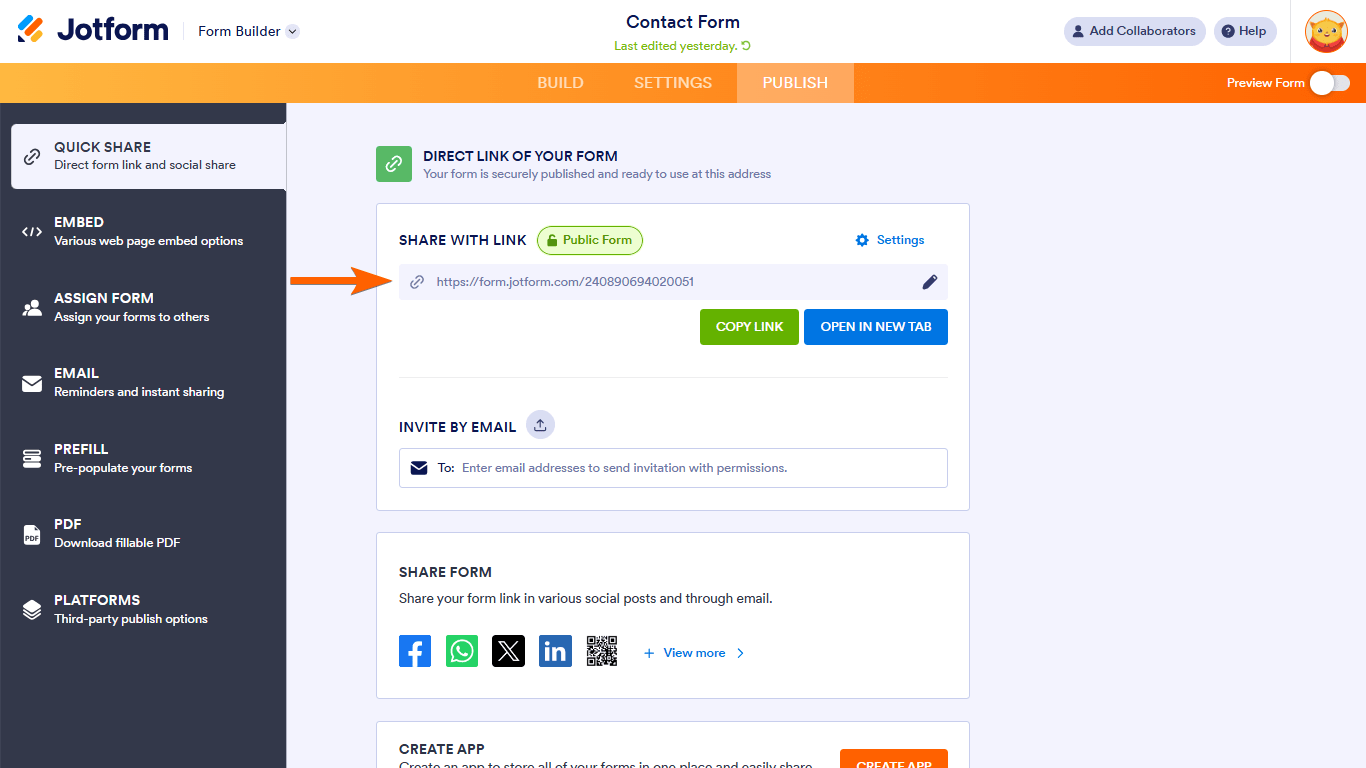
See Where to Find Your Form URL to learn more.

Send Comment:
51 Comments:
April 24, 2024
Hello guys I have a Godaddy SSL Badge but I thought I saw a badge here on Jot form also!
March 7, 2023
Via GoDaddy, I point TCIntroRegistration.com at Users coming to that form via the domain report getting the NOT SECURE message.
What is the remedy?
January 19, 2021
How do i get a http:// or website to do this?
July 3, 2020
We have a Form that Encrypts the data but I can get the the key to decrypt the data but my colleague can't get it to work. I have given him the Key...
Does the Key have to be in a specific place on our computers to enable decryption?
Regards
Keith
November 8, 2019
Just to love Jotform with a passion, but you guys screwed up everything! Were you people drunk! Now Machform has passed you . Fire the moron that invented version 4.
June 25, 2018
I don't have a secure web server, but I'd like my pages that just have a banner, footer and navigation buttons along with embedded forms to appear as secure. What does it mean above when it says, "it may be better to provide a link to the form using its Jotform URL."? I don't understand what to do or what the result will be.
April 29, 2018
I noticed that all the information that is collected is sent to the email of the client when they fill out a form and this is an e mail that is sent when they complete it. It lists all the submitted answers and this is not secure. We have to edit the email to take that information off. So this is not by default and it should be made aware since this is not noticeable immediately.
April 18, 2018
I can't find "Secure Form" . Please advices
April 10, 2017
This is outdated
September 21, 2016
I can't find "Secure Form" . Please advices
September 21, 2016
I follow the steps in securing the form with SSL, and now the email i recieved is encrypted and cannot be read, how to return my form into not encrypted?
September 13, 2016
Does this mean I can safely collect banking details to send payments to persons.
June 3, 2016
My new job had asked for one
February 11, 2016
I am using a template which allows for me to use my own background image. However, once I set it up and tried to load the form, I got the firefox warning box because my image is not secure and had to add an exception in order for it to load. Obviously, I don't want users to have to do that. Is there a way around that?
January 21, 2016
My account got suspended even though we're collecting sensitive data... I thought the whole purpose of the SSL certificate was to be able to collect such data. Can you please inform me of what needs to be done so that I can comply...
October 20, 2015
I'm using Stripe integration to collect credit card information. Does doing so allow me to add a security certificate seal to my form? When I click "Preview," the link is https, so it seems like it is automatically adding that security, but the secure form checkbox listed under #2 in the instructions is no longer available when I click the Embed Form button.
October 16, 2015
my forms says it is integrated but i don't receive the details to my solve360
August 26, 2015
Before I upgraded, I had been blacklisted twice simply for trying the SSL feature. I was never warned not to use it. Now I have upgraded and would like to use it but I am so afraid I'll get blacklisted and locked out of the Control Panel again. Can you assure me this won't happen?
June 30, 2015
Is it still possible to use Jotform to collect credit card information if you have an SSL certificate?
February 3, 2015
I'm using the Form Generator for WordPress plugin to embed our forms and our IT department just installed an SSL certificate. I understand that now my form URLs require https:// - however, how do I achieve this via the plugin? Is the plugin now ineffective?
January 14, 2015
As far as I know, I am not using any SSL forms under the free plan, but have been told I am up to my 10 SSL per month limit? How do I find out what is using up the SSL quota of forms. It is weird as I don't have the form embedded anywhere and it is just accessed through the standard non SSL Jotform web link?
November 22, 2014
I use free version and didn't mark checkbox for secure SSL submissions and i use my form integrated with social network.
But stats shows that i am over limit and i got email.
November 20, 2014
We have our own SSL certificate - is there a way to use our own cert instead of yours?
August 25, 2014
is this secure for credit card info, or other sensitive information?
May 19, 2014
How do I remove the secure code function? I have a paying feature in my form though.