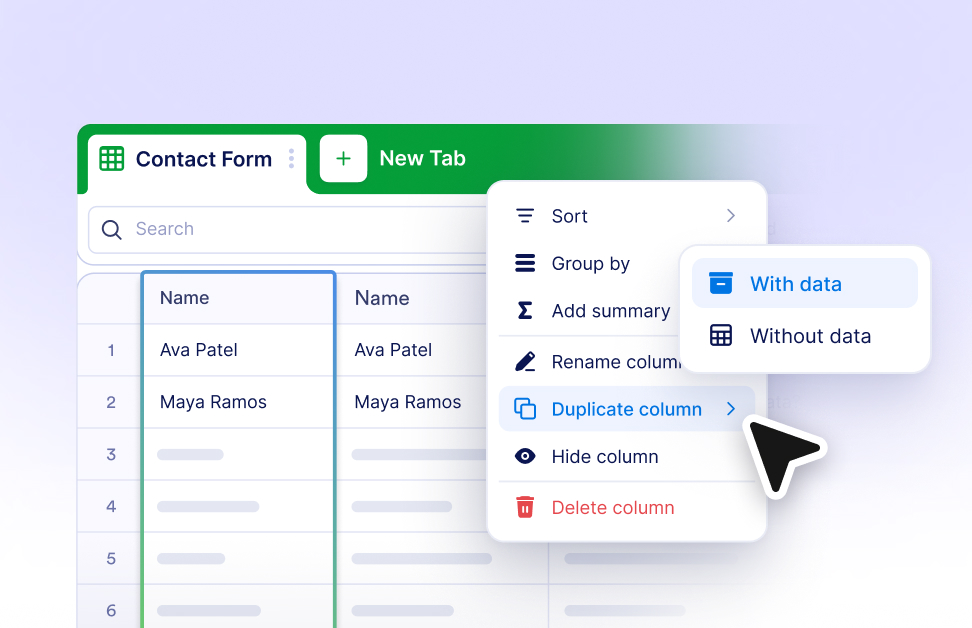

Duplicate Columns in Jotform Tables
Quickly duplicate columns in Jotform Tables with or without their existing data. Reuse column settings, maintain consistent formatting, and expand your table without starting from scratch.
Save time by copying existing columns instead of creating new ones. Choose whether to include current values or keep the duplicated column empty while preserving its original settings.
Copy Columns With or Without Data
Duplicate columns to reuse field types, formatting, and settings. Keep existing values or start with an empty column to create a consistent table structure for your workflow.
Duplicate Columns with Existing Values
Create a copy of a column along with its current data. Easily replicate information for parallel tracking, comparisons, or workflows that require the same values in multiple columns.
Duplicate Columns Without Values
Copy a column's field type, formatting, and settings without including its data. Start with empty fields while keeping the same structure for new information or workflows.
FAQ
Open the column's menu and select Duplicate Column. You can choose whether to include the existing values or create an empty copy with the same column settings.
Yes. You can duplicate a column without values to preserve its field type, formatting, and settings while leaving the new column empty.
Yes. The Duplicate with Values option creates a copy of the column and its data, making it easy to reuse information without manually copying each entry.


