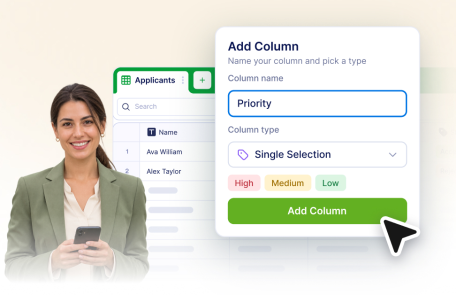
Add Column
Expand your tables by adding new columns for text, numbers, dates, connections, formulas, and more.
Column Management
Organize, edit, and analyze table data with tools for sorting, grouping, summarizing, and customizing columns and entries.
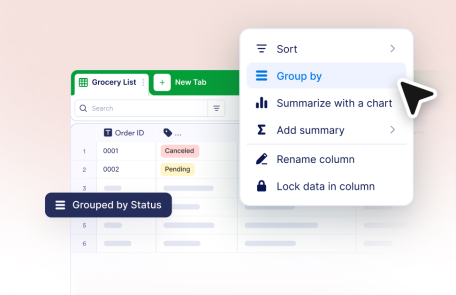
Organize your Jotform Tables data into groups based on shared column values. Group submissions by status, category, team, or other fields to make information easier to review and manage.
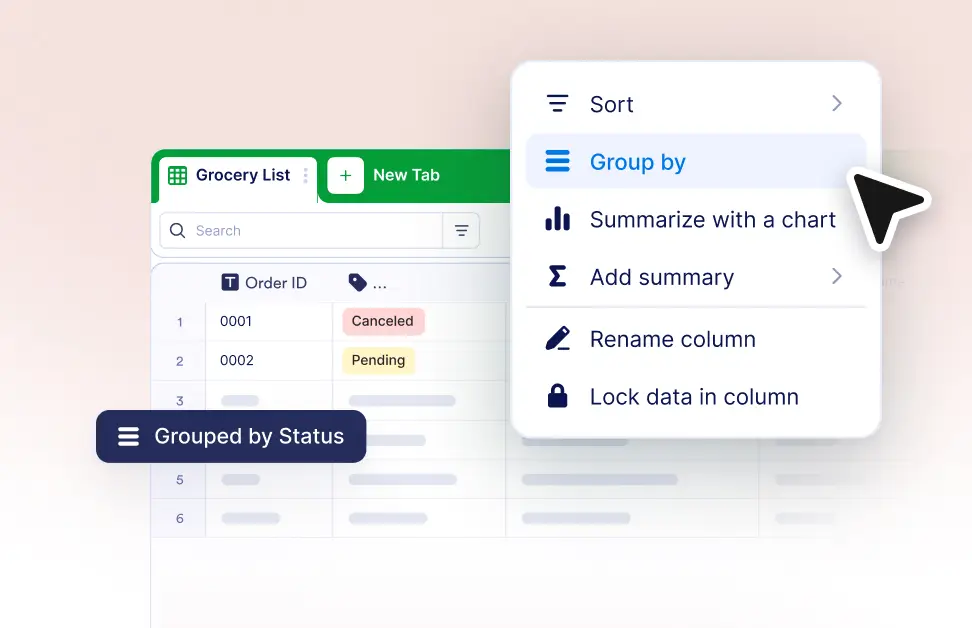
Bring structure to your table by grouping related submissions together. Quickly identify patterns, organize records, and manage different data groups without manually sorting entries.
Group submissions by column values to create organized, collapsible sections in your table. Keep related entries together and manage each group with convenient actions.
Select a column, such as Status, Department, or Location, to automatically organize submissions into collapsible groups. Expand or collapse sections to focus on relevant data.
Perform bulk actions on grouped entries, export selected groups, or create a new tab from a specific group. Easily manage related submissions without handling each entry separately.
Select the Group by Columns option and choose a column to group your data by. Jotform Tables will organize submissions into collapsible sections based on the values in that column.
Yes. You can expand or collapse individual groups to show or hide their entries, making it easier to navigate your table and focus on specific data.
Yes. You can trigger action buttons in bulk for a group, export grouped entries, or create a new tab from a specific group to manage your data more efficiently.