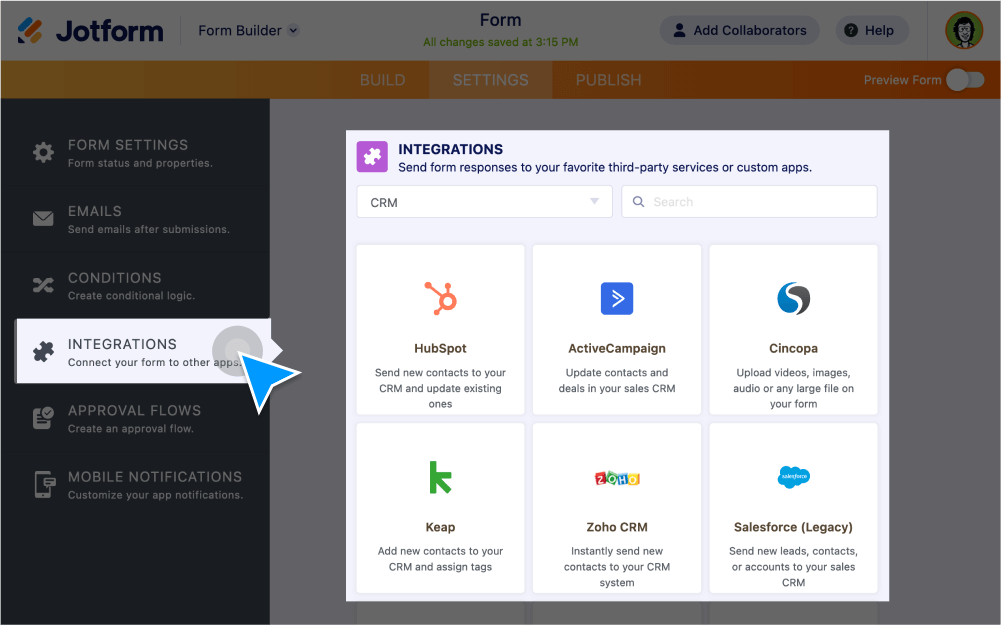
Create contact forms and use Jotform’s 15+ CRM integrations to automatically send new contacts to your CRM! When you integrate your web forms with CRM tools, you’ll never manually transfer contacts again!
Build CRM Forms with 15+ CRM Integrations
Create contact forms and other lead generation forms that integrate with your CRM. Submissions will automatically appear in your CRM account, so you’ll never have to manually transfer contact info between accounts again!
Integrate with HubSpot CRM
Create a CRM form that automatically updates your HubSpot account with the information you collect through your online forms.
Integrate with ActiveCampaign
Sync your contact form with ActiveCampaign to instantly send new contacts, deals, notes, and tags to your deals CRM.
Integrate with Keap
Capture leads online with a contact form that updates your Keap CRM automatically — so you can follow up with potential leads and close deals quicker.
Integrate with Salesforce
Send CRM form submissions containing leads, contacts, and accounts to your sales pipeline with Jotform’s Salesforce integration.
Integrate with Zoho
Sync contacts, accounts, and more with a Zoho CRM form. Simply match the form fields in Jotform and Zoho to transfer submission data and notes to your CRM.
Integrate with Pipedrive
Send new contacts, deals, and activities to your sales pipeline with Jotform’s Pipedrive integration and keep all your contact form data in one place.
Integrate with Insightly
Gather leads online with a contact or CRM form and automatically send the relevant lead data straight to your Insightly CRM.
Integrate with Highrise
Send new contacts or cases to your Highrise account automatically with Jotform’s free Highrise integration.
Integrate with Solve360
Transfer the new contacts you collect through your CRM forms directly to your Solve360 account with Jotform’s free integration.
Integrate with Zendesk
Collect and respond to support tickets fast. Connect Jotform and Zendesk to receive support tickets and instantly send them to Zendesk — where your team can tackle them.
Integrate with Callingly
Use Jotform’s free Callingly integration to collect lead phone numbers and send them to Callingly automatically — letting team members instantly connect with leads via phone.
Integrate with EngageBay
Add EngageBay to your contact forms in the Jotform Form Builder so you can sync contact information to your EngageBay account and keep your contact lists up to date.
Integrate with Platformly
Save time by automatically sending new lead info collected through your CRM form straight to your Platformly account.
Integrate with ClinchPad
Send new leads and other important sales information directly to your sales pipeline with Jotform’s free ClinchPad integration.
CRM Tools which are Jotform Integrations for Small Businesses
Here are the best CRM tools for small businesses — and if you use Jotform to collect customer information online, integrate your form with any of these CRM tools to add and update contacts automatically!