In Jotform, all forms are secured including free accounts. This is indicated by the HTTPS protocol and the lock icon in your form’s URL. Displaying a security certificate seal on your form reassures users that their data is being transmitted securely. It indicates that your form uses secure communication and adheres to security protocols.
To display a security certificate seal on your form
- Add an Image element to your form where you want the seal to appear.
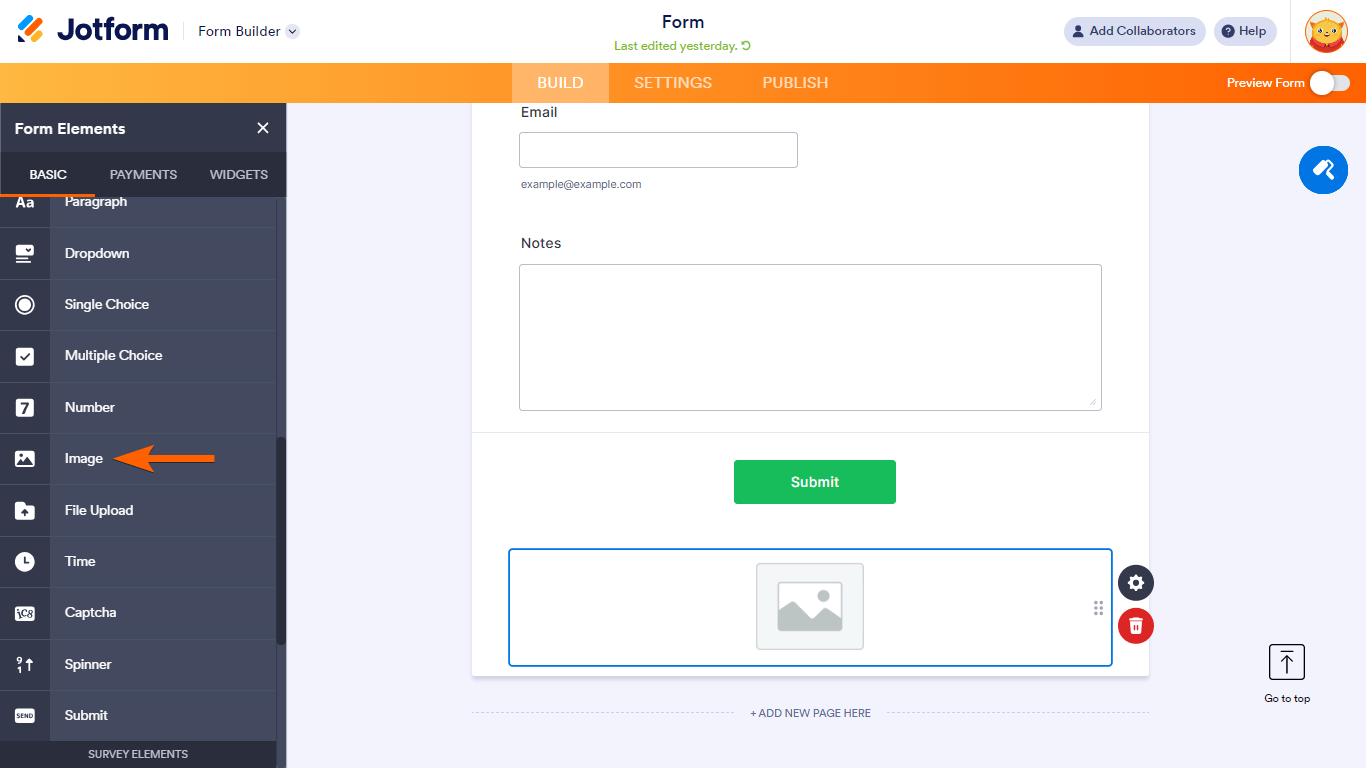
- In the properties panel on the right, select Choose a File.
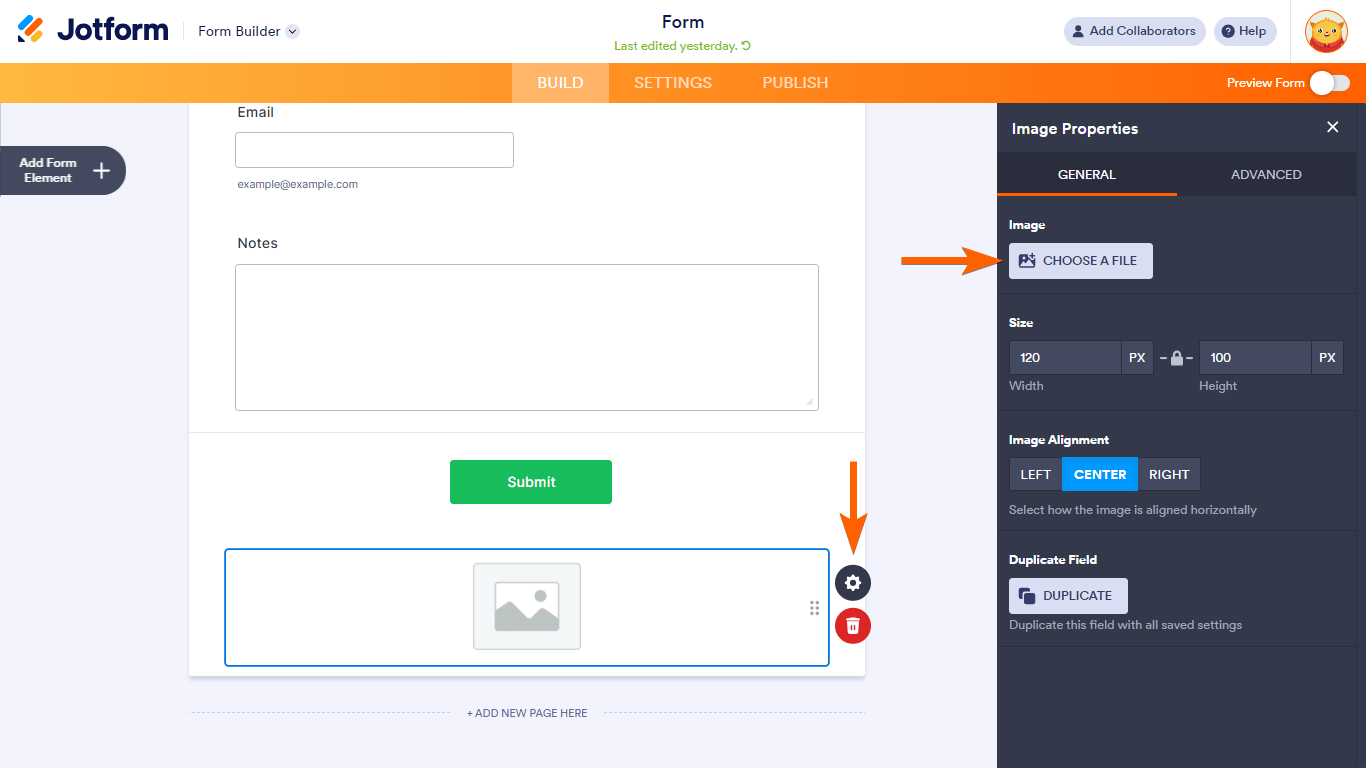
Note: To open properties, select the Image element’s gear icon.
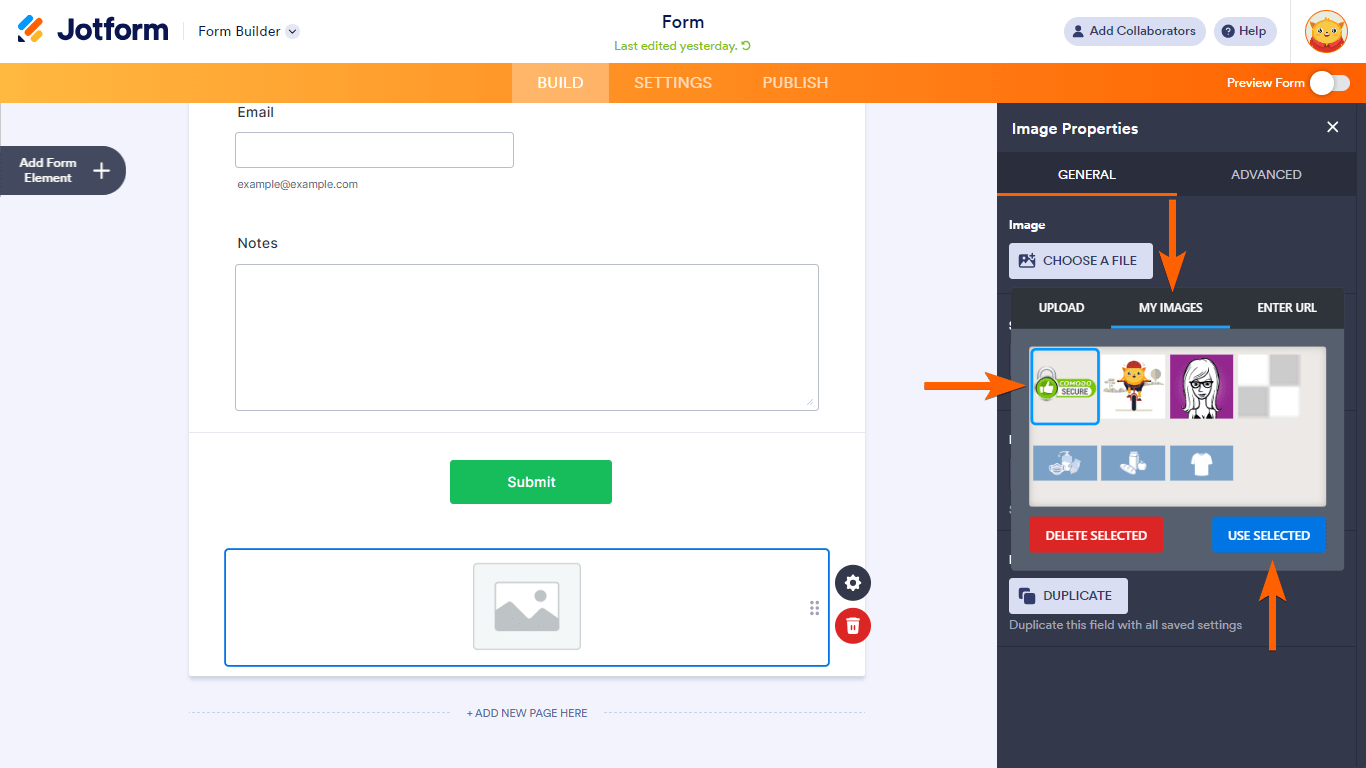
- In the dialog, go to My Images.
- Select the secure certificate seal, then click Use Selected.
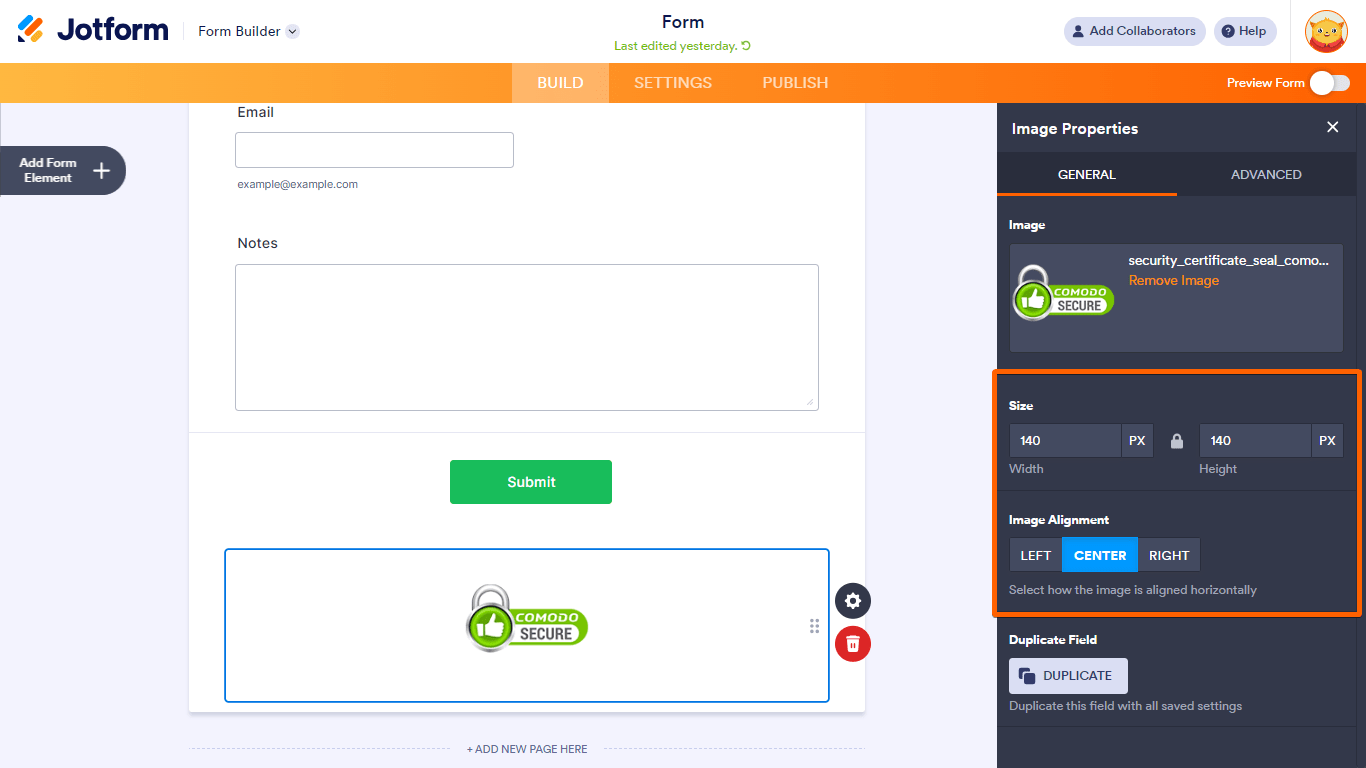
The certificate seal should now appear on your form. You can adjust its size and alignment as needed.
See How to Display Images on Your Form to learn more.

Send Comment:
23 Comments:
September 14, 2022
Is this real
February 9, 2017
Boa tarde, vocês tem previsão de quando farão a integraçao com a pagseguro?
March 1, 2016
Can I collect credit card info safely on one of these forms? Are they all SSL protected? Can I get a seal with a transparent background?
October 28, 2015
Looks great! Thanks!!
October 17, 2015
My security certificate is problem.user name and password is not match on site.
March 4, 2015
Not working properly on iPhone 6 iOS 8.
Lag sometimes, always need to logout login...
February 18, 2015
How can my customers view and complete our forms using an iphone or ipad?
Thanks
Peter
February 17, 2015
Dear Support Team,
Please help!!!
I have signed in Jot form using iPhone, when i access into Myform and click at my active form called "WPDHS application form new" to see submission infomation.
Then my form was missing!!! I can't find it from anywhere, please help to bring it back.
Best regards,
Sukanya
February 17, 2015
Excellent!
February 16, 2015
I like this app. Only thing for me would be ability to fill in forms from the app as well. If I've missed something let me know. Thanks
February 16, 2015
do we have an android version?
February 8, 2015
My Jotform does not say secure in the URL should I be worried? How do I go about making the form secure? I did not create a username and password is that the reason why? Please help. We need to start using this form ASAP! Thanks!
February 8, 2015
We want to start utilizing our jotform this week. Is there something I should be doing to make sure it's secure (adding something, turning something on, etc?). How do I know or customers know that their information is secure? I'm a little worried about using this. Please help.
https://www.jotform.com/?formID=50305388509154
January 30, 2015
how will customers know thats ther actually is ssl protection and that someone hasn't just added a picture of a security seal from google... is there a way to go to a page that is https:// so that customers actually know that its safe to use???
July 1, 2014
my can change the size of form do not been?
August 7, 2012
I am using the form on your site (not on mine) and I selected the "secure form" check off box, yet it warns clients with the following message: The security certificate presented by this website was issued for a different website's address.
Security certificate problems may indicate an attempt to fool you or intercept any data you send to the server.
Can anyone help me resolve this issue? Thanking you in advance.
May 28, 2012
need the authorize.net seal
March 26, 2012
No matter what I do it seems like the secure method does not work. Which tells everyone on my site that the page is not secure. Help?
March 22, 2012
I followed these instructions as a test on one of my forms and the secure badge is not displaying...
I'm accessing the form via:
Any ideas on why the secure badge is not displaying?
Thanks
February 14, 2012
For some reason I cannot get the security seal to display. I've tried using Chrome, Firefox, and Opera using the form I created as well as the example from that's linked above.
January 25, 2012
I have been using Jotform for over a year and have been extremely happy.
Yesterday all of the form I have created on all of my clients landing pages are gone... With no warning and it says my account was suspended do to suspect of phishing.
How can a company that wants to offer their clients a secure way to have a form on their facebook landing page or a web landing page use your forms and not have to worry about everything being shut down?
Thank you.
Patti Majeski
December 29, 2011
How do I secure my forms from being edited when I send them to the form site? There is no secure place to log in and out, someone can do what they want with my url jotform page.
December 6, 2011
Is data transfer to a MYSQL database secured via SSL?