Aside from built-in fonts, Jotform also supports CSS at-rules like @import and @font-face. You can use these to apply custom fonts from Google Fonts or your server to your forms.


Getting Your Google Fonts Import Code
To generate your Google Fonts CSS import code
- Open Google Fonts and search for a font.
- Choose a font from the results.
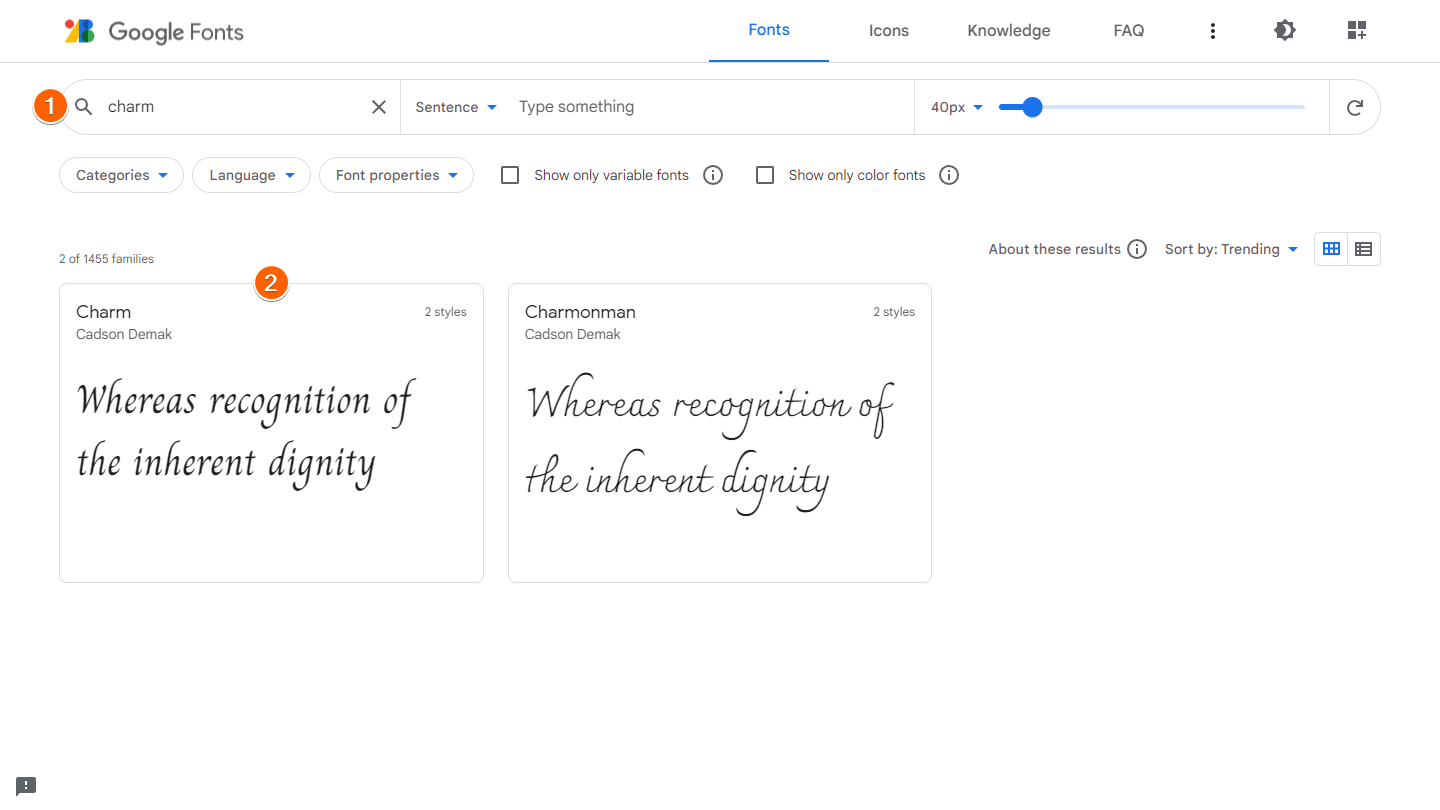
- Scroll down to Styles and choose your desired font styles.
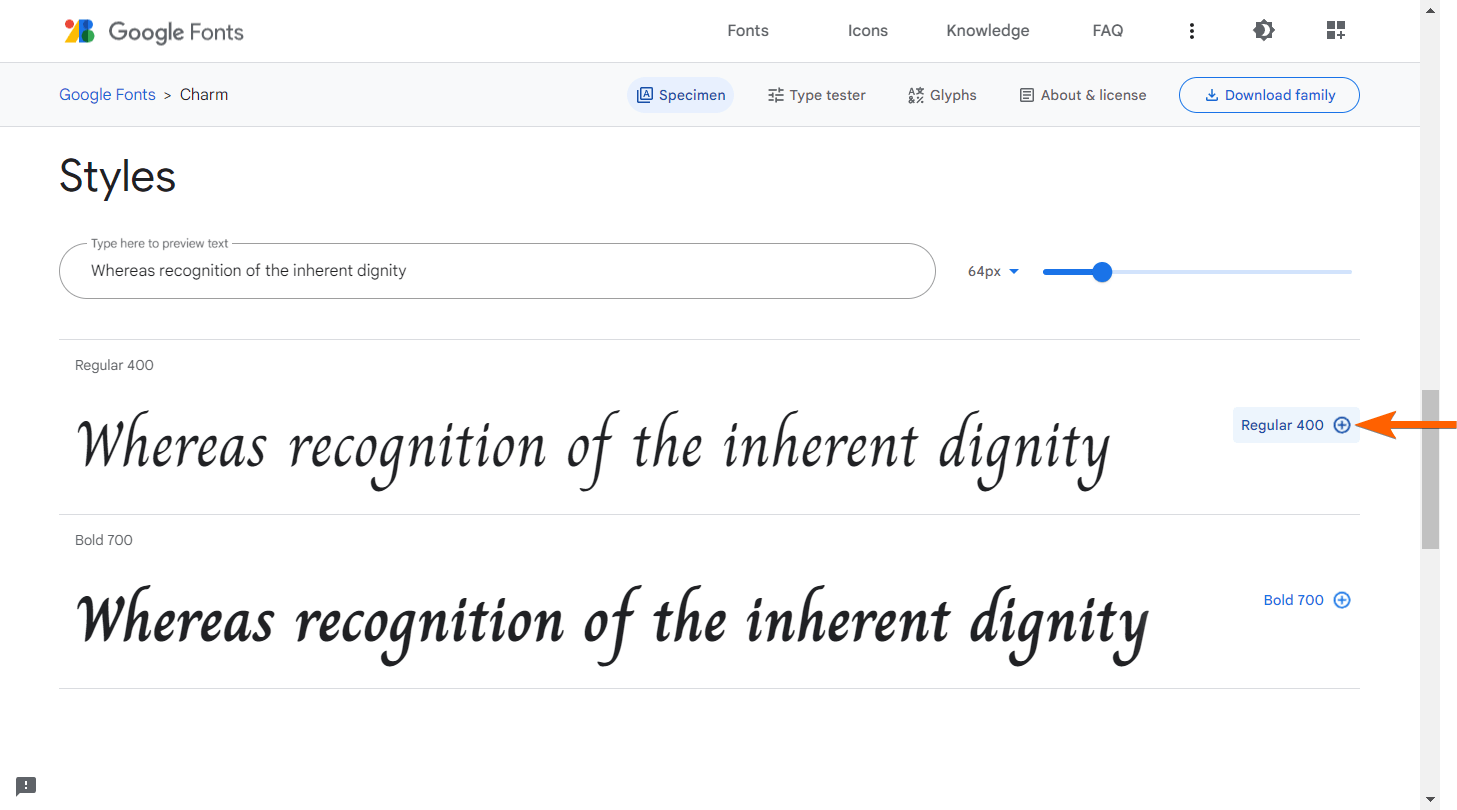
- Select the grid icon in the upper-right corner to open the Selected family pane.
- In the right pane, select @import under Use on the web.
- Copy the code inside the
styletag.
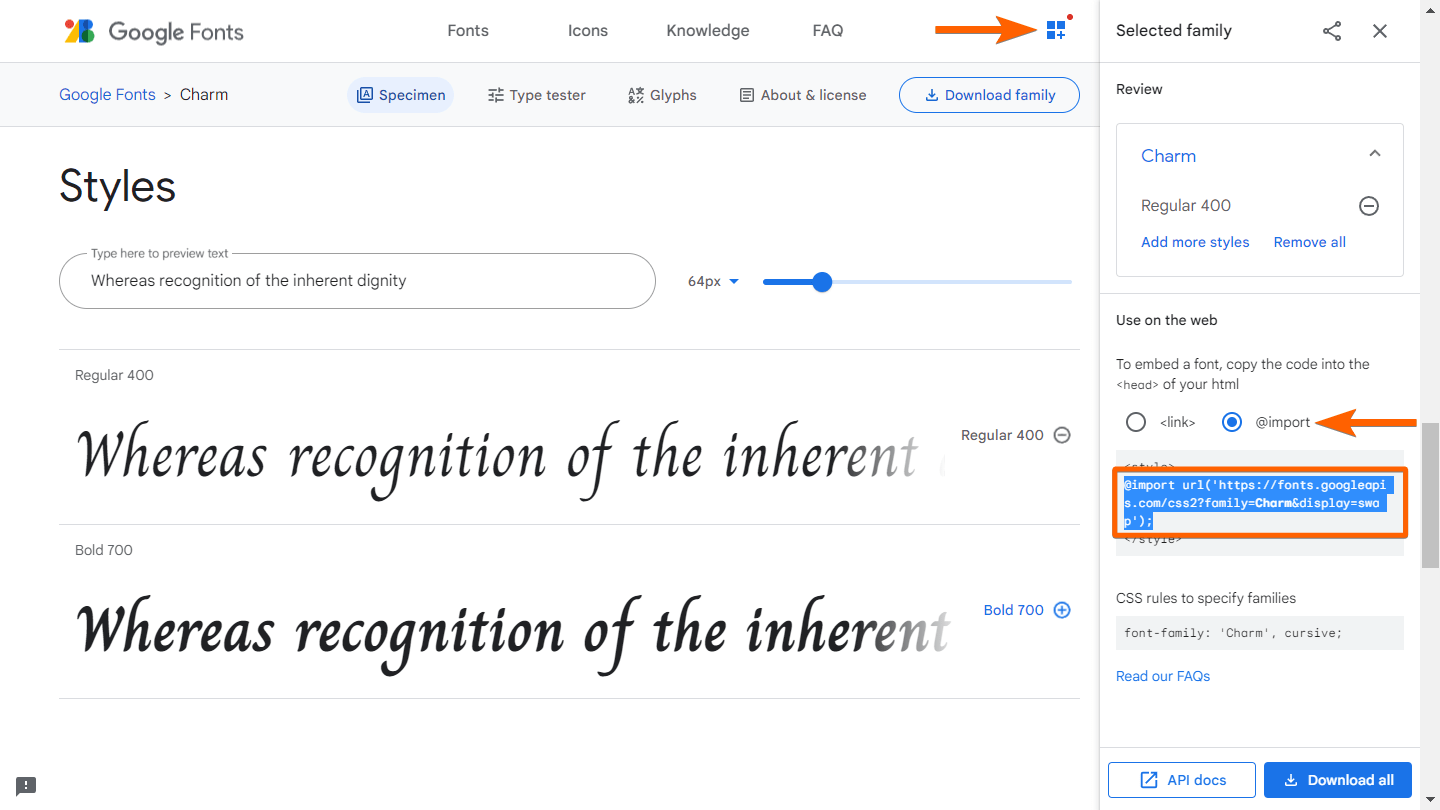
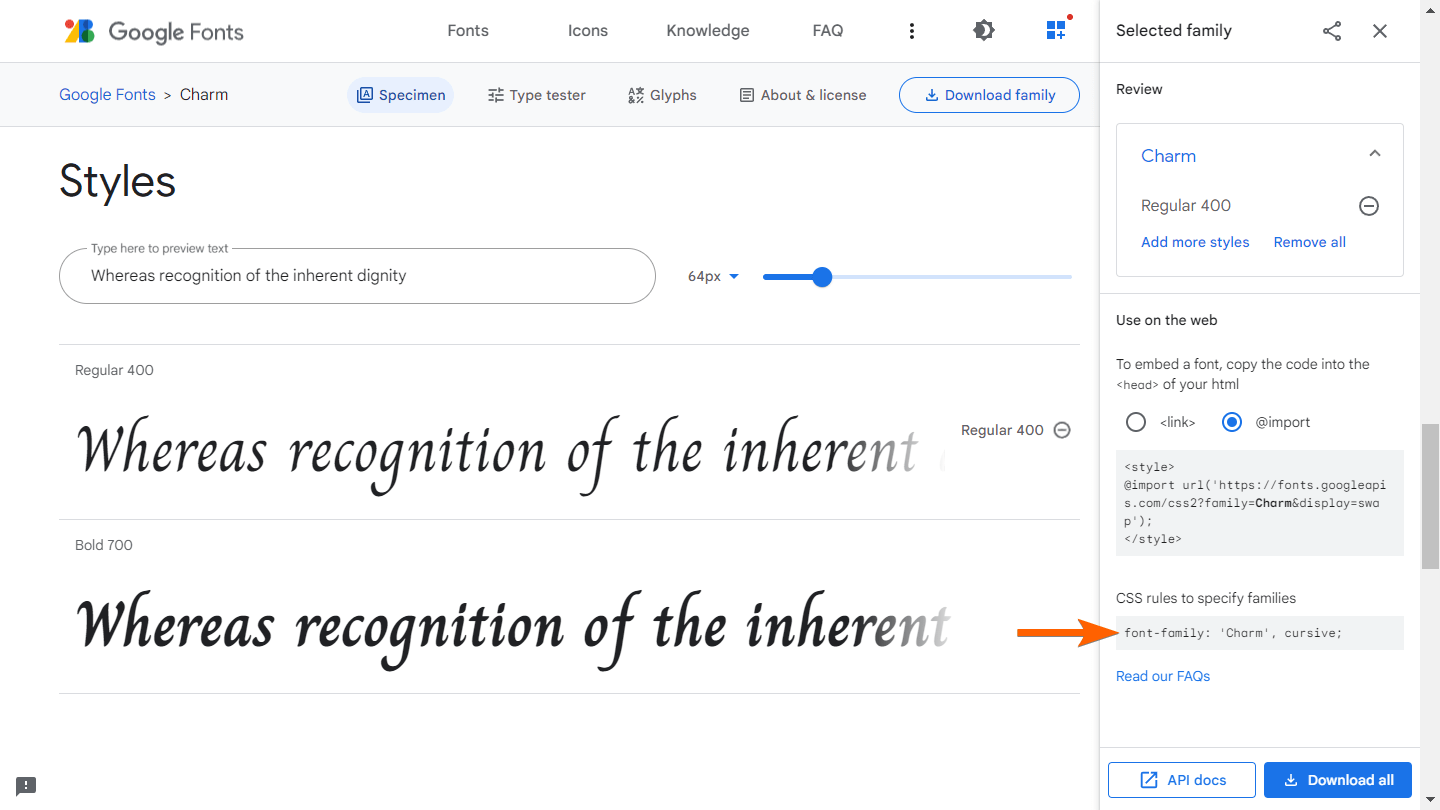
Also, take note of the font-family declaration under CSS rules to specify families. Keep on reading to learn how to import the font into your form.
Importing Google Fonts Into Your Form
To use Google Fonts on your form
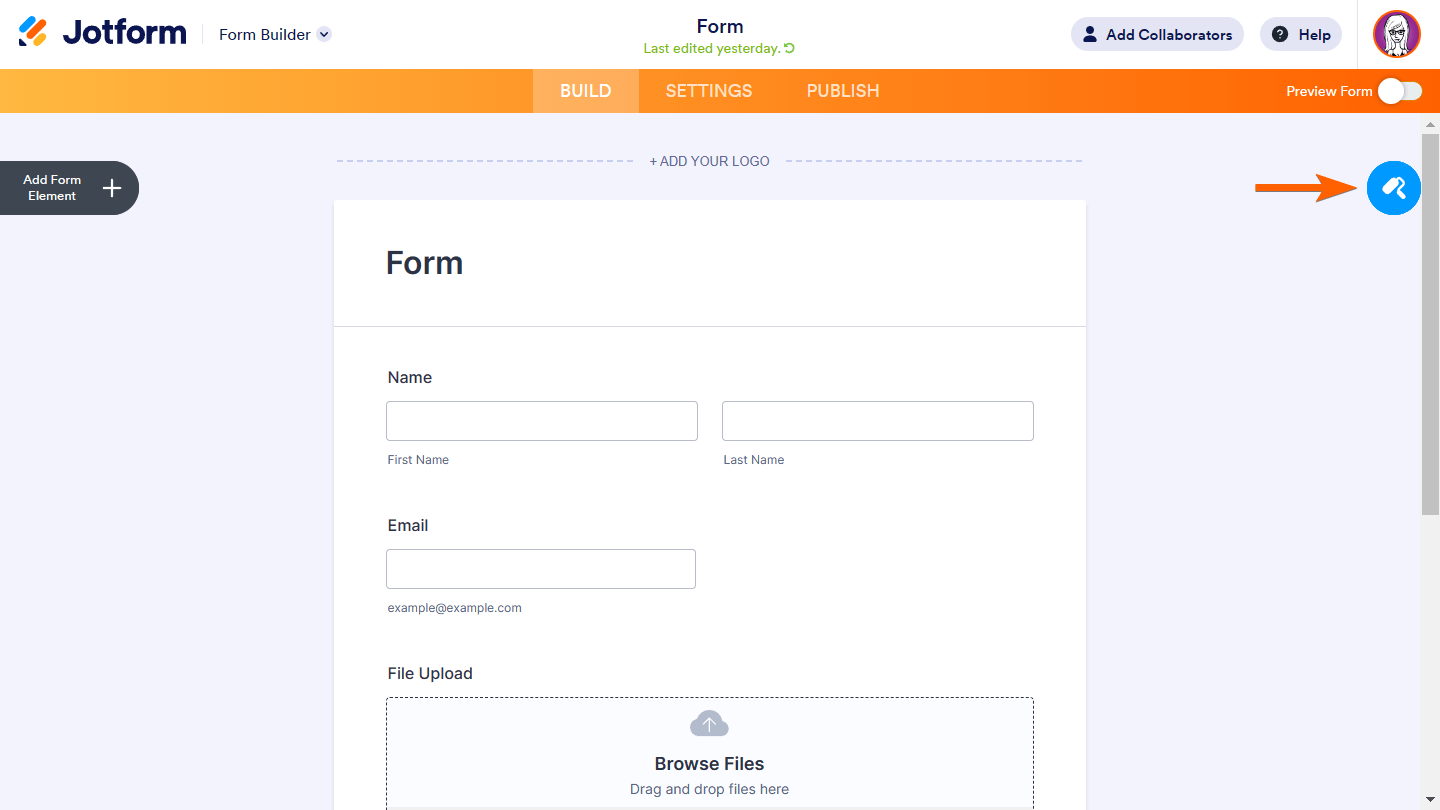
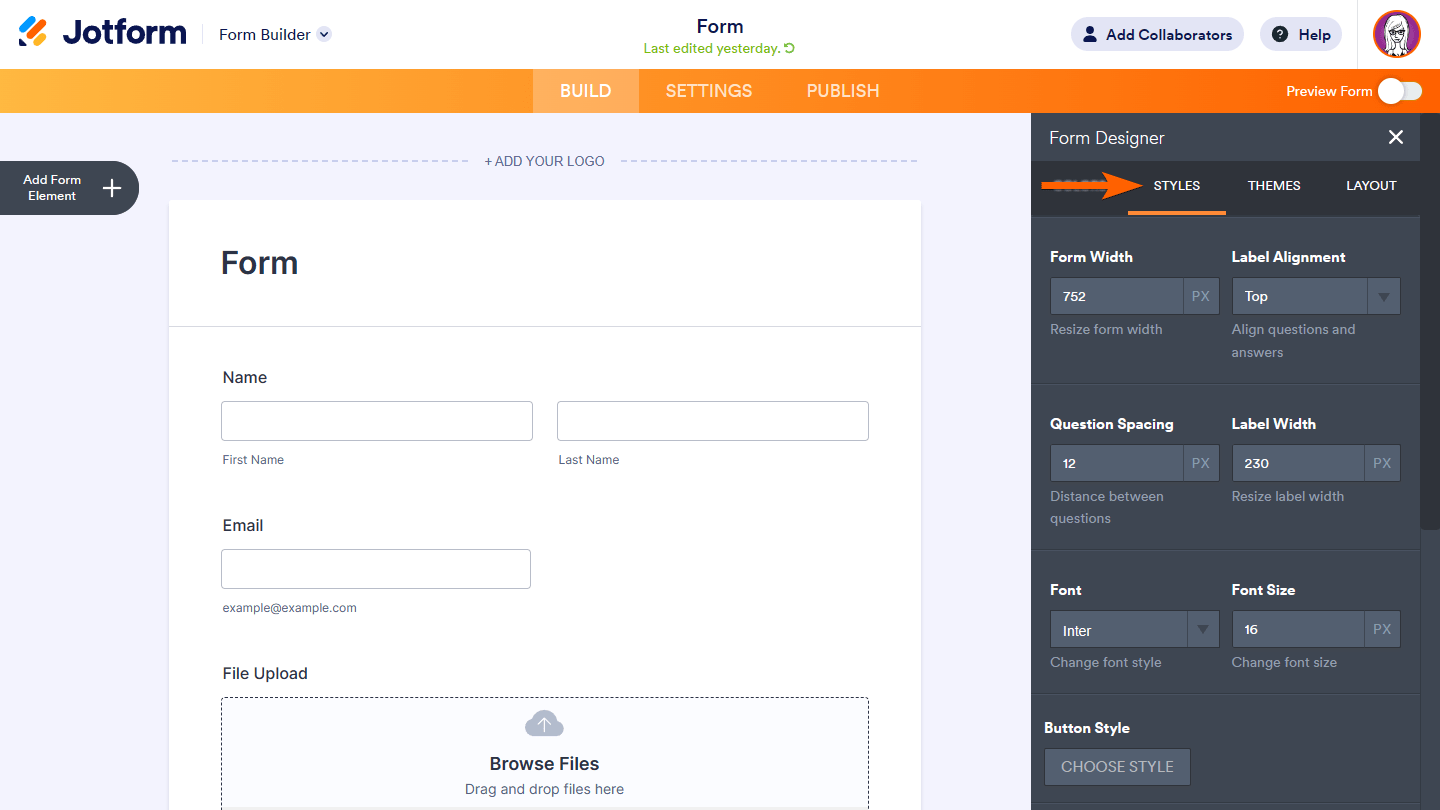
- In the Form Builder, select the paint roller icon in the upper-right corner.
- In the right panel, go to Styles at the top.
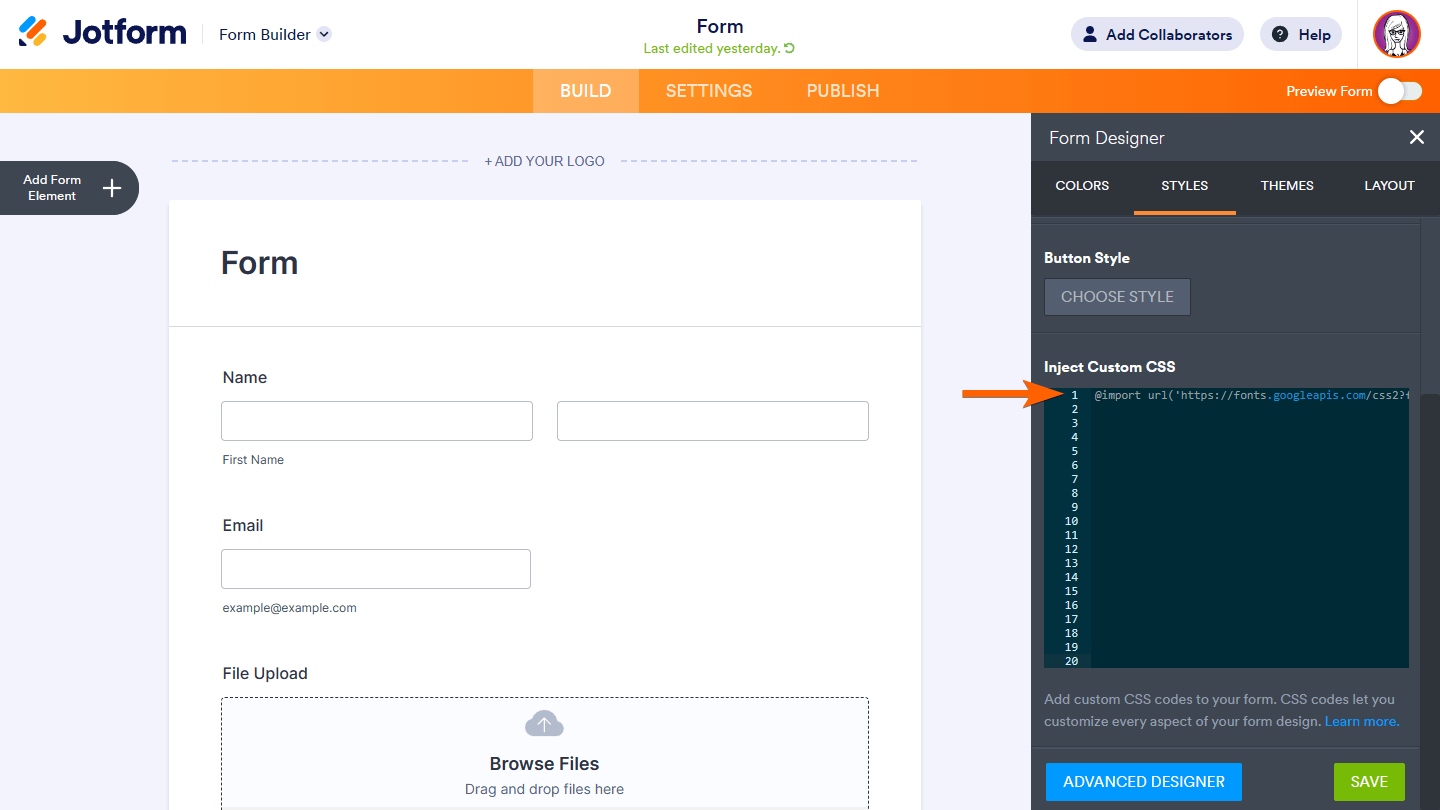
- Scroll down to Inject Custom CSS and paste your Google Fonts import code in Line 1.
Note
The @import rule must be declared before any other rules. Make sure to paste the import code on top of all the existing CSS codes you may have.
- Paste the following code right after the import rule:
* {
    font-family: 'MyWebFont', sans-serif;
}- Replace the
font-familydeclaration with the one from Google Fonts under the CSS rules to specify families.
The complete code should look similar to the following:
@import url('https://fonts.googleapis.com/css2?family=Charm&display=swap');
* {
    font-family: 'Charm', cursive;
}- View your form in Preview or Live mode to see the changes.
Using Custom Fonts Hosted From Your Server
The @font-face CSS at-rule allows you to load your fonts from your server and apply them to your forms.
Note
Your server needs to support HTTPS and Cross-Origin Resource Sharing (CORS). Visit Enable CORS to learn more.
To use fonts from your server
- Upload your font files to your server via FTP or cPanel.
- Copy the following CSS code:
@font-face {
    font-family: 'MyAwesomeWebFont';
    src: url('https://example.com/webfont.woff') format('woff'),
         url('https://example.com/webfont.ttf') format('truetype');
}
* {
    font-family: 'MyAwesomeWebFont', sans-serif;
}- Inject the code into your form.
- Replace the
srcvalues in the code with your font’s URL and format.
For the CSS code, you can use any online font-face generator tool available for browser compatibility.

Send Comment:
74 Comments:
March 25, 2024
I just need to change font size of a widget. I saw where you add in Custom CSS code to the widget, but my knowledge of CSS code syntax is limited. What is the code to paste in there just to change font size. It has to be simple I'm guessing...
August 23, 2023
I followed each step, but the font still doesn't seem to work. I find it easy to do here
August 10, 2023
Is there a way to change the CSS on the Card Form? The styles tab only appears in the Classic Form.
June 27, 2023
Is there a way to change the default header and form fonts? Like if I want the heading to always default to Libre Baskerville and the form font to always default to Source Sans Pro?
February 23, 2023
Would this support "Free 3 of 9 Extended"? I'm looking for a way to convert data to a barcode. This would be amazing if it could accommodate barcodes.
February 17, 2023
It doesn't work on per page set-up.
December 6, 2022
Hi! I am trying to universally update the font on my form. I used the css code below:
@import url('
* {
font-family: 'Libre Baskerville', sans-serif;
}
However, it is not working on the question text. Do you know how I can fix this?
October 17, 2022
Hello! I'm having trouble inputting an Adobe font into my form. I currently have this code:
@import url("
.form-all * {
font-family: bio-sans, sans-serif;
font-weight: 700;
font-style: normal;
}
It won't apply to the form and I'm not sure what I'm doing wrong, thank you so much in advance for your help!
Here's my form: https://www.jotform.com/build/222785901268059
August 1, 2022
Hello
I'm having trouble changing the font to public Sans. We tried importing, but it is not appearing. Could you please suggest how to make the change?
Kind regards
Deborah
April 26, 2022
I am trying to use Montserrat on all of my forms. I am unable to figure out how to add this in my Jotform, even after following the instructions. Would you please help me with it?
March 2, 2022
I've tried this numerous times and tried all the alternatives as per the comments below but still no luck when I preview. Please help. Current codes-
@import url('
@font-face {
font-family : 'DM Sans',serif;
src : url(
}
.form-all *{
font-family: 'DM Sans',serif;
}
also tried
@import url('
.form-all *
{
font-family: 'DM Sans',serif;
}
November 26, 2021
Does not works?
@import url('
@font-face {
font-family : Sarabun;
src :url('
}
.form-all{font-family: 'Sarabun', sans-serif;
August 22, 2021
only good!???
August 9, 2021
Hi! I added a custom font to my form but it's not showing up on mobile. In the form builder preview it shows up but not when loading on actual mobile devices. Any help is much appreciated. TIA.
June 9, 2021
If you are experiencing problem applying your Google font, try deleting '''' at the start and end of the import code.
April 13, 2021
I am trying to use a custom font from my server per instructions but it is not working. Please help!
Form:
March 29, 2021
Hello!
I have filled out the custom fields for a google font and the form is not updating.
@import url('
.form-all *{
font-family: 'DM Sans', sans-serif;
}
Any assistance would be highly appreciated.
September 9, 2020
I have followed each of the steps, but the font doesn't seem to be applying still:
@import url('
.form-all
{
font-family: 'Montserrat', sans-serif;
}
Any ideas where I've gone wrong?
February 27, 2020
Good evening.
I would like to import and use the google font Montserrat as my header font, while keeping the rest of the text Open Sans, which is already an option within jotforms.
I admittedly have very little experience with CSS, jotforms or google fonts, but would be grateful if someone had the time to walk me through how I might accomplish this.
Thank you.
I
January 10, 2020
This is not working for us. The page code/CSS show the font is still set at Merriweather. We are trying to use Libre Baskerville.
August 15, 2019
Thanks you, work for me
December 17, 2018
Hi,
I have attempted to inject our own font with @import and @font-face from our fonts.com web fonts project, with no avail.
Do you have any advice?
Réka.
July 12, 2018
I'm wondering, has this option been removed? I cannot find the CSS tab, and found a different(Older) support post saying it has been removed.
https://www.jotform.com/answers/1226226-what-happened-to-the-CSS-tab-in-the-Form-Designer
We would really like to use the Google fonts we have chosen for our website- is there another way to do this?
January 31, 2018
Awesome, thanks. :-)
November 10, 2017
I got this to work except for one thing. While designing the form everything is in your default font, looks like Helvetica. When I click on "preview form" it applies my font. This is good. But it would be better to design using the imported font. It's hard to design properly if not using the wanted font, particularly if the desired font is fixed-width (like Courier) but I have to design using variable width font.
Do you have a solution?
Thanks in Advance.