When you create a form, a Notification Email is automatically created as soon as you add the first field, using your account email as the default recipient. The same applies when you manually set up Notification Emails.
Over time, you might need to change that—maybe the original address belongs to a colleague or client who no longer needs alerts, or you’re handing things off to someone else and want the alerts to go to them instead. Whether you’re replacing the default or updating an existing setup, you can change the recipient email at any time to make sure notifications go to the right person
Changing the email address for your Notification Emails is easy. Here’s how to do it:
- On your Workspace page, click on Type at the top and in the Dropdown menu that opens, uncheck the boxes next to all the assets except Forms, so only they’ll be shown on the page.
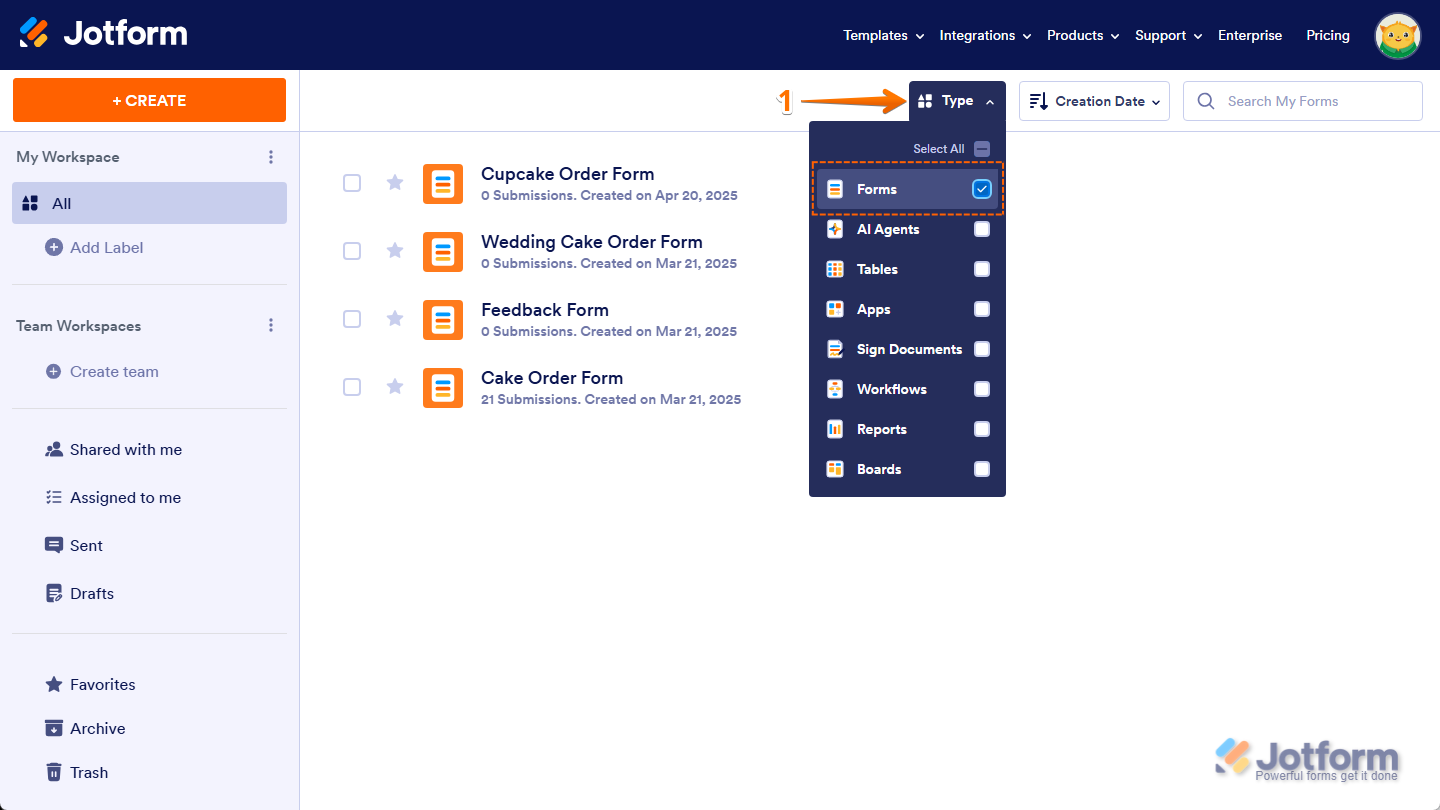
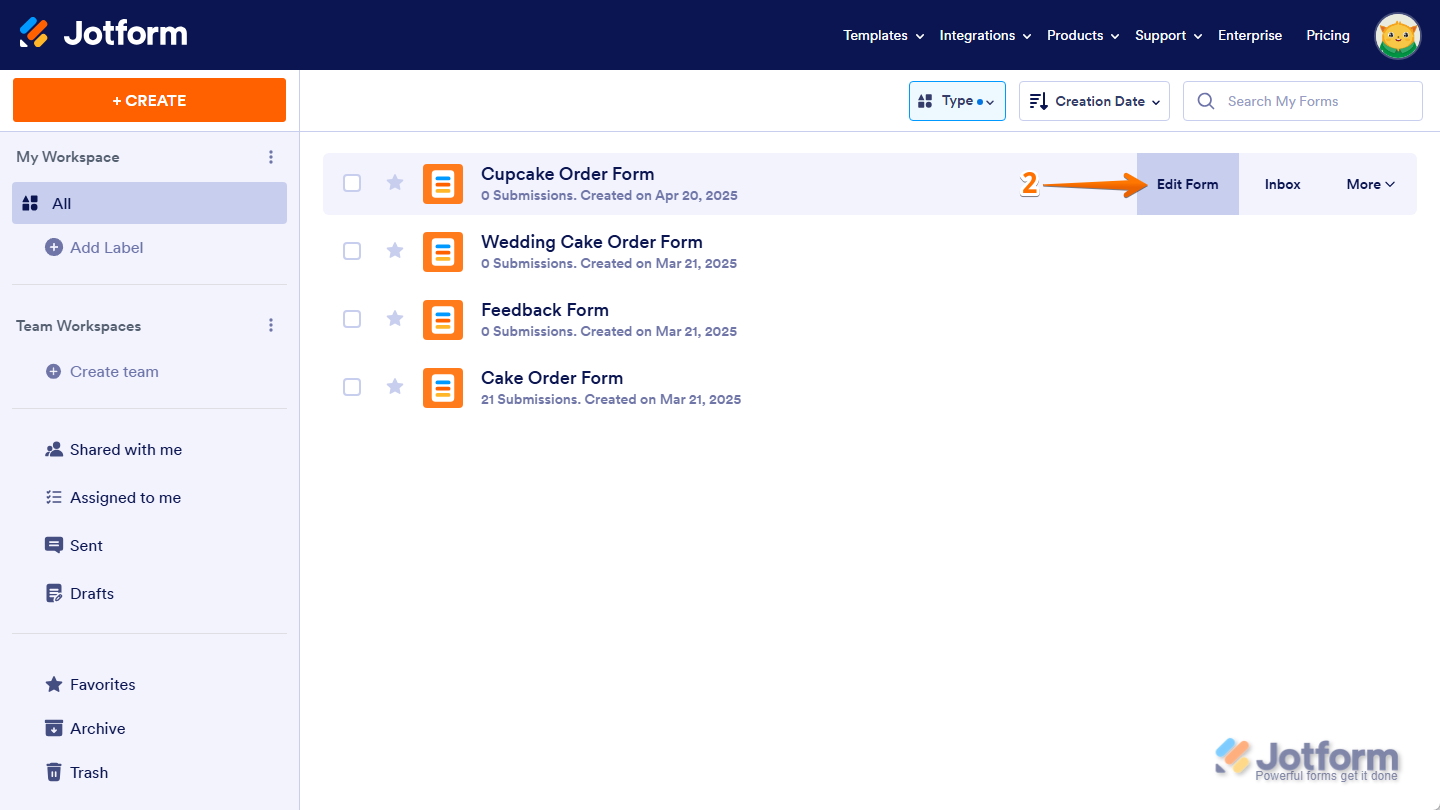
- Hover your mouse over the form you want to update the Notification Email recipient for, and click on Edit Form on the right side of the page.
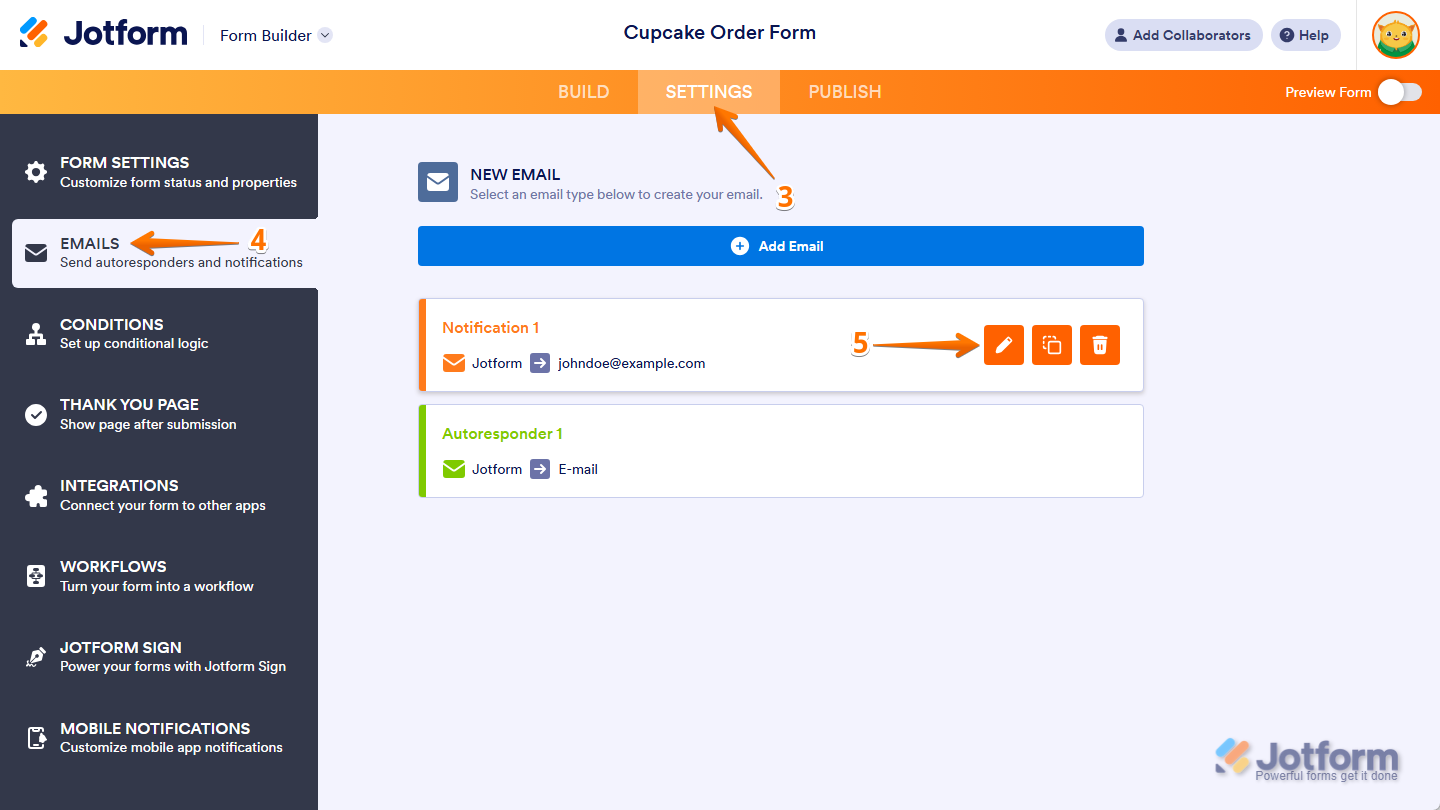
- Now, in Form Builder, in the orange navigation bar at the top of the page, click on Settings.
- Then, click on Emails in the menu on the left.
- Hover your mouse over the Notification Email and click on the Pencil icon to edit it.
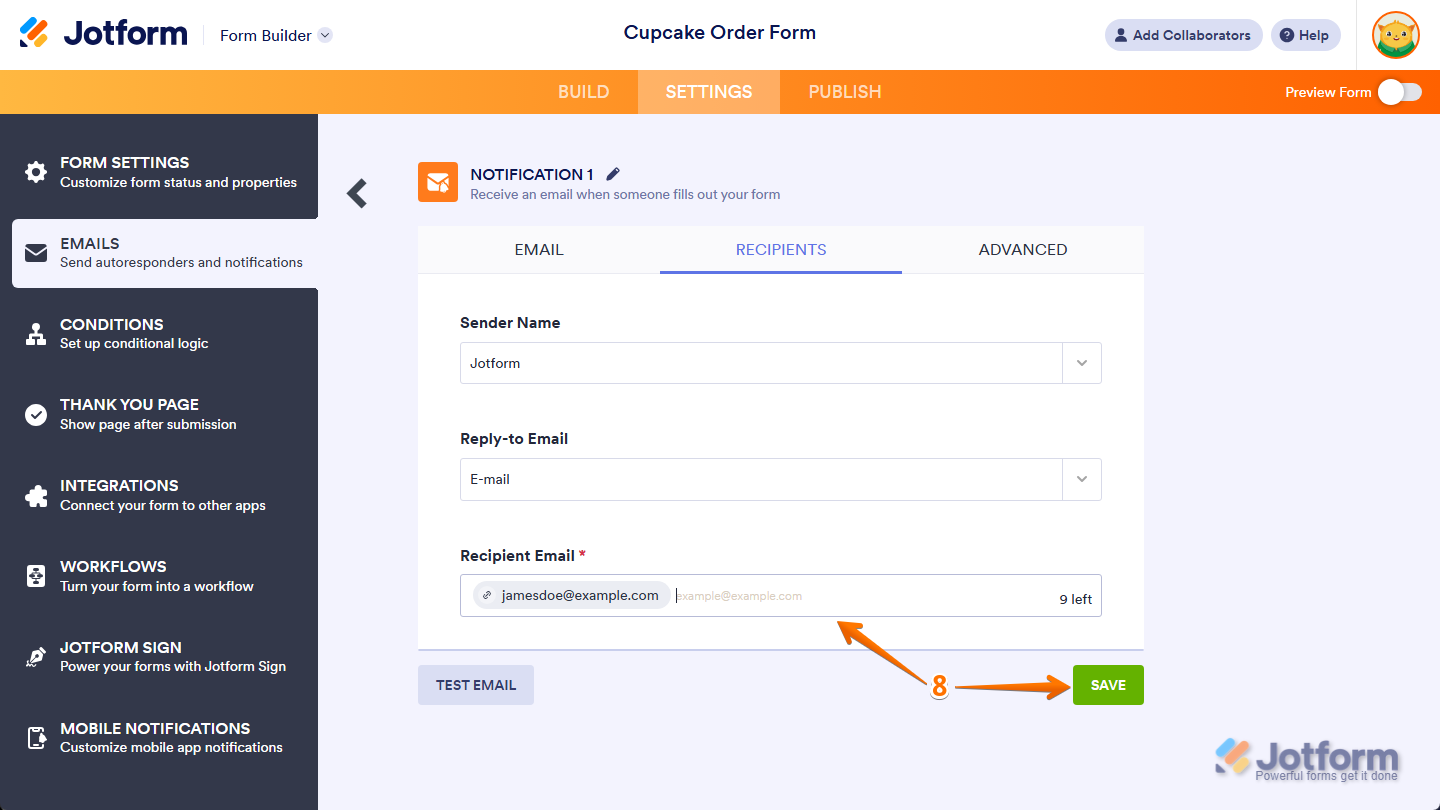
- Now, go to the Recipients tab.
- Then, in the Recipient Email field, hover your mouse over the old email address and click on the X on the right side of it, to delete it.
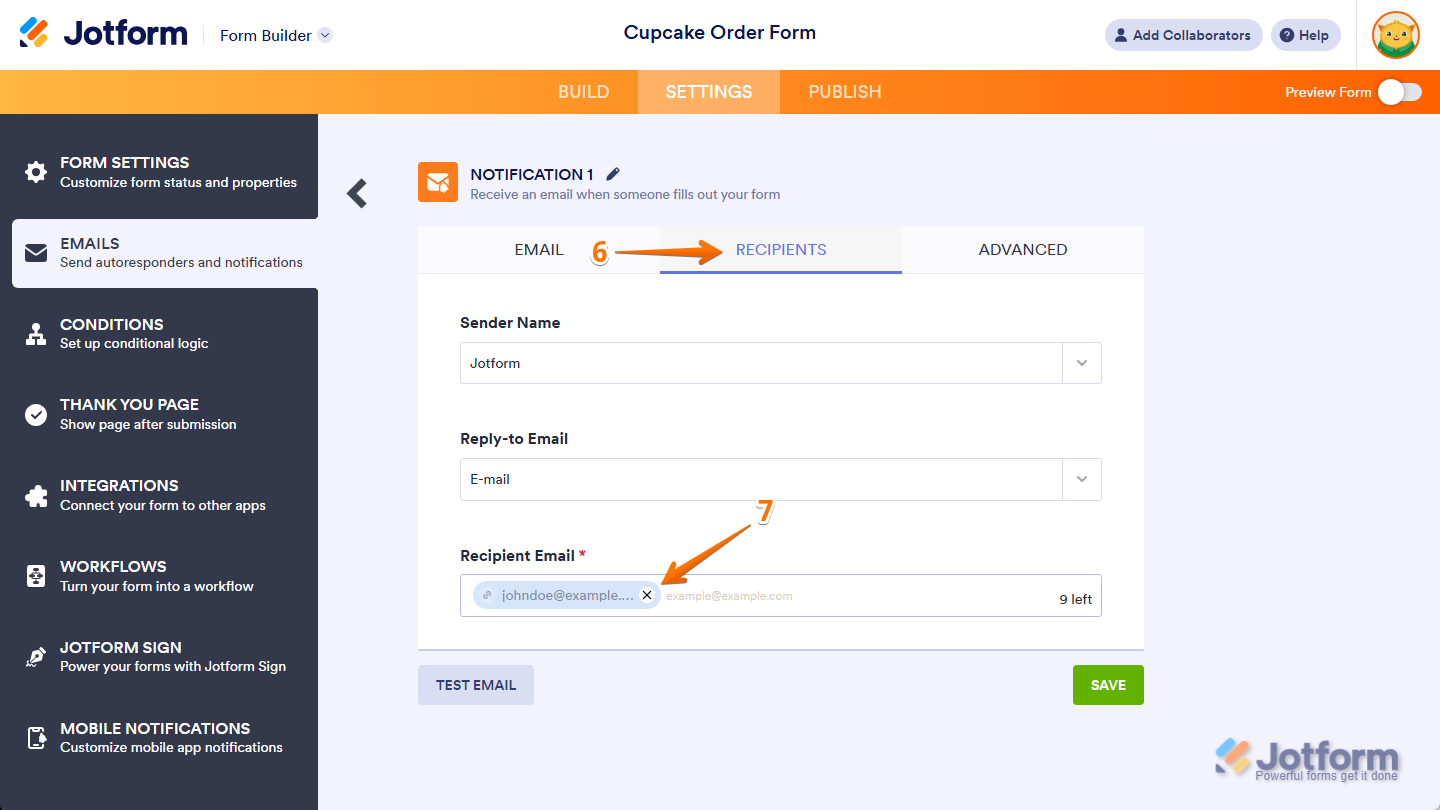
- Finally, add a new one in the Recipient Email field, and then click on Save.
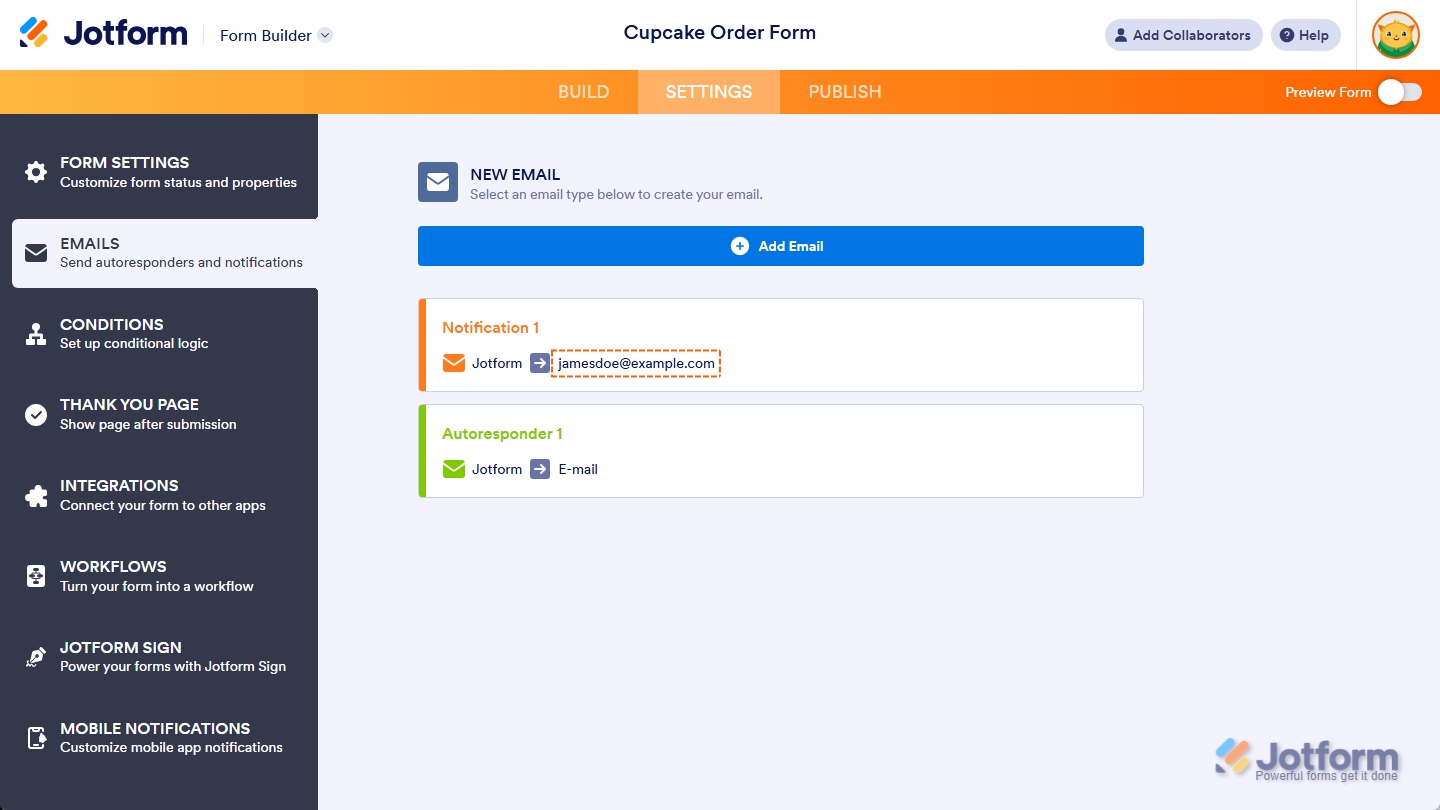
That’s it. Now, you’ve updated the recipient for your form’s Notification Email.
Note
- Users with Starter (Free) plans can only add one Notification Email template with one recipient for a form. Those with Bronze, Silver, or Gold plans can add multiple email templates with multiple recipients, but we recommend only adding up to 10 recipients for each template. If you want to upgrade your account, check out our guide about How to Upgrade Your Account to see how to do that.
- To test your Notification Email after updating the recipient address, use the Preview Form button in Form Builder instead of the Test Email button in the Notification Email settings. The Test Email button always sends to the email address linked to your account, even if you’ve already changed the recipient. You can check our guide on How to Properly Add, Change, and Test a New Notification Email Recipient Address to learn more.



Send Comment:
108 Comments:
164 days ago
I have added multiple recipients for one of our sign forms. They are receiving the first email which shows the form filled out but not receiving the second email which contains the pdf version of the document like I am. How can I resolve this?
331 days ago
It was helpful and these steps was taken but email notification is still not coming to the second person. Email address is correct
347 days ago
getting error email already associated with jotform account
More than a year ago
chenge new gmail
More than a year ago
I need someone to contact me ASAP. There is no way i can resolve the email issue.
Thanks
More than a year ago
thank you , that is what i was doing sending a test email thank you
More than a year ago
Hi there, I have created a jot form but am currently on the free subscription
Can I allocate the jot form to another colleague who has paid subscription? I don’t want to change the link to the form.
More than a year ago
It looks like the recipient email list edit finally worked this morning. Thank you
More than a year ago
I have followed these directions and the CDVC "email" shows up even after I have deleted it and saved changes.
More than a year ago
Hago eso pero el mail sigue sin direccionarlo a la cacilla que le ordeno, habra alguna otra forma?
More than a year ago
Hi!
Is it possible to change the Notification email address based on a form field.
e.g. If form field dropdown equals "A" , send notification email to x@email.com.
If form field dropdown equals "B" , send notification email to y@email.com.
Thanks. - Derrick
More than a year ago
Can you update this field for all forms at once?
More than a year ago
My Form has the option to save the form, however, when the form is saved the notification is only sent to the person filling out. Is it possible to set it up in a way when the form is saved the notification is sent to not the only person filling out the form also the people in the notification list?
More than a year ago
Thanks for such a speedy, informative response.
More than a year ago
My Artist Application form was submitted 4 times today, but I didn't receive the emails for any of them even though my email is listed as recipient.
However, yesterday I had one submission for my New Artist form and I DID receive the email for that one.
Trying to figure out if the issue is on my end or not. Thanks for the help :)
More than a year ago
Did not work for us.
We changed email with this steps and also going under setting.
More than a year ago
Muchas gracias por este tutorial tan interesante. A través de este, pude solucionar algo con lo del correo.
Muchas gracias y bendiciones!!!
More than a year ago
Thanks the email change worked. Lastly, when we do receive the emails, we cannot open the files that we’re uploaded into the created jotform. We have tested with jpeg, pdf, etc., and we keep receiving the jotform error code 404 (whoops). Can you please assist? Thank You
More than a year ago
If I make changes to the form, does it automatically update where the form is located? Ie on our website. Do I need to upload a new version to my website of the form each time I update it?
More than a year ago
How can I decide if I want to purchase your product if I cannot use it to try it from making the form to getting the survey responses???
More than a year ago
Do mean that I can only send one at a time or only get replies for only on filler of the form?
More than a year ago
Perfect, thank you for your help with this one, Timpi :)
More than a year ago
Thank you appreciate the quick response!
More than a year ago
This may work for online forms, but what about fillable pdf's? When I choose to edit the pdf, there is no "settings" tab.
More than a year ago
This is not working for me. All the form fields have the correct address, but they are still coming to the wrong address. I have three forms. Some go to the correct address, some do not. It is very frustrating because I'm missing leads.