Dropbox is a cloud storage service used for file sharing and project collaboration. It allows you to securely store and share files seamlessly across devices, fostering easy collaboration and accessibility among your company.
With Jotform’s integration with Dropbox, you can upload the files uploaded through your form and get a copy of the user’s data as PDF documents to your Dropbox account — a simple process for automation.
Please watch the video below for Dropbox integration or read below for the steps.


- In the Form Builder, go to the Settings tab.
- Select Integrations from the left panel.
- Search for and click Dropbox from the list of Integrations.
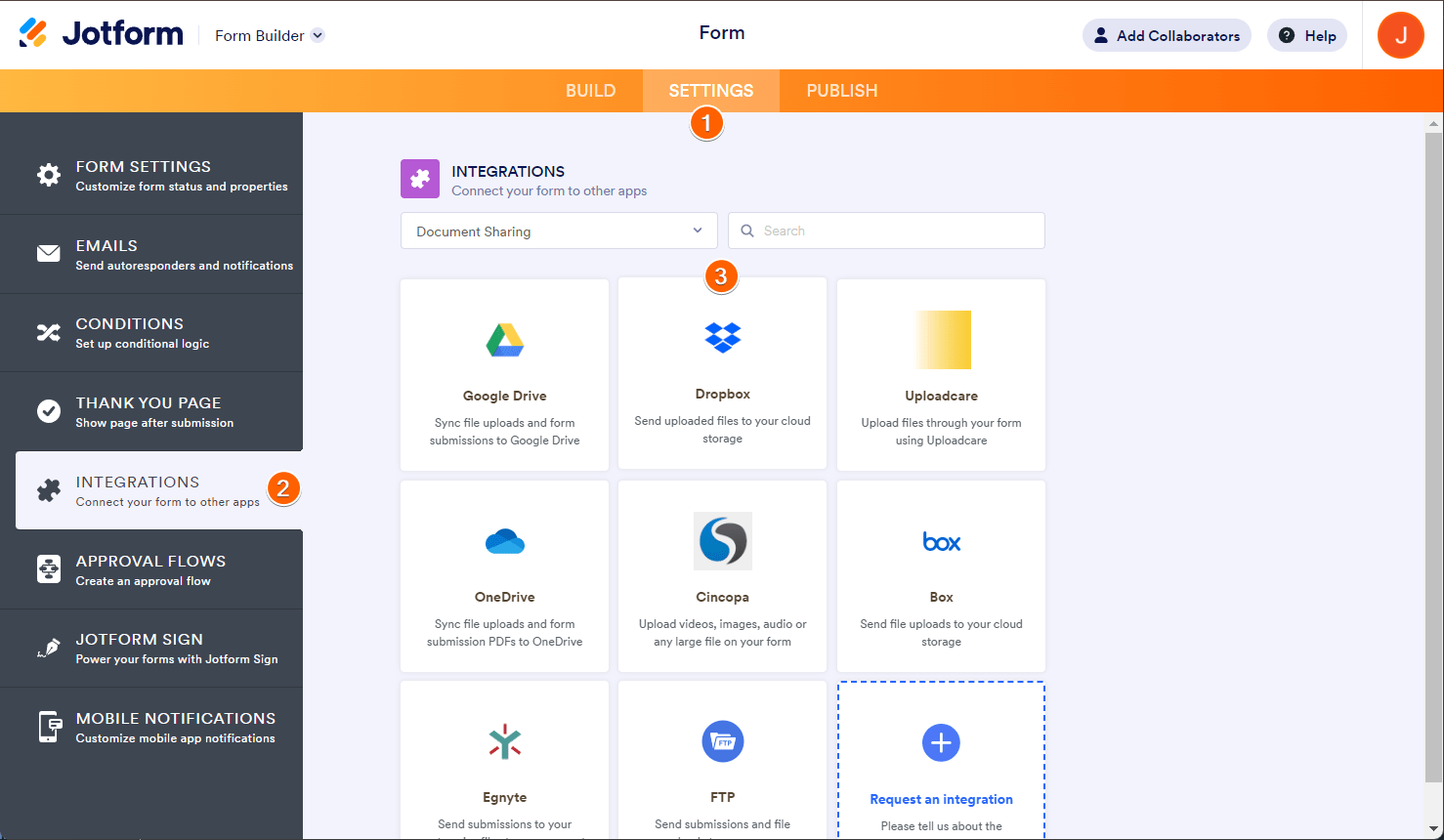
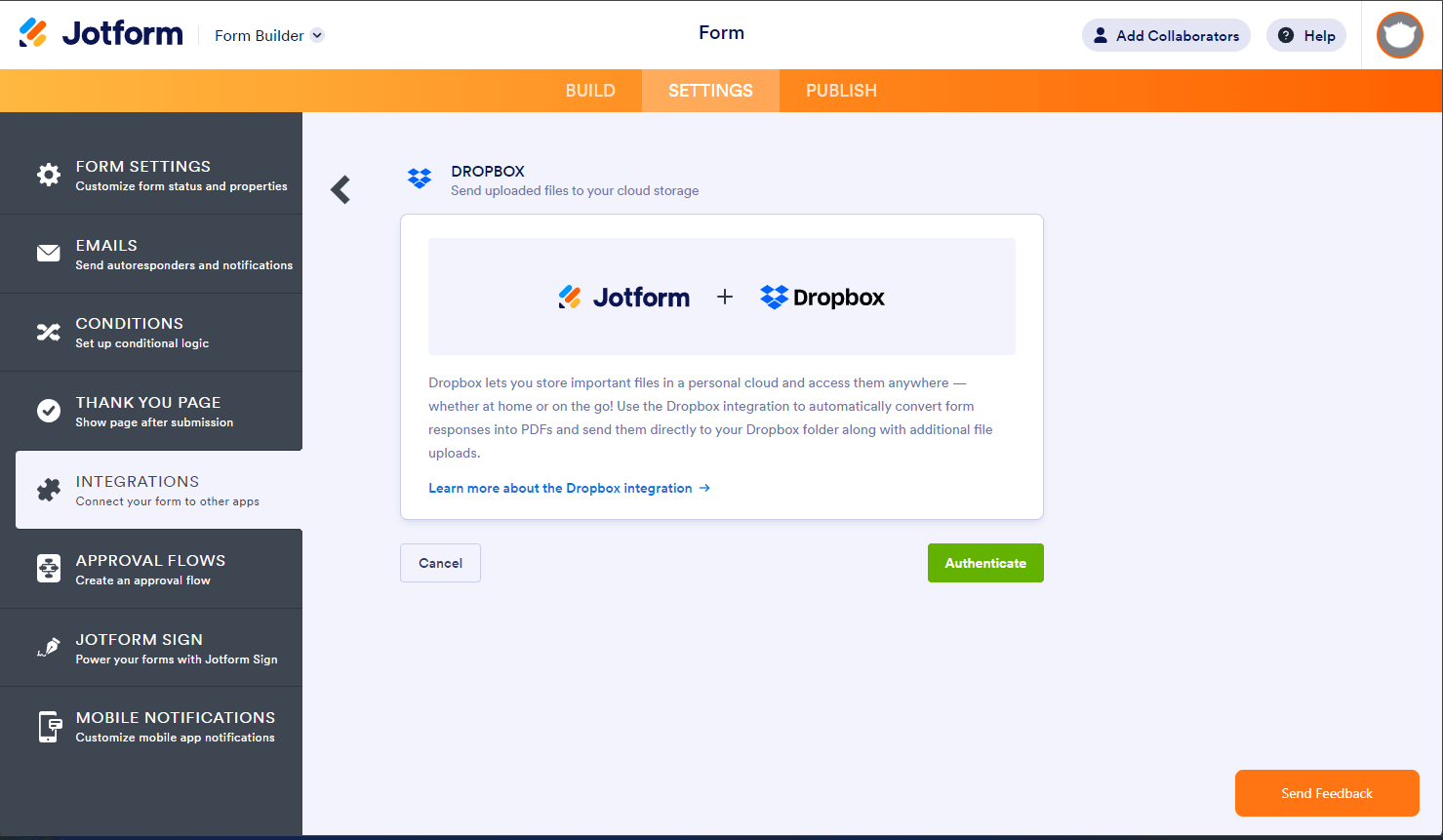
- You will see the Authenticate button if you haven’t connected your Dropbox account yet. Click that to connect and ensure you grant access to Jotform.
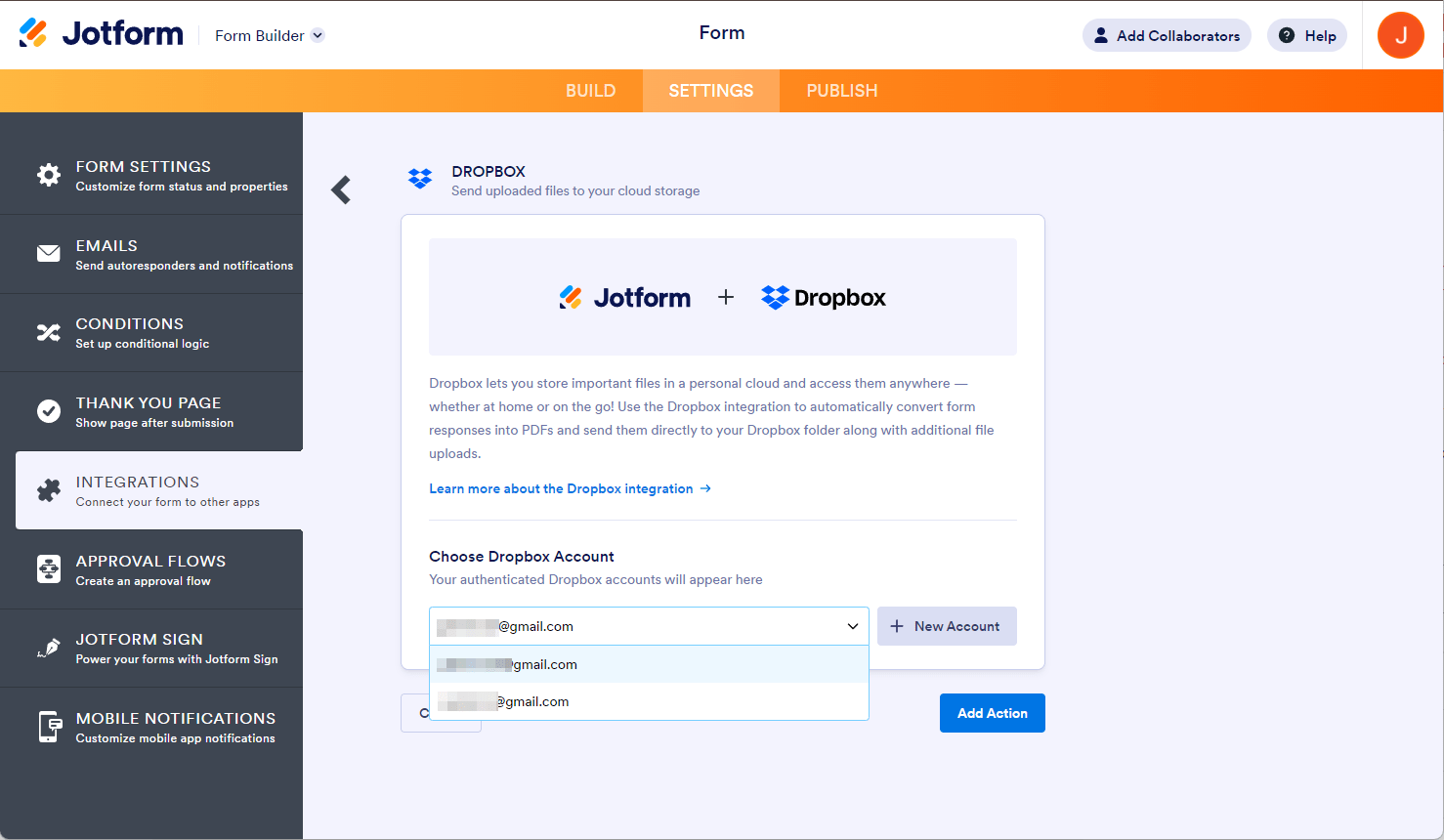
If you have connected a Dropbox account previously, choose it from the dropdown and click the Add Action button.
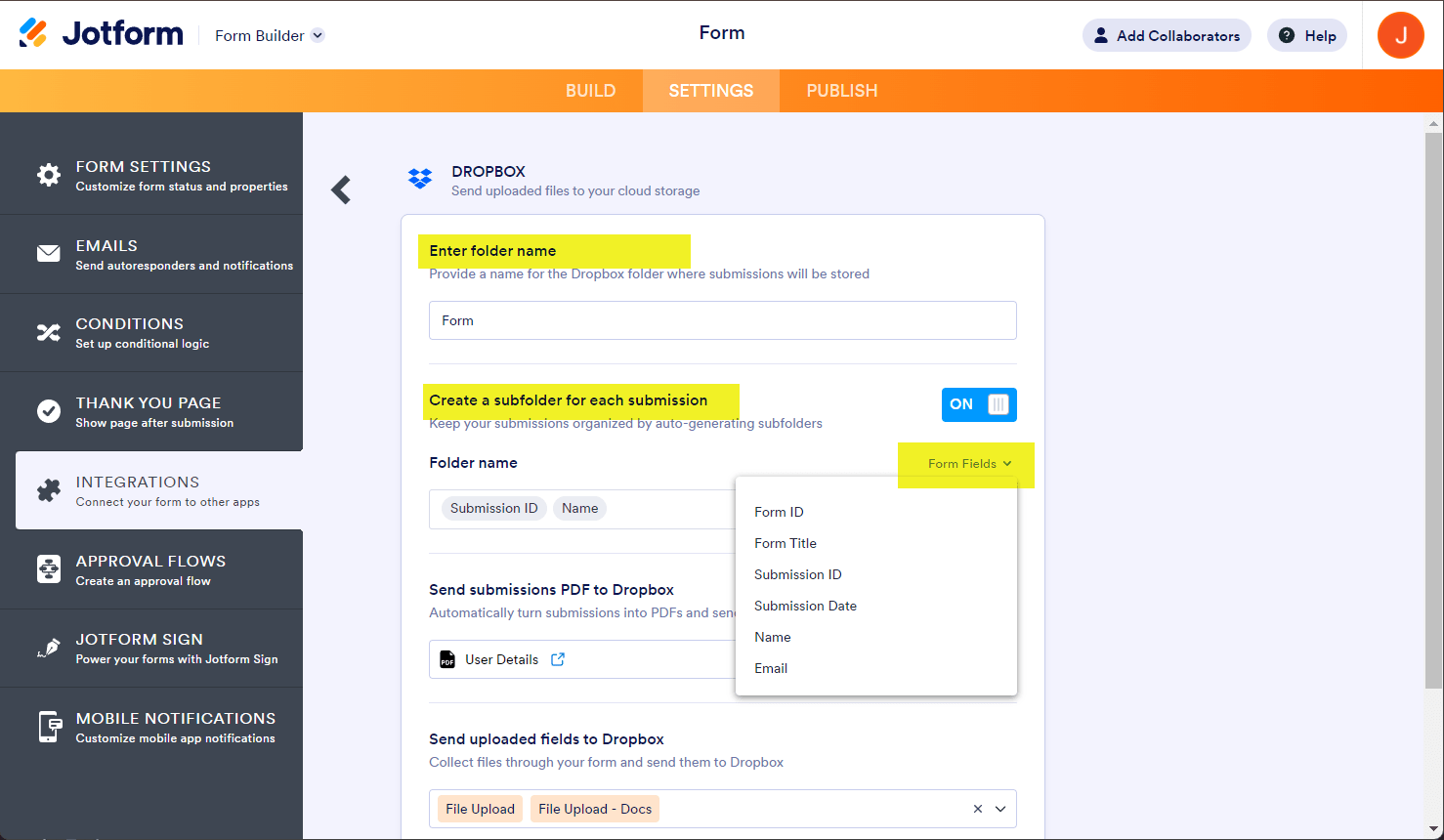
- At this step, you must set up your folders:
- Enter folder name — This will be your main Dropbox folder.
- Create a subfolder for each submission — Turn this on if you want to create a separate folder for each submission inside the main Dropbox folder. You can type your custom folder name or dynamically create it based on Form Fields.
Note
If the subfolder is turned off, your file uploads and PDFs of your submissions are saved under the main folder. For the uploaded files with the same name, Dropbox will automatically detect the revision and upload the files when necessary.
- Next, set up the other properties:
- Send submissions PDF to Dropbox — Select which PDF document to send to Dropbox. You’ll see Default if you haven’t created a PDF document yet.
Note: To rename your PDF, see How to Assign a Custom File Name to Your PDF Report. - Send uploaded files to Dropbox — Select from which file upload to send to Dropbox. You can select multiple file upload fields here.
- Send submissions PDF to Dropbox — Select which PDF document to send to Dropbox. You’ll see Default if you haven’t created a PDF document yet.
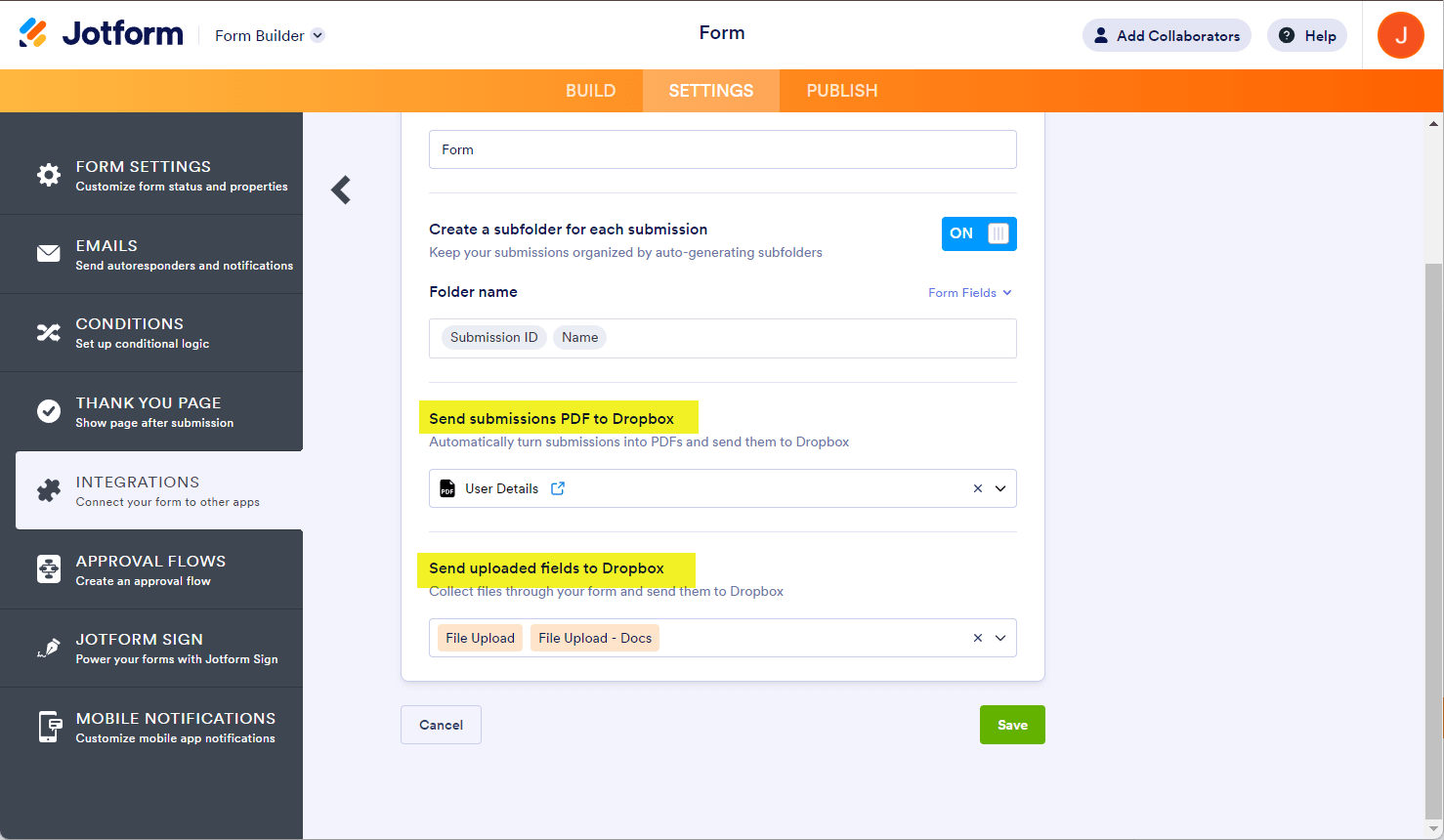
- Finally, click the Save button to complete and finish the integration.
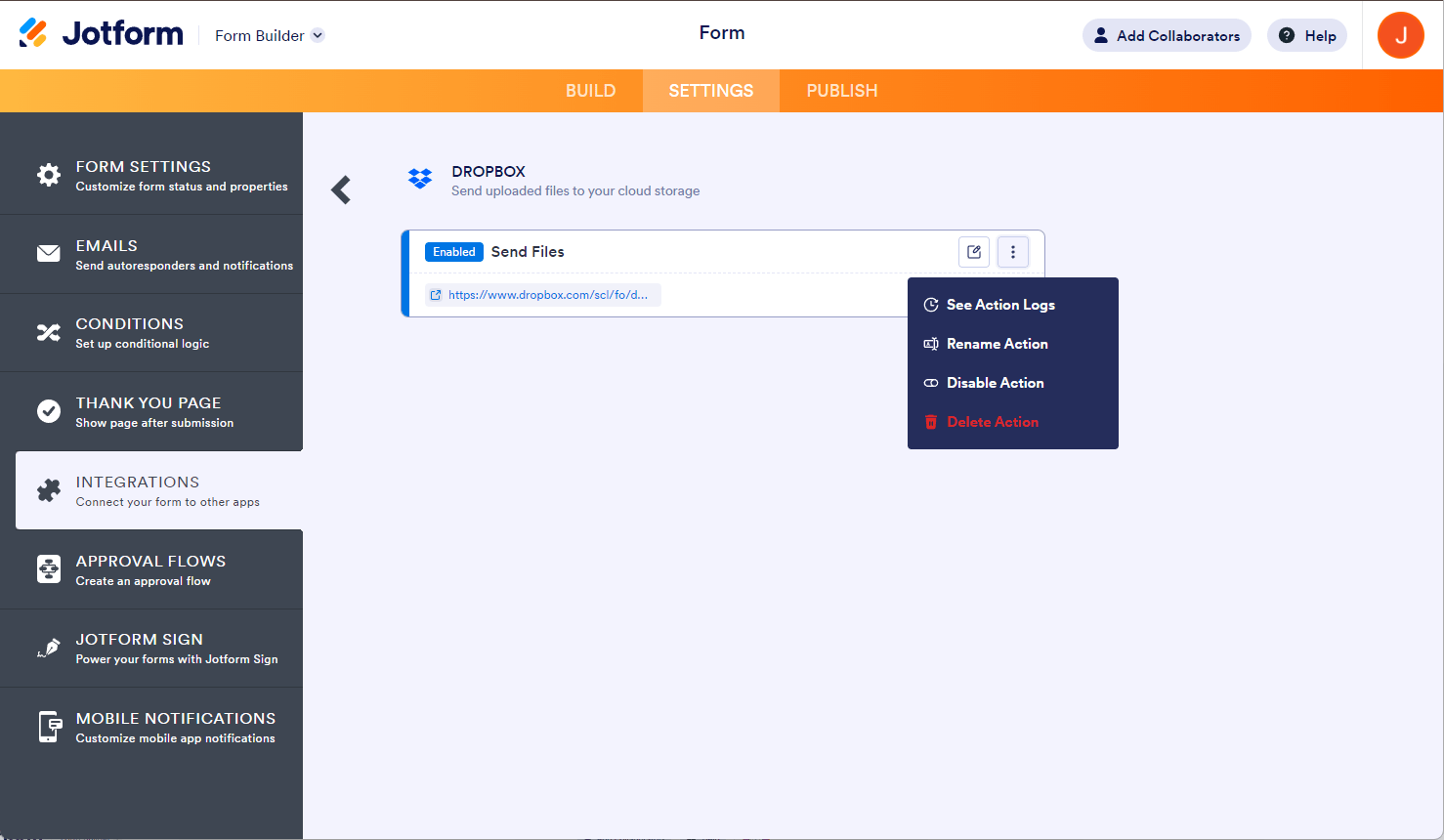
Once it’s finished, you can see and click the link to open the main folder. If you hover your mouse over the created action, you’ll see the Edit Action (pencil icon) and the More (thee-dotted vertical icon) options to the right. The More option includes the following:
- See Action Logs — This section will display your Dropbox integration’s successful and failed runs. It’s useful when troubleshooting issues.
- Rename Action — If you want to personalize the action’s title.
- Disable Action — This option is useful to temporarily stop the integration from sending files.
- Delete Action — If you want to remove the integration from your form.
To set up the folders using the Unique ID widget, refer to the following guide: How to Set up Folders Using Uniqueid in Dropbox.

Send Comment:
90 Comments:
February 11, 2025
Salve, si può fare in modo che i file vengano inviati solo su Dropbox, senza lasciare traccia su account Jotform?
October 15, 2024
Agree with other comments, this is COMPLETE downgrade...
- does not work all the time.. it sometimes works then others it does not.
- support has NO clue about this app.
- They change the file names (add "_" for space / remove file extensions... etc...
The developers should be fire on the spot for this Crappy app...
need to bring back the old one that works.
Testing needs to be done before forcing this pile of crap on us.
WOW!!!!!!!!!!! really big pile of crap.
Way to go jotform for this....
January 15, 2024
This is a severe downgrade from the previous Dropbox integration. I can't specify a path anymore where the main submissions folder goes? How am I supposed to add this to a shared Team folder instead of the personal Dropbox account that's attached to that team account?
June 11, 2023
Can I send the submission to drop after people have completed their forms? Or does it only happen when they complete they complete the forms.
September 1, 2022
Can I select a dropbox folder that already exist or do I have to send to a new folder?
June 10, 2022
Every step was followed but I am not able to locate the form in Dropbox.
November 29, 2021
Does this work if I have 2FA enabled for the account?
April 19, 2021
No veo mi archivo completo en mi dropbox, solo muestra la primera parte y los demas ya no aparecen en dropbox.
February 11, 2021
Question:
Is it possible to change the name of the created PDF file?
And I would like to save to files to a folder in a other folder (example in B)
Dropbox --> User --> A --> B
January 26, 2021
Question:
TL;DR: I want to *share* data from my Dropbox. How do I do that?
Long example:
For the purposes of simplicity, let's say I have 5 recipes stored as PDFs.
One of my friends has an original and wants to digitally send a copy to someone else.
The short URL at the bottom of the original brings them to a form, where they can choose as many of my 5 recipes as they like, then select if they should be mailed to an address or open up in new tabs.
How do I do this? I thought something like Jotform, Dropbox and Zapier but there I get stuck. I find plants of examples in Jotform where I get people to give me files, but not where I get one sent to them!
I look forward to some suggestions, hope my question is clear enough
November 17, 2020
I am having the hardest time. I have linked my drop box, have saved the images I would like to use, and when I go to paste the link in the widget for the product image - I am getting the broken image graphic instead of what I wanted.
November 10, 2020
Is dropbox no longer an integration option? I'm no longer showing it as a selection.
September 14, 2020
Is it possible to have the forms process in Word format rather than PDF format so they can be editable once saved in dropbox?
April 21, 2020
I set up integration but the folder on my dropbox is empty, please advise!
April 14, 2020
How long does it take content from jotform to sync with integrated dropbox file?
October 30, 2019
I've set this up and the integration works fine, but when I drag files that have been added through this sync to new subfolders inside the main folder it always leaves a copy that I have to go back and delete. Is there any way to fix this? I reached out to Dropbox about it but they said it was an issue with the Jotform integration and could offer me no help.
August 13, 2019
How can i edit my integration so that the form submissions saves in a subfolder that already exists?
April 27, 2019
Not sure why but dropbox and Jotform need to be refreshed around every 3 to 6 weeks... or they get disconnected....
April 9, 2019
Hello!
I am a mastering engineer and I use my jotform form to collect project info and accept audio files from clients. I've been trying to integrate it with my dropbox to more easily get access to the submitted files, but I've had some trouble figuring it out. The actual integration was pretty easy but I'm having trouble with the naming of the dropbox folder that is created when receiving a submission. Among other things, I collect the artist name and project/song title with my form. I use that info, along with a project ID (PJMxxx) made with a unique ID widget on the form, to make a custom project name.
The format I use is [Project ID] [Artist Name] - [Project/Song Title]
An example would be: PJM092 Natie - Something
How do I set the name of the new dropbox folder to be created using multiple input fields from the form?
Thanks!
March 30, 2019
Is there any way to have the folder inside a few folders instead of in the Root Directory?
for example
DropboxFTNET-InstallersNew Customer Install PicturesService Calls (Jotform)
instead of
DropboxService Calls (Jotform)
ive tried just adding the path FTNET-InstallersNew Customer Install PicturesService Calls (Jotform) but no luck. if not can we get a feature add please :)
January 22, 2019
I dont understand why I would need a "File Upload" section in the form. I just want the form submissions to go to my Dropbox as a PDF document. I am not uploading any files to the form. I have set up the Dropbox integration and tried several test submissions. None of them are going to my Dropbox account.
October 23, 2018
When a form is submitted, is there one folder created per submission with the uploaded file(s), or one folder created per form with all the files that are uploaded through multiple submissions of that form?
For example, Form X requires submission of files A, B, C. If there were three submissions to Form X, the storage would look like the following:
Dropbox/Folder-FormX/Folder-Submission1/A-1,B-1,C-1
Dropbox/Folder-FormX/Folder-Submission2/ A-2,B-2,C-2
Dropbox/Folder-FormX/Folder-Submission3/ A-3,B-3,C-3
Thank you!
September 8, 2018
Is there a way to send uploaded files to Dropbox after it has been submitted?
July 25, 2018
For the folder name can i have to option ie. ID + Name
July 10, 2018
Can I specify which Dropbox account a form integrates with? I have multiple Dropbox accounts and want to make sure that they are associate with the form and NOT a single Dropbox account for my entire Jotform account and ALL forms.
Thanks!
eric